
Product Overview
The Yamnweo GH4 Portable Audio Mixer is a versatile 4-channel mixer designed for various audio applications including recording, DJing, stage performances, and karaoke. It features a durable steel chassis and offers a range of functionalities to enhance your audio experience.
Key Features
- 4 MIC/LINE mono inputs + 1 stereo input
- +48V Phantom Power for condenser microphones
- Bluetooth Wireless Connection for smartphones and tablets
- USB Interface for PC recording/playback and flash drive support
- Reverb Delay Effect for professional vocal and instrument sounds
- GAIN and high/bass tuning on channels
Setup Guide
Unpacking
Carefully remove all components from the packaging. Ensure the following items are present:
- 1 x Yamnweo GH4 Mixer
- 1 x Power Supply
- 1 x User Manual
Power Connection
Connect the provided power supply to the DC input port on the mixer and then to a suitable power outlet. Turn on the power switch.

Image: Rear view of the Yamnweo GH4 mixer showing the power input and other connections. A power cable is plugged into the DC input.
Input Connections
The GH4 mixer offers various input options:
- MIC/LINE Inputs (Channels 1-4): Use XLR or 1/4" TRS/TS cables for microphones or line-level instruments.
- Stereo Input: Use RCA cables for external stereo audio sources.
Connecting Microphones
For condenser microphones, ensure the +48V Phantom Power is activated for the respective channel. For dynamic microphones, +48V is not required.
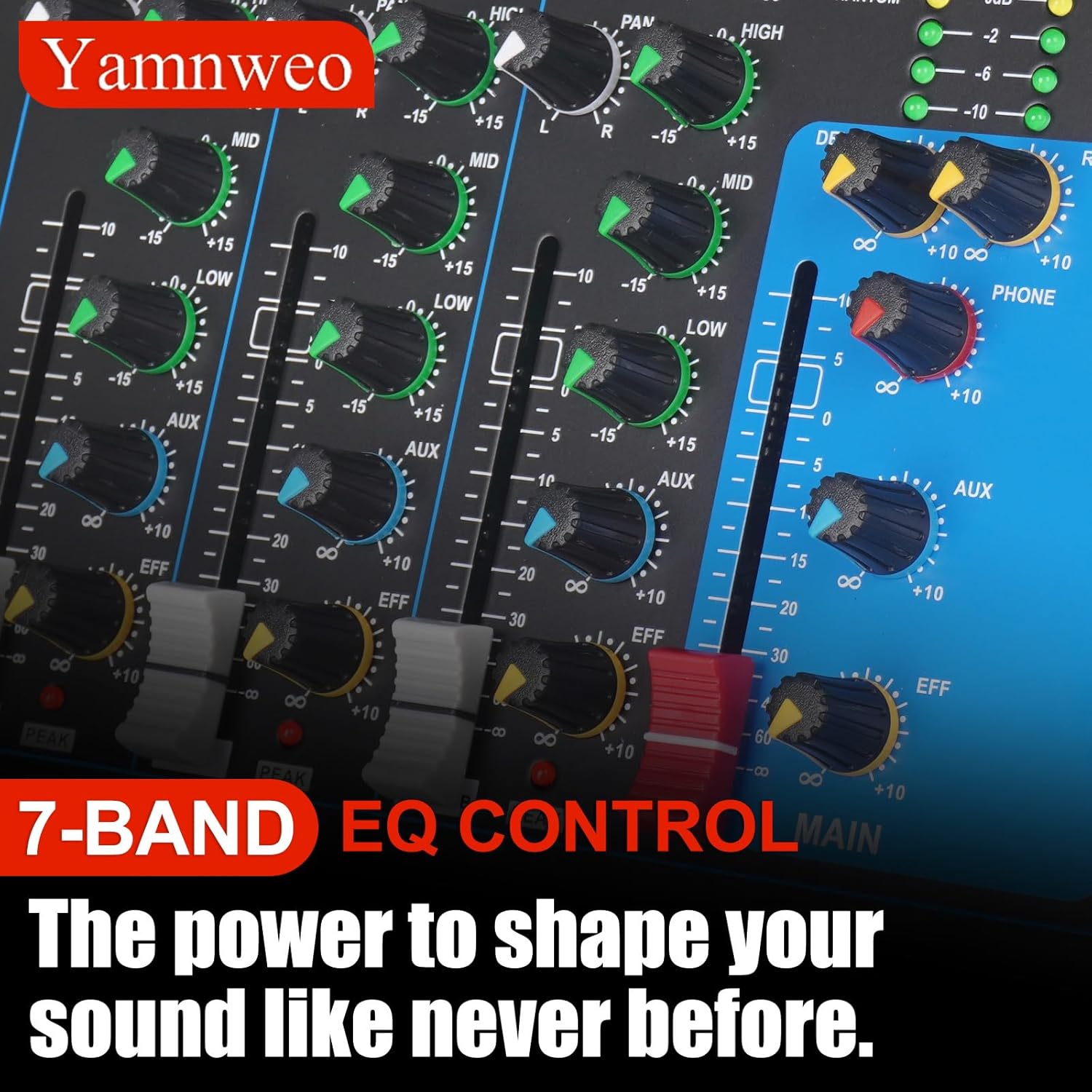
Image: A detailed view of the mixer's input section, highlighting the XLR/TRS combo jacks and individual channel controls.
Connecting Other Audio Devices
Connect external audio sources like CD players, media players, or instruments to the appropriate line or stereo inputs.
Output Connections
Connect your main speakers or recording devices to the MAIN OUTPUTs using XLR or 1/4" TRS cables.
Headphone Monitoring
Plug your headphones into the PHONES jack for real-time monitoring of your mix.
Video: Demonstrates the operation method for headphone monitoring with a mixer, showing how to connect headphones and adjust levels.
Operating Instructions
Basic Channel Control
Each input channel features controls for GAIN, HIGH, MID, LOW (EQ), and EFF (Effect Send). Adjust these to achieve your desired sound.
Image: A detailed view of the mixer's input section, highlighting the XLR/TRS combo jacks and individual channel controls.
Gain Adjustment
Use the GAIN knob to set the input level for each channel. Ensure the PEAK indicator does not light up consistently to avoid distortion.
Equalization (EQ)
Adjust the HIGH, MID, and LOW knobs to shape the tone of each input.
Effect Send (EFF)
Use the EFF knob to send a portion of the channel's signal to the built-in effects processor.
Master Output Control
The MAIN faders control the overall output volume of the mixer.
Built-in Effects
The mixer includes a digital effects processor with reverb and delay. Use the PROGRAM knob to select an effect and the EFF LEVEL/REPEAT knobs to adjust its intensity and characteristics.

Image: A close-up of the mixer's digital display showing effect settings and control knobs for program selection, delay, and repeat.
Video: Demonstrates features of a 4-channel mini mixer, including DSP effects, phantom power, and various connections.
Bluetooth Connectivity
To connect a Bluetooth device (e.g., smartphone, tablet):
- Press the MODE button on the USB/MP3 player section until "BT" appears on the display.
- On your device, search for "GH4" (or similar) in Bluetooth settings and pair.
- Once connected, you can play audio from your device through the mixer.

Image: A smartphone displaying music playback connected wirelessly to the Yamnweo GH4 mixer, illustrating Bluetooth functionality.
USB Playback and Recording
The USB interface allows for direct playback from a USB flash drive or connection to a computer for recording and playback.
- Insert a USB flash drive into the USB port for MP3 playback. Use the control buttons (play/pause, skip) on the mixer.
- Connect the mixer to your computer via a USB cable for recording or using it as an audio interface.

Image: The Yamnweo GH4 mixer connected to a laptop, demonstrating its use as a studio audio mixer for recording or playback.
Video: Overview of a professional audio mixer, highlighting its 4-channel input, DSP effects, USB interface, and Bluetooth connectivity.
Maintenance
To ensure the longevity and optimal performance of your Yamnweo GH4 mixer, follow these guidelines:
- Keep the unit clean by wiping it with a soft, dry cloth. Avoid using liquid cleaners or solvents.
- Protect the mixer from dust, moisture, and extreme temperatures.
- Do not block ventilation openings.
- Avoid dropping or subjecting the unit to strong impacts.
Troubleshooting Guide
No Power
- Ensure the power adapter is securely connected to the mixer and a working power outlet.
- Check if the power switch on the mixer is in the "ON" position.
No Sound Output
- Verify that the MAIN faders are raised and not muted.
- Check all input and output cable connections.
- Ensure the volume levels on connected devices (microphones, speakers, etc.) are appropriate.
- If using Bluetooth, confirm successful pairing and playback on your device.
Distorted Sound
- Reduce the GAIN on the input channels if the PEAK indicator is frequently lighting up.
- Lower the MAIN faders if the output is clipping.
- Check the volume levels of connected speakers or amplifiers.
Bluetooth Connection Issues
- Ensure the mixer is in Bluetooth mode ("BT" displayed).
- Unpair and re-pair the device.
- Move your Bluetooth device closer to the mixer to ensure a strong signal.
Technical Specifications
| Feature | Specification |
|---|---|
| Model | GH4 4Channel |
| Brand | Yamnweo |
| Number of Channels | 4 |
| Phantom Power | +48V |
| Connectivity | Bluetooth, USB |
| Item Weight | 4.18 pounds (1.9 Kilograms) |
| Product Dimensions | 9.37"D x 8.34"W x 1.45"H |
| Power Source | Corded Electric |
| Voltage | 110 Volts |
Warranty and Customer Support
For warranty information, technical support, or service inquiries, please refer to the contact details provided with your purchase or visit the official Yamnweo website. Keep your proof of purchase for warranty claims.