
1. Introduction
This manual provides essential information for the safe and efficient use of your TCL 40XL 2023 Unlocked Cell Phone. Please read this guide thoroughly before operating your device to ensure proper functionality and to understand its features.
2. What's in the Box
Verify that all items are present in your product packaging:
- 1 x TCL 40XL Unlocked Cell Phone
- 1 x Charger (9V 2A)
- 1 x USB Cable
- 1 x Quick Guide
3. Device Overview
Familiarize yourself with the physical components and design of your TCL 40XL smartphone.
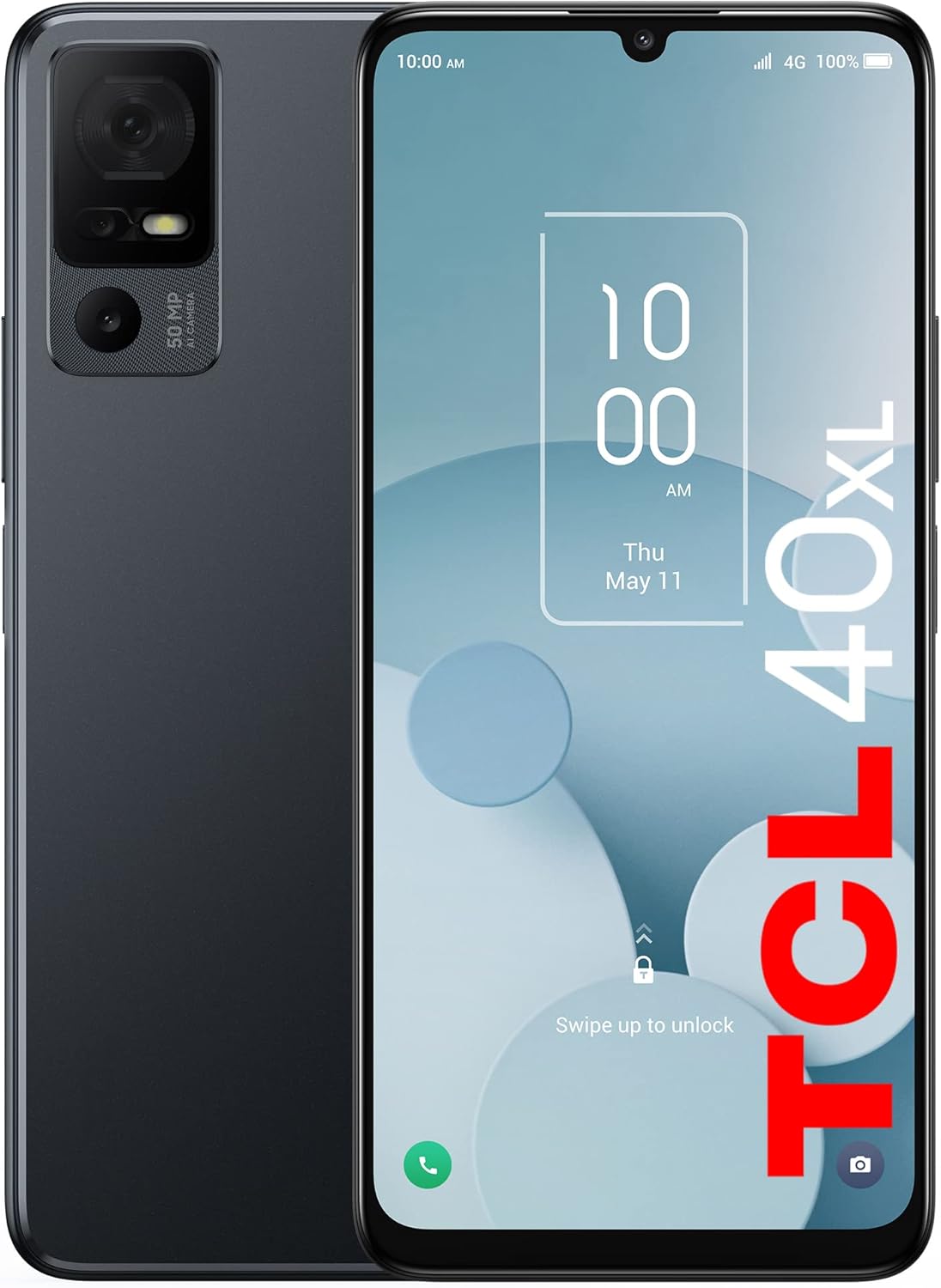
Image: Front and back view of the TCL 40XL 2023 Unlocked Cell Phone, showcasing the display and rear camera module.

Image: The TCL 40XL display, highlighting its 6.75-inch HD+ Nxtvision display, 90Hz refresh rate, dual speakers, and enhanced visual features.
4. Setup
4.1. Inserting SIM Card and MicroSD Card
- Locate the SIM card tray on the side of your phone.
- Use the provided SIM ejector tool to open the tray.
- Place your Nano-SIM card(s) and/or microSD card into the tray with the gold contacts facing down.
- Carefully reinsert the tray into the phone.
4.2. Initial Power On and Basic Setup
- Press and hold the Power button until the TCL logo appears.
- Follow the on-screen instructions to select your language, connect to a Wi-Fi network, and set up your Google account.
- Review and accept the terms and conditions to complete the initial setup.
4.3. Carrier Compatibility
The TCL 40XL is an unlocked device. For optimal network performance, ensure your carrier is supported.

Image: A chart detailing supported and unsupported carriers for the TCL 40XL, including carriers that support Wi-Fi calling.
5. Operating Your Phone
5.1. Basic Navigation
- Touch Screen: Tap to select, swipe to scroll, pinch to zoom.
- Home Screen: Access apps, widgets, and notifications.
- Notification Panel: Swipe down from the top of the screen to view notifications and quick settings.
5.2. Camera Usage
The TCL 40XL features a 50MP AI triple camera system.

Image: A person holding the TCL 40XL, demonstrating its camera interface and highlighting the 50MP AI Main Cam, 2MP Depth Cam, 2MP Macro Cam, and 8MP Selfie Cam.
- Open the Camera app from your home screen or app drawer.
- Select your desired mode (Photo, Video, Portrait, Macro, etc.).
- Tap the shutter button to capture images or start/stop video recording.
5.3. Battery Management
Your device is equipped with a 5000 mAh battery.

Image: A screenshot of the TCL 40XL's battery settings, showing 99% charge and estimated remaining usage time, along with normal and super saving modes.
- To check battery usage, go to Settings > Battery.
- Enable Battery Saver mode to extend battery life.
- Use the provided 9V 2A charger for optimal charging speed.
5.4. Storage Management
The TCL 40XL comes with 256GB of internal storage, expandable up to 512GB with a microSD card.

Image: An illustration of the TCL 40XL's 256GB storage capacity, showing estimated storage for movies, pictures, and music, with a note about microSD expansion.
- To view storage usage, go to Settings > Storage.
- Move large files to a microSD card to free up internal storage.
- Regularly clear cache and uninstall unused apps.
5.5. Connectivity
- Wi-Fi: Go to Settings > Network & internet > Wi-Fi to connect to available networks.
- Bluetooth: Go to Settings > Connected devices > Bluetooth to pair with other devices.
- Mobile Data (4G LTE): Ensure your SIM card is active and mobile data is enabled in Settings > Network & internet > Mobile network.
6. Maintenance
6.1. Software Updates
Regularly check for and install software updates to ensure your device has the latest features and security patches. Go to Settings > System > System update.
6.2. Cleaning Your Device
Use a soft, lint-free cloth to clean the screen and body of your phone. Avoid harsh chemicals or abrasive materials. Do not expose the device to excessive moisture.
6.3. Battery Care
To prolong battery lifespan:
- Avoid extreme temperatures.
- Do not leave the phone charging for extended periods after it reaches 100%.
- Use only the original or certified compatible chargers.
7. Troubleshooting
If you encounter issues with your TCL 40XL, refer to the following common solutions:
- Device will not turn on: Ensure the battery is charged. Connect the phone to its charger for at least 30 minutes before attempting to power it on again.
- Charging issues: If the phone is not charging or the charging port feels loose, try a different USB cable and charger. Inspect the charging port for debris. If issues persist, professional repair may be required.
- Apps crashing or freezing: Close and reopen the app. Clear the app's cache (Settings > Apps > [App Name] > Storage & cache > Clear cache). Restart your phone.
- Poor network connection: Check your SIM card insertion. Ensure mobile data is enabled. Try restarting your phone or toggling Airplane Mode on and off.
- Factory Reset: As a last resort, you can perform a factory reset. This will erase all data on your phone. Go to Settings > System > Reset options > Erase all data (factory reset). Backup your data before proceeding.
8. Specifications
| Feature | Specification |
|---|---|
| Model Name | TCL 40XL |
| Operating System | Android 13.0 |
| Processor | MediaTek G37 Octa-Core |
| RAM | 6 GB |
| Internal Storage | 256 GB |
| Expandable Storage | Up to 512 GB via microSD card |
| Screen Size | 6.75 Inches |
| Resolution | 720 x 1600 |
| Rear Camera | 50MP AI Main, 2MP Depth, 2MP Macro |
| Front Camera | 8MP |
| Battery Capacity | 5000 mAh |
| Connectivity | 4G LTE, Wi-Fi, Bluetooth, USB |
| Dimensions (L x W x H) | 6.61 x 3.01 x 0.35 inches |
| Item Weight | 0.176 ounces |
9. Warranty and Support
For warranty information and customer support, please refer to the documentation provided with your purchase or visit the official TCL support website. Keep your proof of purchase for warranty claims.
For further assistance, you may contact TCL customer service directly.


