
Product Overview
The AMIR Digital Alarm Clock (Model WA33KM-AM-US) is designed for clear time display and reliable alarm functions. It features a large LED display, adjustable brightness, dual power options, and smart alarm settings to enhance your daily routine.

Image: Front view of the AMIR Digital Alarm Clock displaying '15:00' in large white LED digits.
Key Features
- Extra-Large LED Display: 6.3-inch wide display for easy readability from a distance.
- Dual Power Options: Operates via USB-C for continuous display or AAA batteries for power-saving mode and time memory.
- Smart Alarm & Snooze: Customizable alarm schedules (Mon-Fri, Mon-Sat, daily, weekends) and a 9-minute snooze function.
- Automatic DST Adjustment: Automatically adjusts for Daylight Saving Time.
- Adjustable Brightness: 4 brightness levels (Bright/Medium/Low/Ultra Low) and an auto-dimming night mode (7 PM–7 AM).
Package Contents
- AMIR Digital Alarm Clock
- USB-C Power Cable
- User Manual

Image: The AMIR Digital Alarm Clock, its USB-C cable, and the instruction manual laid out on a surface.
Setup
Powering the Clock
The AMIR Digital Alarm Clock can be powered in two ways:
- USB-C Power (Recommended): Connect the provided USB-C cable to the clock and a compatible USB power adapter (not included). This ensures the display remains continuously on and provides full time memory function.
- AAA Batteries (Backup/Power Saving): Insert 3 AAA batteries (not included) into the battery compartment on the back. When running on battery power alone, the screen will turn off after 10 seconds to conserve energy. The clock will retain time settings in this mode.

Image: Illustration of the dual power supply options: AAA battery compartment and USB-C input.
Initial Time Setting
Upon first power-up or after a full power loss without battery backup, you may need to set the time.
- Press and hold the MODE button on the back for 2 seconds to enter time setting mode.
- The hour digits will flash. Use the UP or DOWN buttons to adjust the hour.
- Press MODE again to switch to minute setting. The minute digits will flash. Use UP or DOWN to adjust the minutes.
- Press MODE one more time to confirm and exit time setting.

Image: Rear view of the clock highlighting the control buttons for easy setup.
12/24 Hour Format
To switch between 12-hour and 24-hour display formats, briefly press the UP (12/24H) button on the back of the clock.
Video: A demonstration of how to easily set the time and alarm on the AMIR Digital Alarm Clock.
Operating Instructions
Setting the Alarm
The clock supports dual alarms. Follow these steps to set an alarm:
- Press and hold the ALARM button on the back for 2 seconds to enter alarm setting mode. The hour digits for Alarm 1 will flash.
- Use the UP or DOWN buttons to adjust the hour.
- Press ALARM again to switch to minute setting. Use UP or DOWN to adjust the minutes.
- Press ALARM again to select the alarm frequency: Mon-Fri, Mon-Sat, Daily, or Weekends only. Use UP or DOWN to cycle through options.
- Press ALARM one more time to confirm Alarm 1 settings.
- To set Alarm 2, repeat steps 1-5.
Activating/Deactivating Alarm
Briefly press the ALARM button to toggle Alarm 1 or Alarm 2 on/off. An alarm icon will appear on the display when an alarm is active.
Video: A step-by-step guide on how to set the alarm function on the digital clock.
Snooze Function
When the alarm sounds, press the large SNOOZE button on top of the clock to activate a 9-minute snooze. The alarm will sound again after 9 minutes. To turn off the alarm completely, press any other button on the back.

Image: The large snooze button on top of the clock and visual representations of the four alarm modes.
Adjusting Brightness
The clock offers 4 levels of brightness and an auto-dimming night mode:
- Briefly press the LIGHT button on the back to cycle through brightness levels: Bright, Medium, Low, Ultra Low.
- Night Mode: The display will automatically dim between 7 PM and 7 AM.
- When operating on battery power, the screen turns off after 10 seconds. Tap any button to temporarily illuminate the display.
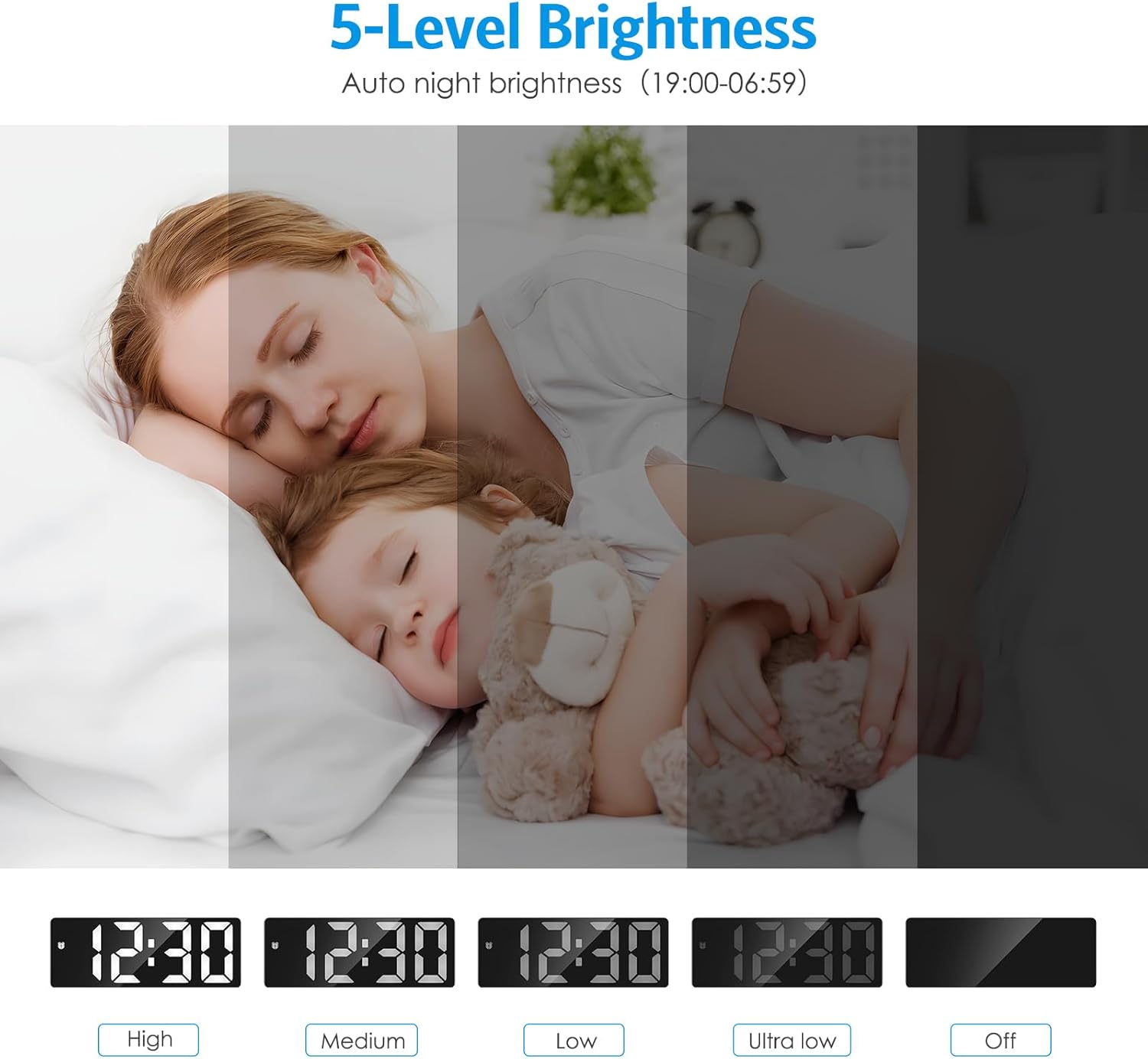
Image: Visual guide to the five brightness levels, including 'Off' for the display.
Daylight Saving Time (DST)
To activate or deactivate Daylight Saving Time, press the DOWN (DST) button on the back. The clock will adjust automatically.
Video: Instructions on how to set the brightness, activate night mode, and adjust for Daylight Saving Time.
Maintenance
- Clean the clock with a soft, dry cloth. Avoid abrasive cleaners or solvents.
- Keep the clock away from extreme temperatures, direct sunlight, and moisture.
- If using batteries, replace them when the display becomes dim or unresponsive.
Troubleshooting
- Screen turns off after 10 seconds: This is normal behavior when the clock is powered by batteries only (power-saving mode). To keep the screen always on, connect the clock via USB-C.
- Clock does not light up: Ensure the USB power plug is working correctly or replace the batteries. Verify that the positive and negative terminals of the AAA batteries are installed correctly.
- Time/Alarm difficult to set: Refer to the 'Initial Time Setting' and 'Setting the Alarm' sections for detailed, step-by-step instructions.
Specifications
| Feature | Detail |
|---|---|
| Brand | AMIR |
| Model Number | WA33KM-AM-US |
| Color | Black |
| Display Type | Digital LED |
| Power Source | Battery Powered (3 AAA, not included) + Type-C USB |
| Special Features | Adjustable Brightness, Alarm, Large Display, Snooze, Auto DST |
| Product Dimensions | 1.49 x 1.5 x 1.57 inches |
| Item Weight | 4.2 ounces |
| Material | Acrylonitrile Butadiene Styrene (ABS) |
Warranty and Support
AMIR offers a Lifetime Warranty for this product. For any inquiries or support, please refer to the contact information provided with your purchase or on the official AMIR website.