
TECKNET TK-MS007
TECKNET Ergonomic Rechargeable Vertical Wireless Mouse
Instruction Manual - Model: TK-MS007
1. Product Overview
The TECKNET Ergonomic Rechargeable Vertical Wireless Mouse is designed to provide a comfortable and efficient computing experience. Its unique vertical design promotes a natural handshake position, reducing wrist strain and muscle activity. This mouse features adjustable DPI settings, silent click buttons, and a stable 2.4GHz wireless connection, making it suitable for various tasks and environments.

Image: TECKNET Ergonomic Vertical Mouse in black, showcasing its unique upright design and included USB-A and Type-C charging cables.
2. Setup
2.1 What's in the Box
- TECKNET Vertical Mouse
- USB-A Receiver
- User Manual
- Type-C Charge Cable
2.2 Charging the Mouse
The mouse comes with a built-in 600mAh rechargeable battery. Before first use, or when the battery indicator turns red, connect the included Type-C charge cable to the charging port located at the front of the mouse. A full charge typically takes approximately 1.5 hours and can provide 1-3 months of working time, depending on usage frequency.

Image: The TECKNET mouse connected via its Type-C charging cable, illustrating the 600mAh rechargeable battery and charging times.
2.3 Connecting to Your Device
The mouse utilizes advanced 2.4GHz wireless technology for a stable connection up to 10 meters. To connect, simply plug the included USB-A receiver into an available USB-A port on your computer (desktop, laptop, or PC). No additional drivers are needed; it's plug-and-play. Ensure your device has a USB-A port, as USB-C ports require an adapter.

Image: The TECKNET mouse wirelessly connected to a laptop via its 2.4G USB receiver, highlighting the 10m working distance and plug-and-play functionality.
Video: An official TECKNET video demonstrating the ergonomic design, adjustable DPI, rechargeable battery, and stable wireless connection of the vertical mouse.
3. Operating Instructions
3.1 Ergonomic Design for Comfort
The TECKNET ergonomic mouse features a vertical design that aligns with the natural structure of your hand, creating a 52-degree angle with the horizontal plane. This design reduces hand movement distance and decreases hand muscle activity by approximately 10%, allowing your arm and wrist to rest comfortably and alleviating fatigue during extended use.

Image: An illustration comparing the ergonomic vertical mouse position to a traditional mouse, showing reduced wrist strain with the ergonomic design.
3.2 Adjustable DPI Settings
The vertical mouse offers 5 adjustable DPI levels: 800, 1600, 2400, 3200, and 4800. This allows you to customize the cursor sensitivity for precise tracking on most surfaces (excluding glass). Adjusting the DPI is done via a dedicated button on the mouse, providing quick and easy control over your cursor speed.

Image: A visual representation of the 5 adjustable DPI levels (800-4800) available on the TECKNET vertical mouse, indicating swift swipe and high precision.
3.3 Button Functions
The mouse is equipped with multiple buttons for enhanced functionality:
- Left/Right Click Buttons: Standard mouse functions.
- Scroll Wheel: For vertical scrolling.
- DPI Switch Button: Located near the scroll wheel, allows cycling through DPI settings.
- Forward/Backward Buttons: Located on the side, these buttons provide convenient web page browsing. (Note: These side buttons are not silent and are unavailable on Mac OS systems).

Image: A diagram illustrating the various buttons on the TECKNET vertical mouse, including Left/Right Click, Scroll Wheel, DPI Switch, Forward, and Backward buttons.
3.4 Silent Click Feature
The left and right click buttons are designed for quiet environments, reducing clicking noise by over 90%. This feature allows you to maintain concentration without disturbing others. Please note that the scroll wheel, DPI button, and forward/backward buttons do not have a silent design.

Image: A visual emphasizing the noiseless click feature of the mouse, showing a quiet environment.
3.5 Wide Compatibility
The TECKNET vertical mouse is compatible with a wide array of devices, including desktops, laptops, and PCs. It offers universal suitability for most computer devices on the market with a USB-A port. Supported operating systems include Windows, Mac OS X10.4 (note: side buttons unavailable), Chrome OS, and Linux.
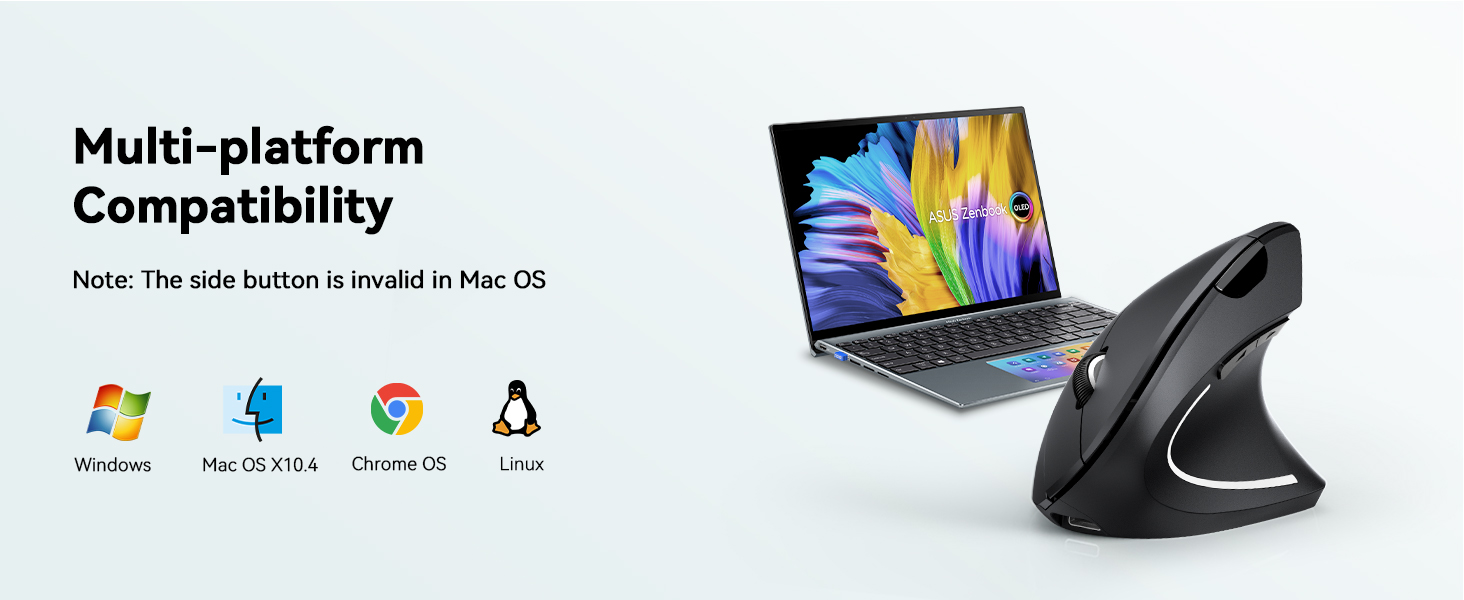
Image: An illustration showing the mouse's compatibility with Windows, Mac OS, Chrome OS, and Linux operating systems.
4. Maintenance
4.1 Battery Care
To prolong battery life, ensure the mouse is fully charged before first use. The mouse enters a power-saving mode (completely powering off) after 8 minutes of inactivity. To wake it up, press the right or left button. This is a power-saving feature and not a disconnection issue. Regularly charge the mouse when the battery indicator turns red.
4.2 General Care and Cleaning
Keep the mouse clean by wiping it with a soft, dry cloth. Avoid using harsh chemicals or abrasive materials that could damage the surface. Ensure the optical sensor on the bottom is free from dust and debris for optimal tracking performance.
5. Troubleshooting
5.1 Mouse Not Responding
- Check Battery: Ensure the mouse is charged. If the battery indicator is red, charge the mouse.
- Wake from Sleep Mode: If the mouse has been inactive for 8 minutes, it enters sleep mode. Press the left or right button to wake it up.
- Check Connection: Ensure the USB-A receiver is securely plugged into your computer's USB-A port. Try plugging it into a different USB-A port.
- Restart Device: Sometimes, restarting your computer can resolve connection issues.
5.2 Cursor Movement Issues
- Adjust DPI: Use the DPI switch button to cycle through the 5 DPI levels to find the sensitivity that suits your needs.
- Clean Sensor: Ensure the optical sensor on the bottom of the mouse is clean and free from obstructions.
- Surface Compatibility: The mouse tracks precisely on most surfaces, but may not work optimally on glass.
5.3 Missing Parts or Damage
If you received the product with missing parts or damage, please contact TECKNET customer support for assistance.
6. Specifications
| Feature | Detail |
|---|---|
| Product Dimensions | 4.7 x 2.5 x 0.04 inches |
| Item Weight | 4.2 ounces |
| Model Number | TK-MS007 |
| Brand | TECKNET |
| Color | Black |
| Connectivity Technology | 2.4GHz USB, Wireless |
| Special Feature | Wireless Connection, Plug and Play, Lightweight, Ergonomic Design, Rechargeable, No Battery Required, Soundless |
| Movement Detection Technology | Optical |
| First Available Date | June 12, 2024 |
7. Warranty and Support
TECKNET offers a warranty for its products. Customers can register for membership to extend their warranty by 36 months. For detailed warranty information, product support, or to address any issues not covered in this manual, please visit the official TECKNET website or contact their customer service directly.
Visit the TECKNET Store for more information and products.
Related documentsTK-MS007


Ask a question about this manual
Ask about setup, troubleshooting, compatibility, parts, safety, or missing instructions. Manuals+ will review the question and use this page’s manual context to help answer it.