
1. Introduction and Overview
This manual provides essential information for setting up, operating, maintaining, and troubleshooting your MSI Modern 15 B7M-403CA laptop. The MSI Modern 15 B7M-403CA is a 15.6-inch ultra-thin and light laptop designed for productivity and everyday use, featuring an AMD Ryzen 5-7530U processor, 16GB DDR4 memory, and a 512GB NVMe SSD, running on Windows 11 Home.
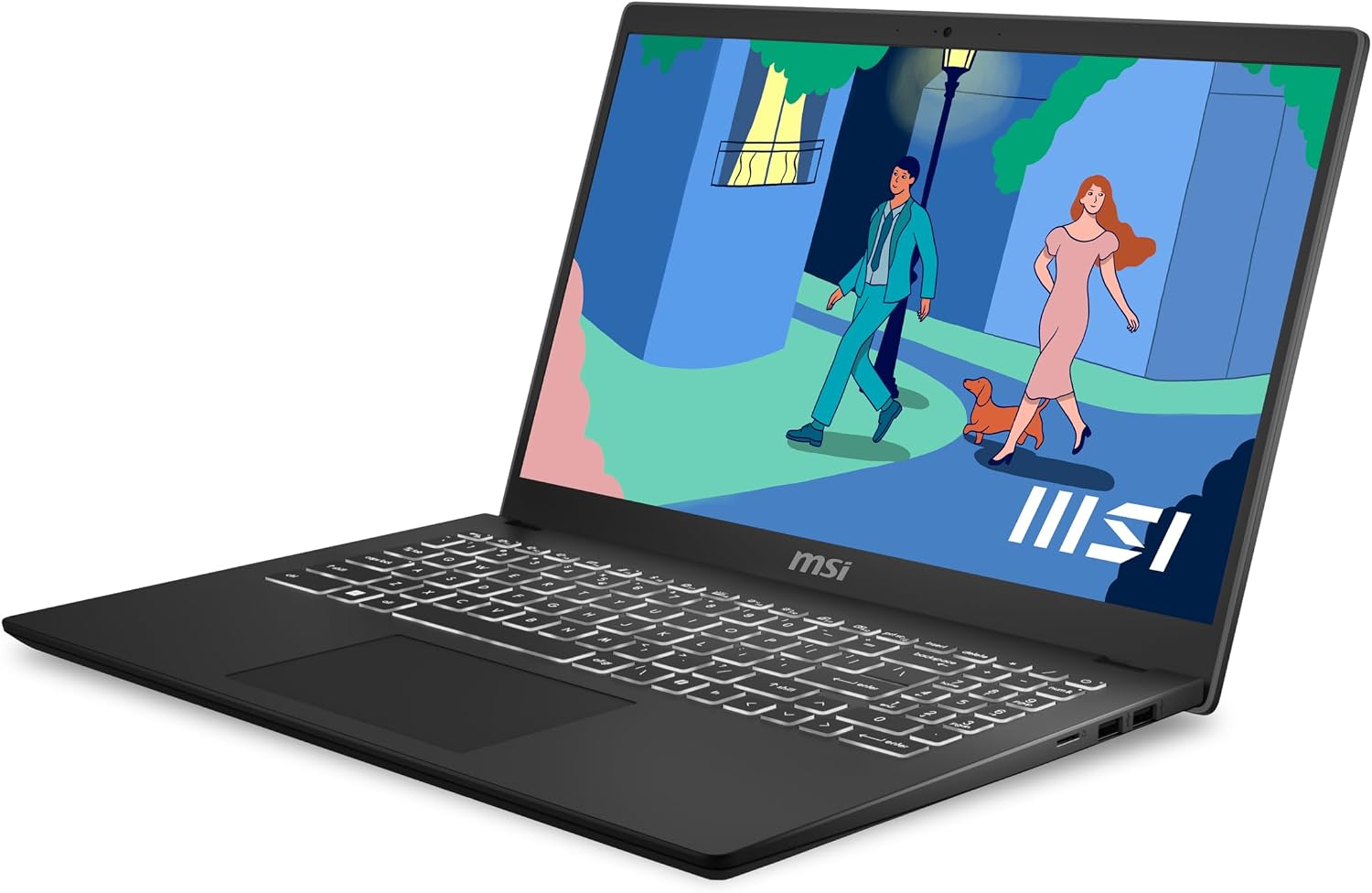
Front view of the MSI Modern 15 B7M-403CA laptop, showcasing its display and keyboard.
2. Setup Guide
2.1 Unboxing
Carefully remove the laptop and all accessories from the packaging. Ensure the following items are present:
- MSI Modern 15 B7M-403CA Laptop
- AC Adapter and Power Cord
- Quick Start Guide (if included)
2.2 Connecting Power
- Connect the AC adapter to the power jack on the side of the laptop.
- Plug the power cord into the AC adapter.
- Connect the other end of the power cord to a grounded electrical outlet.
- Allow the laptop to charge for at least 30 minutes before initial use, or until the battery indicator shows sufficient charge.
2.3 Initial Boot and Windows 11 Setup
- Open the laptop lid and press the power button, typically located on the keyboard deck.
- Follow the on-screen instructions to complete the Windows 11 Home setup process. This includes selecting your region, language, connecting to a Wi-Fi network, and creating a user account.
2.4 Connecting Peripherals
Your laptop features various ports for connecting external devices:

Detailed view of the laptop's side ports, including DC-in, HDMI, USB 3.2 Gen 2 Type-C (with PD charging), Audio Combo, microSD Card Reader, USB 2.0 Type-A, and USB 3.2 Gen 2 Type-A.
- USB Ports: Connect USB devices such as mice, keyboards, or external storage drives.
- HDMI Port: Connect an external monitor or TV for extended display.
- Audio Combo Jack: Connect headphones or a headset.
- microSD Card Reader: Insert a microSD card for data transfer.
- USB Type-C (with PD charging): Connect compatible devices or use for power delivery.
3. Operating Instructions
3.1 Power On/Off and Sleep Mode
- Power On: Press the power button.
- Shut Down: Click the Start button, then Power > Shut down.
- Sleep Mode: Close the lid or click the Start button, then Power > Sleep.
3.2 Keyboard and Touchpad
The laptop features a full-size backlit keyboard with 1.5mm key travel and a dedicated number pad for comfortable typing. The precision touchpad supports multi-touch gestures for intuitive navigation.

Top-down view of the laptop's backlit keyboard, precision touchpad, and number pad.
3.3 Display Features
The 15.6-inch Full HD (1920x1080) IPS-level display offers clear visuals. The laptop's hinge allows for a 180° lay-flat position, enabling easy screen sharing and collaboration.

The MSI Modern 15 B7M-403CA laptop with its screen laid flat at 180 degrees, demonstrating its flexibility for sharing content.
3.4 Audio
Experience enhanced sound quality with Hi-Res Audio support, providing an immersive listening experience for music, movies, and calls.

A user enjoying audio content on the MSI Modern 15 B7M-403CA laptop with headphones, highlighting the Hi-Res Audio feature.
3.5 Connectivity
The laptop supports Wi-Fi 6E for fast and reliable wireless internet connections and Bluetooth 5 for connecting wireless peripherals.

Graphic illustrating Wi-Fi 6E connectivity, indicating advanced wireless capabilities.
3.6 MSI Center Pro
Utilize the pre-installed MSI Center Pro software to optimize system performance, monitor hardware, and customize settings for your laptop.

Image showing the MSI Center Pro logo alongside the laptop, also indicating MIL-STD-810G durability.
4. Maintenance
4.1 Cleaning the Laptop
- Use a soft, lint-free cloth slightly dampened with water or a screen cleaner to clean the display.
- Wipe the keyboard and chassis with a soft, dry cloth. Avoid harsh chemicals.
- Use compressed air to clear dust from vents and ports periodically.
4.2 Battery Care
- Avoid fully discharging the battery frequently.
- Store the laptop in a cool, dry place if not used for extended periods.
- For optimal battery longevity, avoid exposing the laptop to extreme temperatures.
4.3 Software Updates
Regularly update your Windows operating system and MSI drivers to ensure optimal performance and security. You can check for Windows updates via Settings > Windows Update, and MSI driver updates through MSI Center Pro or the official MSI website.
5. Troubleshooting
5.1 Power Issues
- Laptop not turning on: Ensure the AC adapter is securely connected and the power outlet is functional. Try a different outlet.
- Battery not charging: Verify the AC adapter and cable are not damaged. Check the charging port for debris.
5.2 Display Problems
- No display: Connect an external monitor to check if the issue is with the laptop's screen. Restart the laptop.
- Flickering screen: Update your graphics drivers. Adjust display refresh rate in Windows settings.
5.3 Connectivity Issues
- Wi-Fi not connecting: Restart your router and laptop. Check Wi-Fi settings in Windows. Ensure Wi-Fi is enabled.
- Bluetooth device not pairing: Ensure the Bluetooth device is in pairing mode and within range. Check Bluetooth settings on the laptop.
6. Specifications
| Feature | Detail |
|---|---|
| Model Name | Modern 15 B7M-403CA |
| Processor | AMD Ryzen 5 7530U (up to 4.5 GHz) |
| Graphics | AMD Radeon Integrated GPU |
| Display | 15.6-inch FHD (1920x1080) 60Hz IPS-Level |
| Memory | 16GB DDR4 |
| Storage | 512GB NVMe SSD |
| Operating System | Windows 11 Home |
| Wireless Connectivity | Wi-Fi 6E, Bluetooth 5 |
| Ports | HDMI, USB 3.2 Gen 2 Type-C (with PD charging), USB 3.2 Gen 2 Type-A, USB 2.0 Type-A, Audio Combo, microSD Card Reader |
| Battery | 3-cell Lithium Polymer, 39.3 Wh |
| Dimensions (L x W x Thickness) | 35.9 x 24.1 x 2 cm (approx.) |
| Weight | 1.75 kg (approx.) |
7. Warranty and Support
7.1 Warranty Information
The MSI Modern 15 B7M-403CA laptop comes with a 1-year limited warranty, which includes 1 year of global warranty coverage. Please refer to the warranty card included with your product for full terms and conditions.
7.2 Technical Support
For technical assistance, driver downloads, or further support, please visit the official MSI website. You can find contact information for customer service and support resources specific to your region there.