
Uniclife Aquarium Air Pump (Mini)
Uniclife Aquarium Air Pump Instruction Manual
Model: Aquarium Air Pump (Mini)
Product Overview
The Uniclife Aquarium Air Pump is designed to provide steady and reliable aeration for your aquatic environment. This compact and quiet air pump is suitable for small to medium freshwater and marine aquariums, as well as other applications requiring oxygenation such as hydroponic systems or bait buckets. It features an adjustable air flow rate and comes with essential accessories for a complete setup.

Image: Uniclife Aquarium Air Pump and included accessories.

Image: The Uniclife Aquarium Aerator, suitable for 0-5 gallon fish tanks.

Image: Various applications for the air pump, including fish tanks, small ponds, and hydroponic buckets.
Setup Instructions
Follow these steps to properly set up your Uniclife Aquarium Air Pump:
- Prepare Tubing: Cut the provided 5-foot airline tubing to the desired length for your setup. Ensure it is long enough to reach from the pump to your air stone or other air-driven device within the tank.
- Connect Tubing to Pump: Attach one end of the cut tubing securely to the air outlet port(s) on the air pump.
- Install Check Valve (Recommended): If the air pump will be placed below the water level of your tank, it is crucial to install the included one-way check valve in the airline tubing. This prevents water from siphoning back into the pump during a power outage, which can cause damage. Insert the check valve into the tubing, ensuring the arrow on the valve points towards the aquarium.
- Connect Air Stone/Device: Attach the other end of the tubing (or the check valve, if used) to the air stone or other air-driven accessory (e.g., sponge filter).
- Positioning: Place the air pump on a stable, dry surface. If a check valve is not used, the pump must be placed above the water level of the aquarium to prevent back-siphoning.
- Power On: Once all connections are secure and the pump is properly positioned, plug the power cord into a suitable electrical outlet.

Image: The flexible, kink-resistant 5 ft. standard tubing included with the pump.

Image: Diagram illustrating the function of the one-way check valve, preventing back-siphoning.

Image: Visual guide for connecting tubing, attaching to pump, inserting check valve, and linking to bubbler.
Operating Instructions
The Uniclife Aquarium Air Pump is designed for continuous operation. Once plugged in, it will begin to produce air.
- Adjusting Air Flow: The pump features a variable adjustment knob (if applicable to your model) to control the air output. Turn the knob clockwise to increase air flow and counter-clockwise to decrease it. Adjust the flow to suit the needs of your aquarium and the air-driven device.
- Bubble Production: The included air stone will produce a steady stream of fine bubbles, promoting oxygen solubility in the water.
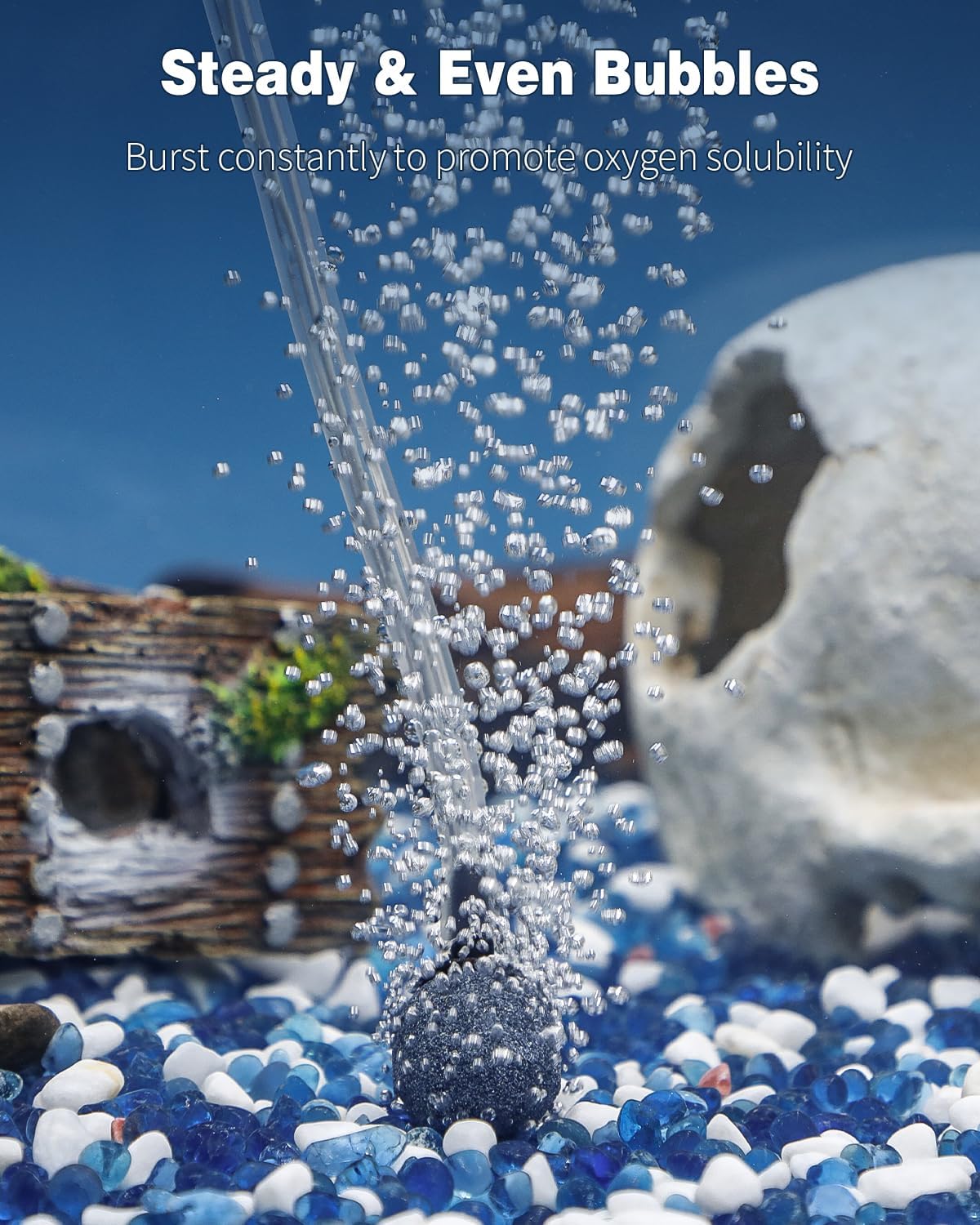
Image: Illustration of steady and even bubbles bursting from the air stone, enhancing oxygen solubility.
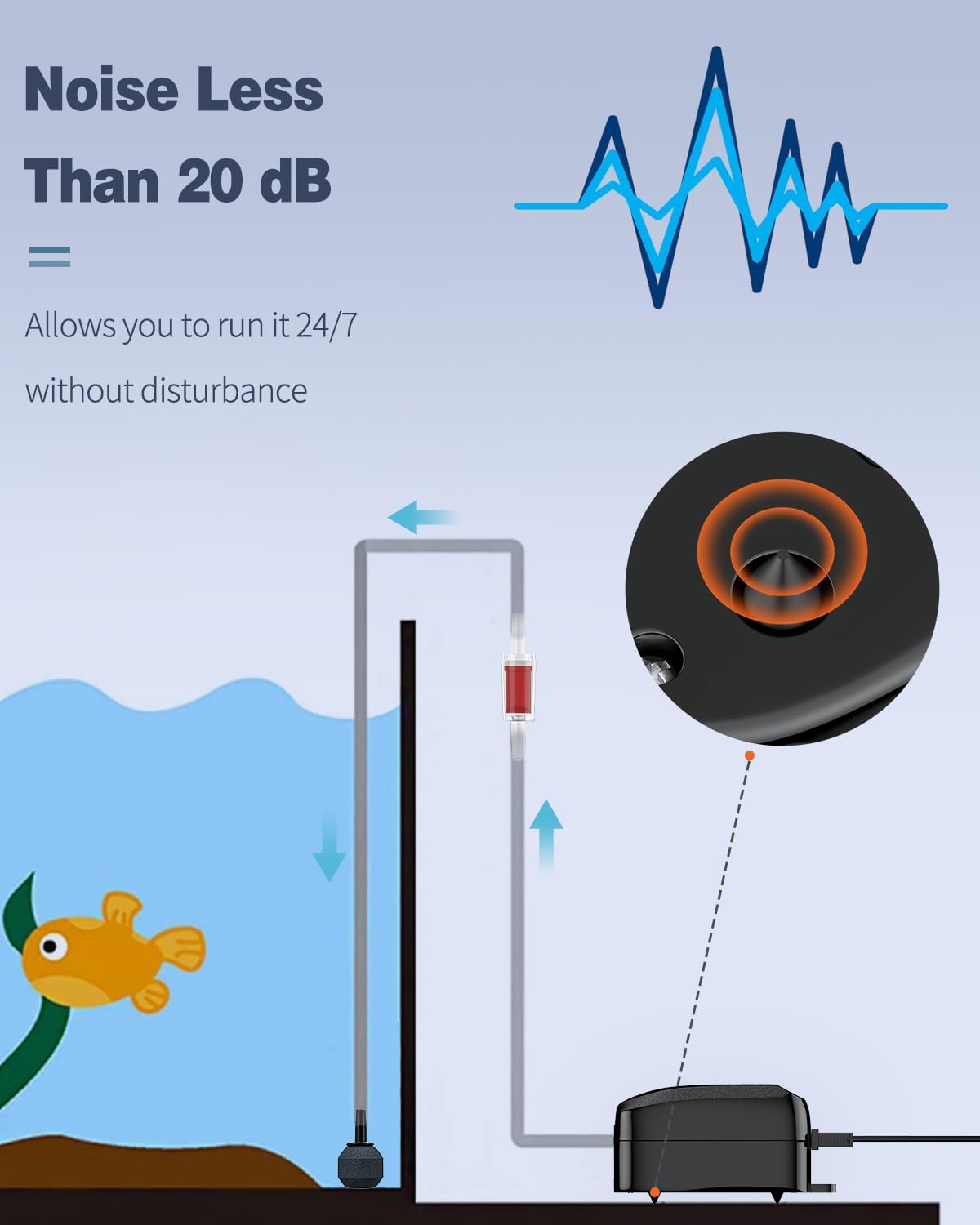
Image: Graphic indicating the low noise level of the air pump, less than 20 dB.

Image: The air pump operating quietly next to an aquarium, highlighting its fully enclosed structure and shockproof rubber feet.
Maintenance
Regular maintenance ensures optimal performance and longevity of your air pump:
- Air Stone Cleaning: Over time, air stones can become clogged with algae or mineral deposits, reducing air flow. Clean the air stone regularly by scrubbing it gently with a brush under running water. For stubborn clogs, soak it in a diluted bleach solution (rinse thoroughly afterwards) or replace it.
- Tubing Inspection: Periodically check the airline tubing for kinks, cracks, or blockages. Replace any damaged tubing to maintain consistent air flow.
- Pump Exterior: Wipe the exterior of the air pump with a damp cloth to remove dust and debris. Ensure no water enters the pump.
- Placement: Always ensure the pump is placed in a well-ventilated area, away from direct sunlight or excessive heat, to prevent overheating.
Troubleshooting
If you encounter issues with your Uniclife Aquarium Air Pump, refer to the following common troubleshooting tips:
| Problem | Possible Cause | Solution |
|---|---|---|
| No air output or weak air flow |
|
|
| Excessive noise or vibration |
|
|
| Water siphoning back into pump |
|
|
Specifications
- Model Name: Aquarium Air Pump (Mini)
- Style: Up to 5 Gallons
- Max Air Flow Rate: 20 GPH (Gallons Per Hour)
- Pressure: 0.014 MPa
- Power: 2 W
- Noise Level: Less than 25 dB (typically less than 20 dB)
- Dimensions (L x W x H): 3.6" L x 1.95" W x 2.2" H (approx. 9.1 x 4.9 x 5.5 cm)
- Material: Plastic
- Color: Black
- Included Components: Air Pump, Air Stone, 5-foot Airline Tubing, Check Valve
- Power Source: Corded Electric

Image: Visual representation of the air pump's dimensions and key specifications.

Image: Details on the pump's efficiency, max flow rate, power, pressure, and voltage.
Warranty and Support
This Uniclife product comes with a manufacturer's warranty. Please refer to the product packaging or contact Uniclife customer support for detailed warranty information and assistance.
For further support or inquiries, please visit the official Uniclife store or contact their customer service department.
Uniclife Store: Visit Uniclife Store on Amazon
Ask a question about this manual
Ask about setup, troubleshooting, compatibility, parts, safety, or missing instructions. Manuals+ will review the question and use this page’s manual context to help answer it.