
Introduction
Welcome to the user manual for your OBA Ring-R10 3.0 Smart Ring. This guide provides essential information for setting up, operating, maintaining, and troubleshooting your device. The OBA Ring-R10 is a smart wearable designed to monitor various health metrics and offer convenient NFC functionality, all within a durable ceramic design.
Package Contents
Please verify that all items are present in your package:
- OBA Ring-R10 Smart Ring
- Charging Base
- USB Charging Cable
- User Manual (this document)

Image: The OBA Ring-R10 charging case, a compact black square device with green indicator lights and the OBA logo. A wrist strap is attached.
Setup Guide
1. Initial Charging
Before first use, fully charge your OBA Ring-R10. Connect the charging cable to the charging base and a USB power source. Place the smart ring onto the charging base. The indicator lights on the base will show the charging status. A full charge typically takes approximately 1-2 hours.
- Battery Capacity: 25 mAh Lithium Polymer.
2. App Installation
The OBA Ring-R10 requires a companion application for full functionality. Search for the "OBA Smart Ring" app on your smartphone's app store (Google Play Store for Android devices). Download and install the application.
- Supported Operating Systems: Android.
- Compatible Devices: All current smartphone models.
3. Device Pairing
- Ensure your smartphone's Bluetooth is enabled.
- Open the OBA Smart Ring application.
- Follow the on-screen instructions within the app to search for and connect to your OBA Ring-R10. The ring will appear as "OBA Ring-R10" or a similar identifier in the app's device list.
- Confirm the pairing request on your smartphone.
Once paired, the ring will automatically synchronize data with the app.
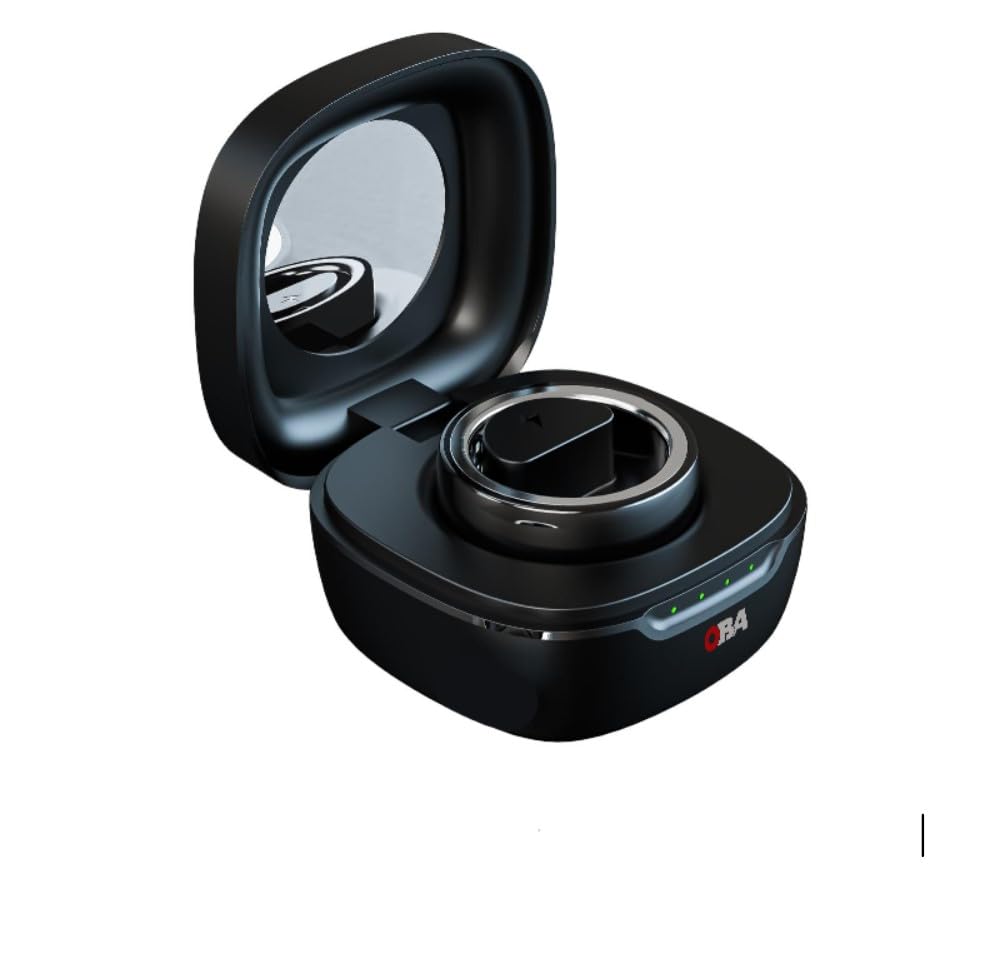
Image: A close-up top view of the OBA Ring-R10 Smart Ring, highlighting the internal sensors and polished ceramic exterior.
Operating Instructions
Wearing the Ring
Wear the OBA Ring-R10 on your preferred finger. For accurate readings, ensure the sensors on the inside of the ring are in good contact with your skin. The ring is designed for comfortable, continuous wear.

Image: A side view of the OBA Ring-R10 Smart Ring, emphasizing its minimalist and round ceramic design.
Key Features and Functions
The OBA Ring-R10 offers a range of smart functionalities accessible through its companion app:
- Activity Tracking: Monitors steps, distance, and calories burned.
- Heart Rate Monitoring: Continuously tracks your heart rate.
- Sleep Quality Analysis: Records sleep duration and quality, including light, deep, and REM sleep stages.
- Blood Oxygen (SpO2) Monitoring: Measures blood oxygen levels.
- Stress Level Monitoring: Provides insights into your stress levels.
- NFC Reader: Enables contactless payments or other NFC-based interactions (check app for setup).
- Notifications: Receive notifications from your compatible device (via the app).
All data is synchronized with the OBA Smart Ring app, where you can view detailed statistics, trends, and personalized activity monitoring reports.
Care and Maintenance
Cleaning
To maintain the performance and appearance of your OBA Ring-R10, clean it regularly. Use a soft, damp cloth to wipe the ring. Avoid harsh chemicals, abrasive materials, or ultrasonic cleaners, as these can damage the ceramic finish and internal components.
Water Resistance
The OBA Ring-R10 is water-resistant up to 3 meters (IP68 rating). This means it is suitable for everyday use such as washing hands, showering, and exposure to light rain. It is not recommended for swimming, diving, or prolonged submersion in water, especially hot water or steam, as this may compromise the water seal over time.
Storage
When not in use for extended periods, store the ring in a cool, dry place. Ensure it is fully charged before storing to preserve battery health.
Troubleshooting
| Problem | Possible Cause | Solution |
|---|---|---|
| Ring not connecting to app | Bluetooth off, ring out of battery, app not running, pairing issue. |
|
| Inaccurate health data | Improper fit, dirty sensors, ring not worn correctly. |
|
| Ring not charging | Improper placement on base, faulty cable/base, power source issue. |
|
| NFC not working | NFC not enabled, incorrect usage, app setup incomplete. |
|
If you encounter persistent issues not covered here, please refer to the Support section for further assistance.
Specifications
| Model Name | OBA Ring-R10 |
| Brand | OBA |
| Material | Ceramic |
| Battery Capacity | 25 Milliamper-hour (mAh) Lithium Polymer |
| Connectivity Technology | Bluetooth |
| Supported Operating System | Android |
| Water Resistance Level | Water Resistant (IP68, up to 3 meters) |
| Memory Capacity | 4 GB |
| Display Type | No screen |
| GPS | No GPS |
| Sensors | Heart rate, Sleep duration, Stress, Blood oxygen monitoring |
| User Interface Interaction | App-based controls |
| Color | Black |
| Target Audience | Unisex Adult |
| Country of Origin | Italy |
Warranty Information
The OBA Ring-R10 3.0 Smart Ring comes with a 2-year warranty from the date of purchase. This warranty covers manufacturing defects and malfunctions under normal use. It does not cover damage caused by misuse, accidents, unauthorized modifications, or failure to follow the instructions in this manual.
Please retain your proof of purchase for warranty claims. For detailed warranty terms and conditions, refer to the official OBA website or contact customer support.
Support and Contact
For further assistance, technical support, or inquiries regarding your OBA Ring-R10 Smart Ring, please contact OBA customer service:
- Online Support: Visit the official OBA website for FAQs, support articles, and contact forms.
- Email Support: Refer to your product packaging or the OBA website for the customer support email address.
When contacting support, please have your product model (OBA Ring-R10) and proof of purchase ready.
Product Videos
No official seller videos were available for embedding at this time. Please check the product page or manufacturer's website for any available video guides or demonstrations.


