
FAMOO 33
FAMOO Bluetooth Headset Model 33 User Manual
Model: 33
Introduction
Thank you for choosing the FAMOO Bluetooth Headset Model 33. This manual provides essential information for setting up, operating, and maintaining your new headset. Please read it thoroughly before use to ensure optimal performance and longevity of your device.
What's in the Box
- Wireless Bluetooth Headset x1
- Charging Case x1
- Charging Cable x1
- Spare Ear Caps x3 Pairs (S, M, L)
- Instruction Manual x1
Setup
1. Charging the Headset and Case
Before first use, fully charge the headset and its charging case. Connect the provided charging cable to the charging case and a USB power source. The headset charges automatically when placed inside the case.
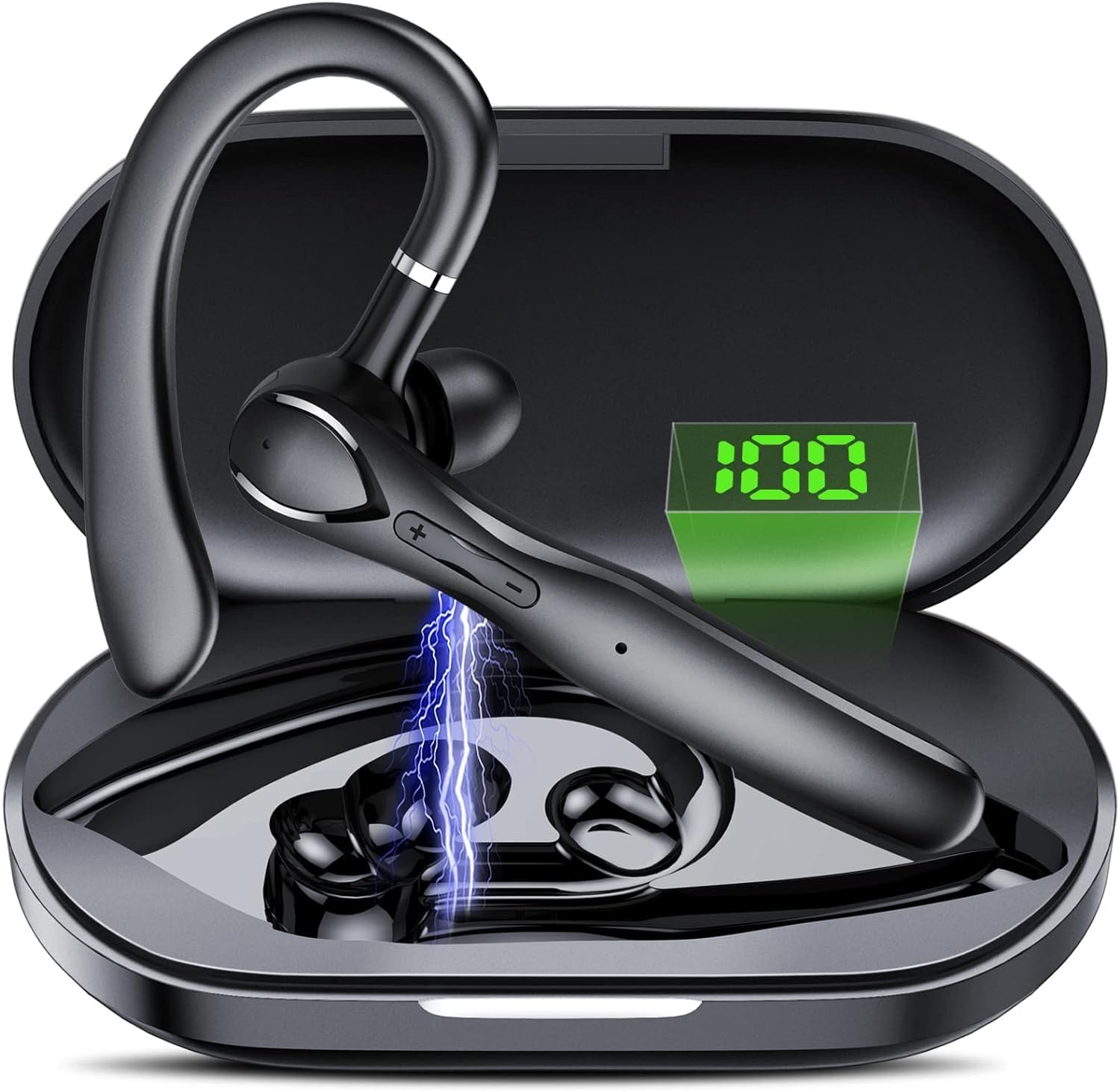
Image: The FAMOO Bluetooth Headset inside its charging case, illustrating battery life and charging duration. The charging case provides up to 100 hours of total play time, with the headset offering 20 hours of play time on a single charge. A full charge takes approximately 1.5 hours.
- Charging Case Capacity: 400mAh
- Headset Play Time: Up to 20 hours
- Total Play Time (with case): Up to 100 hours
- Charging Time: Approximately 1.5 hours
2. Pairing with Your Device
- Ensure the headset is charged and powered on.
- Activate Bluetooth on your smartphone or other device.
- Search for available Bluetooth devices and select "FAMOO 33" from the list.
- Once connected, the headset will indicate successful pairing.
The FAMOO Bluetooth Headset supports Bluetooth 5.3 for stable connectivity and can connect to two devices simultaneously.

Image: The FAMOO Bluetooth Headset shown wirelessly connected to two different smartphones, demonstrating its dual device connectivity feature. This allows for seamless switching between devices like Android phones, iPhones, iPads, laptops, and desktop computers.
3. Adjusting for a Comfortable Fit
The headset is designed for an adjustable and comfortable fit for both ears. Choose the appropriate ear cap size (S, M, L) for a secure and comfortable seal. The ear hook can be rotated to fit either the left or right ear.

Image: A man wearing the FAMOO Bluetooth Headset, illustrating its adjustable design for a comfortable fit on either the left or right ear. The image highlights the ergonomic ear hook design.
Operating Instructions
1. Power On/Off
- Power On: Press and hold the Multi-function button for 3 seconds.
- Power Off: Press and hold the Multi-function button for 5 seconds.
2. Call Management
The headset features an HD microphone and ENC (Environmental Noise Cancellation) for clear calls, even in noisy environments. CVC8.0 technology further enhances audio clarity.

Image: A man using the FAMOO Bluetooth Headset while driving, demonstrating the clear call feature with ENC Noise Cancellation and Smart Voice Assistant. The graphic indicates a significant reduction in background noise (90% reduction).
- Answer/End Call: Single press the Multi-function button.
- Reject Call: Press and hold the Multi-function button for 2 seconds.
- Redial Last Number: Double press the Multi-function button.
3. Music Playback
- Play/Pause: Single press the Multi-function button.
- Next Track: Press and hold the Volume Up button.
- Previous Track: Press and hold the Volume Down button.
4. Volume Control
The headset features dedicated volume control buttons to adjust audio levels.

Image: A close-up of the FAMOO Bluetooth Headset highlighting the two physical control buttons (volume up/down) and the touch-sensitive area for other functions. This design aims to reduce accidental touches while providing easy access to controls.
- Volume Up: Short press the Volume Up button.
- Volume Down: Short press the Volume Down button.
5. Voice Assistant
Activate your device's voice assistant (e.g., Siri, Google Assistant) using the headset.
- Activate Voice Assistant: Triple press the Multi-function button.
Maintenance
- Cleaning: Use a soft, dry cloth to clean the headset and charging case. Do not use harsh chemicals or abrasive materials.
- Storage: Store the headset in its charging case when not in use to protect it from dust and damage. Avoid extreme temperatures.
- Battery Care: To prolong battery life, avoid fully discharging the headset frequently. Charge it regularly, even if not in constant use.
Troubleshooting
1. Headset Not Pairing
- Ensure the headset is charged and powered on.
- Turn off and on your device's Bluetooth.
- Delete "FAMOO 33" from your device's Bluetooth list and try pairing again.
- Move the headset closer to your device.
2. No Sound
- Check the volume level on both the headset and your connected device.
- Ensure the headset is properly connected to your device.
- Try playing audio from a different application or source.
3. Charging Issues
- Verify the charging cable is securely connected to both the case and the power source.
- Ensure the power source is functional.
- Clean the charging contacts on the headset and inside the case with a dry cotton swab.
Specifications
| Brand | FAMOO |
| Model Number | 33 |
| Connectivity Technology | Wireless (Bluetooth) |
| Bluetooth Version | 5.3 |
| Ear Placement | In Ear |
| Form Factor | In Ear |
| Noise Control | Active Noise Cancellation (ENC) |
| Microphone | Built-in HD Microphone |
| Control Method | Voice, Touch Control, Physical Buttons |
| Earpiece Shape | Hook |
| Enclosure Material | Plastic |
| Additional Features | Fast Charging, Microphone Included, Touch Control, Dual Device Connectivity |
Warranty Information
The FAMOO Bluetooth Headset Model 33 comes with a 2-year warranty from the date of purchase. This warranty covers manufacturing defects and workmanship. Please retain your proof of purchase for warranty claims. For detailed warranty terms and conditions, please refer to the official FAMOO website or contact customer support.
Customer Support
For further assistance, technical support, or warranty inquiries, please visit the official FAMOO store or contact our customer service team.
FAMOO Store: Visit the FAMOO Store on Amazon
Ask a question about this manual
Ask about setup, troubleshooting, compatibility, parts, safety, or missing instructions. Manuals+ will review the question and use this page’s manual context to help answer it.