
MSI EV Premium AC EV Charger
MSI EV Premium AC EV Charger User Manual
Model: MSI EV Premium AC EV Charger
1. Important Safety Information
Read all instructions carefully before installation and use. Failure to follow these instructions may result in electric shock, fire, or serious injury.
- Ensure installation is performed by a qualified electrician in accordance with all local and national electrical codes.
- Do not attempt to open, disassemble, or modify the charger.
- Keep the charger away from flammable materials, liquids, and gases.
- Do not use the charger if it is damaged, cracked, or has exposed wiring.
- Ensure the charging cable and connector are free from damage before each use.
- This device is designed for charging electric vehicles only. Do not use for other purposes.
- The charger is rated IP55 for water and dust resistance and IK08 for impact resistance, making it suitable for indoor or outdoor use. However, avoid direct high-pressure water jets.
2. Installation and Setup
The MSI EV Premium AC EV Charger is designed for wall-mount installation. Professional installation is highly recommended.
2.1 Package Contents
- 1 x MSI EV Premium Electric Vehicle AC Charger
- Mounting hardware (screws, anchors)
- User Manual
- RFID Cards
2.2 Site Selection
Choose a location that is:
- Close to your vehicle's parking spot.
- Protected from direct sunlight and extreme weather conditions where possible, though the unit is IP55/IK08 rated.
- On a solid wall capable of supporting the charger's weight.
- Within reach of a suitable power supply (240 Volts, 32 Amps).

Image: The MSI EV Premium AC EV Charger, showing its robust design and integrated cables, ready for installation.
2.3 Electrical Requirements
- Input Voltage: 240 Volts AC
- Amperage: 32 Amps
- Wattage: 7.68 KW
- A dedicated circuit breaker is required. Consult a qualified electrician.
2.4 Mounting Steps (Professional Installation Recommended)
- Turn off power to the installation area at the main circuit breaker.
- Mark drilling points on the wall using the provided mounting template.
- Drill holes and insert wall anchors.
- Secure the charger to the wall using the provided screws.
- Connect the electrical wiring according to local codes and the charger's wiring diagram.
- Ensure all connections are secure and properly insulated.
- Turn on power at the main circuit breaker.

Image: A clear front view of the MSI EV Premium AC EV Charger, highlighting its 7-inch display and RFID reader.
2.5 Initial Power-On and Connectivity
Upon first power-on, the 7-inch display will guide you through initial setup. The charger supports WiFi and Ethernet connectivity for smart features.
- Follow the on-screen prompts to connect to your local Wi-Fi network or connect an Ethernet cable.
- Download the "EV Life" mobile app from your smartphone's app store.
- Register an account and add your charger to the app by following the in-app instructions.
3. Operating Instructions
The MSI EV Premium AC EV Charger offers flexible charging options via RFID card or the EV Life mobile app.
3.1 Charging Your Electric Vehicle
- Ensure your vehicle is parked safely and the charging port is accessible.
- Open your vehicle's charging port cover.
- Take the Type 2 charging connector from the charger and firmly insert it into your vehicle's charging port. Ensure it clicks into place.
- The charger's display will show "Ready to Charge" or similar status.
- To start charging:
- Using RFID Card: Tap your registered RFID card against the RFID reader area on the charger. The display will indicate charging has started.
- Using EV Life App: Open the EV Life app on your smartphone, select your charger, and initiate charging from the app interface.
- The display will show real-time charging status, including current, voltage, and charging time.
- To stop charging:
- Using RFID Card: Tap your RFID card again.
- Using EV Life App: Stop charging from the app.
- Alternatively, some vehicles allow stopping charging from their infotainment system.
- Once charging stops, safely remove the connector from your vehicle and return it to the charger's holder.
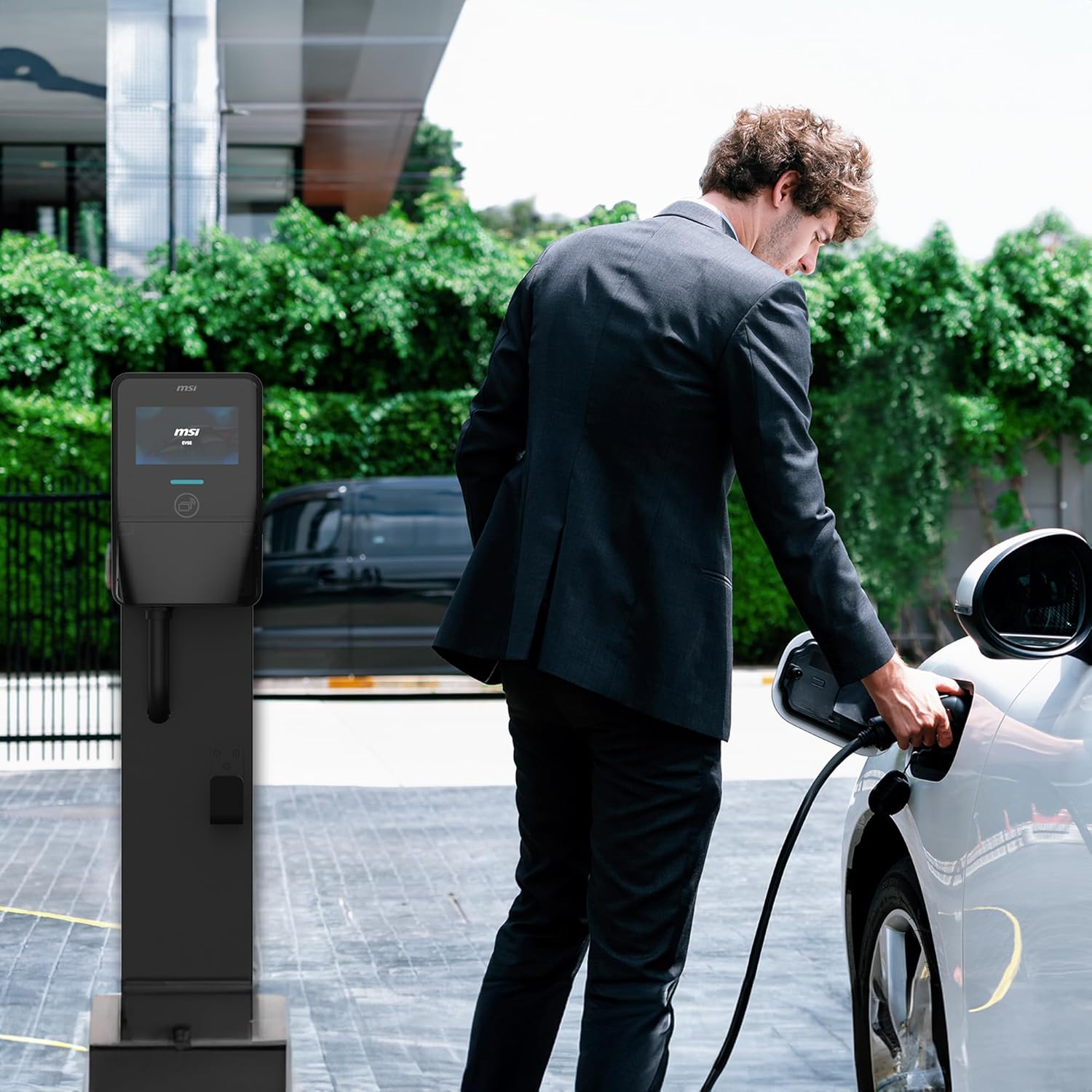
Image: A user connecting the MSI EV charger to an electric vehicle, demonstrating the ease of use.

Image: Close-up of the Type 2 IEC 62196 charging connector, compatible with most modern electric vehicles.
3.2 Using the EV Life Mobile App
The EV Life app provides comprehensive control and monitoring features:
- Remote Start/Stop: Initiate or end charging from anywhere.
- Charging Scheduling: Set preferred charging times to take advantage of off-peak electricity rates.
- Real-time Monitoring: View charging status, power consumption, and session history.
- Current Control: Adjust the charging current if needed (consult your vehicle's manual for compatibility).
- Notifications: Receive alerts for charging completion or interruptions.
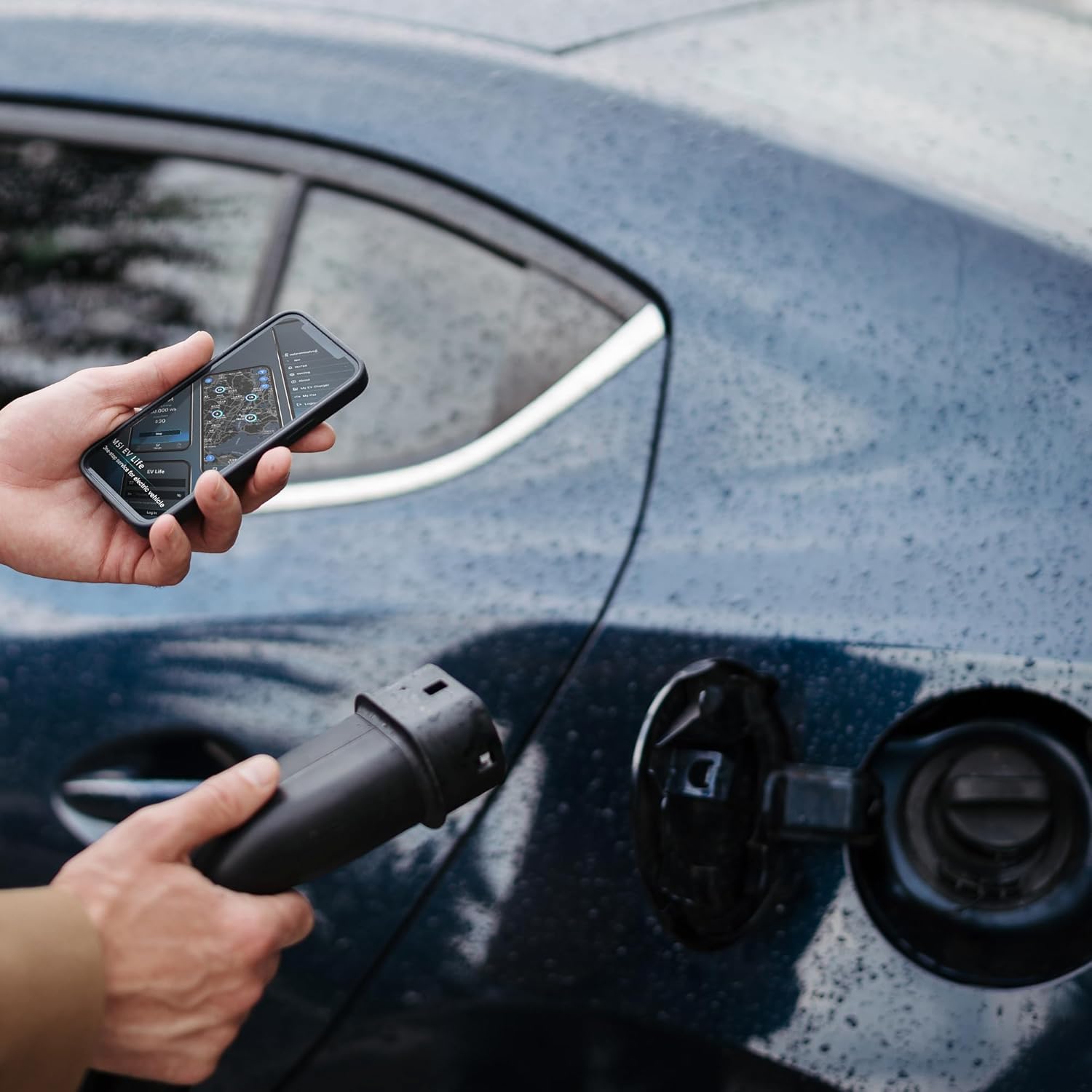
Image: A user interacting with the EV Life mobile application on a smartphone, demonstrating remote control and monitoring capabilities during vehicle charging.

Image: Various screenshots of the EV Life app interface, illustrating features like charging scheduling, monitoring, and current control.
3.3 Emergency Stop Button
The charger is equipped with an emergency stop button (red button) for immediate power cut-off in case of an emergency. Press this button to instantly stop all charging operations.
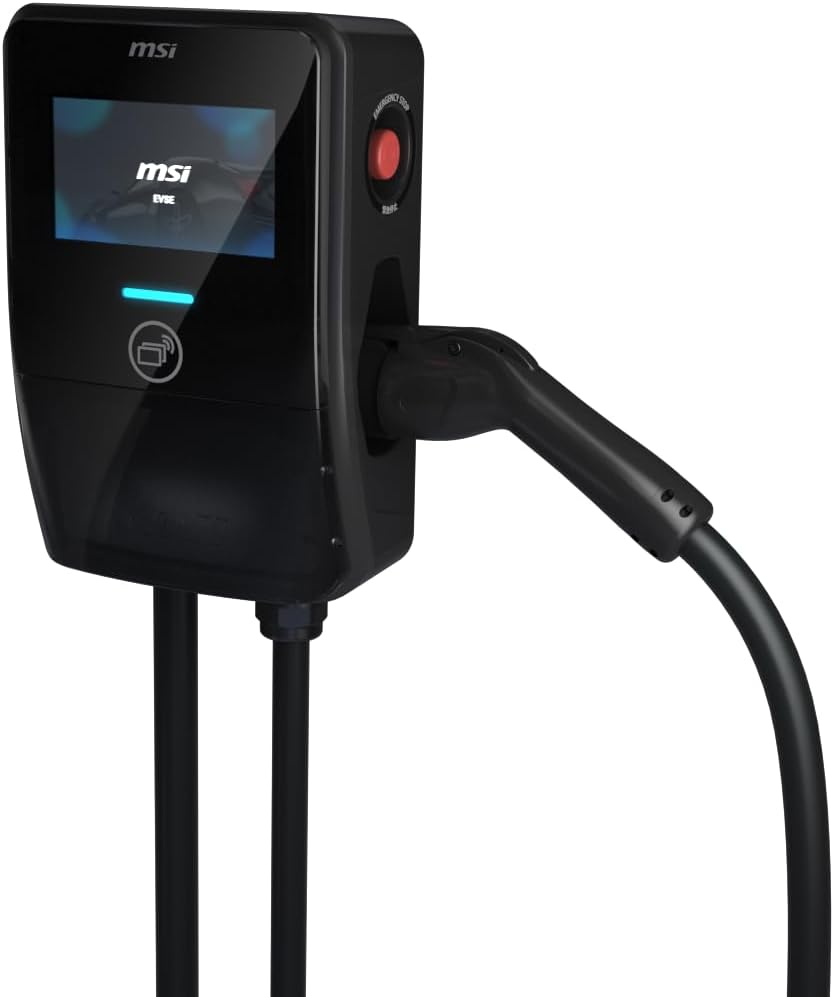
Image: The MSI EV Premium AC EV Charger, highlighting the prominent red emergency stop button for immediate power cut-off.
4. Maintenance
Regular maintenance ensures optimal performance and longevity of your MSI EV Premium AC EV Charger.
- Cleaning: Wipe the charger's exterior with a soft, damp cloth. Do not use abrasive cleaners or solvents. Ensure the charging connector is clean and free of debris.
- Cable Inspection: Periodically inspect the charging cable and connector for any signs of wear, cuts, or damage. If damage is found, discontinue use immediately and contact support.
- Firmware Updates: Keep the charger's firmware updated via the EV Life app to ensure access to the latest features and security enhancements.
- Environmental Protection: The charger is IP55 water and dust resistant and IK08 impact resistant, designed for durability in various conditions, including high altitudes up to 3000m and extreme temperatures up to 55°C. It has also passed the ASTM B117 salt spray test.

Image: The MSI EV charger demonstrating its IP55 water and dust resistance, ensuring reliable operation in various weather conditions.

Image: The MSI EV charger showcasing its IK08 impact resistance, highlighting its rugged construction against physical impacts.

Image: Multiple MSI EV chargers depicted as having passed the ASTM B117 salt spray test, indicating corrosion resistance for long-term outdoor use.
5. Troubleshooting
If you encounter issues with your MSI EV Premium AC EV Charger, refer to the table below for common problems and solutions.
| Problem | Possible Cause | Solution |
|---|---|---|
| Charger not powering on. | No power supply; circuit breaker tripped. | Check the main power supply and circuit breaker. Ensure the charger is properly connected. |
| Charging does not start. | Connector not fully inserted; RFID card not recognized; app error; vehicle not ready to charge. | Ensure the connector is firmly inserted. Re-tap RFID card. Restart the EV Life app. Check vehicle's charging status. |
| Charging stops unexpectedly. | Power interruption; vehicle fault; charger overheating. | Check power supply. Consult vehicle manual. Allow charger to cool down if hot. |
| EV Life app not connecting to charger. | Wi-Fi/Ethernet issue; charger offline; app outdated. | Check Wi-Fi signal strength or Ethernet cable. Restart charger. Update EV Life app. |
| Display shows an error code. | Internal fault or specific issue. | Note the error code and refer to the EV Life app or contact MSI support for specific guidance. |
If the problem persists after attempting these solutions, please contact MSI customer support.
6. Technical Specifications
| Feature | Specification |
|---|---|
| Model Name | MSI EV Premium AC EV Charger |
| Input Voltage | 240 Volts AC |
| Output Power | Up to 7.68 kW (Single Phase) |
| Output Current | 32 Amps |
| Connector Type | IEC 62196-2 Type 2 |
| Display | 7-inch Display |
| Connectivity | WiFi, Ethernet |
| Control Methods | RFID Card, EV Life Mobile App |
| Ingress Protection (Water/Dust) | IP55 |
| Impact Protection | IK08 |
| Operating Altitude | Up to 3000m (World's First Certified) |
| Operating Temperature | Up to 55°C (Extreme Heat Resistance) |
| Certifications | RCM, CNS 15511, UL2594, IEC 61851, ASTM B117 (Salt Spray) |
| Mounting Type | Wall Mount |
| Color | Black |

Image: Visual representation of the MSI EV charger's compliance with RCM, UL 2594 / IEC 61851, ISO 27001 for privacy, and its unique 3000m operating altitude certification.

Image: The MSI EV charger depicted in a hot urban environment, emphasizing its extreme heat resistance up to 55°C.
7. Warranty and Support
MSI provides comprehensive support for your EV Premium AC EV Charger.
7.1 Warranty Information
Please refer to the warranty card included with your product for specific warranty terms and conditions. Keep your proof of purchase for warranty claims.
7.2 Customer Support
For technical assistance, troubleshooting beyond this manual, or warranty inquiries, please contact MSI Service and Support:
- Telephone: 1300 222 688
- E-Mail: ausrma@msi.com
- Working Hours: Monday - Friday, 9:00 - 17:00 (Weekend and Public Holiday closed)

Image: MSI Service and Support contact details, including telephone number, email, and working hours, for customer assistance.
Ask a question about this manual
Ask about setup, troubleshooting, compatibility, parts, safety, or missing instructions. Manuals+ will review the question and use this page’s manual context to help answer it.