
Introduction
The Oral-B iO Series 2 electric toothbrush combines powerful yet gentle micro-vibrations with Oral-B's dentist-inspired round brush head technology. This design aims to deliver 100% cleaner teeth compared to a regular manual toothbrush, providing a professional clean feeling with a single touch.
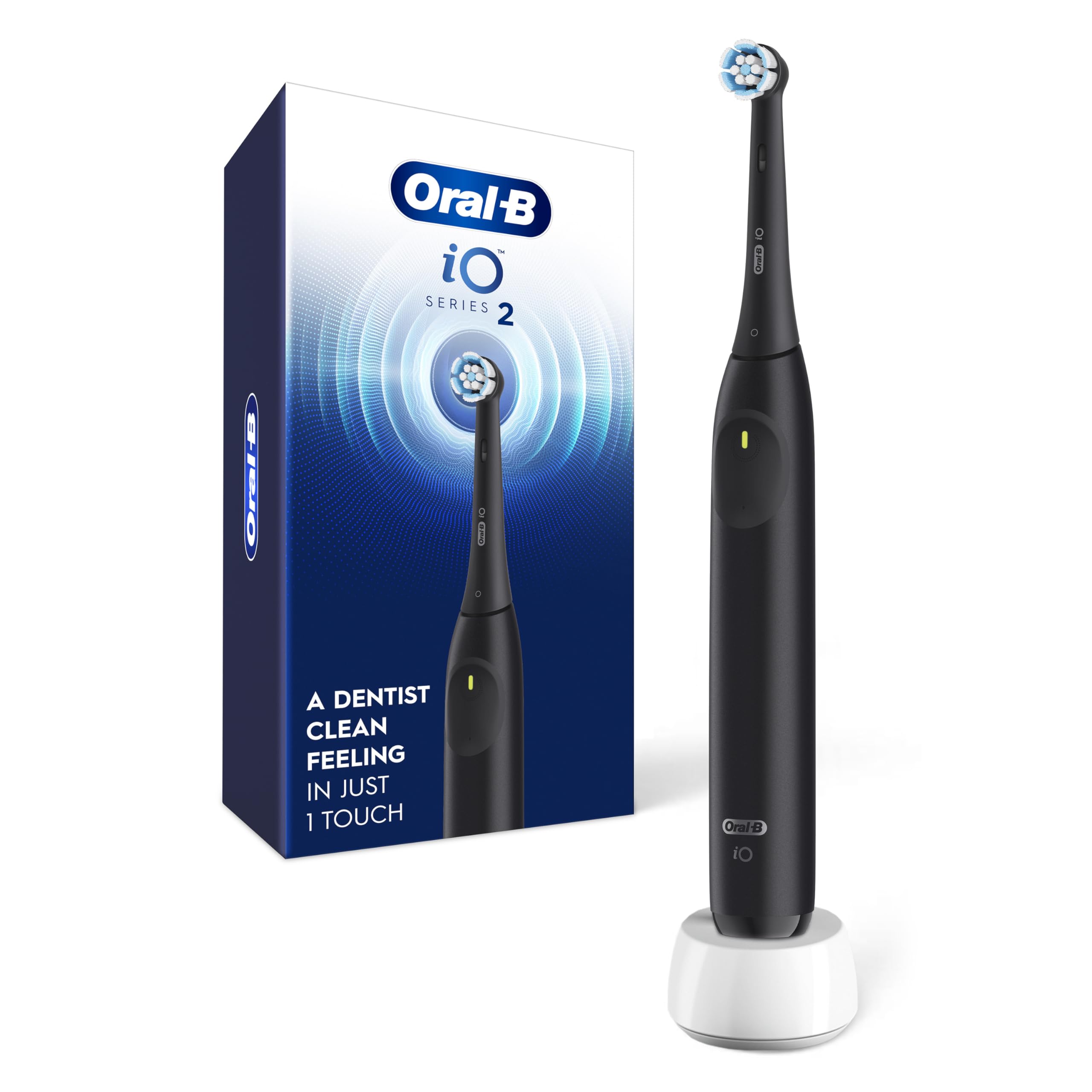
Figure 1: Oral-B iO Series 2 Electric Toothbrush, Night Black.
Setup
1. Charging the Toothbrush
Before first use, fully charge your Oral-B iO Series 2 toothbrush. Place the toothbrush handle on the charging stand. The LED indicator on the handle will show the charging status. A full charge can take up to 24 hours.

Figure 2: Oral-B iO Series 2 Electric Toothbrush on its charging stand.
2. Attaching the Brush Head
Align the brush head with the shaft on the toothbrush handle and push it down until it clicks into place. Ensure it is securely attached before use.

Figure 3: The Oral-B iO Series 2 features a Gentle Care brush head, 2-minute timer, 3 cleaning settings, and up to 4-week charge.
Operating Instructions
1. Power On/Off and Mode Selection
Press the power button to turn the toothbrush on or off. The iO Series 2 offers 3 cleaning settings: Super-Sensitive, Gentle, and Daily Clean. To cycle through the modes, press the power button repeatedly while the brush is on. The LED indicator within the power button will flash a different number of times depending on the selected mode. The toothbrush starts in the Super-Sensitive cleaning setting by default.
2. Brushing Technique
Wet the brush head and apply a small amount of toothpaste. Place the brush head against your teeth at a slight angle towards the gumline. Gently guide the brush head from tooth to tooth, allowing the round head to clean each tooth surface. There is no need to scrub.

Figure 4: The iO's round brush head is designed for superior cleaning, reaching interdental spaces, gumline, back molars, and inner tooth surfaces.
3. 2-Minute Timer
The built-in 2-minute timer alerts you every 30 seconds to change your brushing zone, ensuring you brush evenly across all four quadrants of your mouth for the dentist-recommended duration.
4. Automatic Gum Pressure Sensor
The toothbrush features an automatic gum pressure sensor to protect your gums from excessive force. If you brush too hard, the light on the handle will turn red, and the brush speed will slow down. Adjust your pressure until the red light turns off.

Figure 5: The automatic gum pressure sensor indicates when too much pressure is applied by illuminating a red light.
Video 1: Official Oral-B iO Series 2 Electric Toothbrush overview, demonstrating key features including the pressure sensor and cleaning action.
Maintenance
1. Replacing Brush Heads
It is recommended to replace your brush head every 3 months, or sooner if the brush head becomes worn. To replace, simply pull the old brush head off the handle and snap a new one into place.

Figure 6: The Gentle Care brush head features both soft and high-density bristles for effective yet gentle cleaning.
2. Cleaning the Toothbrush
After each use, rinse the brush head thoroughly under running water with the handle switched on. Remove the brush head and clean both the handle and the brush head separately. Wipe the handle with a damp cloth and ensure it is dry before placing it back on the charger. The handle is waterproof.
Troubleshooting
- Brush not turning on: Ensure the toothbrush is fully charged. Place it on the charging stand for at least 24 hours.
- Pressure sensor not visible: The pressure sensor LED is integrated into the power button. While brushing, it may be difficult to see. Focus on the change in brush speed as an indicator of excessive pressure.
- Difficulty identifying cleaning mode: The LED indicator flashes a different number of times for each mode. Pay close attention when cycling through modes to identify your preferred setting.
- Reduced battery life: Ensure the charging stand is properly connected to a power source. If battery life significantly decreases over time, it may indicate the end of the battery's lifespan.
Specifications
| Feature | Detail |
|---|---|
| Product Dimensions | 5.2 x 2.6 x 10 inches; 12.7 ounces |
| Item Model Number | 69055142202 |
| Batteries | 1 Lithium Ion battery (included) |
| UPC | 069055142202 |
| Manufacturer | Procter & Gamble |
| Brand | Oral-B |
| Age Range (Description) | Adult |
| Special Feature | Rechargeable |
| Power Source | Battery Powered |
| Item Firmness Description | Medium |
| GTIN | 069055142202 |
Important Safety Information
- DO NOT USE ON CHILDREN UNDER AGE 3.
- REPLACE BRUSH (HEAD) EVERY 3 MONTHS OR SOONER IF BRUSH HEAD BECOMES WORN.
Warranty and Support
This product is subject to a 30-day return policy. For detailed warranty information and customer support, please refer to the official Oral-B website or contact Procter & Gamble customer service.


