
CJ Tech 71699
CJ Tech IPX7 Waterproof True Wireless Bluetooth Portable Speaker User Manual
Model: 71699
Introduction
This manual provides essential information for the safe and effective operation of your CJ Tech IPX7 Waterproof True Wireless Bluetooth Portable Speaker. Please read this manual thoroughly before using the product and retain it for future reference.
The CJ Tech Portable Speaker is designed for durability and high-quality audio, featuring an IPX7 waterproof rating, True Wireless Stereo (TWS) functionality, and multiple playback options including Bluetooth, USB, and microSD. It also includes a built-in microphone for hands-free calling, making it ideal for various environments, from outdoor adventures to home use.
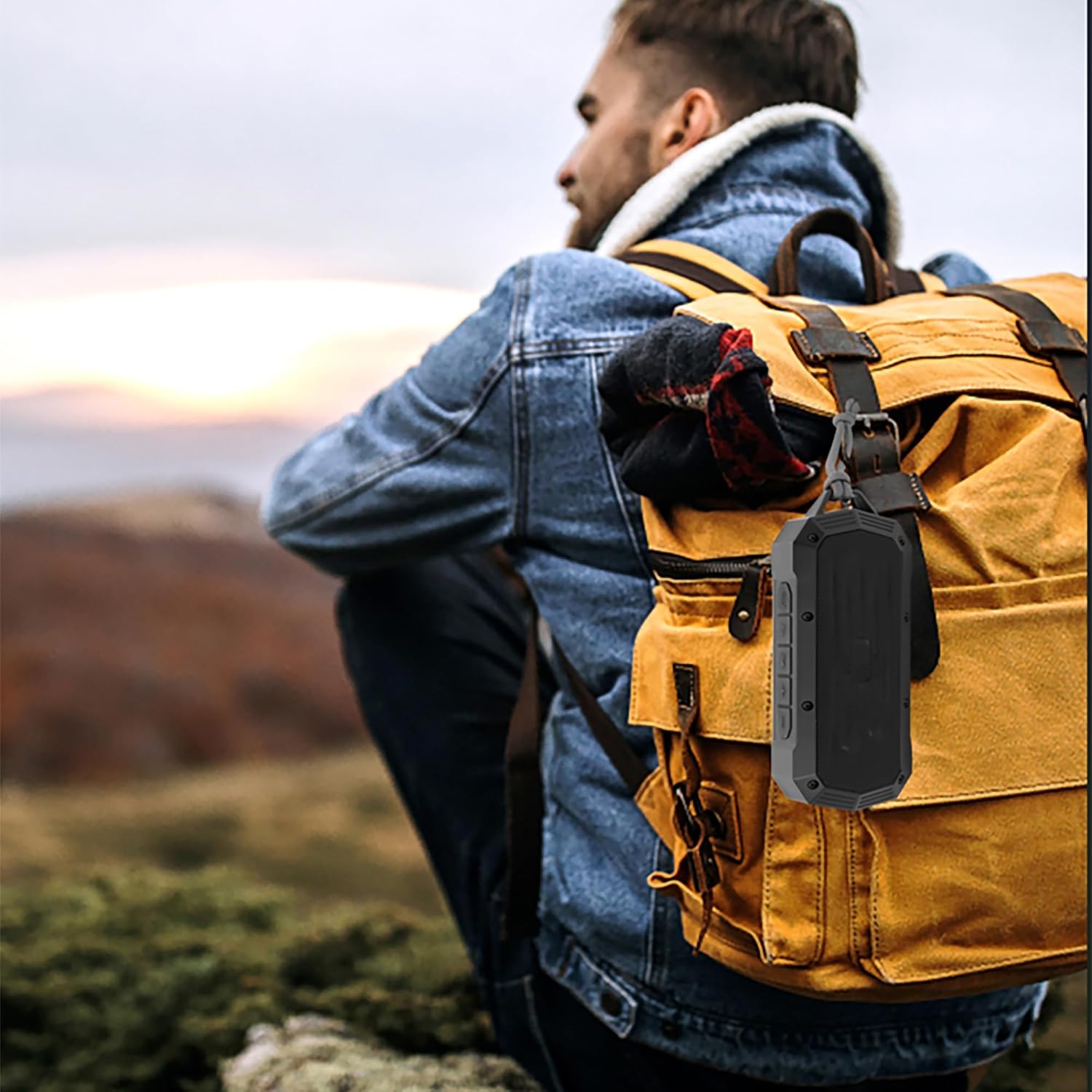
Image: The CJ Tech Portable Speaker conveniently clipped to a backpack, demonstrating its portability for outdoor use.
Safety Information
- Do not expose the speaker to extreme temperatures or direct sunlight for prolonged periods.
- Ensure the charging port cover is securely closed when near water to maintain IPX7 waterproofing.
- Do not attempt to disassemble or modify the speaker. This will void the warranty and may cause damage.
- Keep out of reach of children.
- Use only the provided charging cable or a certified equivalent.
- Avoid dropping the speaker or subjecting it to strong impacts.
- Clean the speaker with a soft, damp cloth. Do not use abrasive cleaners or solvents.
Package Contents
Please check the package for the following items:
- CJ Tech IPX7 Waterproof Portable Speaker (Model: 71699)
- Charging Cable
- User Manual

Image: Contents of the CJ Tech Portable Speaker package, including the speaker and charging cable.
Product Overview
Familiarize yourself with the various parts and controls of your CJ Tech Portable Speaker.

Image: Front view of the CJ Tech Portable Speaker, showing the speaker grille and top control panel.
Control Panel (Top View)
- Power Button: Press and hold to turn on/off.
- Play/Pause Button: Press to play or pause music. Press to answer/end calls.
- Volume Down / Previous Track Button: Press to decrease volume. Press and hold for previous track.
- Volume Up / Next Track Button: Press to increase volume. Press and hold for next track.
- Mode Button (M): Press to switch between Bluetooth, FM Radio, USB, and microSD modes.
- TWS Button: Press to initiate True Wireless Stereo pairing.
Ports (Under Protective Cover)
- USB Port: For USB flash drive playback.
- microSD Card Slot: For microSD card playback.
- USB-C Charging Port: For charging the speaker.
Setup
Charging the Speaker
Before first use, fully charge the speaker. A full charge takes approximately 2-3 hours.
- Open the protective cover on the side of the speaker to reveal the charging port.
- Connect the provided charging cable to the USB-C charging port on the speaker.
- Connect the other end of the charging cable to a USB power adapter (not included) or a computer's USB port.
- The LED indicator will illuminate during charging and turn off when fully charged.
- Once charging is complete, securely close the protective cover to maintain waterproofing.
Powering On/Off
- To Power On: Press and hold the Power Button for approximately 3 seconds until you hear an audible prompt.
- To Power Off: Press and hold the Power Button for approximately 3 seconds until you hear an audible prompt.
Operating Instructions
Bluetooth Pairing
Pair your speaker with a Bluetooth-enabled device (smartphone, tablet, etc.) to stream audio wirelessly.
- Ensure the speaker is powered on and in Bluetooth mode. If not, press the Mode Button (M) until you hear the "Bluetooth mode" prompt. The LED indicator will flash blue, indicating it's ready for pairing.
- On your device, enable Bluetooth and search for available devices.
- Select "CJ Tech Speaker" from the list of found devices.
- Once successfully paired, you will hear a confirmation sound, and the LED indicator will turn solid blue.
- You can now play audio from your device through the speaker.
Note: The speaker will automatically attempt to reconnect to the last paired device when powered on.
True Wireless Stereo (TWS) Pairing
For an enhanced stereo sound experience, you can pair two CJ Tech 71699 speakers together.
- Ensure both speakers are powered on and not connected to any Bluetooth device.
- On one speaker (this will be the primary speaker), press the TWS Button. You will hear a prompt indicating TWS pairing mode.
- The primary speaker will automatically search for the second speaker.
- Once connected, you will hear a confirmation sound, and the LED indicators on both speakers will turn solid blue.
- Now, connect your device to the primary speaker via Bluetooth as described in the "Bluetooth Pairing" section.
- Audio will now play in stereo through both speakers.
To disconnect TWS: Press the TWS Button on either speaker.
FM Radio Operation
Enjoy your favorite radio stations with the built-in FM tuner.
- Power on the speaker and press the Mode Button (M) until you hear the "FM Radio mode" prompt.
- To auto-scan and save available stations: Press and hold the Play/Pause Button. The speaker will scan and save all strong stations.
- To switch between saved stations: Use the Volume Up/Next Track and Volume Down/Previous Track buttons.
USB & microSD Playback
Play music directly from a USB flash drive or microSD card.
- Open the protective cover and insert a USB flash drive or microSD card into the corresponding port.
- The speaker will automatically switch to USB or microSD mode and begin playing music. If not, press the Mode Button (M) to select the correct mode.
- Use the Play/Pause, Volume Up/Next Track, and Volume Down/Previous Track buttons to control playback.
Note: Ensure your audio files are in a compatible format (e.g., MP3).
Hands-Free Calling
When connected to a smartphone via Bluetooth, you can use the speaker for hands-free calls.
- Answer Call: Press the Play/Pause Button once.
- End Call: Press the Play/Pause Button once during a call.
- Reject Call: Press and hold the Play/Pause Button for 2 seconds.
- Redial Last Number: Double-press the Play/Pause Button.
Maintenance
- Cleaning: Wipe the speaker with a soft, slightly damp cloth. Do not use harsh chemicals or abrasive materials.
- Storage: Store the speaker in a cool, dry place away from direct sunlight and extreme temperatures when not in use for extended periods.
- Battery Care: To prolong battery life, avoid fully discharging the battery frequently. Charge the speaker regularly, even if not in use.
- Waterproofing: Always ensure the protective port cover is firmly sealed to maintain the IPX7 waterproof rating.
Troubleshooting
| Problem | Possible Cause | Solution |
|---|---|---|
| Speaker does not turn on. | Low battery. | Charge the speaker fully. |
| Cannot pair with Bluetooth device. | Speaker not in pairing mode; Device Bluetooth off; Speaker too far from device. | Ensure speaker is in Bluetooth pairing mode (flashing blue LED). Turn on Bluetooth on your device. Move speaker closer to device (within 10 meters). |
| No sound. | Volume too low; Paused playback; Incorrect mode. | Increase volume on speaker and device. Press Play/Pause. Ensure correct mode (Bluetooth, USB, microSD, FM). |
| TWS pairing fails. | Speakers already connected to a device; Speakers too far apart. | Disconnect both speakers from any Bluetooth devices. Ensure speakers are within 1-2 meters of each other during TWS pairing. |
| Poor FM radio reception. | Weak signal. | Relocate the speaker to an area with better reception. |
Specifications
| Feature | Detail |
|---|---|
| Model Name | 71699 |
| Speaker Type | Portable |
| Connectivity Technology | Bluetooth, USB, microSD |
| Waterproof Rating | IPX7 (submersible up to 1 meter for 30 seconds) |
| Speaker Output Power | 5 Watts |
| Battery Life | Up to 5 Hours |
| Built-in Microphone | Yes (for hands-free calling) |
| True Wireless Stereo (TWS) | Yes (pair two speakers) |
| Dimensions (L x W x H) | 18.4 x 5 x 8 cm (approx. 7.2 x 2 x 3.1 inches) |
| Weight | 318 g (approx. 0.7 lbs) |
| Power Source | 1 Lithium Ion Battery (included) |
| Color | Black |
| Manufacturer | CJ Tech |
| Country of Origin | China |
Warranty and Support
For warranty information or technical support, please refer to the documentation included with your purchase or contact CJ Tech customer service directly. Contact details are typically available on the manufacturer's website or product packaging.
Please retain your proof of purchase for warranty claims.
Related documents71699

Ask a question about this manual
Ask about setup, troubleshooting, compatibility, parts, safety, or missing instructions. Manuals+ will review the question and use this page’s manual context to help answer it.