
Dkian CY303
Dkian CY303 Full HD 1080P Smart Android WiFi Wireless Home Theater LED Video Mobile 4K Cinema Portable Mini Projector with Bluetooth User Manual
Introduction
This manual provides detailed instructions for the setup, operation, and maintenance of your Dkian CY303 Full HD 1080P Smart Android WiFi Wireless Home Theater LED Video Mobile 4K Cinema Portable Mini Projector with Bluetooth. Please read this manual thoroughly before using the projector to ensure proper functionality and to maximize your viewing experience.
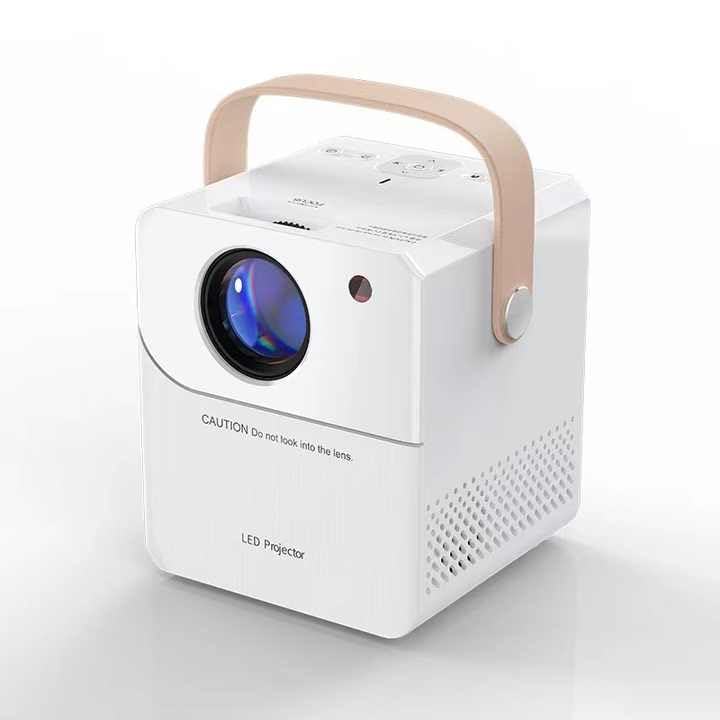
Figure 1: Angled view of the Dkian CY303 Mini Projector, showcasing its compact design and lens.
Package Contents
Verify that all items listed below are included in your package:
- Projector
- Remote Control
- Power Cord
Product Overview
Front and Side View
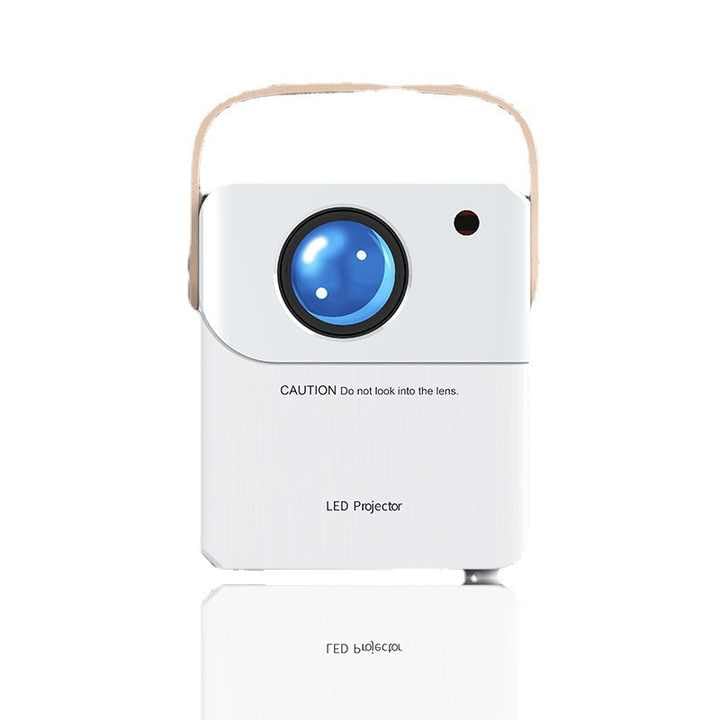
Figure 2: Front view of the Dkian CY303 Mini Projector, showing the main lens and ventilation.
Control Panel and Interfaces
The projector features an intuitive control panel and various ports for connectivity. Familiarize yourself with these components before operation.
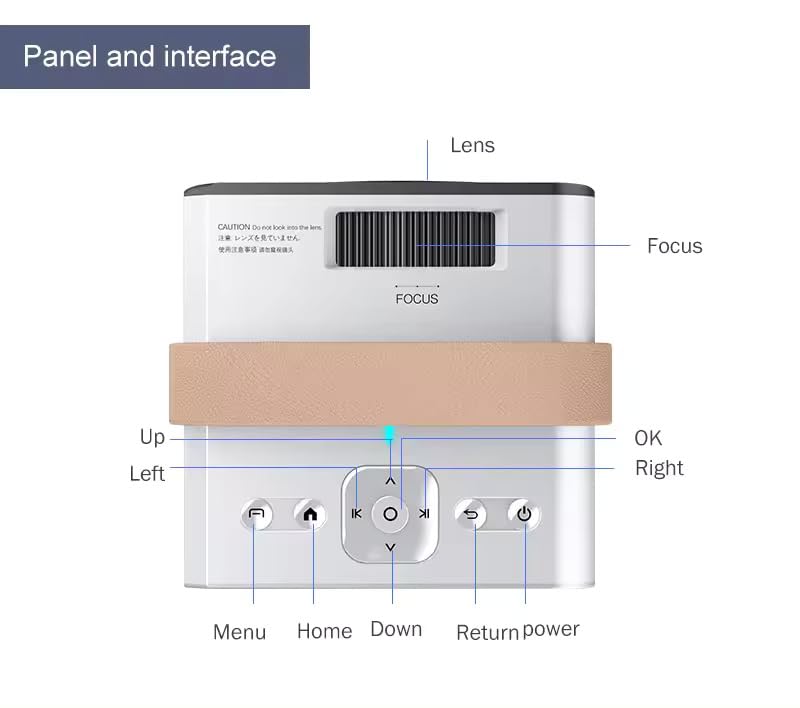
Figure 3: Top view illustrating the control panel buttons (Menu, Home, Up, Down, Left, Right, OK, Return, Power) and the focus adjustment wheel. The lens is also visible.
- Lens: Main projection lens. CAUTION: Do not look directly into the lens when the projector is operating.
- Focus Wheel: Adjusts image sharpness.
- Control Buttons: Navigation (Up, Down, Left, Right, OK), Menu, Home, Return, Power.
- Ports: (Refer to image for exact placement) HDMI, USB, AV for connecting external devices.
Setup
Placement
Position the projector on a stable, flat surface or mount it on a wall. Ensure there are no obstructions blocking the ventilation vents. The projector can be placed at various distances to achieve different screen sizes.

Figure 4: Illustration of projection distances and corresponding screen sizes, ranging from 50 to 180 inches.
Power Connection
Connect the provided power cord to the projector's power input and then to a suitable electrical outlet.
Operating Instructions
Powering On/Off
- To Power On: Press the Power button on the projector or the remote control.
- To Power Off: Press the Power button again. Confirm shutdown if prompted.
Focus Adjustment
Rotate the Focus Wheel (Figure 3) until the projected image appears clear and sharp on the screen.
Keystone Correction
The projector supports quadrangular trapezoid correction to adjust the image shape if the projector is not perfectly perpendicular to the screen. This can be adjusted via the settings menu.
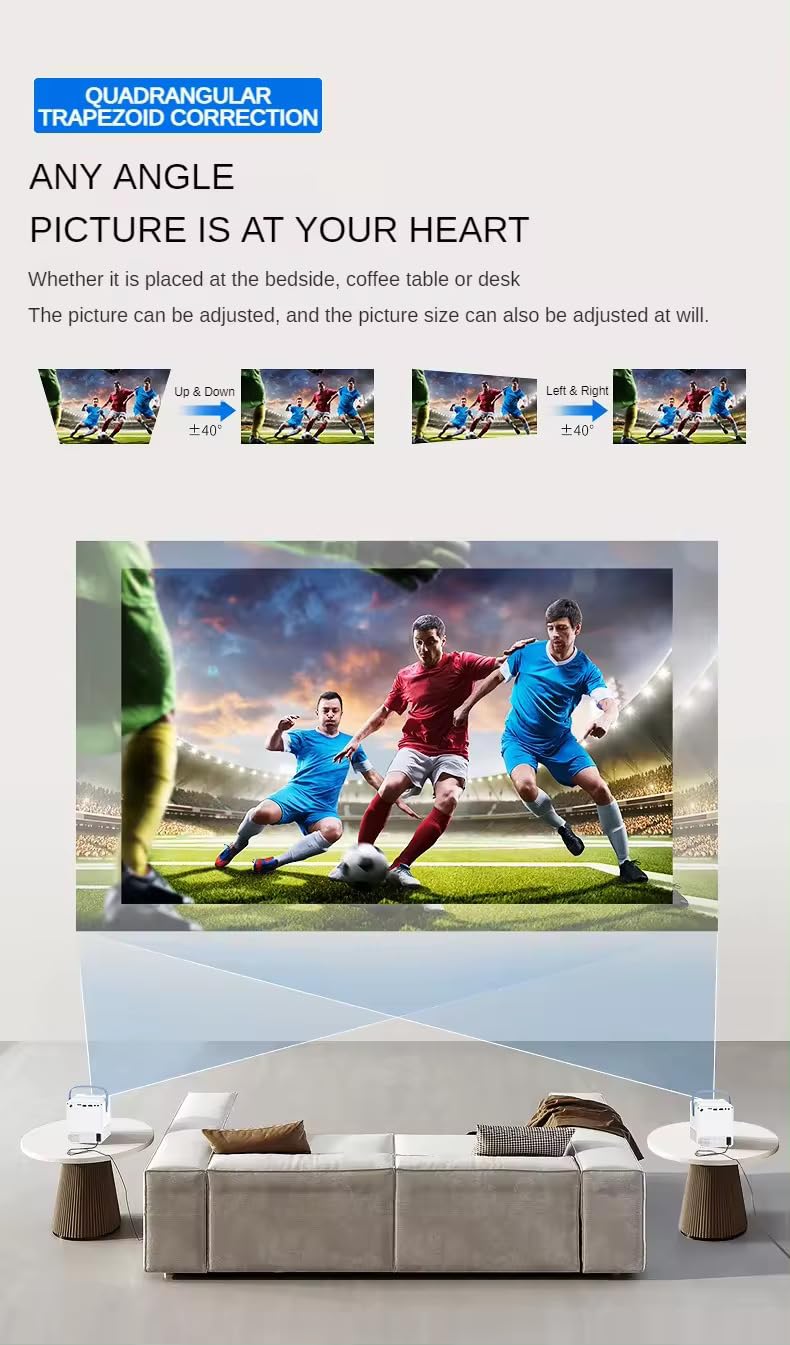
Figure 5: Visual representation of keystone correction, allowing adjustment of the image vertically and horizontally (up/down and left/right) by up to ±40 degrees.
Connectivity
- Wi-Fi: Connect to your wireless network via the Android OS settings to access online content and streaming services.
- Bluetooth: Pair with Bluetooth-enabled audio devices (e.g., speakers, headphones) for enhanced sound.
- HDMI: Connect to laptops, gaming consoles, Blu-ray players, or other media players.
- USB: Play media files directly from a USB drive.
- AV: Connect to older devices using an AV cable.
Android OS Features
The Dkian CY303 runs on Android 9.0 OS, providing access to a variety of applications and streaming platforms.

Figure 6: The Android 9.0 OS interface, displaying icons for various applications such as App Store, Netflix, YouTube, and Prime Video.
- App Store: Download and install additional applications.
- Streaming: Access popular streaming services like Netflix, YouTube, and Prime Video directly.
- Screen Mirroring: Stream content from your smartphone or tablet via Wi-Fi.
Product Demonstration Video
Video 1: A demonstration of the Dkian CY303 projector in use, showcasing its projection capabilities and image quality while playing a music video.
Maintenance
Regular maintenance ensures optimal performance and extends the lifespan of your projector.
- Lens Cleaning: Use a soft, lint-free cloth and lens cleaning solution to gently wipe the lens. Avoid abrasive materials.
- Ventilation: Keep the projector's ventilation openings clear of dust and debris to prevent overheating.
- Storage: When not in use, store the projector in a cool, dry place, protected from dust and direct sunlight.
Troubleshooting
If you encounter issues with your Dkian CY303 projector, refer to the following common problems and solutions:
- No Power:
- Ensure the power cord is securely connected to both the projector and the power outlet.
- Check if the power outlet is functioning correctly.
- No Image:
- Verify the input source is correctly selected (HDMI, USB, AV).
- Check all cable connections.
- Ensure the lens cap is removed.
- Blurry Image:
- Adjust the focus wheel until the image is sharp.
- Ensure the projection distance is within the recommended range.
- Image Distorted (Trapezoid):
- Use the keystone correction feature in the settings menu to adjust the image shape.
- Try to position the projector as perpendicular to the screen as possible.
- No Sound:
- Check the volume settings on the projector and the connected device.
- Ensure external audio devices (if connected via Bluetooth or audio jack) are properly paired/connected.
Specifications
| Feature | Specification |
|---|---|
| Brand | Dkian |
| Model | CY303 |
| Display Technology | LCD |
| Native Resolution | 1024 x 720 |
| Supported Resolution | 1920 x 1080 MP (Full HD) |
| Image Brightness | 2400 lm |
| Image Contrast Ratio | 1000:1 |
| Aspect Ratio | 1.66:1 |
| Operating System | Android 9.0 |
| Connectivity Technology | Wi-Fi, Bluetooth 3.0 |
| Hardware Interface | HDMI, USB, AV |
| Compatible Devices | Laptops, Smartphones, Gaming Consoles, Blu-ray Players, Other Media Players |
| Special Features | Portable |
| Mounting Type | Tabletop, Wall Mount |
| Power Source | AC |
| Item Weight | 1 kg |
| Package Dimensions | 23 x 16 x 16 cm |
Warranty and Support
Your Dkian CY303 projector comes with a standard brand warranty. For any support problems or product inquiries, please contact customer support.
Customer Support Contact:
- Phone: 9819788091
- Availability: Monday to Friday, 12 PM to 8 PM
For further information, please visit the product detail page on Amazon.in.
Ask a question about this manual
Ask about setup, troubleshooting, compatibility, parts, safety, or missing instructions. Manuals+ will review the question and use this page’s manual context to help answer it.