
1. Introduction
Thank you for choosing the AEOCKY RHEA-001 Dehumidifier. This appliance is designed to efficiently remove excess moisture from your indoor environment, improving air quality and comfort. Featuring advanced compressor technology and Energy Star 2025 certification, it offers powerful dehumidification for large spaces up to 4500 sq.ft. This manual provides essential information for safe operation, maintenance, and troubleshooting to ensure optimal performance and longevity of your unit.

Figure 1.1: AEOCKY RHEA-001 Dehumidifier
2. Safety Information
Please read all safety warnings and instructions carefully before using this dehumidifier to prevent injury or damage. Keep this manual for future reference.
- Electrical Safety: Always plug the unit into a grounded electrical outlet of the correct voltage (120V AC, 60Hz). Do not use extension cords or adapter plugs. Do not operate with a damaged power cord or plug.
- Placement: Place the dehumidifier on a firm, level surface to prevent vibration and water leakage. Ensure at least 8 inches (20 cm) of clearance around the unit for proper airflow. Do not block air inlets or outlets.
- Water Safety: Do not immerse the unit in water. Always empty the water tank before moving the unit. If using continuous drainage, ensure the drain hose is properly secured to prevent leaks.
- Child Safety: This appliance is not intended for use by persons (including children) with reduced physical, sensory or mental capabilities, or lack of experience and knowledge, unless they have been given supervision or instruction concerning use of the appliance by a person responsible for their safety. Children should be supervised to ensure that they do not play with the appliance.
- Maintenance: Always unplug the dehumidifier before cleaning or performing any maintenance. Do not attempt to repair or modify the unit yourself. Refer to qualified service personnel for repairs.
- Temperature Range: The unit is designed to operate effectively in temperatures as low as 42°F (5.5°C). Avoid operating in extreme temperatures outside the recommended range.
3. Package Contents
Verify that all items are present in the package:
- AEOCKY RHEA-001 Dehumidifier Unit
- Drain Hose
- Garden Hose Adapter (located in the water tank)
- Quick Start Guide
4. Product Features
The AEOCKY RHEA-001 Dehumidifier incorporates advanced technology for superior performance and user convenience:
- Most Efficient Energy Star 2025 Certified: Achieves high energy efficiency, reducing electricity consumption by up to 50% compared to non-Energy Star models.
- High Dehumidification Capacity: Removes up to 80 pints (standard 56 pints) of moisture per day, suitable for areas up to 4500 sq.ft.
- Rotor Compressor Pro+: Utilizes an advanced rotor compressor for quieter operation, higher efficiency, and a more compact design.
- Intelligent Humidistat & ArctiCore Technology: High-performance chip with millisecond-level dynamic detection and proprietary humidity compensation algorithm ensures precise humidity control (40%-80% adjustable range).
- Automatic Defrost Sensor: Operates effectively in low temperatures, down to 42°F (5.5°C), by intelligently detecting and managing frost buildup on the coils.
- Quiet Operation: Engineered for low noise levels, with the lowest fan speed at just 44dB, making it suitable for bedrooms and living spaces.
- Multiple Drainage Options: Offers manual tank emptying, continuous drain hose connection, and a garden hose adapter for versatile water removal.
- Enhanced Portability: Equipped with 360° swivel casters and a hidden handle for easy movement between rooms.
- Washable Nylon Filter: Reusable and easy to clean, contributing to cost-effective maintenance.
- Power-Off Memory Function: Automatically resumes operation with previous settings after a power outage.
- Multi-color Ambient Light: Provides visual indication of humidity levels and tank status.

Figure 4.1: Energy Star 2025 Certification

Figure 4.2: Key Features Overview

Figure 4.3: ArctiCore Smart Technology

Figure 4.4: Compact and Quiet Design

Figure 4.5: Convenience Features
5. Setup
Follow these steps to set up your dehumidifier:
- Unpacking: Carefully remove the dehumidifier and all accessories from the packaging. Retain packaging for future storage or transport.
- Placement: Place the unit upright on a stable, level floor in the desired location. Ensure there is at least 8 inches (20 cm) of free space around all sides of the unit for proper air circulation. Do not place it against a wall or near heat sources.
- Initial Use: Thanks to the Rotor Compressor Pro+, the Rhea dehumidifier is ready to use upon arrival. No 24-hour waiting period is required before plugging it in.
- Drainage Options: Your dehumidifier offers three drainage methods:
- Manual Drainage (Water Tank): For manual emptying, ensure the water tank is correctly seated in the unit. The unit will automatically stop operation when the tank is full and illuminate the "Full-tank" indicator.
- Continuous Drainage (Drain Hose): For continuous operation without emptying the tank, connect the included drain hose to the continuous drain port on the back of the unit. Ensure the hose is sloped downwards to allow gravity drainage into a floor drain or suitable receptacle.
- Garden Hose Connection: For larger volume continuous drainage or to return water to nature (e.g., for plants), use the provided garden hose adapter. Attach the adapter to the continuous drain port, then connect a standard garden hose (not included) to the adapter. Ensure proper slope for drainage.

Figure 5.1: Auto-adapting Drainage Design
6. Operating Instructions
Familiarize yourself with the control panel and operating modes:
Control Panel Overview
The intuitive control panel allows you to manage all functions. Refer to the Quick Start Guide for a detailed diagram of the buttons and display.
Operating Modes
- Auto Mode: The unit automatically adjusts fan speed and dehumidification based on the ambient humidity to maintain a comfortable level.
- Constant Humidity Mode: Allows you to set a specific desired humidity level (e.g., 50%). The unit will operate to maintain this level.
- Continuous Mode: The unit will run continuously regardless of the humidity level, ideal for very damp conditions or when using continuous drainage.
- Smart Drying Mode: Optimized for drying clothes or other items, providing continuous powerful dehumidification.
- Sleep Mode: Operates at the lowest fan speed for quiet performance, ideal for nighttime use. The display lights may dim or turn off.
Setting Humidity and Fan Speed
- Use the humidity setting buttons to adjust the desired humidity level between 40% and 80%.
- Press the fan speed button to cycle through available fan speeds (Low, Medium, High).
Timer Function
Set the timer to automatically turn the unit ON or OFF after a specified number of hours.
Child Lock
Activate the child lock to prevent accidental changes to settings by pressing and holding the designated button.
Ambient Light Indicator
The multi-color ambient light provides a quick visual cue for current humidity levels:
- Blue: Humidity < 45%
- Green: Humidity 45%-65%
- Orange: Humidity > 65%
- Red: Full-tank
7. Maintenance
Regular maintenance ensures efficient operation and extends the lifespan of your dehumidifier. Always unplug the unit before cleaning.
Cleaning the Air Filter
The washable nylon filter should be cleaned every two weeks or more frequently depending on usage and air quality.
- Gently pull out the air filter from the back of the unit.
- Wash the filter with warm, soapy water. Rinse thoroughly.
- Allow the filter to air dry completely before reinserting it into the unit. Do not use a dryer or direct heat.
Emptying the Water Tank
If not using continuous drainage, the water tank will need to be emptied when full.
- When the tank is full, the unit will stop operating and the "Full-tank" indicator will light up.
- Carefully pull out the water tank from the front of the unit.
- Pour out the collected water.
- Slide the empty tank back into the unit until it clicks into place. The unit will resume operation.
Figure 7.1: Filter and Water Tank Access
8. Troubleshooting
Before contacting customer support, try the following troubleshooting steps:
| Problem | Possible Cause | Solution |
|---|---|---|
| Dehumidifier does not turn on. | No power, power cord loose, water tank full or not properly seated. | Check power connection. Ensure water tank is empty and correctly inserted. |
| Unit is running but not collecting water. | Humidity level too low, air filter clogged, room temperature too low, continuous drain hose blocked or improperly installed. | Adjust desired humidity lower. Clean air filter. Ensure room temperature is above 42°F (5.5°C). Check drain hose for kinks or blockages and ensure proper downward slope. |
| Unit is noisy. | Unit not on a level surface, air filter clogged, internal component issue. | Place unit on a flat, stable surface. Clean air filter. If noise persists, contact customer support. |
| Water leaks from the unit. | Water tank not properly seated, continuous drain hose loose or damaged. | Ensure water tank is fully inserted. Check continuous drain hose connection and condition. |
| Display shows an error code. | Internal malfunction. | Unplug the unit for 10 minutes, then plug it back in. If the error persists, contact customer support. |
9. Specifications
Detailed technical specifications for the AEOCKY RHEA-001 Dehumidifier:
| Feature | Specification |
|---|---|
| Brand | AEOCKY |
| Model Name | RHEA-001 |
| Floor Area Coverage | 4500 Square Feet |
| Dehumidification Capacity | 80 Pints per Day (Standard 56 Pints/Day) |
| Water Tank Volume | 1.45 Gallons |
| Product Dimensions (D x W x H) | 14.45"D x 8.66"W x 24.09"H |
| Item Weight | 31 lbs (Unit weight, 34.8 lbs shipping weight) |
| Wattage | 280 watts |
| Operation Modes | Auto Mode, Constant Humidity Mode, Continuous Mode, Smart Drying Mode, Sleep Mode |
| Special Features | Child Lock, Timer, Fan Speed Control, Adjustable Humidity Control (40%-80%), Auto Defrost, Power-off Memory, Ambient Light |
| Material | Plastic, Metal (Pure Copper Pipes) |
| Certifications | Energy Star 2025, ETL, RoHS |
| UPC | 860011270928 |
10. Warranty and Support
AEOCKY is committed to providing high-quality products and customer satisfaction.
- Unit Coverage: 3-year coverage for the entire unit.
- Compressor Coverage: 5-year coverage for the compressor.
For technical assistance, warranty claims, or general inquiries, please contact AEOCKY customer support. Refer to the product packaging or the official AEOCKY website for the most current contact information.
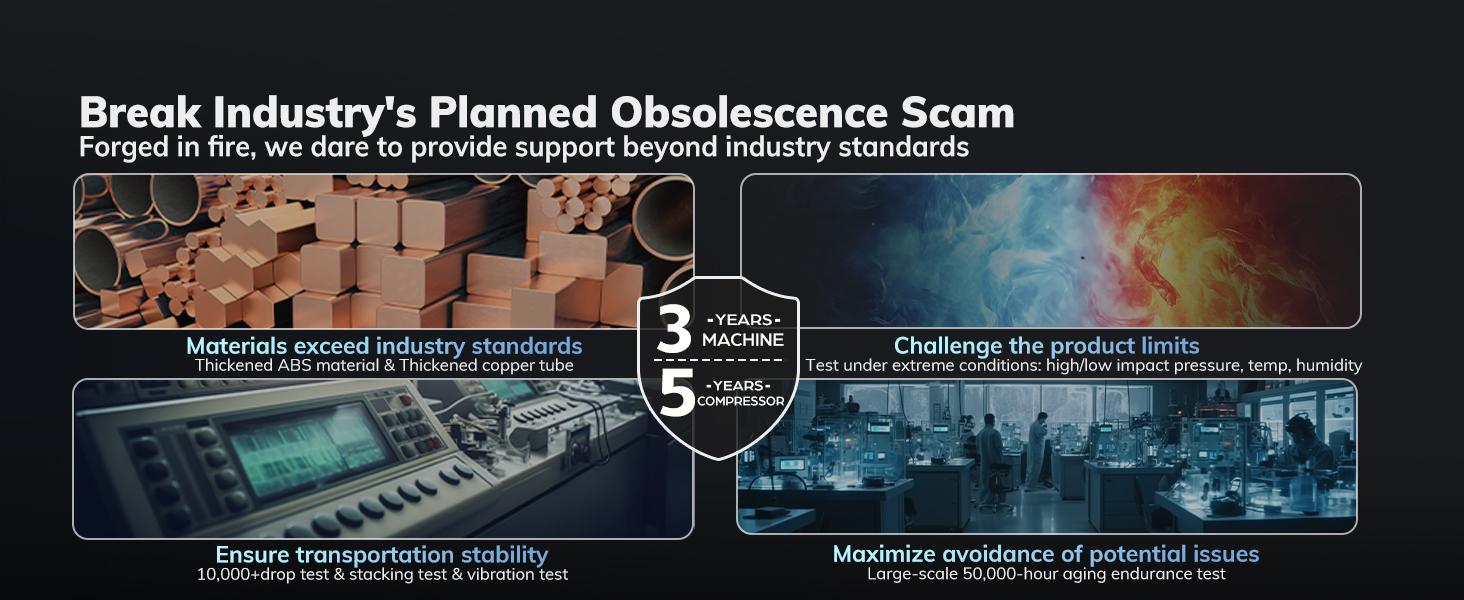
Figure 10.1: Durability and Warranty Commitment

Figure 10.2: Compressor Protection Technology
