
NOPAARD 52-YJ801
NOPAARD Smart 52" Wood Flush Mount Ceiling Fan with Lights - Instruction Manual
Model: 52-YJ801
1. Introduction
Thank you for choosing the NOPAARD Smart 52" Wood Flush Mount Ceiling Fan. This manual provides essential information for the safe installation, operation, and maintenance of your new ceiling fan. This fan features a quiet DC motor, integrated dimmable LED lighting, and multiple control options including remote, app, and voice control via Alexa and Google Assistant. Its low-profile design is ideal for rooms with lower ceilings.
2. Safety Information
Please read all instructions carefully before beginning installation. Failure to follow these instructions could result in electric shock, fire, or personal injury.
- Always disconnect power at the circuit breaker before installing, cleaning, or servicing the fan.
- All electrical wiring must be performed by a qualified electrician and conform to all local and national electrical codes.
- The fan must be mounted to a structurally sound ceiling joist or outlet box capable of supporting the fan's weight (8.36 lbs).
- This fan is ETL listed, ensuring it meets safety standards.
- Suitable for indoor and covered outdoor (damp-rated) locations. Do not expose to direct water spray or submersion.
- Ensure the fan blades are at least 7 feet (2.13 meters) from the floor.
3. Package Contents
Verify that all components are present before installation:
- Ceiling Fan Motor Housing
- Fan Blades (3)
- LED Light Kit
- Remote Control
- Mounting Bracket
- Hardware Pack (screws, wire nuts, etc.)
- Instruction Manual
4. Setup and Installation
This fan is designed for flush mounting and is not suitable for vaulted or sloped ceilings. The installation process typically involves:
- Turn off Power: Ensure power is disconnected at the circuit breaker.
- Mounting Bracket Installation: Secure the mounting bracket to a ceiling joist or an approved electrical outlet box.
- Wiring Connections: Connect the fan's electrical wires to the household wiring according to local codes.
- Motor Housing Attachment: Secure the fan motor housing to the mounting bracket.
- Blade Installation: Attach the three fan blades to the motor housing.
- Light Kit Installation: Install the LED light kit to the bottom of the fan.
- Restore Power: Once installation is complete, restore power at the circuit breaker.

5. Operating Instructions
Your NOPAARD Smart Ceiling Fan offers multiple control methods for convenience.
5.1 Control Methods

- Remote Control: Use the included remote to adjust fan speed, light settings, and activate the timer.
- Tuya App Control: Download the Tuya APP to your smartphone for comprehensive control over fan speeds, light dimming, color temperature, and scheduling.
- Voice Control: Integrate with Amazon Alexa or Google Assistant devices for convenient voice commands (e.g., "Alexa, turn on the fan in the bedroom").
- Wall Control: A standard wall switch can turn the fan and light on/off simultaneously. Note: Individual control of fan and light functions is not possible via a standard wall switch.
5.2 Fan Speed Adjustment
The fan features 6 variable speeds to suit your comfort needs.

- Levels 1-2: Low speed for a comfortable, gentle breeze, ideal for sleeping.
- Levels 3-4: Medium speed for natural wind, suitable for general comfort.
- Levels 5-6: High speed for powerful cooling and maximum airflow (up to 7154 CFM).
5.3 Quiet Operation

The fan's DC motor operates at a low noise level of less than 35dB at speeds 1-2, ensuring a quiet environment for sleep or work.
5.4 Dimmable LED Light

The integrated LED light offers three color temperatures and is fully dimmable:
- 3000K: Warm yellow light for a cozy atmosphere.
- 4000K: Bright daylight for general illumination.
- 6000K: Cool white light for a crisp, energetic feel.
Adjust brightness from 0% to 100% (up to 2000 lumens) using the remote or app.
5.5 Reversible Blades

The fan features a reversible DC motor to optimize air circulation year-round:
- Summer Mode: Blades rotate counter-clockwise to push cool air down, creating a refreshing breeze.
- Winter Mode: Blades rotate clockwise to draw warm air up and circulate it throughout the room, helping to reduce heating costs.
5.6 Timer Function
Utilize the timer function (available via remote or app) to set the fan to turn off automatically after a specified period, promoting energy saving and convenience.
6. Maintenance
Regular maintenance ensures optimal performance and longevity of your ceiling fan.
- Cleaning: Periodically wipe the fan blades and motor housing with a soft, damp cloth. Do not use abrasive cleaners or solvents.
- Dusting: Dust the fan regularly to prevent buildup that can affect performance and appearance.
- Blade Balance: If the fan wobbles, check that all blade screws are tight and that the blades are properly balanced. Balancing kits are often available if needed.
- Light Source: The LED light source is integrated and designed for long life. If replacement is ever needed, contact customer support.
Always ensure power is disconnected at the circuit breaker before performing any cleaning or maintenance.
7. Troubleshooting
If you encounter issues with your NOPAARD Smart Ceiling Fan, refer to the following common solutions:
| Problem | Possible Cause | Solution |
|---|---|---|
| Fan does not turn on | No power, loose wiring, remote battery dead | Check circuit breaker. Verify wiring connections. Replace remote battery. |
| Light does not work | No power, loose wiring, light kit connection issue | Check circuit breaker. Verify wiring connections. Ensure light kit is properly connected. |
| Smart features (App/Voice) not connecting | Incorrect Wi-Fi, app pairing issue, 5GHz Wi-Fi network | Ensure your Wi-Fi is 2.4GHz. Follow app pairing instructions carefully. Reset fan and try pairing again. |
| Fan wobbles or makes excessive noise | Loose blades, unbalanced blades, loose mounting | Tighten all blade screws. Use a blade balancing kit if necessary. Ensure mounting bracket is securely fastened. |
If problems persist, please contact NOPAARD customer support for assistance.
8. Specifications
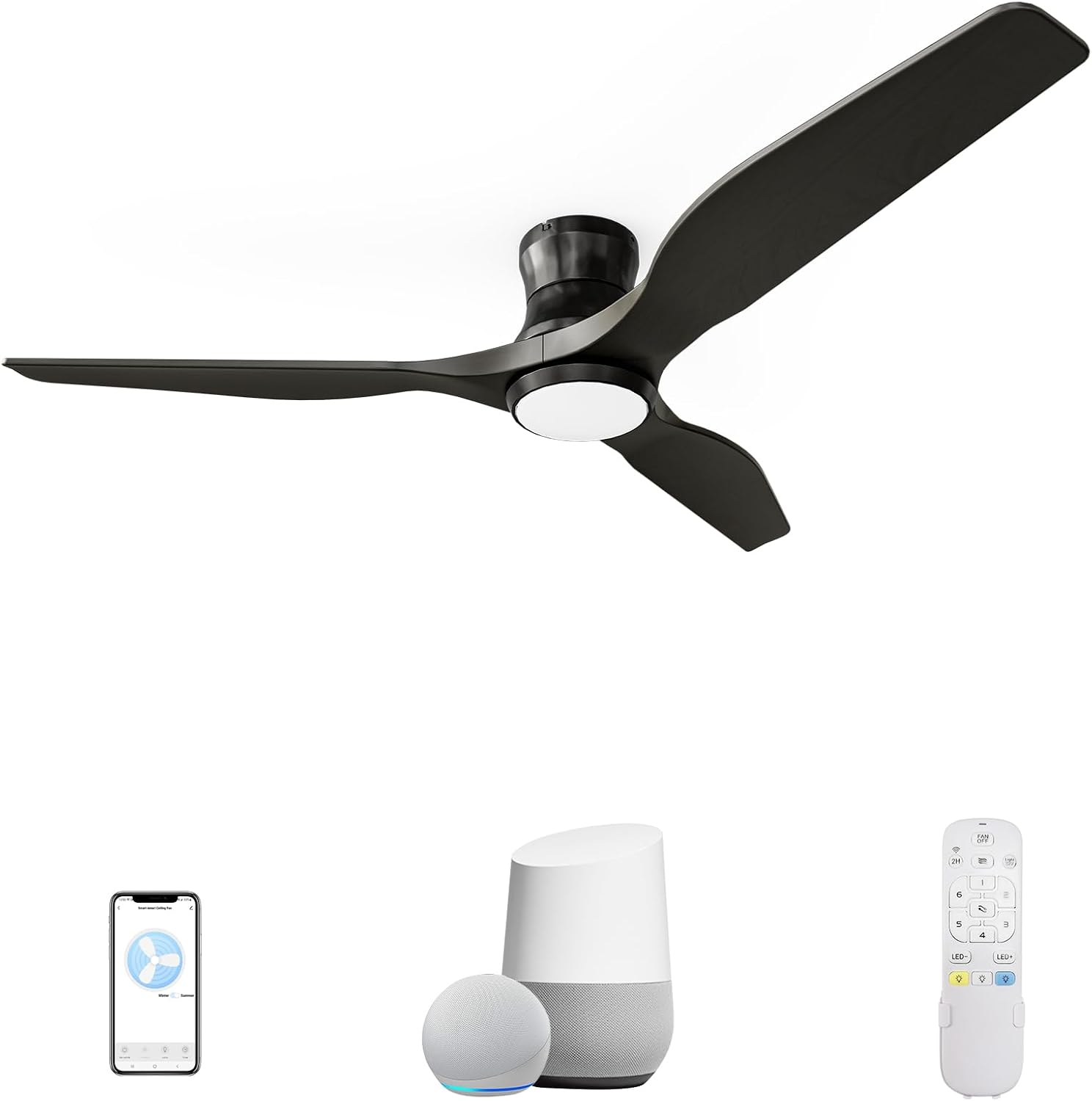
- Model: 52-YJ801
- Size: 52 inches
- Dimensions: 51.97"D x 51.97"W x 9.45"H
- Weight: 8.36 pounds
- Power Source: DC Motor
- Voltage: 110 Volts
- Wattage: 57 watts
- Noise Level: <35 dB (at low speeds)
- Air Flow Capacity: 7154 Cubic Feet Per Minute (CFM)
- Number of Blades: 3
- Light Type: Dimmable LED (0-2000 Lumens)
- Color Temperatures: 3000K (Warm Yellow), 4000K (Bright Daylight), 6000K (Cool White)
- Control Methods: Remote, Tuya App, Voice (Alexa, Google Assistant)
- Special Features: Reversible Blades, Timer Function, Memory Function
- Indoor/Outdoor Usage: Indoor, Covered Outdoor (Damp Rated)
- Certification: ETL Listed
9. Warranty and Support
NOPAARD provides the following warranty for your ceiling fan:
- Quality Assurance: 24 months
- DC Motor: 10-year warranty
For any questions, installation assistance, or product quality concerns, please contact NOPAARD customer support. Our professional team is available to help you.
Ask a question about this manual
Ask about setup, troubleshooting, compatibility, parts, safety, or missing instructions. Manuals+ will review the question and use this page’s manual context to help answer it.