
BEBANG PM1000
BEBANG 1000X Handheld Microscope User Manual
Model: PM1000
Introduction
The BEBANG 1000X Handheld Microscope is a portable and user-friendly digital microscope designed to introduce children and students to the fascinating world of microscopy. Featuring a 2.0-inch screen and up to 1000X magnification, it allows for detailed observation of various specimens. Its compact, rechargeable design makes it ideal for both indoor and outdoor exploration.

Figure 1: The BEBANG 1000X Handheld Microscope in use, showcasing its compact design and integrated display.
What's in the Box
Your BEBANG 1000X Handheld Microscope package includes the following items:
- BEBANG 1000X Handheld Microscope
- EVA Case for storage and carrying
- Color box and Gift box (for product protection and presentation)
- Neckstrap for portable use
- Prepared Slides set with case (5 lab-grade glass slides)
- Charging cable
- User manual (this document)
- 32G SD Card for photo and video storage

Figure 2: All components included in the BEBANG 1000X Handheld Microscope package.

Figure 3: The included lab-grade glass slides offer superior clarity and durability compared to plastic alternatives.
Setup
1. Charging the Microscope
Before first use, fully charge the microscope. Connect the provided charging cable to the microscope's charging port and a compatible USB power source (e.g., laptop, USB adapter, power bank, car charger). The built-in rechargeable battery provides approximately 2.5 hours of continuous use on a full charge.
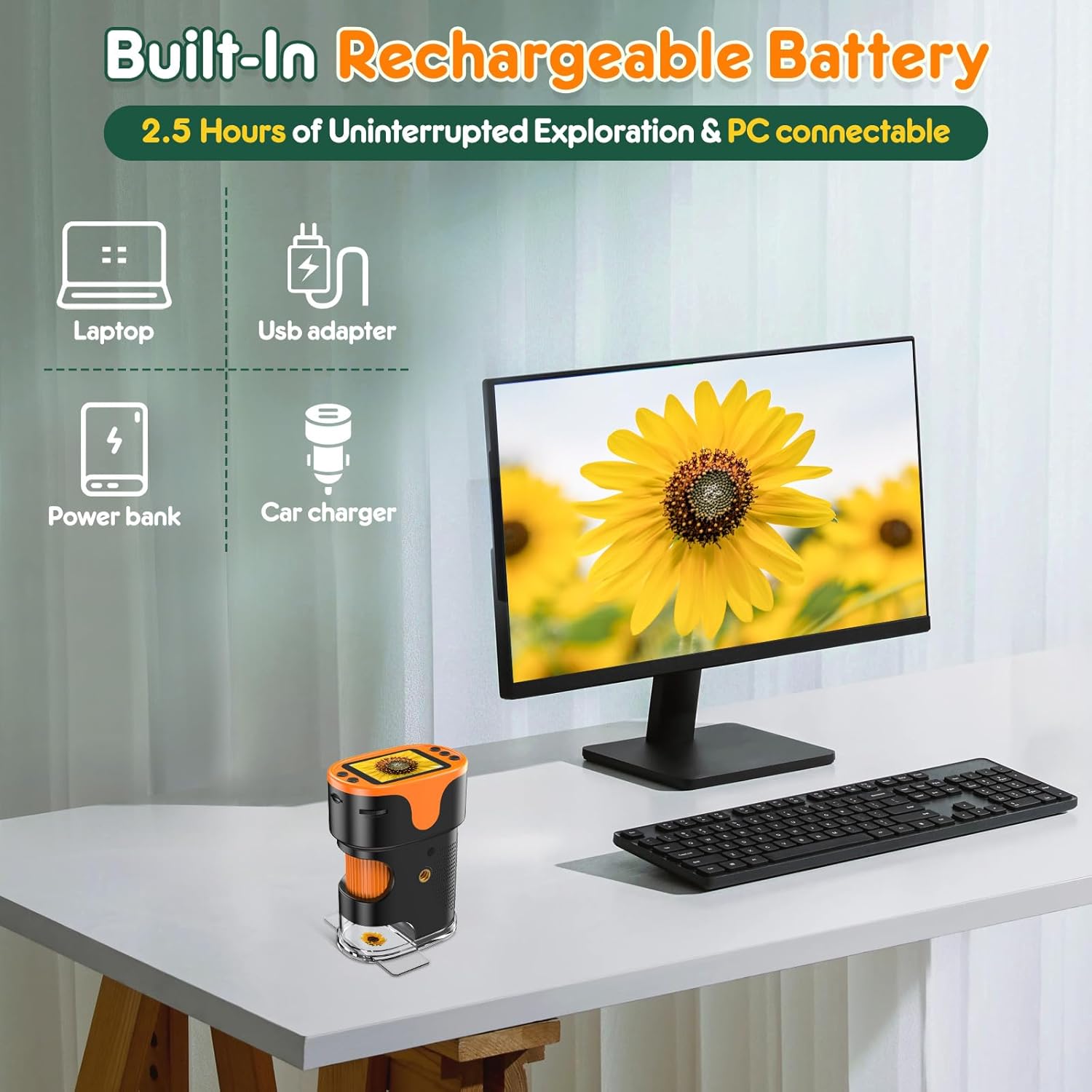
Figure 4: The microscope can be charged using various common USB power sources.
2. Inserting the SD Card
The microscope comes with a 32GB SD card for storing photos and videos. Locate the SD card slot, typically on the side of the device, and insert the card until it clicks into place. Ensure the card is inserted correctly to avoid damage.
Operating Instructions
1. Powering On/Off
Press and hold the power button (usually marked with a power symbol) to turn the microscope on or off. The 2.0-inch screen will illuminate upon startup.
2. Adjusting Magnification (200X-1000X)
The BEBANG microscope offers a 5-level zoom range from 200x to 1000x. Use the zoom buttons (often marked with '+' and '-' or magnifying glass icons) to adjust the magnification level. For initial observation, start with a lower magnification and gradually increase it for more detail.

Figure 5: Visual representation of magnification levels from 200X to 1000X.

Figure 6: Observe intricate details of specimens by adjusting the magnification.
3. Focusing
Use the large focus wheel on the side of the microscope to achieve a clear image. Turn the wheel slowly until the specimen appears sharp on the screen. If the image is blurry, continue turning the focus wheel in either direction until clarity is achieved. Note that you will first encounter a lower magnification when turning the focus wheel; keep turning to reach higher magnification levels.

Figure 7: The focus wheel allows for smooth and precise adjustments to achieve optimal clarity.
4. Observing Specimens
The microscope supports two methods of observation:
- Slides Observation: Insert a prepared slide into the viewing slot. The slots have been widened to 3mm for smoother passage and to prevent sticking.
- Direct Observation of Objects: Remove the clear cover plate from the bottom of the microscope. Place the lens close to the object you wish to observe and adjust the focusing wheel.

Figure 8: The microscope supports both prepared slide viewing and direct observation of objects.

Figure 9: Detailed view of the two observation methods for various specimens.
5. Taking Photos and Videos
The microscope allows for one-click capture of photos and videos. Use the dedicated buttons (typically marked with camera and video icons) to record your observations. Photos are captured in 3840x2160P resolution, and videos in 1920x1080P. All captures are saved to the inserted 32GB SD card.

Figure 10: The 2.0-inch screen provides clear playback and easy access to photo/video functions.

Figure 11: Easily record and share your discoveries with family and friends.
6. Usage Scenarios
The BEBANG microscope is versatile and can be used for observing a wide range of items, including:
- Coins/Cash
- Circuit Boards
- Flower Buds
- Insects
- Blood/Cells (with appropriate prepared slides)
- Textiles

Figure 12: Examples of diverse items suitable for microscopic observation.

Figure 13: The microscope is suitable for both indoor and outdoor educational activities.

Figure 14: The included neck strap allows for convenient and hands-free portability during outdoor adventures.
Maintenance
- Cleaning: Use a soft, dry cloth to clean the microscope's body. For the lens and screen, use a microfiber cloth specifically designed for optics. Avoid abrasive cleaners or solvents.
- Storage: When not in use, store the microscope in its provided EVA hard case to protect it from dust, impacts, and scratches. Keep it in a cool, dry place away from direct sunlight and extreme temperatures.
- Battery Care: To prolong battery life, avoid fully discharging the battery frequently. Charge the microscope regularly, even if not in constant use.
Troubleshooting
1. No Power / Does Not Turn On
- Ensure the battery is charged. Connect the microscope to a power source and allow it to charge for at least 30 minutes before attempting to power on again.
- Press and hold the power button firmly for a few seconds.
2. Blurry Image
- Adjust the focus wheel slowly in both directions until the image becomes clear.
- Ensure the lens is clean and free of dust or smudges.
- Verify that the specimen is properly positioned relative to the lens.
3. Cannot Save Photos/Videos
- Check if the 32GB SD card is properly inserted into the slot.
- Ensure the SD card is not full. If it is, transfer files to a computer and delete them from the card, or replace the card.
- Verify the SD card is not locked (check for a small switch on the side of the card).
4. Screen is Blank or Flickering
- Restart the microscope by turning it off and then on again.
- Ensure the battery is sufficiently charged.
Specifications
| Feature | Detail |
|---|---|
| Brand | BEBANG |
| Model Name | PM1000 |
| Product Dimensions | 3 x 1.8 x 4 inches (7.62 x 4.57 x 10.16 cm) |
| Item Weight | 1.13 ounces (32 grams) |
| Magnification Maximum | 1000x (200x-1000x 5-level zoom) |
| Screen Size | 2.0 inches |
| Photo Resolution | 3840x2160P (4K) |
| Video Resolution | 1920x1080P |
| Battery Type | 1 Lithium Ion battery (rechargeable) |
| Continuous Use Time | Approx. 2.5 hours |
| Light Source Type | LED |
| Material | Plastic |
| Color | Orange |
Warranty and Support
BEBANG products are manufactured to high-quality standards. For any questions, technical support, or warranty claims, please refer to the contact information provided with your purchase or visit the official BEBANG website. Please retain your proof of purchase for warranty purposes.
Ask a question about this manual
Ask about setup, troubleshooting, compatibility, parts, safety, or missing instructions. Manuals+ will review the question and use this page’s manual context to help answer it.