
Salange HY320PRO Max
User Manual for Salange HY320 Mini Projector
Model: HY320PRO Max
Brand: Salange
1. Introduction and Overview
The Salange HY320 Mini Projector is an all-in-one entertainment hub designed for versatile use. Featuring an Android 11.0 system, it allows seamless streaming and media playback directly from built-in applications. With enhanced brightness and 1080P Full HD adaptive resolution, it delivers clear and delicate images, supporting 4K decoding technology for an immersive viewing experience. Its compact and portable design, weighing only 1.08 lb (490 g), makes it ideal for both indoor and outdoor use. The projector also boasts advanced connectivity with WiFi 6 and Bluetooth 5.2, along with a 270° adjustable stand and automatic keystone correction for effortless setup.
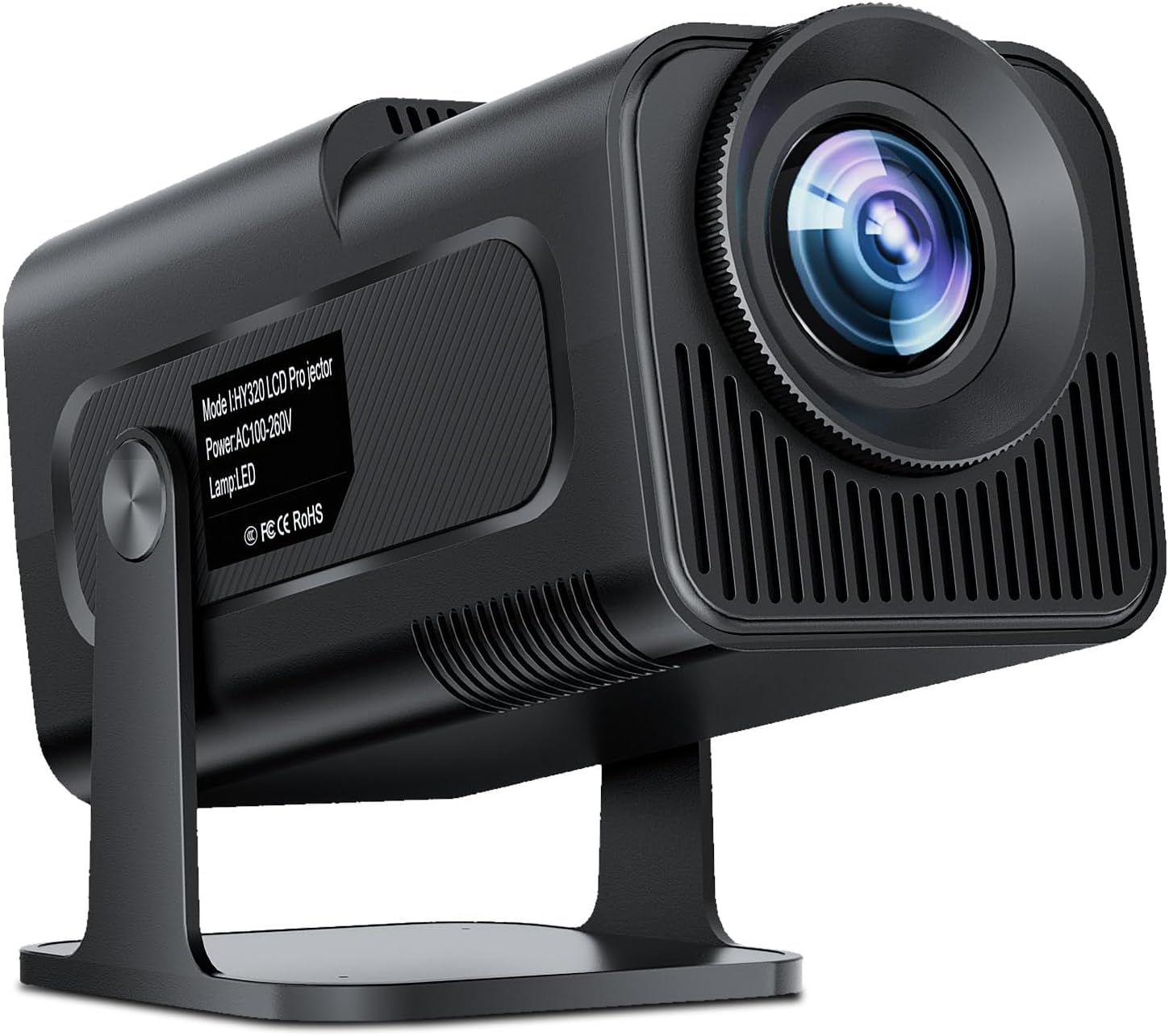
A front-side view of the Salange HY320 Mini Projector, showcasing its compact design and lens.
2. What's in the Box
Upon unboxing your Salange HY320 Mini Projector, you should find the following items:
- 1 x Salange HY320 Mini Projector
3. Setup Guide
3.1 Initial Placement and Power Connection
Place the projector on a stable surface. Thanks to its 270° adjustable stand, you can easily position it to project onto a wall or ceiling. Connect the power adapter to the projector's power input and then plug it into a power outlet.
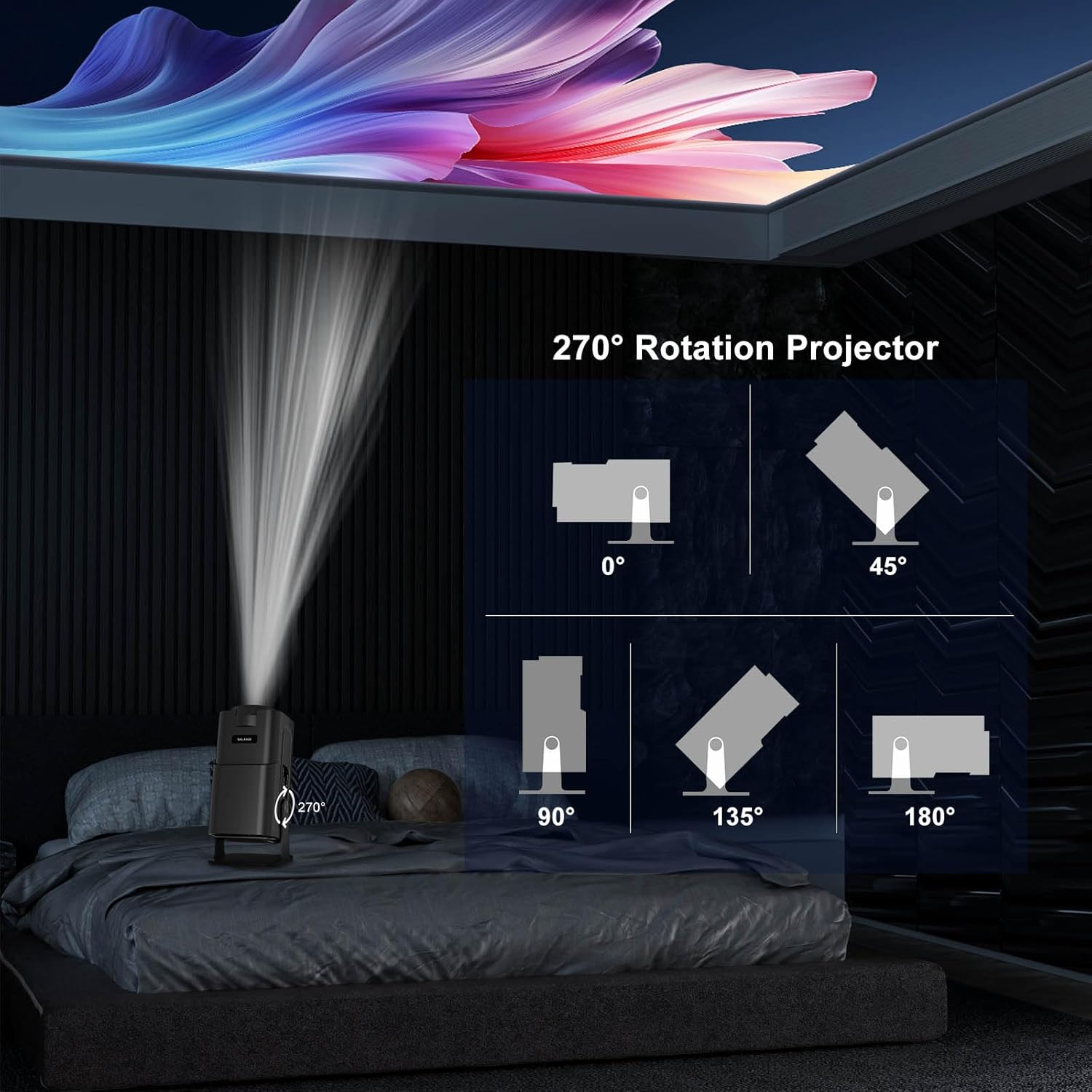
Diagrams illustrating the projector's 270-degree rotation capability, allowing projection onto walls or ceilings from various angles.

The projector positioned to project an image onto the ceiling, demonstrating its versatile placement options for comfortable viewing.
3.2 Auto Keystone Correction and Focus Adjustment
The projector features automatic keystone correction to ensure a perfectly rectangular image, even if the projector is placed at an angle. For optimal clarity, manually adjust the focus ring located on the projector lens until the image appears sharp.

An illustration showing the projector automatically correcting the image shape to form a perfect rectangle, demonstrating its auto keystone correction feature.
3.3 Network and Bluetooth Connectivity
Navigate to the settings menu to connect the projector to your 5G/2.4G dual-band WiFi network for internet access and streaming. You can also pair Bluetooth 5.2 compatible audio devices like soundbars, speakers, or headphones for enhanced sound.

A split screen showing the difference between 2.4G WiFi and faster WiFi 6, with the projector mirroring content from a phone and laptop, emphasizing its dual-band WiFi 6 feature.
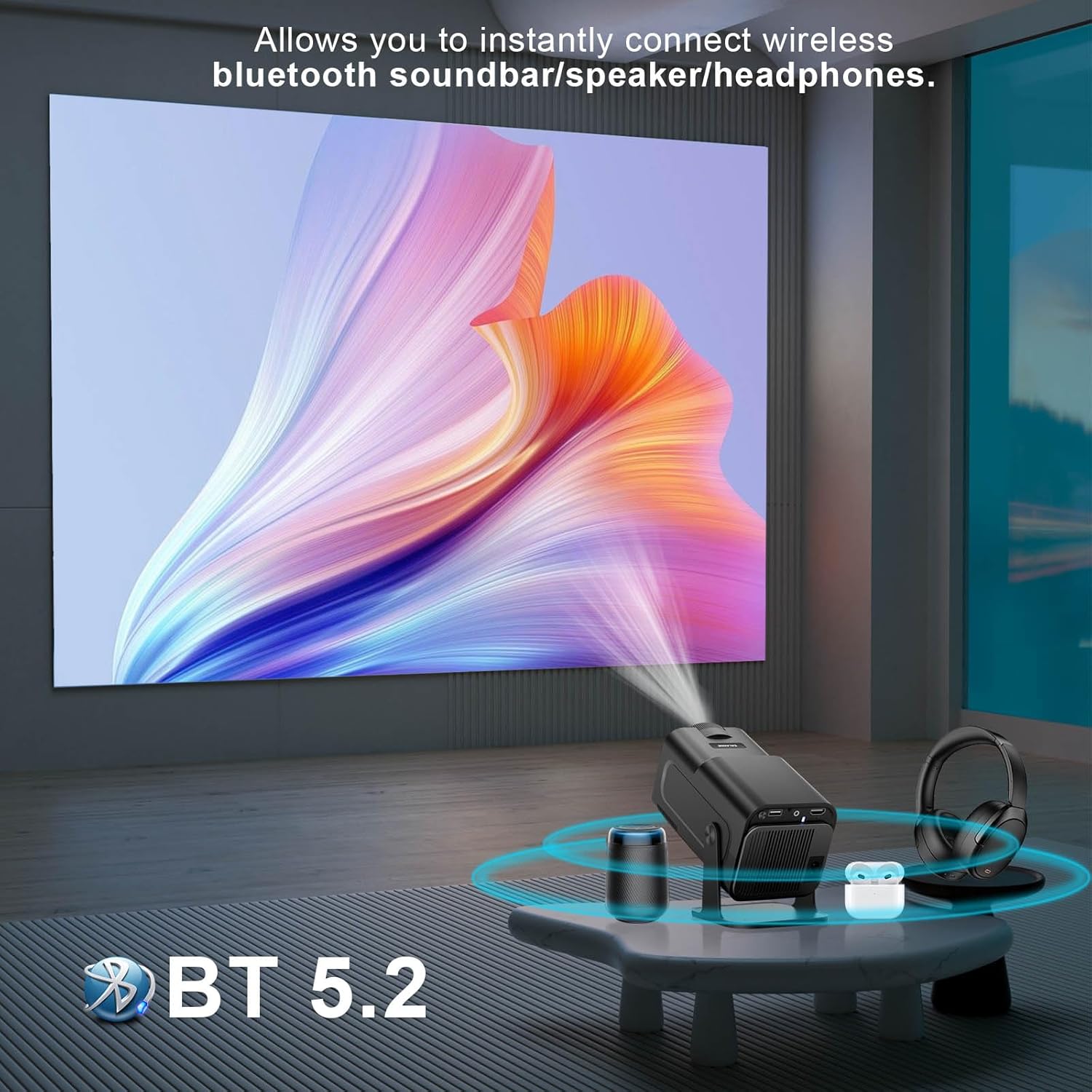
The projector wirelessly connected to a soundbar, headphones, and a small speaker via Bluetooth 5.2, indicating its audio connectivity options.
4. Operating Instructions
4.1 Using Built-in Apps
The projector comes with Android 11.0 and pre-installed apps. Navigate the home screen using the remote control to access streaming services like YouTube, Netflix, and more. You can also download additional apps from the integrated app store.

The projector displaying a screen with numerous app icons, including YouTube, Netflix, and other streaming services, highlighting its built-in Android 11.0 system.
4.2 Screen Mirroring
Wirelessly mirror content from your iOS, Android, or Windows devices using the built-in mirroring functions. This allows you to project photos, videos, and presentations directly from your smartphone or tablet.

The projector displaying a game mirrored from a smartphone, highlighting its compatibility with iOS, Android, and Windows devices for screen sharing.
4.3 Connecting External Devices
The projector includes HDMI, USB, and 3.5mm headphone jack ports, allowing easy connection to various external devices such as laptops, gaming consoles, USB drives, and external audio systems.
4.4 Official Product Video Demonstration
Watch this official video for a comprehensive demonstration of the Salange HY320 Mini Projector's features, including its compact size, setup process, user interface, and projection quality for various content types like sports and images.
An official product video demonstrating the Salange HY320 Mini Projector's features, including its compact size, setup process, user interface, and projection quality for various content types like sports and images.
5. Maintenance
To ensure the longevity and optimal performance of your Salange HY320 Mini Projector, follow these maintenance guidelines:
- Cleaning the Lens: Gently wipe the projector lens with a soft, lint-free cloth designed for optical surfaces. Avoid using abrasive materials or harsh chemicals.
- Ventilation: Ensure the projector's ventilation openings are clear and unobstructed to prevent overheating. Do not place the projector on soft surfaces that might block airflow.
- Storage: When not in use, store the projector in a cool, dry place away from direct sunlight and excessive dust.
6. Troubleshooting
If you encounter any issues with your Salange HY320 Mini Projector, refer to the following common troubleshooting tips:
- No Image/Blurry Image:
- Ensure the projector is powered on and correctly connected to the input source.
- Adjust the focus ring on the lens until the image is clear.
- Check if the auto keystone correction is enabled or manually adjust it if needed.
- No Sound/Low Sound:
- Verify the volume level on the projector and any connected audio devices.
- Ensure Bluetooth audio devices are correctly paired and connected.
- If using an external source, check its audio output settings.
- Connectivity Issues (WiFi/Bluetooth):
- Restart the projector and your network router/Bluetooth device.
- Ensure the projector is within range of the WiFi signal or Bluetooth device.
- Re-enter WiFi password or re-pair Bluetooth device.
- Remote Control Not Responding:
- Check and replace the batteries in the remote control.
- Ensure there are no obstructions between the remote and the projector's IR receiver.
7. Specifications
| Brand Name | Salange |
| Model Number | HY320PRO Max |
| Item Weight | 2 pounds (approx. 0.91 kg) |
| Product Dimensions | 4.21 x 4.16 x 8.66 inches |
| Display Resolution | 1280 x 720 (Native), 4K Decoding Support |
| Connectivity Technology | Bluetooth 5.2, Wi-Fi 6 (5G/2.4G Dual-band), HDMI, USB, 3.5mm Audio Jack |
| Special Features | Built-In Speaker, Portable, Lightweight, Built-In Cooling System, Short Throw, 270° Adjustable Stand, Auto Keystone Correction, Android 11.0 System |
| Recommended Uses | Indoor/Outdoor |
8. Warranty and Support
The Salange HY320 Mini Projector comes with a standard 2-year warranty. This includes complete machine replacement for eligible issues and free technical support throughout the product's life cycle.
For technical assistance or warranty claims, please contact Salange customer support at: SalangeTech@outlook.com
Related documentsHY320PRO Max


Ask a question about this manual
Ask about setup, troubleshooting, compatibility, parts, safety, or missing instructions. Manuals+ will review the question and use this page’s manual context to help answer it.