
Introduction
This manual provides essential information for the proper setup, operation, and maintenance of your BOSMA 10-22x50 Ultra HD Binoculars. Please read these instructions carefully before using the product to ensure optimal performance and longevity.
The BOSMA 10-22x50 Ultra HD Binoculars are designed for clear, detailed observation across various distances. Featuring a robust metal body, advanced optical components, and a waterproof design, they are suitable for diverse outdoor viewing conditions.

Image: Front view of the BOSMA 10-22x50 Ultra HD Binoculars, showcasing the central focus wheel and adjustable eyepieces.
Product Features
- Robust Build Quality: Crafted from a one-piece aluminum alloy with TPU leather trim, these binoculars are designed for stability and durability, ensuring a comfortable grip for outdoor use.
- Ultra HD Optical Technology: Featuring a BAK4 prism system and an FMC broadband coating, these binoculars boast over 80% light filtration, enhancing image transparency and color accuracy.
- Versatile Magnification: With an easy-to-adjust 10-22x magnification range, these binoculars provide flexibility for a variety of viewing situations, allowing for detailed observation at both close and long distances.
- Exceptional Low-Light Performance: The substantial 50mm objective lenses guarantee superior light gathering, delivering sharp and bright images even in suboptimal lighting conditions, while minimizing field curvature and edge blur.
- Tested for the Elements: Rated at BSW-5 for water resistance, these binoculars have been thoroughly tested to withstand 15 minutes of immersion in water, ensuring optical excellence and durability over time.
Setup
1. Unpacking and Inspection
Carefully remove all components from the packaging. Verify that the following items are included:
- BOSMA 10-22x50 Binoculars
- Binocular Strap
- Microfiber Fabric Cloth
- Portable Carrying Bag
- Eyepiece Caps
- Objective Lens Covers
Inspect the binoculars for any visible damage. If any components are missing or damaged, contact customer support.
2. Attaching the Neck Strap
Thread the ends of the binocular strap through the strap lugs located on each side of the binocular body. Secure the strap firmly to prevent accidental drops.
3. Adjusting Eyecups
The eyecups can be adjusted for comfortable viewing, especially for users wearing eyeglasses. Rotate or extend the eyecups to the desired position. If you wear glasses, retract the eyecups fully. If you do not wear glasses, extend them to block out ambient light.
4. Adjusting Interpupillary Distance
Hold the binoculars up to your eyes and look through them. Adjust the distance between the two barrels by moving them closer together or further apart until you see a single, circular field of view. This ensures proper alignment with your eyes.
Operating Instructions
1. Focusing
- Diopter Adjustment: Close your right eye and look through the left objective lens. Rotate the central focus wheel until the image in your left eye is sharp.
- Close your left eye and look through the right objective lens. Rotate the diopter adjustment ring (usually on the right eyepiece) until the image in your right eye is sharp.
- With both eyes open, the image should now be clear. For subsequent use, only the central focus wheel will be needed to adjust focus for different distances.
2. Magnification Adjustment (Dynamic Zoom)
To change the magnification from 10x to 22x, locate the zoom lever or ring (if applicable, typically near the right eyepiece). Rotate it to increase or decrease the magnification as desired. Refocus using the central focus wheel after adjusting the zoom.
3. Tripod Mounting
For extended viewing or to minimize shake at higher magnifications, the binoculars can be mounted on a tripod. Locate the tripod adapter thread (usually under a cap on the front hinge). Remove the cap and attach a compatible tripod adapter (sold separately) to secure the binoculars to a tripod.
Maintenance
1. Cleaning the Lenses
Use the provided microfiber fabric cloth to gently wipe dust or smudges from the objective and eyepiece lenses. For stubborn dirt, breathe lightly on the lens surface before wiping. Avoid using abrasive cloths or harsh chemicals, which can damage the lens coatings.
2. Cleaning the Body
Wipe the binocular body with a soft, damp cloth. Avoid excessive moisture, especially near optical components. The one-piece aluminum alloy body with TPU leather trim is designed for durability and easy cleaning.
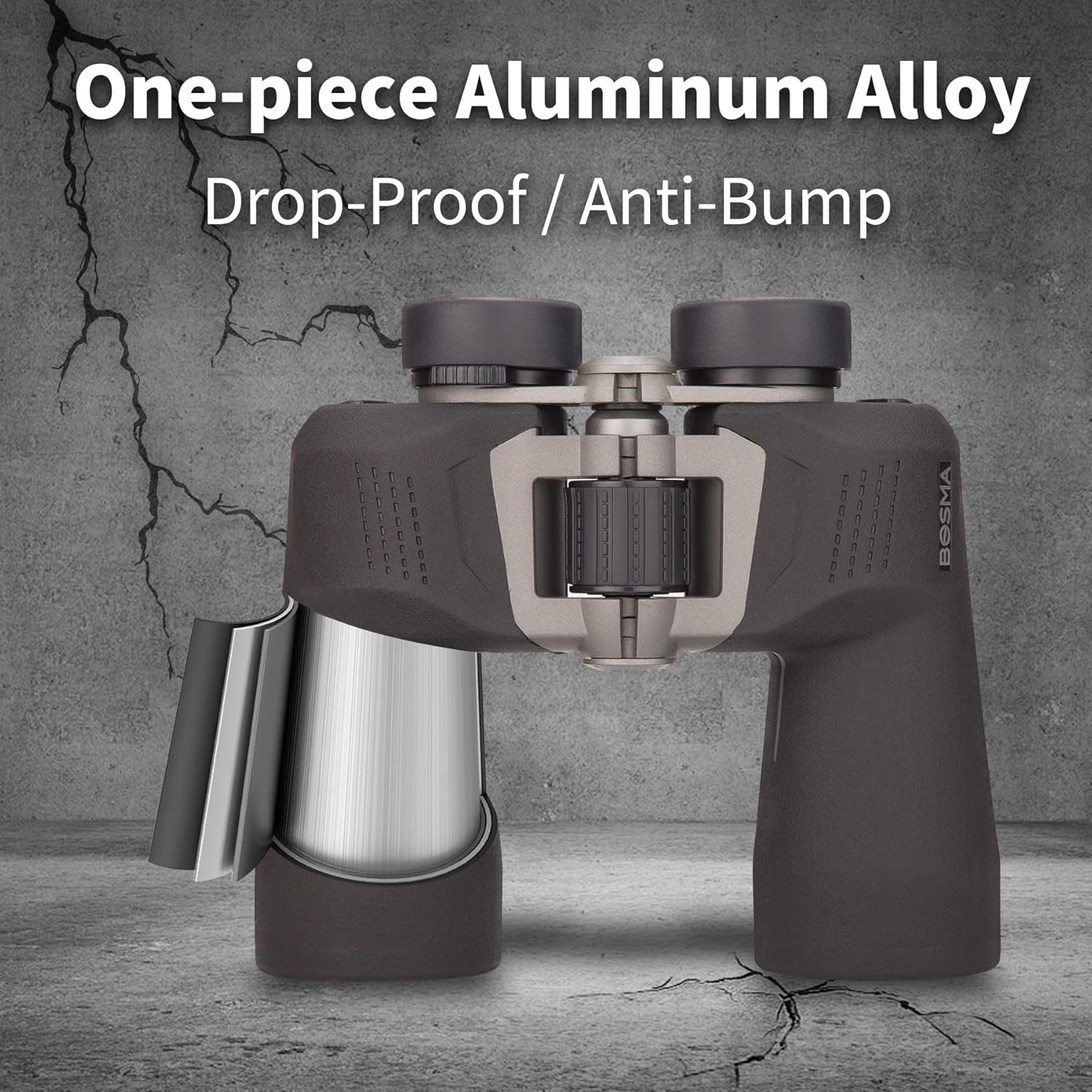
Image: Cutaway view illustrating the one-piece aluminum alloy construction, designed for drop-proof and anti-bump performance.

Image: Detail showing the one-piece non-slip full-wrap rubber coating, providing a secure grip and additional protection.
3. Water Resistance
These binoculars are rated BSW-5 for water resistance, meaning they can withstand immersion in water for up to 15 minutes without functional damage. While designed to be waterproof, avoid prolonged submersion and always dry the binoculars thoroughly after exposure to water.

Image: The binoculars shown partially submerged in water, illustrating their nitrogen-filled and waterproof design, capable of immersion without harmful effects.
4. Storage
When not in use, store the binoculars in their portable carrying bag in a cool, dry place. Keep the eyepiece and objective lens covers on to protect the lenses from dust and scratches.
Troubleshooting
- Blurry Image: Ensure the central focus wheel and diopter adjustment are correctly set for your eyes and the viewing distance. Check that the objective and eyepiece lenses are clean.
- Double Image: Adjust the interpupillary distance by moving the barrels closer or further apart until a single, circular field of view is achieved.
- Difficulty Adjusting Focus/Zoom: Ensure no debris is obstructing the focus wheel or zoom mechanism. If stiff, gentle, consistent rotation may be needed. Do not force adjustments.
- Reduced Brightness/Clarity: Clean the lenses thoroughly with the microfiber cloth. Ensure no lens caps are partially covering the objectives.
Specifications
| Feature | Description |
|---|---|
| Model Name | BOSMA 10-22x50 Ultra HD Binoculars |
| Magnification Range | 10-22x (Dynamic Zoom) |
| Objective Lens Diameter | 50 mm |
| Prism Type | BAK4 Porro Prism |
| Coating | FMC (Full Multi-Coated) Broadband Coating |
| Field of View | 294 Feet (at 1000 yards) |
| Apparent Angle of View | 68 Degrees |
| Exit Pupil Diameter | 4.2 mm |
| Eye Relief | 15 mm |
| Relative Brightness | 17 |
| Focus Type | Eyepiece Adjustment (Central Focus) |
| Diopter Adjustment Range | 4 to -4 |
| Water Resistance Level | Waterproof (BSW-5 rated) |
| Material Type | Aluminum, Metal with TPU Leather |
| Item Dimensions (L x W x H) | 19.5L x 6.5W x 17.5H Centimetres |
| Mount Type | Tripod Mount |

Image: Visual representation of the BAK4 prism, FMC full-surface multilayer coating, and ultra wide-angle optical system, highlighting optical clarity.
Warranty and Support
Comprehensive Lifetime Warranty
BOSMA offers a transferable lifetime warranty for these binoculars. This warranty covers repairs or replacement should the binoculars suffer any functional damage. This commitment ensures confidence in the long-term reliability of your product.
Please note that the warranty excludes loss or cosmetic damage that does not affect functionality.
Customer Support
For any questions, technical assistance, or warranty claims, please contact BOSMA customer support through the retailer where the product was purchased or refer to the official BOSMA website for contact information.