1. Introduction
The Neoteck MT35 is a versatile 2-in-1 moisture meter designed for detecting moisture content in various materials, including wood and building materials. It features both a non-destructive pinless mode for quick scans of walls and a pin-type probe for precise measurements in wood and concrete. This manual provides detailed instructions for the proper use, maintenance, and troubleshooting of your device.

The Neoteck MT35 Moisture Meter is suitable for various applications, including RV moisture detection, flooring installation, construction quality supervision, and firewood moisture measurement.
2. Safety Information
- Read all instructions before operating the device.
- Do not attempt to disassemble or modify the device.
- Keep the device away from water and extreme temperatures.
- When using the pin-type probe, exercise caution to avoid injury from the sharp pins.
- Store the device in a dry, safe place when not in use.
3. Package Contents
Verify that all items are present in your package:
- 1x Neoteck MT35 Pinless Moisture Meter
- 1x Pin-type Sensor (Probe)
- 2x Replacement Probes
- 1x USB-C Charging Cable
- 1x Wrench (for probe replacement)
- 1x User Manual

The package includes the main meter unit, pin-type sensor, replacement probes, charging cable, wrench, and user manual.
4. Device Overview
The Neoteck MT35 features a clear color LCD display, intuitive buttons, and a robust design for reliable moisture detection.

The Neoteck MT35 Moisture Meter can operate in both pinless mode (for non-destructive scanning) and pin-type mode (with the external probe for precise measurements).
Key Components:
- Color LCD Display: Shows moisture readings, material type, battery status, and alarm indicators.
- Pinless Sensor: Located on the back of the device for non-destructive measurements.
- Pin-type Probe Port (Type-C): For connecting the external pin probe.
- Power Button: Turns the device on/off.
- HOLD Button: Freezes the current reading on the display.
- SET Button: Accesses settings and material selection.
- Arrow Buttons (Up/Down): Navigate menus and adjust settings.
- APO Button: Activates/deactivates automatic power off.
- Backlight/Sound Button: Controls display backlight and audible alarm.
5. Setup
5.1 Charging the Device
The Neoteck MT35 is equipped with a rechargeable 1200mAh Lithium-ion battery. Before first use, fully charge the device.
- Connect the provided USB-C charging cable to the Type-C port on the side of the meter.
- Connect the other end of the cable to a standard USB power adapter (not included) or a computer USB port.
- The battery indicator on the LCD will show charging status. A full charge provides up to 10 hours of continuous use.
5.2 Attaching the Pin Probe
For precise, deep measurements, attach the pin-type probe.
- Locate the Type-C port on the bottom of the meter.
- Insert the Type-C connector of the pin-type probe into this port.
- Ensure the connection is secure. The device will automatically switch to pin-type mode once the probe is connected.

Connect the pin-type probe to the Type-C port. The device will automatically activate pin-type mode.
5.3 Initial Calibration
The device performs an auto-calibration upon power-on. Ensure the device is held in the air, away from any materials or your body, during startup for accurate calibration.
6. Operating Instructions
6.1 Powering On/Off
- Press and hold the Power button to turn the device on or off.
- The device has an automatic power-off function (APO) after 5 minutes of inactivity to conserve battery. This can be toggled using the APO button.
6.2 Selecting Measurement Mode and Material Type
The MT35 automatically detects the measurement mode based on whether the pin probe is connected.
- Pinless Mode: When the pin probe is disconnected, the device operates in non-destructive pinless mode.
- Pin-type Mode: When the pin probe is connected, the device automatically switches to pin-type mode.
To select the material type for measurement:
- Press the SET button.
- Use the Up/Down arrow buttons to cycle through the 6 preset material modes: Softwood, Hardwood, Drywall, Plaster, Screed, and Concrete.
- Press SET again to confirm your selection.
6.3 Taking Measurements
- Pinless Mode: Place the back of the device (where the sensor is located) flat against the surface of the material you wish to measure. The reading will appear on the LCD.
- Pin-type Mode: Carefully insert the steel pins of the probe into the material. Ensure good contact for an accurate reading.
6.4 Understanding the Display and Alarms
The color LCD provides clear visual feedback:

The LCD screen features a dynamic bar graph, a 3-color LED indicator, and displays the moisture value. Audible alarms are triggered when moisture exceeds a set threshold.
- Numerical Value: Displays the exact moisture percentage.
- Dynamic Bar Graph: Provides a visual representation of moisture levels.
- 3-Color LED Indicator:
- Green: Dry
- Yellow: Moist/Risk
- Red: Wet
- Audible Alarm: The device emits an audible alarm when the moisture level exceeds a preset threshold for the selected material. This threshold is adjustable.
- Silent Mode: Press the Backlight/Sound button to toggle the audible alarm on or off.
6.5 Data Hold Function
Press the HOLD button to freeze the current reading on the display. Press it again to release the hold and resume live measurements.
7. Measurement Guidelines
For optimal accuracy and reliable results, consider the following guidelines:
- Accuracy: The device provides readings with an accuracy of approximately ±2%.
- Pinless Measurement Depth: The pinless sensor can detect moisture up to a depth of 19mm (0.75 inches).
- Material Thickness: Ensure the material being measured is at least 5mm thick. For pinless measurements, results may be influenced by adjacent materials if the thickness is less than 2cm.
- Surface Contact: For pinless mode, ensure the sensor is in full contact with the surface. For pin-type mode, ensure pins are fully inserted.
- Interference: Avoid measuring near metal objects or other conductive materials, as this can affect readings.
- Environmental Conditions: Extreme temperatures can affect readings. Allow the device to acclimate to the environment before use.

This table provides a quick reference for moisture levels (Dry, Moist, Wet) and their corresponding percentage ranges for various materials.
8. Maintenance
8.1 Cleaning
Wipe the device with a soft, dry cloth. Do not use abrasive cleaners or solvents.
8.2 Battery Care
The integrated Lithium-ion battery is designed for long life. Recharge the device when the low battery indicator appears on the display. Avoid fully discharging the battery frequently to prolong its lifespan.
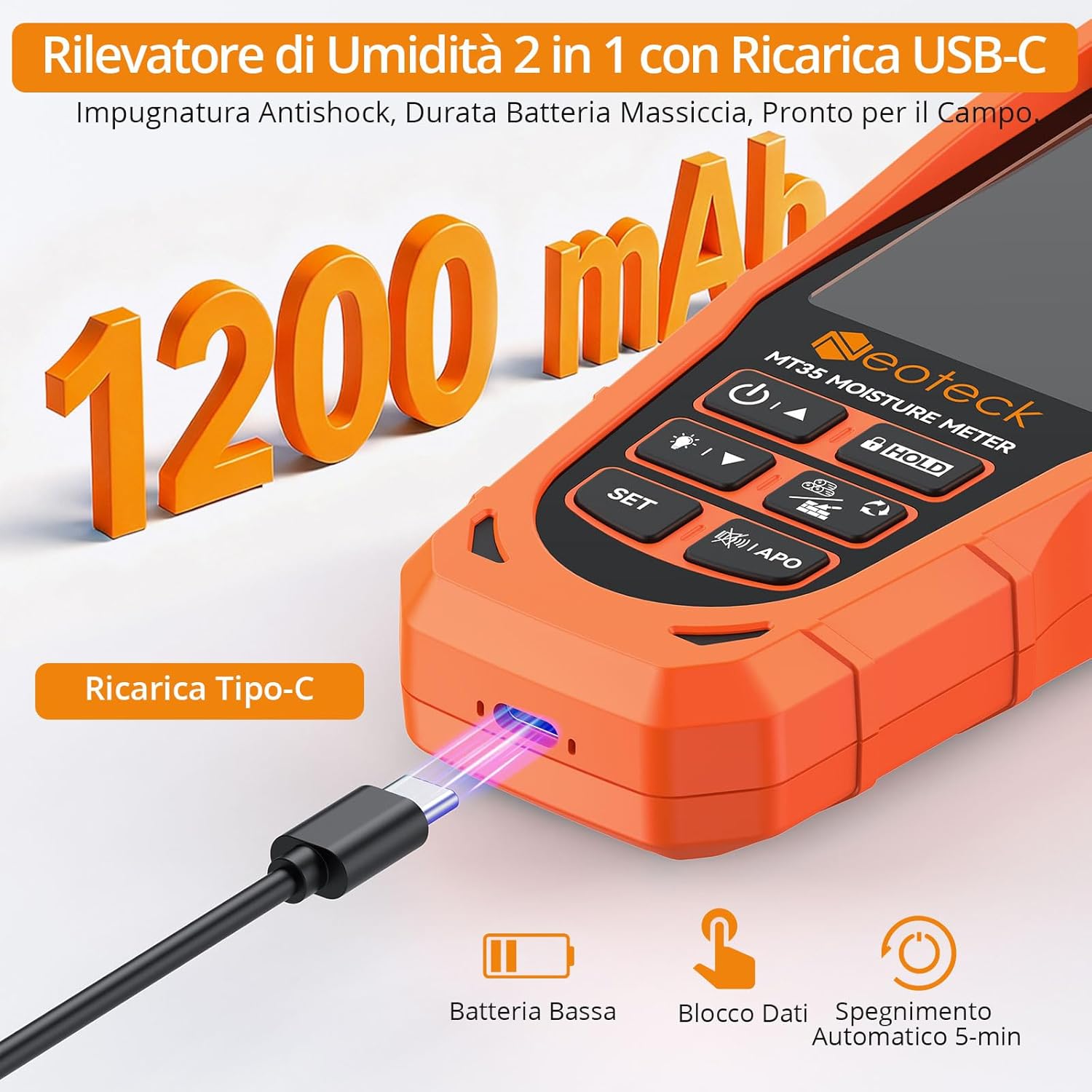
The Neoteck MT35 features a USB-C charging port and a 1200mAh rechargeable battery, ensuring long operational periods.
8.3 Replacing Probes
If the pin-type probes become dull or damaged, they can be replaced using the provided wrench. Carefully unscrew the old pins and screw in the new ones.
8.4 Storage
Store the device in its protective pouch in a cool, dry place, away from direct sunlight and extreme temperatures.
9. Troubleshooting
- Device does not turn on: Ensure the battery is charged. Connect the device to a power source using the USB-C cable.
- Inaccurate readings:
- Ensure the correct material type is selected.
- Verify proper contact with the material (flat for pinless, fully inserted for pin-type).
- Check for nearby metal objects that might interfere with readings.
- Perform auto-calibration by powering off and on, holding the device in the air.
- Audible alarm not working: Check if silent mode is activated by pressing the Backlight/Sound button.
- Display is dim: Adjust the backlight using the Backlight/Sound button. Ensure the battery is sufficiently charged.
10. Specifications
| Feature | Specification |
|---|---|
| Model Number | MT35 |
| Measurement Modes | Pinless (Non-destructive), Pin-type (with external probe) |
| Material Modes | Softwood, Hardwood, Drywall, Plaster, Screed, Concrete |
| Measurement Accuracy | ±2% |
| Pinless Measurement Depth | Up to 19mm (0.75 inches) |
| Display | Color LCD with LED indicators and dynamic bar graph |
| Power Source | Rechargeable 1200mAh Lithium-ion Battery |
| Battery Life | Up to 10 hours (continuous use) |
| Charging Port | USB Type-C |
| Automatic Power Off | Yes (after 5 minutes of inactivity, configurable) |
| Alarms | Audible and Visual (adjustable threshold) |
| Item Weight | 330 g |
| Package Dimensions | 19 x 14.5 x 4.2 cm |

The Neoteck MT35 provides accurate moisture readings for a variety of materials, including different types of wood and construction materials.
11. Warranty and Support
Neoteck products are designed for reliability and performance. For warranty information or technical support, please refer to the contact details provided with your purchase or visit the official Neoteck website. Keep your purchase receipt as proof of purchase for warranty claims.


