
Introduction
The MEDca Model GM-902T digital hearing aids are designed to provide an enhanced listening experience for adults and seniors. These devices offer clear sound and user-friendly operation, featuring intelligent feedback and noise reduction technology. This manual provides essential information for the proper setup, operation, and maintenance of your hearing aids.

Image: The MEDca GM-902T Digital Rechargeable ITE Hearing Aids, showing both earbuds and their portable charging case, along with various accessories like ear domes and cleaning tools.
What's in the Box
Please ensure all components are present upon unboxing:
- 1 Pair Digital Hearing Amplifiers
- Portable Charging Case
- Charging Cable
- 10 Ear Domes (5 Sizes)
- Lanyard
- 2 Cleaning Brushes
- User Guide
- Operation Guide
Setup
1. Initial Charging
Before first use, fully charge the hearing aids and the portable charging case for 10-12 hours. Connect the provided charging cable to the case and a suitable USB power source. The LED display on the charging case will indicate the charge level.

Image: The portable charging case with both hearing aids inserted, displaying the current charge level on its LED screen.
2. Selecting and Fitting Ear Domes
Choose the ear dome size that provides a comfortable and secure fit in your ear canal. A proper fit is crucial for optimal sound quality and to prevent feedback (whistling). Experiment with different sizes to find the best seal.

Image: A selection of different sized ear domes, designed to fit various ear canal sizes for comfort and sound optimization.
Operating Instructions
1. Power On/Off
The hearing aids will automatically power on after being removed from the charging case. To manually turn them on or off, long-press the touch control area for 5 seconds.
2. Volume Control
Adjust the volume by short-pressing the touch control area on either hearing aid. Each short press will cycle through the available volume levels. The device features a delayed start technology to prevent sudden loud sounds upon activation.
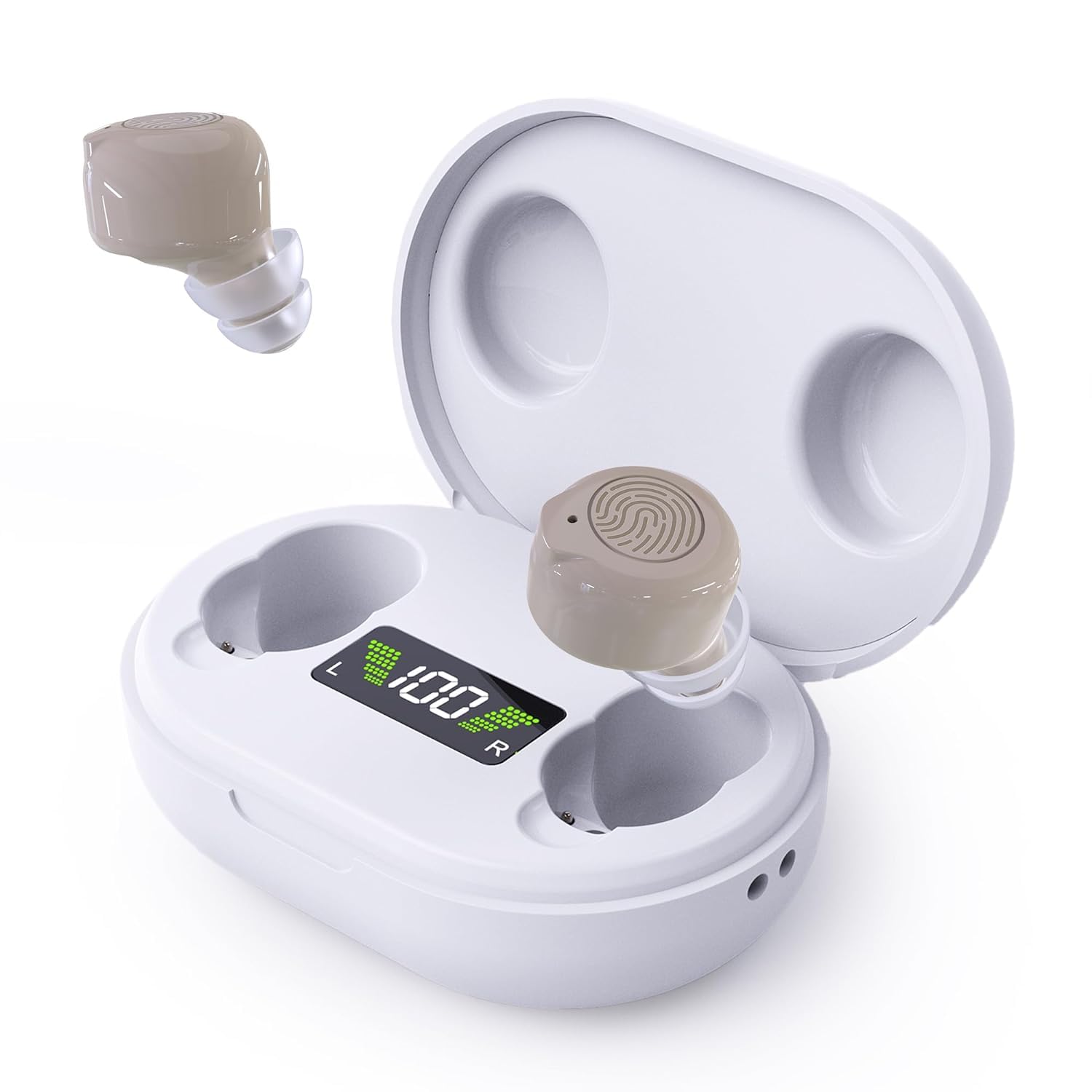
Image: A close-up diagram of the hearing aid, highlighting the touch control area for short presses to adjust volume levels.
3. Noise Reduction
The advanced noise reduction digital chips automatically filter out external noise, providing clearer and more natural sound quality. This feature operates automatically to enhance your listening experience in various environments.

Image: A conceptual image illustrating the 'Delayed Start' feature, showing a calm transition to clear sound, with two individuals in the background suggesting improved communication.
Maintenance
Regular cleaning ensures optimal performance and longevity of your hearing aids.
Cleaning the Hearing Aids
- Use the provided cleaning brushes to gently remove any earwax or debris from the ear domes and the sound outlet.
- Ensure the sound outlet is clear and not blocked.
- Do not use water or cleaning solutions directly on the hearing aids. Wipe the exterior with a dry, soft cloth.

Image: Two small cleaning brushes, one with a soft brush head and the other with a loop, used for maintaining hearing aids.
Troubleshooting
- Whistling or Feedback: This often occurs due to an improper fit. Try a different size ear dome to ensure a snug seal in your ear canal. Also, check for any earwax buildup that might be causing obstruction.
- No Sound or Low Volume: Ensure the hearing aids are fully charged. Check that they are correctly inserted into your ears. If the issue persists, refer to the 'Operation Guide' for detailed steps.
- Charging Issues: Verify that the charging cable is securely connected to both the case and the power source. Ensure the hearing aids are properly seated in the charging case. The LED display should indicate charging status.
For further assistance, please consult the comprehensive User Guide provided with your product.
Technical Specifications
| Feature | Detail |
|---|---|
| Brand | MEDca |
| Model Name | GM-902T |
| Color | Beige |
| Material | Plastic |
| Style | Digital Hearing Aids Rechargeable |
| Power Source | Battery Powered |
| Special Features | Adjustable, Lightweight, Noise Cancellation, Sweatproof, Volume Control |
| Fit Type | In-Ear |
| Number of Batteries | 2 Lithium Polymer batteries required (included) |
| Control Type | Button Control |
| Battery Capacity | 40mAh (per hearing aid) |
| Continuous Use Time | Up to 35 hours on a single charge |
| Charging Case Additional Charges | 8-10 charges |
| Output Max | ≤115±3 dB |
| High Frequency Average | 110±3 dB |
| Full-Range Sound Gain | 30 ± 5 dB |
| Equivalent Input Noise Level | ≤25dB |
| Total Harmonic Distortion | ≤3%±3% |
| Frequency Response Range | F1<200 Hz, F2>5000 Hz |
Warranty and Support
Specific warranty details and customer support contact information are typically provided with your purchase documentation. Please refer to the packaging or the separate warranty card for comprehensive information regarding your product's warranty period and how to obtain support.
For general inquiries or troubleshooting not covered in this manual, please visit the official MEDca website or contact their customer service.