
ZIPRO 13132472
ZIPRO Pulse Treadmill User Manual
Model: 13132472 | Brand: ZIPRO
1. Product Overview
The ZIPRO Pulse Treadmill is a versatile and compact fitness machine designed for home use. It offers a range of features to support various workout intensities, from gentle walking to intensive running, while prioritizing user comfort and joint protection.
Key features include a speed range of 1-12 km/h, 15 levels of electronic incline adjustment, and a robust cushioning system. Its foldable design and transport wheels make it ideal for spaces where storage is a consideration.
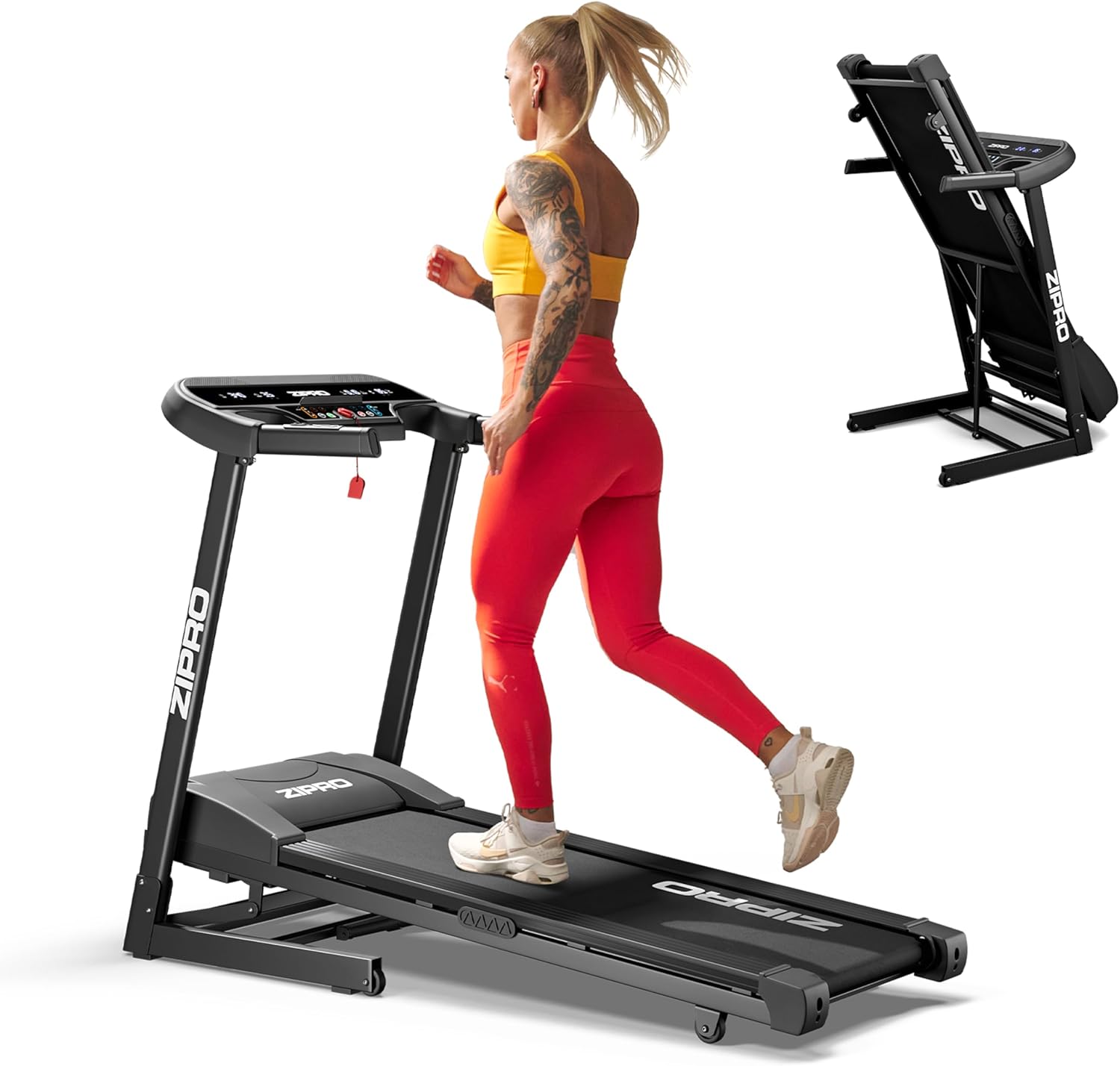
A woman running on the ZIPRO Pulse treadmill, with an inset image showing the treadmill folded upright for storage.
2. Safety Information
Please read all instructions carefully before using the treadmill. Keep this manual for future reference.
- Ensure the treadmill is placed on a flat, stable surface.
- Keep children and pets away from the treadmill during operation.
- Always attach the safety key clip to your clothing before starting the treadmill.
- Wear appropriate athletic footwear.
- Do not operate the treadmill if it is damaged or malfunctioning.
- Consult a physician before starting any new exercise program.
- Maximum user weight: 130 kg (286 lbs).
3. Components List
The package includes the following items:
- 1x ZIPRO Pulse Incline Treadmill
- 1x User Manual
- Assembly Tools (if applicable, not specified but common)
4. Setup and Assembly
Your ZIPRO Pulse Treadmill comes largely pre-assembled. Follow these general steps for final setup:
- Unpacking: Carefully remove all components from the packaging.
- Unfolding: Gently lower the running deck from its folded position until it locks into place. Ensure all locking mechanisms are secure.
- Handlebar Assembly: Attach the handlebars and console as per the detailed instructions in the included printed manual.
- Power Connection: Plug the power cord into a grounded electrical outlet.

The treadmill features a practical folding mechanism and transport wheels for easy storage and movement.
5. Operating Instructions
The intuitive LED console allows for easy control of your workout.
5.1. Console Overview

The LED control panel displays essential workout metrics and features easy-to-use buttons.
The LED screen displays: Time, Speed, Distance, Calories Burned, and Pulse (heart rate).
5.2. Starting a Workout
- Ensure the safety key is properly inserted into the console and the clip is attached to your clothing.
- Press the START button. The treadmill will begin at a low speed.
- Adjust the speed using the + and - buttons on the console or handlebars.
- Adjust the incline using the incline control buttons on the console. The treadmill offers 15 levels of electronic incline.

Electronically adjust the incline to 15 different levels to vary your workout intensity.
5.3. Stopping a Workout
- Press the STOP button to gradually slow down and stop the treadmill.
- In case of emergency, pull the safety key from the console to immediately stop the treadmill.
6. Programs and Features
The ZIPRO Pulse Treadmill is equipped with various programs to enhance your training experience.
- 12 Predefined Programs: Choose from a variety of built-in workout routines designed for different fitness levels and goals.
- 3 Customizable Programs: Create and save your own personalized workout profiles to suit your specific needs.
- Pulse Measurement: Integrated sensors in the handlebars allow for real-time heart rate monitoring.
- Comfort Protect Cushioning System: Features 8 shock absorbers and 2 reduction cushions to minimize impact on your joints, ensuring a comfortable and safe workout.

The Comfort Protect cushioning system with 8 shock absorbers and 2 reduction cushions provides superior joint protection.
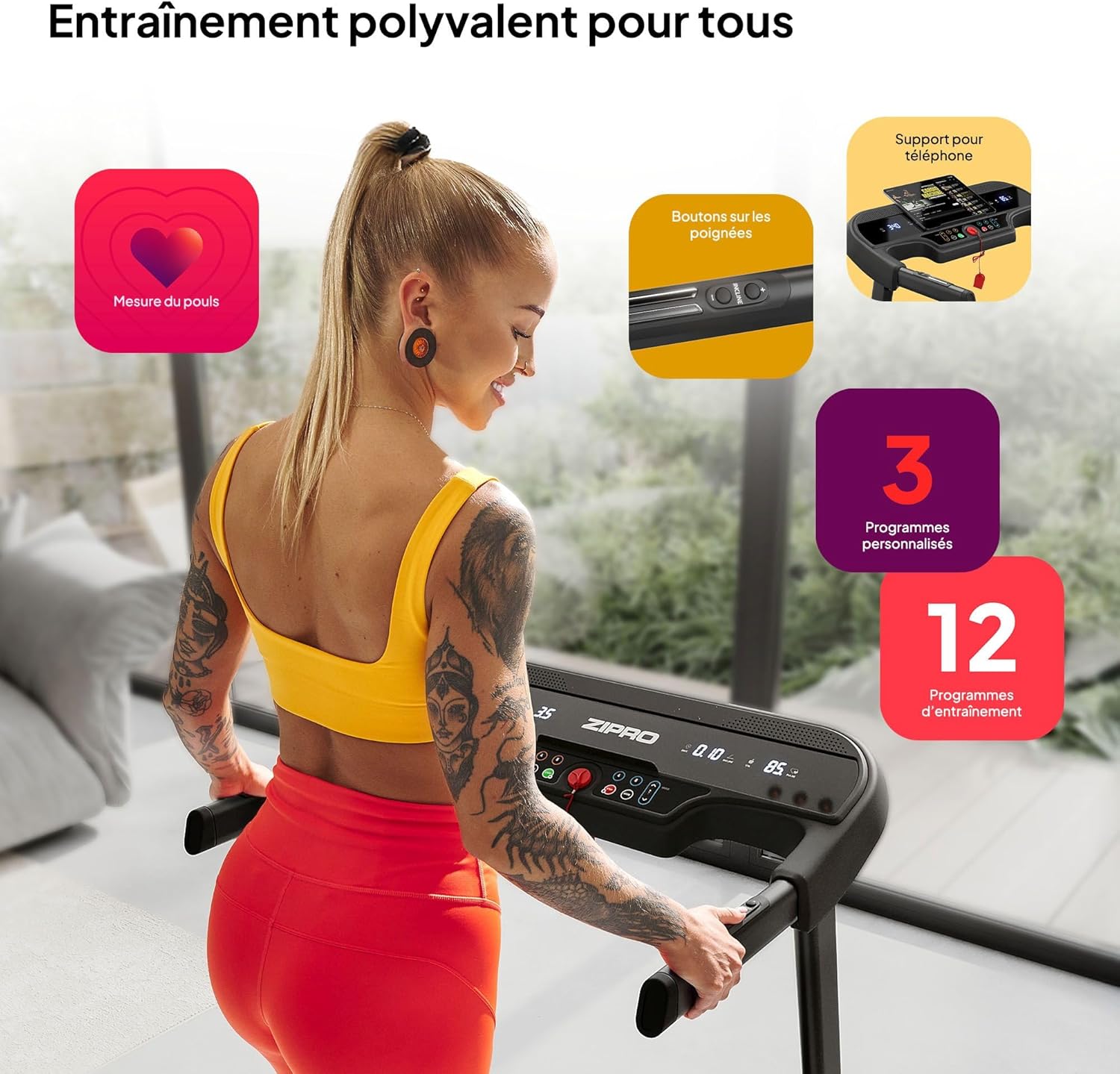
The treadmill offers versatile training options with integrated pulse measurement, convenient handlebar controls, a phone holder, and a selection of programs.
7. Maintenance
Regular maintenance ensures the longevity and optimal performance of your treadmill.
- Cleaning: Wipe down the treadmill with a damp cloth after each use to remove sweat and dust. Do not use abrasive cleaners.
- Belt Lubrication: Periodically lubricate the running belt according to the instructions in your detailed manual (typically every 3-6 months depending on usage).
- Belt Tension and Alignment: Check the running belt tension and alignment regularly. Adjust if necessary as per the detailed manual.
- Motor Cover: Keep the motor cover area clean and free of dust and debris.
8. Troubleshooting
If you encounter any issues with your treadmill, refer to the following common problems and solutions:
| Problem | Possible Cause | Solution |
|---|---|---|
| Treadmill does not start | Safety key not inserted; Power cord unplugged; Circuit breaker tripped | Insert safety key; Check power connection; Reset circuit breaker |
| Running belt slips | Belt too loose; Belt needs lubrication | Adjust belt tension; Lubricate belt (refer to manual) |
| Unusual noise | Loose parts; Motor issue; Belt friction | Check for loose bolts; Contact customer support; Lubricate belt |
For issues not listed here or if solutions do not resolve the problem, please contact customer support.
9. Specifications
| Specification | Value |
|---|---|
| Brand | ZIPRO |
| Model Number | 13132472 |
| Color | Black |
| Style | Pulse |
| Display Type | LED |
| Unfolded Dimensions (L x W x H) | 155 x 72 x 110 cm |
| Folded Dimensions (L x W x H) | 80 x 71.5 x 138 cm |
| Item Weight | 47.7 Kilograms |
| Frame Material | Aluminum |
| Main Material | Polyethylene (PE) Metal Plastic |
| Drive Power | 1080 W |
| Maximum Speed | 12 km/h |
| Maximum User Weight | 130 Kilograms |
| Number of Programs | 12 (Predefined) + 3 (Customizable) |
| Incline Levels | 15 |
| Running Surface (L x W) | 120 x 42 cm |
| Special Features | Calorie burn tracking, Speed tracking, Time tracking, Distance tracking, Pulse measurement, Comfort Protect cushioning system |
| Recommended Uses | Indoor, Fitness room, Home, Gym |
| Target Audience | Adult, Youth, Teenagers |

Detailed dimensions of the ZIPRO Pulse treadmill in both unfolded and folded states.

Visual representation of key specifications including speed, belt size, motor power, and maximum user weight.
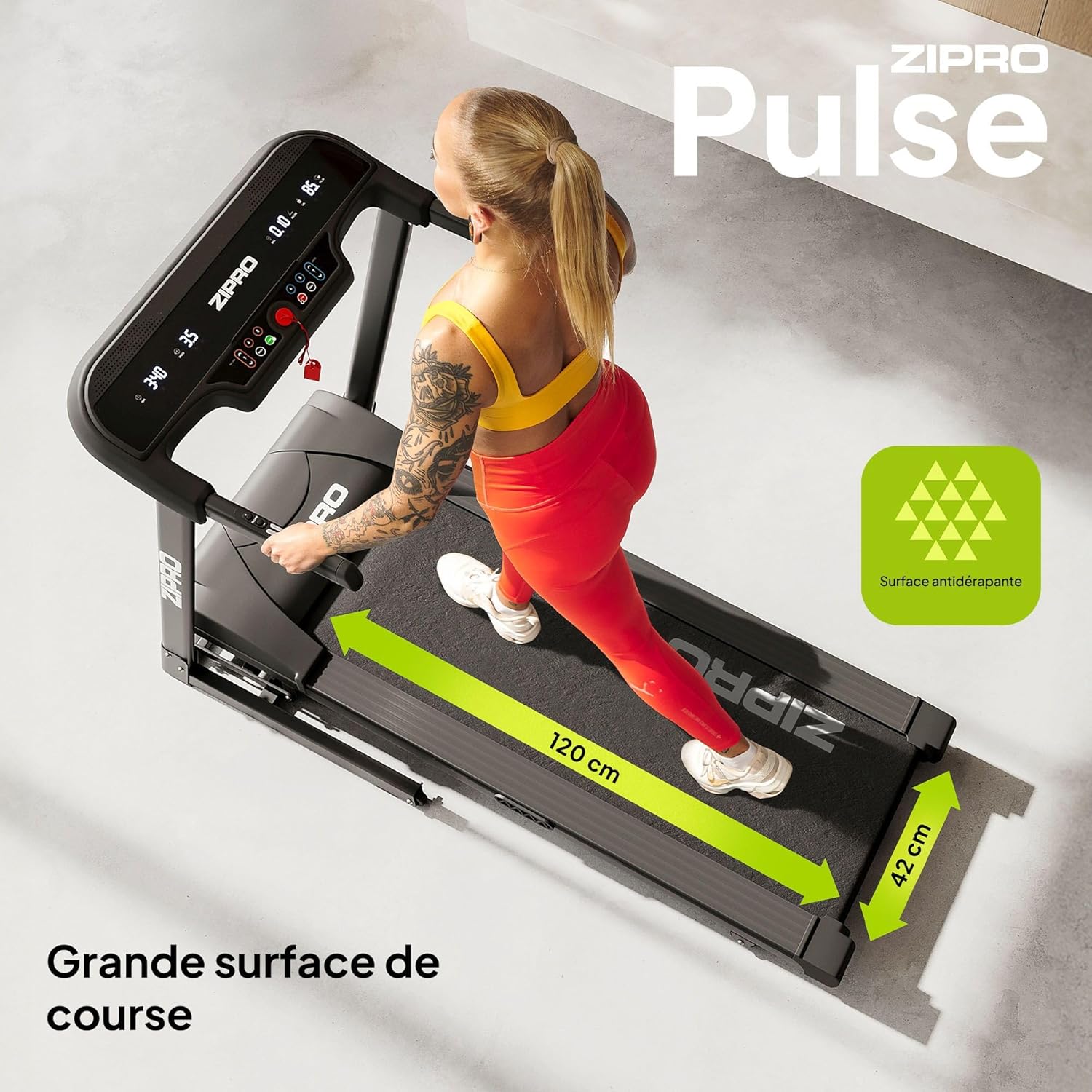
The spacious 120 x 42 cm running surface provides ample room for comfortable workouts.
10. Product Videos
Watch the official video showcasing the diverse range of fitness products offered by ZIPRO, including treadmills, ellipticals, and exercise bikes, demonstrating their use in various workout scenarios.
Official video showcasing the diverse range of fitness products offered by ZIPRO, including treadmills, ellipticals, and exercise bikes, demonstrating their use in various workout scenarios.
11. Warranty and Support
For warranty information, technical support, or any inquiries regarding your ZIPRO Pulse Treadmill, please refer to the contact details provided in your physical user manual or visit the official ZIPRO website.
Manufacturer: Morele.net Sp. z o.o
Related documents13132472


Ask a question about this manual
Ask about setup, troubleshooting, compatibility, parts, safety, or missing instructions. Manuals+ will review the question and use this page’s manual context to help answer it.