
Introduction
This manual provides comprehensive instructions for the safe and efficient operation, maintenance, and care of your Vpcok Direct 2L Compressor Ice Cream Maker, Model SU-I80. Please read this manual thoroughly before first use and retain it for future reference.
Safety Instructions
- Always ensure the appliance is placed on a stable, flat, and dry surface.
- Do not immerse the main unit in water or any other liquid.
- Keep hands and utensils out of the mixing bowl during operation to prevent injury and damage to the unit.
- Unplug the appliance from the power outlet before cleaning or when not in use.
- Do not operate the appliance with a damaged cord or plug, or after the appliance malfunctions or has been damaged in any manner.
- This appliance is for household use only.
- Ensure proper ventilation around the unit during operation.
Product Overview and Components
The Vpcok Direct Ice Cream Maker is designed for convenient preparation of homemade ice cream, sorbet, and frozen yogurt. It features a built-in compressor, eliminating the need for pre-freezing the bowl.

Image Description: The Vpcok Direct 2L Compressor Ice Cream Maker, presented in a sleek stainless steel and black design. The image also displays included accessories such as a measuring cup, an ice cream scoop, and three small cups of finished ice cream.

Image Description: A transparent cutaway view of the Vpcok Direct Ice Cream Maker, highlighting its internal components. The high-quality compressor and cooling system are visible, emphasizing the machine's ability to cool efficiently without pre-freezing.

Image Description: An exploded diagram showing the various components of the Vpcok Direct Ice Cream Maker. Key parts include the transparent lid, mixing paddle, removable 2L mixing bowl, LED display and touchscreen control panel, stainless steel housing, and hot/cold air outlet. Accessories like the instruction manual, recipes, measuring cup, and ice cream scoop are also depicted.
- Main Unit: Houses the compressor, motor, and control panel.
- Removable Mixing Bowl (2L): Made of aluminum for efficient cooling.
- Mixing Paddle: For churning ingredients.
- Transparent Lid: Allows observation and adding ingredients during operation.
- Measuring Cup: For precise ingredient measurement.
- Ice Cream Scoop: For serving.
Setup
- Unpack: Carefully remove all components from the packaging. Retain packaging for storage or future transport.
- Initial Cleaning: Before first use, wash the removable mixing bowl, mixing paddle, transparent lid, measuring cup, and ice cream scoop with warm, soapy water. Rinse thoroughly and dry completely. Wipe the main unit with a damp cloth.
- Assemble:
- Place the clean, dry mixing bowl into the main unit.
- Insert the mixing paddle into the center of the mixing bowl, ensuring it is securely seated.
- Place the transparent lid onto the main unit, aligning it correctly and twisting to lock if applicable.
- Placement: Position the ice cream maker on a stable, level, and dry surface, ensuring adequate space around the unit for ventilation.
Operating Instructions
The Vpcok Direct Ice Cream Maker features a user-friendly touch control panel and LED display.

Image Description: A four-panel image illustrating the operational steps. Panel 1 shows pouring ingredients into the mixing bowl. Panel 2 shows placing the bowl into the machine and covering it with the transparent lid. Panel 3 shows plugging in the machine and selecting a mode and time on the touch control panel. Panel 4 shows removing the finished ice cream bowl from the machine.
- Prepare Ingredients: Ensure your ice cream or sorbet mixture is prepared according to your recipe and chilled.
- Add Ingredients: Pour the prepared mixture into the removable mixing bowl. Do not exceed the maximum fill line to prevent overflow during expansion.
- Secure Lid: Place the transparent lid onto the machine, ensuring it is properly aligned and locked.
- Power On: Plug the appliance into a suitable power outlet. The LED display will illuminate.
- Select Mode: Use the touch control panel to select one of the four available modes:
- Mix Mode (Rührmodus): For mixing ingredients without cooling. Default 10 minutes.
- Cooling Mode (Kühlmodus): For chilling or maintaining temperature. Default 30 minutes.
- Smoothie Mode (Smoothie Modus): Optimized for smoothie consistency. Default 50 minutes.
- Ice Cream Mode (Eiscreme Modus): Standard mode for ice cream/sorbet. Default 60 minutes.

Image Description: The top view of the ice cream maker showing the LED display and touch control panel. Icons for the four modes (Mix, Cooling, Smoothie, Ice Cream) are visible, along with time adjustments (+/-) and power controls. The display shows "00:00" indicating standby or completion.
- Adjust Time: After selecting a mode, use the '+' and '-' buttons to adjust the working time as needed for your recipe.
- Start Operation: Press the Start/Pause button to begin the selected process. The machine will start churning and cooling.
- Add Inclusions: The transparent lid has an opening to add small ingredients like chocolate chips, nuts, or fruit during the last few minutes of churning.
- Completion: The machine will automatically stop and emit an audible signal when the set time expires.
- Keep Cool Function: After the main process, the machine may enter a 30-minute cooling mode to maintain the ice cream's consistency. It is recommended to serve or transfer the ice cream to a freezer as soon as possible after completion.
- Serve: Remove the lid and mixing paddle. Use the provided scoop to transfer the ice cream to a serving dish or an airtight container for storage in the freezer.
Maintenance and Cleaning
Regular cleaning ensures the longevity and hygienic operation of your ice cream maker.
- Unplug: Always unplug the appliance from the power outlet before cleaning.
- Disassemble: Remove the transparent lid, mixing paddle, and mixing bowl from the main unit.
- Wash Removable Parts: Wash the mixing bowl, mixing paddle, transparent lid, measuring cup, and scoop with warm, soapy water. Rinse thoroughly and dry completely with a soft cloth. These parts are not dishwasher safe.
- Clean Main Unit: Wipe the exterior of the main unit with a soft, damp cloth. Do not use abrasive cleaners or scourers. Ensure no water enters the internal components.
- Storage: Store the clean and dry appliance in a cool, dry place.
Troubleshooting
| Problem | Possible Cause | Solution |
|---|---|---|
| Machine does not turn on. | Not plugged in; power outage. | Ensure the power cord is securely plugged into a working outlet. Check household circuit breaker. |
| Mixing paddle does not turn. | Mixing bowl or paddle not correctly installed; mixture too thick/frozen. | Ensure the mixing bowl and paddle are correctly seated. If the mixture is too thick, the machine may automatically stop to protect the motor. If the paddle does not turn initially after assembly, ensure all parts are correctly inserted and try pressing the start/pause button multiple times. |
| Ice cream is too soft or not freezing. | Ingredients not sufficiently chilled; insufficient operating time; ambient temperature too high. | Ensure ingredients are pre-chilled. Increase operating time if necessary. Operate in a cooler environment. |
| Machine is noisy during operation. | Normal compressor operation; unit not level. | Some noise is normal for compressor-based machines. Ensure the unit is on a stable, level surface. |
Specifications
| Brand | Vpcok Direct |
| Model Number | SU-I80 |
| Capacity | 2 Liters |
| Power | 150 W |
| Material | Stainless Steel (housing), Aluminum (mixing bowl) |
| Special Feature | Integrated Compressor (self-cooling) |
| Control Type | Touch Panel, LED Display |
| Dimensions (L x W x H) | 43L x 29W x 24H cm (approx.) |
| Item Weight | 12.9 Kilograms (approx.) |
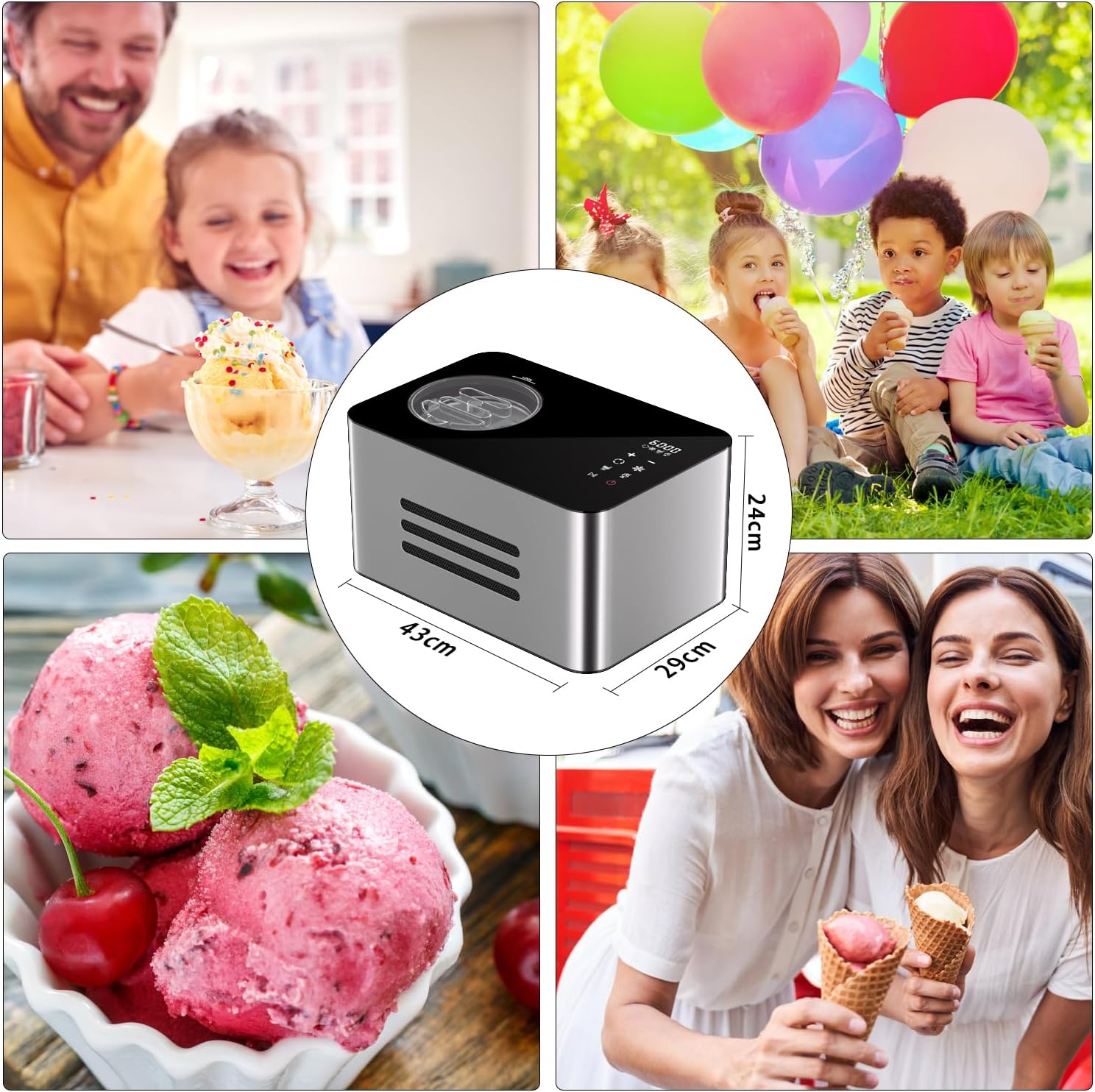
Image Description: A composite image showing the Vpcok Direct Ice Cream Maker with its approximate dimensions (43cm length, 29cm width, 24cm height). Other panels show lifestyle images of people enjoying ice cream, highlighting the product's use.
Warranty and Support
For warranty information and customer support, please refer to the documentation included with your purchase or contact Vpcok Direct customer service. Specific warranty terms may vary by region and retailer.
