
1. Product Overview
The AMPBANK AB2000 is a powerful and portable jump starter designed to start 12V vehicles with up to 8.0L gasoline or 6.0L diesel engines. It also functions as a portable power bank and features an ultra-bright LED flashlight for emergency situations.

Image: The AMPBANK AB2000 Portable Jump Starter, highlighting its 2000A peak current, compatibility with 12V vehicles, and capacity for up to 8.0L gas and 6.0L diesel engines.
2. Safety Information
Always read and understand all safety information before using this product. Failure to follow these instructions may result in electric shock, fire, or serious injury.
- Keep the jump starter power above 50% for optimal starting efficiency.
- Do not use the jump starter if the cables or clamps are damaged.
- Ensure proper polarity connection (red clamp to positive, black clamp to negative).
- Avoid short-circuiting the clamps.
- Do not expose the device to water, rain, or extreme temperatures.
- Keep out of reach of children.
- The AMPBANK jump starter incorporates 8 safety protections: anti-spark, anti-overcharge, anti-short circuit, anti-reverse connection, anti-surge, reverse polarity protection, over-discharge protection, and over-voltage protection.

Image: Visual representation of the AMPBANK AB2000's 8 built-in safety protections, ensuring safe operation.
3. What's in the Box
Carefully unpack all items and ensure you have received the following:
- AMPBANK AB2000 Car Jump Starter (x1)
- Jumper Cable with Smart Clamps (x1)
- USB Type-C Charging Cable (x1)
- User Manual (x1)
- EVA Carrying Case (x1)

Image: All components included in the AMPBANK AB2000 package, neatly arranged.
4. Product Features and Components
Familiarize yourself with the key features and ports of your AMPBANK AB2000 jump starter:
- Power Button/Battery Indicator: Displays current battery level and turns the device on/off.
- Jump Start Port: Connects to the smart jumper cables.
- USB Type-C Input/Output (PD18W): For charging the jump starter and charging other devices.
- USB-A Output (5V/3A): For charging mobile phones, tablets, and other USB-powered devices.
- DC Output (12-16.8V/10A): For powering 12V DC devices.
- LED Flashlight: Provides illumination with multiple modes (stable, strobe, SOS).
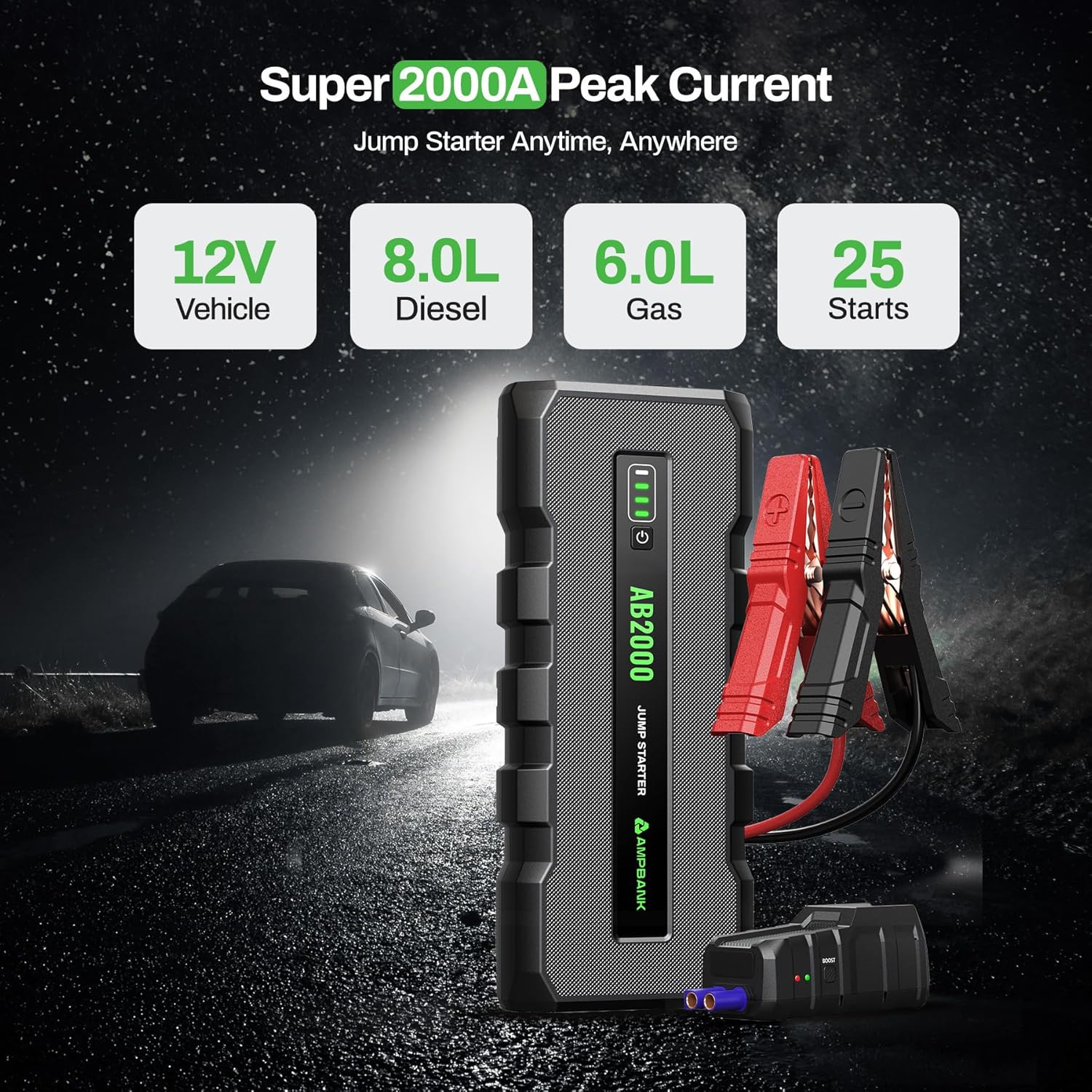
Image: The AMPBANK AB2000 unit, showcasing its design and interface elements.
5. Charging the Jump Starter
Before first use, fully charge the AMPBANK AB2000. It is recommended to recharge the jump starter once every three months if not used for a long time to maintain battery health.
- Connect the provided USB Type-C charging cable to the Type-C input/output port on the jump starter.
- Connect the other end of the USB Type-C cable to a compatible USB wall adapter (not included) or car charger.
- The battery indicator lights will illuminate and flash during charging. All four lights will be solid when fully charged.
6. Operating Instructions: Jump Starting a Vehicle
Ensure the jump starter has at least 50% charge before attempting to jump start a vehicle.
- Connect Jumper Cables: Insert the blue plug of the smart jumper cables into the jump start port on the AMPBANK AB2000. Ensure it is fully seated.
- Attach to Battery:
- Attach the red positive (+) clamp to the positive (+) terminal of the vehicle's battery.
- Attach the black negative (-) clamp to the negative (-) terminal of the vehicle's battery.
The smart clamp indicator light will show the connection status. A solid green light indicates a correct and ready connection.
- Start Vehicle: Go into your vehicle and start the engine.
- Remove Cables: Once the vehicle starts, immediately remove the black negative (-) clamp from the vehicle battery, then remove the red positive (+) clamp. Finally, disconnect the smart jumper cables from the jump starter.
Using "BOOST" Mode for Completely Dead Batteries
If the vehicle battery is completely dead or has very low voltage, the standard jump start procedure might not work. In such cases, use the "BOOST" function:
- Follow steps 1 and 2 above to connect the jumper cables to the jump starter and the vehicle battery.
- Press and hold the "BOOST" button on the smart clamp for 3 seconds. The indicator light will turn solid green, indicating "BOOST" mode is active.
- Immediately start the vehicle within 30 seconds. If the car does not start, the "BOOST" mode will exit, and you will need to repeat the process.
- Once the vehicle starts, immediately remove the black negative (-) clamp, then the red positive (+) clamp, and finally disconnect the smart jumper cables from the jump starter.

Image: The AMPBANK AB2000 connected to a car battery, illustrating the "BOOST" mode button on the smart clamp for starting completely dead batteries.
7. Other Functions
7.1 Portable Power Bank
The AB2000 can charge various electronic devices:
- USB Type-C (PD18W) & USB-A (5V/3A): Connect your mobile phone, tablet, or other USB-powered devices using their respective charging cables to the appropriate output ports.
- DC Output (12-16.8V/10A): Use this port to power 12V DC devices, such as car vacuum cleaners or tire inflators (ensure compatibility).

Image: The AMPBANK AB2000 functioning as a portable power bank, charging a smartphone and a tablet simultaneously.
7.2 Ultra-Bright LED Light
The built-in LED flashlight offers three modes for various situations:
- To Turn On/Off: Press and hold the flashlight button for 3 seconds.
- To Change Modes: Short press the flashlight button to cycle through modes: Stable Light → Strobe Light → SOS Signal.

Image: The AMPBANK AB2000's high-power LED flashlight in use, demonstrating its utility for illumination and emergency signaling.
8. Maintenance
- Recharging: If the jump starter is not used for a long time, it is recommended to recharge it once every three months to prolong battery life.
- Cleaning: Use a soft, dry cloth to clean the device. Do not use harsh chemicals or abrasive materials.
- Storage: Store the jump starter in its EVA carrying case in a cool, dry place, away from direct sunlight and extreme temperatures.
9. Troubleshooting
| Problem | Possible Cause | Solution |
|---|---|---|
| Vehicle does not start. | Jump starter battery is too low. | Ensure the jump starter has at least 50% charge. Recharge if necessary. |
| Vehicle does not start. | Incorrect cable connection or dirty battery terminals. | Check that clamps are securely connected to the correct battery terminals. Clean battery terminals if corroded. |
| Vehicle does not start. | Vehicle battery is completely dead. | Use the "BOOST" mode as described in Section 6. |
| Smart clamp indicator light is red or flashing. | Error in connection (e.g., reverse polarity, short circuit). | Disconnect clamps and re-connect them correctly, ensuring red to positive and black to negative. Refer to safety information. |
| Jump starter not charging devices. | Jump starter battery is low or device is incompatible. | Check jump starter battery level. Ensure the device being charged is compatible with the output specifications. |
10. Specifications
| Feature | Detail |
|---|---|
| Model | AB2000 |
| Peak Current | 2000A |
| Vehicle Compatibility | 12V vehicles, up to 8.0L Gas / 6.0L Diesel Engines |
| Battery Capacity | 59.2 Amp Hours (Lithium Ion) |
| USB Type-C Input/Output | PD18W |
| USB-A Output | 5V/3A |
| DC Output | 12-16.8V/10A |
| LED Flashlight | 300 Lumen (Stable, Strobe, SOS modes) |
| Item Weight | 3.02 pounds |
| Package Dimensions | 10.83 x 6.34 x 4.25 inches |
11. Warranty and Support
The AMPBANK AB2000 comes with a 1-year quality assurance warranty and a 30-day free refund period. Lifetime free technical support is also provided.
For any questions or support needs, please contact AMPBANK customer service.
