
Donerton I66
Donerton Wireless Earbuds - Model I66 User Manual
Your comprehensive guide to setting up, operating, and maintaining your Donerton I66 Wireless Earbuds.
Product Overview
The Donerton I66 Wireless Earbuds offer a superior audio experience with advanced Bluetooth 5.4 technology, ensuring stable connections and lower power consumption. Designed for comfort and durability, these in-ear earphones feature deep bass stereo sound, four Environmental Noise Cancellation (ENC) microphones for crystal-clear calls, and an impressive 45-hour total playtime with the mini charging case. The IP7 waterproof rating makes them suitable for various activities, including exercise.

Figure 1: Donerton I66 Wireless Earbuds and Charging Case.
What's in the Box

Figure 2: Package Contents.
- Donerton I66 Wireless Earbuds (Left and Right)
- Charging Case
- USB-C Charging Cable
- User Manual
- Multiple Sizes of Eartips (S/M/L)
Setup Guide
Initial Charging
Before first use, fully charge the earbuds and the charging case. The charging case features an LED display that shows the battery level of both the case and individual earbuds.
- Connect the provided USB-C charging cable to the charging port on the case and a compatible USB power source.
- The LED display on the case will show the charging progress. A full charge for the case takes approximately 1.5 hours.
- Place the earbuds into the charging case. They will begin charging automatically. The individual battery indicators for the left (L) and right (R) earbuds will illuminate on the case's LED display.

Figure 3: Charging Case LED Display.
Pairing with Your Device
The Donerton I66 earbuds feature one-step pairing for convenience.
- Ensure your device's Bluetooth is turned on.
- Open the charging case. The earbuds will automatically power on and enter pairing mode.
- On your device's Bluetooth settings, search for "i66" in the list of available devices.
- Select "i66" to connect. Once connected, the earbuds will automatically reconnect to the last paired device when removed from the case.

Figure 4: One-Step Pairing and Smart Touch Controls.
Operating Instructions
Smart Touch Controls
The earbuds are equipped with intuitive touch controls on each earbud for easy management of audio and calls.
| Action | Control |
|---|---|
| Answer Call | Once-Tap (L/R) |
| Hang Up Call | Long Press (L/R) |
| Volume - | Twice-Tap (L) |
| Volume + | Twice-Tap (R) |
| Play/Pause | Once-Tap (L/R) |
| Previous Track | Tap L x 2 seconds |
| Next Track | Tap R x 2 seconds |
| Voice Assistant | Triple-Tap (L/R) |
Mono/Binaural Mode
The earbuds support both mono and binaural modes. You can use a single earbud independently for calls or audio, or use both for a stereo experience. Simply remove one earbud from the case to use it in mono mode; the other can remain in the case or be used simultaneously.
Device Compatibility
The Donerton I66 earbuds are designed for wide compatibility, connecting seamlessly with a variety of Bluetooth-enabled devices.
- Operating Systems: Compatible with iOS and Android devices.
- Device Types: Connects to cellphones, tablets, laptops, TVs, and other Bluetooth 5.4 enabled devices.

Figure 5: Bluetooth 5.4 Technology Benefits.
Audio and Call Quality
Experience immersive audio and clear calls with the advanced features of the Donerton I66 earbuds.
Hi-Fi Stereo Sound
Equipped with 13mm double-layer diaphragm drivers, these earbuds produce powerful bass and stunning treble for a rich audio experience.

Figure 6: Hi-Fi Stereo Sound Components.
Crystal Clear Calls with ENC Mics
The four built-in Environmental Noise Cancellation (ENC) microphones effectively reduce background noise, ensuring your voice is heard clearly during calls, even in noisy environments.
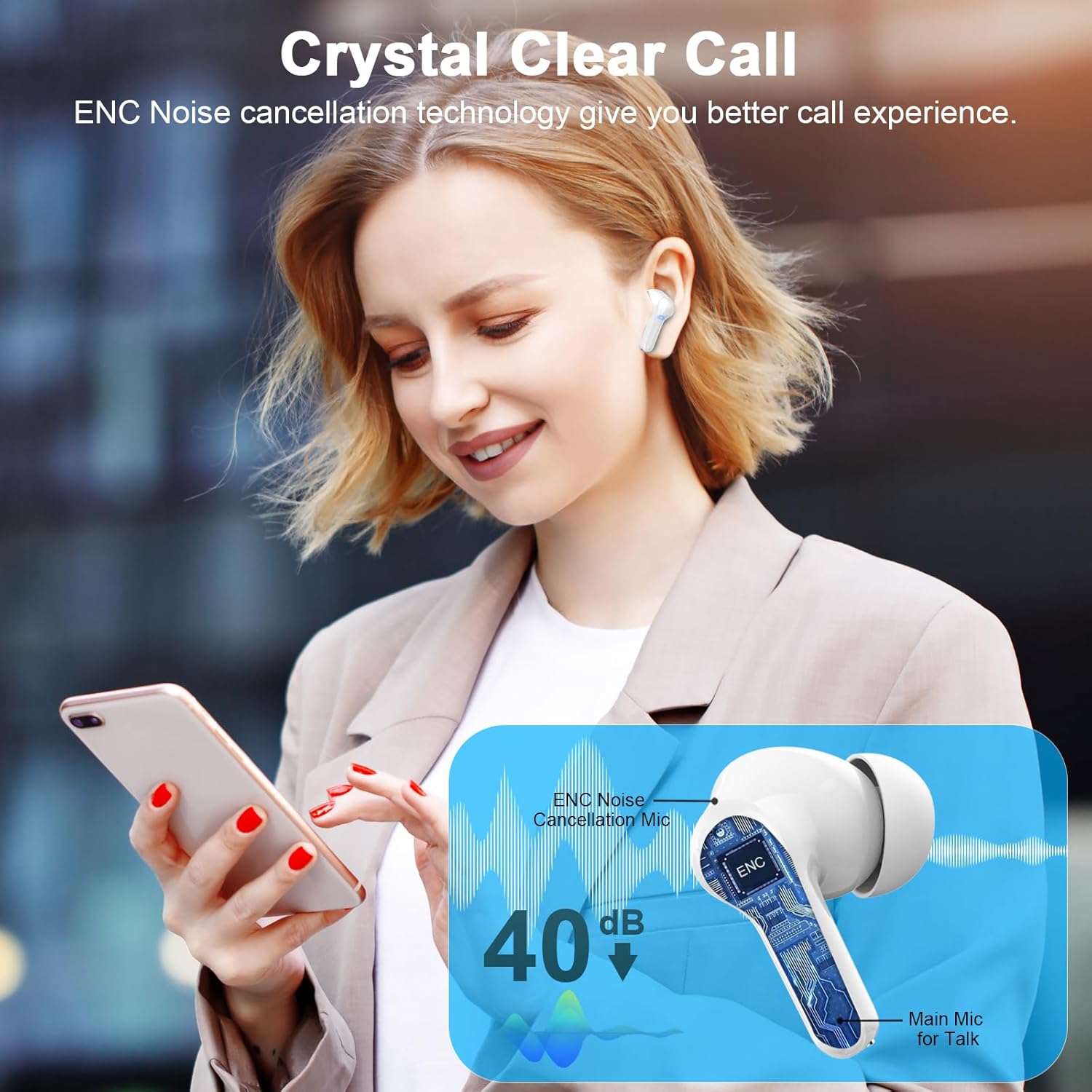
Figure 7: Crystal Clear Call Technology.
Design and Comfort
The Donerton I66 earbuds are designed for ergonomic comfort and durability.
Ergonomic Fit and IP7 Waterproofing
The earbuds feature an ergonomic lightweight construction for a secure and comfortable fit. They come with three sizes of ear caps (S/M/L) to ensure optimal comfort for different ear shapes. An IP7 waterproof nano-coating provides protection against sweat and splashes, making them ideal for workouts and outdoor activities.

Figure 8: Ergonomic Design and IP7 Waterproofing.
Battery Life
Enjoy extended listening sessions with the impressive battery performance of the Donerton I66 earbuds.
- Earbud Playtime: Each earbud provides 6-8 hours of continuous playback on a single charge.
- Total Playtime: With the charging case, the total playtime extends up to 45 hours.
- Charging Time: The charging case requires approximately 1.5 hours for a full charge.
- Battery Display: The LED display on the charging case shows the remaining battery percentage for both the case and each individual earbud (L/R).
Video 1: Donerton I66 Wireless Earbuds Overview. This video demonstrates the features and functionality of the earbuds, including the charging case and LED display.
Troubleshooting
If you encounter any issues with your Donerton I66 Wireless Earbuds, please refer to the following common solutions:
- Earbuds not pairing:
- Ensure both earbuds are fully charged.
- Place both earbuds back into the charging case, close the lid, wait a few seconds, then open the lid again.
- Turn off Bluetooth on your device, then turn it back on.
- Forget "i66" from your device's Bluetooth list and attempt to re-pair.
- Only one earbud working:
- Ensure both earbuds are charged.
- Place both earbuds back into the charging case and close the lid. Open the lid again to allow them to re-sync.
- If the issue persists, try resetting the earbuds (refer to the full user manual for specific reset instructions if available).
- Poor sound quality:
- Check the earbud fit and try different sized eartips for a better seal.
- Ensure the earbuds are clean and free of debris.
- Move closer to your connected device to avoid interference.
- Charging case not charging:
- Verify the USB-C cable is securely connected to both the case and the power source.
- Try a different USB-C cable or power adapter.
Specifications
| Feature | Detail |
|---|---|
| Brand | Donerton |
| Model Number | I66 |
| Bluetooth Version | 5.4 |
| Audio Driver Size | 13 Millimeters |
| Microphones | 4 ENC Mics |
| Playtime (Earbuds) | 6-8 Hours |
| Total Playtime (with Case) | 45 Hours |
| Charging Time (Case) | 1.5 Hours |
| Water Resistance Level | IP7 Waterproof |
| Control Method | Touch |
| Product Dimensions | 2.17 x 0.79 x 1.97 inches |
| Item Weight | 0.004 ounces |
Maintenance and Care
- Cleaning: Regularly clean the earbuds, especially the eartips and charging contacts, with a soft, dry cloth. Avoid using harsh chemicals or abrasive materials.
- Storage: When not in use, store the earbuds in their charging case to protect them from dust and damage.
- Water Exposure: While IP7 waterproof, avoid prolonged submersion in water. Dry the earbuds thoroughly before placing them back in the charging case to prevent damage to the charging contacts.
- Temperature: Do not expose the earbuds or charging case to extreme temperatures (hot or cold) or direct sunlight for extended periods.
Warranty and Support
For warranty information, technical support, or further assistance, please refer to the contact details provided in your product packaging or visit the official Donerton website. Keep your purchase receipt as proof of purchase for warranty claims.
Related documentsI66


Ask a question about this manual
Ask about setup, troubleshooting, compatibility, parts, safety, or missing instructions. Manuals+ will review the question and use this page’s manual context to help answer it.