
1. Introduction
This manual provides essential information for the safe and efficient use of your JOINICE Lift Top Coffee Table. Please read these instructions carefully before assembly and operation. Retain this manual for future reference.
Safety Information
- Ensure all parts are present and undamaged before assembly.
- Assemble the product on a soft, clean surface to prevent scratches.
- Do not overtighten screws during assembly.
- Keep small parts away from children.
- Do not stand or sit on the table when the top is lifted.
- Distribute weight evenly on the table surface and inside the storage compartment.
2. Product Overview
The JOINICE Lift Top Coffee Table is a versatile furniture piece designed for modern living spaces. It features a lift-top mechanism, providing an elevated surface for dining, working, or gaming, and a spacious hidden storage compartment. Its mid-century modern design with fluted panels and walnut finish complements various interior styles.
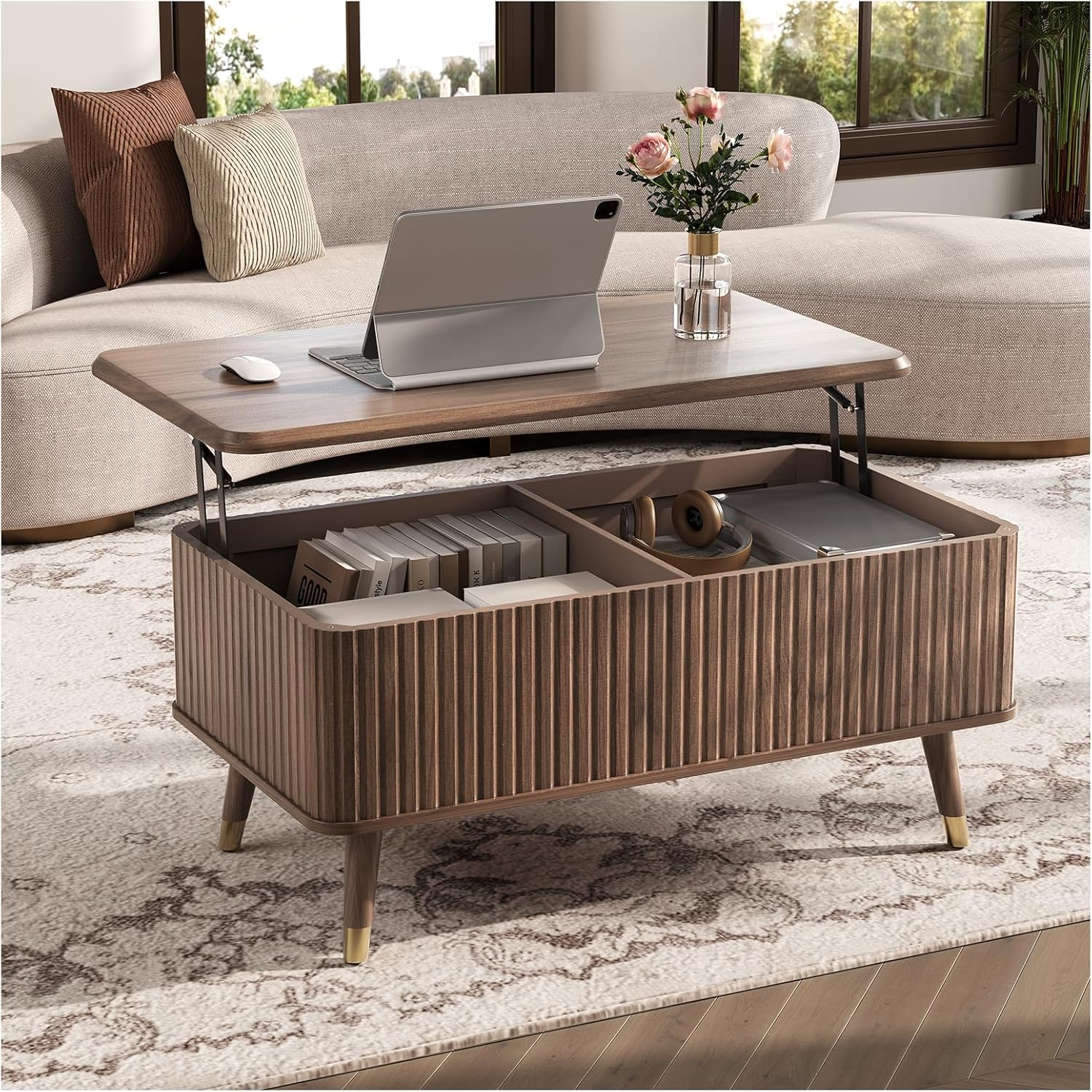
Image 2.1: The JOINICE Lift Top Coffee Table with its top raised, revealing a laptop and organized storage space.
Dimensions and Weight Capacity
- Product Dimensions (D x W x H): 20.9" x 38.2" x 16.5"
- Table Surface Weight Capacity (Not Lifted): 22 lbs
- Lower Platen Weight Capacity: 88 lbs
- Item Weight: 40.5 lbs
- Maximum Lifting Height: 6.5 Inches

Image 2.2: Detailed dimensions and weight capacity specifications for the coffee table.
3. Package Contents
Before beginning assembly, please verify that all components listed in the assembly guide are present and undamaged. If any parts are missing or damaged, contact customer support immediately.
- Tabletop Panel
- Side Panels (Fluted)
- Bottom Panel
- Legs (4)
- Lift Mechanism Components
- Hardware Pack (screws, bolts, etc.)
- Assembly Guide (Included Components)
4. Setup & Assembly
Assembly typically requires two people and approximately two hours. A small power drill can be helpful for securing wood screws, but exercise caution to avoid overtightening.
Tools Required (Not Included):
- Phillips Head Screwdriver
- Hammer (optional, for dowels)
- Small Power Drill (optional, for wood screws)
Assembly Steps:
- Prepare Workspace: Clear a spacious area and lay down a blanket or cardboard to protect the furniture pieces and your floor.
- Identify Parts: Refer to the included assembly guide and identify all panels, hardware, and components.
- Assemble Base Structure: Follow the guide to connect the side panels and bottom panel, forming the main storage compartment.
- Attach Legs: Secure the four legs to the base of the table. Ensure they are firmly attached.
- Install Lift Mechanism: Carefully attach the lift mechanism components to the inside of the storage compartment and to the tabletop panel as per the instructions. Ensure all screws are tightened securely but not excessively.
- Attach Tabletop: Connect the tabletop to the lift mechanism. Test the lifting and lowering function to ensure smooth operation.
- Final Check: Verify all connections are secure and the table is stable.

Image 4.1: Detailed view of the table's construction, including the fluted paneling, leg design, and lift mechanism.
5. Operating Instructions
Using the Lift Top Feature:
- To Lift: Gently grasp the tabletop with both hands and lift upwards. The hydraulic mechanism will assist in raising the top to its elevated position.
- To Lower: With both hands, gently push the tabletop downwards. Apply steady, even pressure until the top fully retracts into its closed position.
Important: Always use both hands when lifting or lowering the tabletop to ensure stability and prevent damage to the mechanism or injury. Avoid placing heavy objects on the lifted top that exceed the 22 lbs weight capacity.
Accessing Hidden Storage:
The hidden compartment beneath the lift top provides ample space for various items. Lift the tabletop as described above to access the divided storage area. This space is ideal for books, magazines, remote controls, blankets, or gaming accessories.
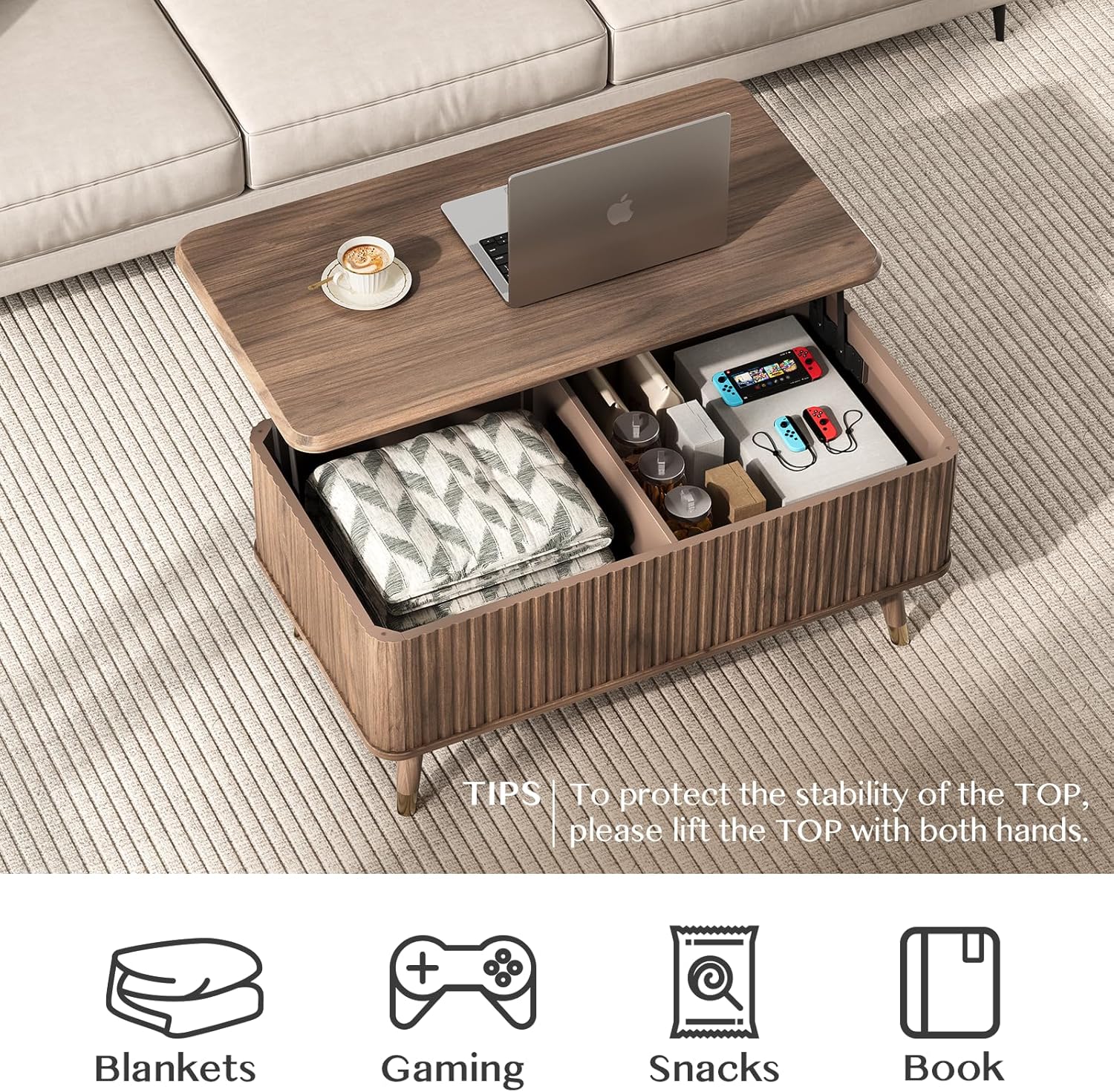
Image 5.1: The lift-top mechanism in action, revealing the organized internal storage.
6. Maintenance & Care
Proper care will extend the life and appearance of your coffee table.
- Cleaning: Wipe the surface with a dry, soft cloth. For spills, use a slightly damp cloth immediately and dry thoroughly. Avoid harsh chemicals or abrasive cleaners.
- Protection: Use coasters under drinks and placemats under hot items to prevent stains and heat damage.
- Sunlight: Avoid prolonged exposure to direct sunlight to prevent fading or discoloration of the wood finish.
- Mechanism Care: Periodically check the lift mechanism for smooth operation. Do not apply lubricants unless specifically recommended by the manufacturer.

Image 6.1: The table surface is designed for easy cleaning, as shown by water droplets.
7. Troubleshooting
| Problem | Possible Cause | Solution |
|---|---|---|
| Tabletop difficult to lift or lower. | Uneven pressure; mechanism obstruction; overtightened screws during assembly. | Ensure you are using both hands and applying even pressure. Check for any objects obstructing the mechanism. Verify assembly screws are not overtightened. |
| Table feels wobbly or unstable. | Loose connections; uneven floor. | Check all screws and bolts, tightening any that are loose. Ensure the table is on a flat, even surface. |
| Scratches or minor damage. | Impact during assembly or use; sharp objects. | Use furniture markers or wood repair kits for minor blemishes. Prevent future damage by using protective pads. |
8. Specifications
| Feature | Detail |
|---|---|
| Brand | JOINICE |
| Model Name | KF0002 |
| Model Number | KFC0002 |
| Product Dimensions | 20.9"D x 38.2"W x 16.5"H |
| Item Weight | 40.5 Pounds |
| Maximum Weight Recommendation (Table Surface Not Lifted) | 22 Pounds |
| Maximum Weight Recommendation (Lower Platen) | 88 Pounds |
| Color | Walnut |
| Material Type | Engineered Wood |
| Shape | Rectangular |
| Style Name | Mid-Century Modern |
| Product Care Instructions | Wipe with Dry Cloth |
| Recommended Uses | Dining, Working, Gaming |
9. Warranty and Support
For warranty information, please refer to the documentation included with your purchase or contact the seller directly. For further assistance, technical support, or to inquire about replacement parts, please reach out to JOINICE customer service through the platform where the product was purchased.
Manufacturer: JOINICE
Seller: JOINICE
You can visit the JOINICE Store on Amazon for more information.