
1. Introduction
The HAMPBACK MK-0 PRO Electric Drum Set is designed for beginners and kids, offering a comprehensive drumming experience with high-quality components and versatile features. This manual provides essential information for setup, operation, and maintenance of your new electric drum set.
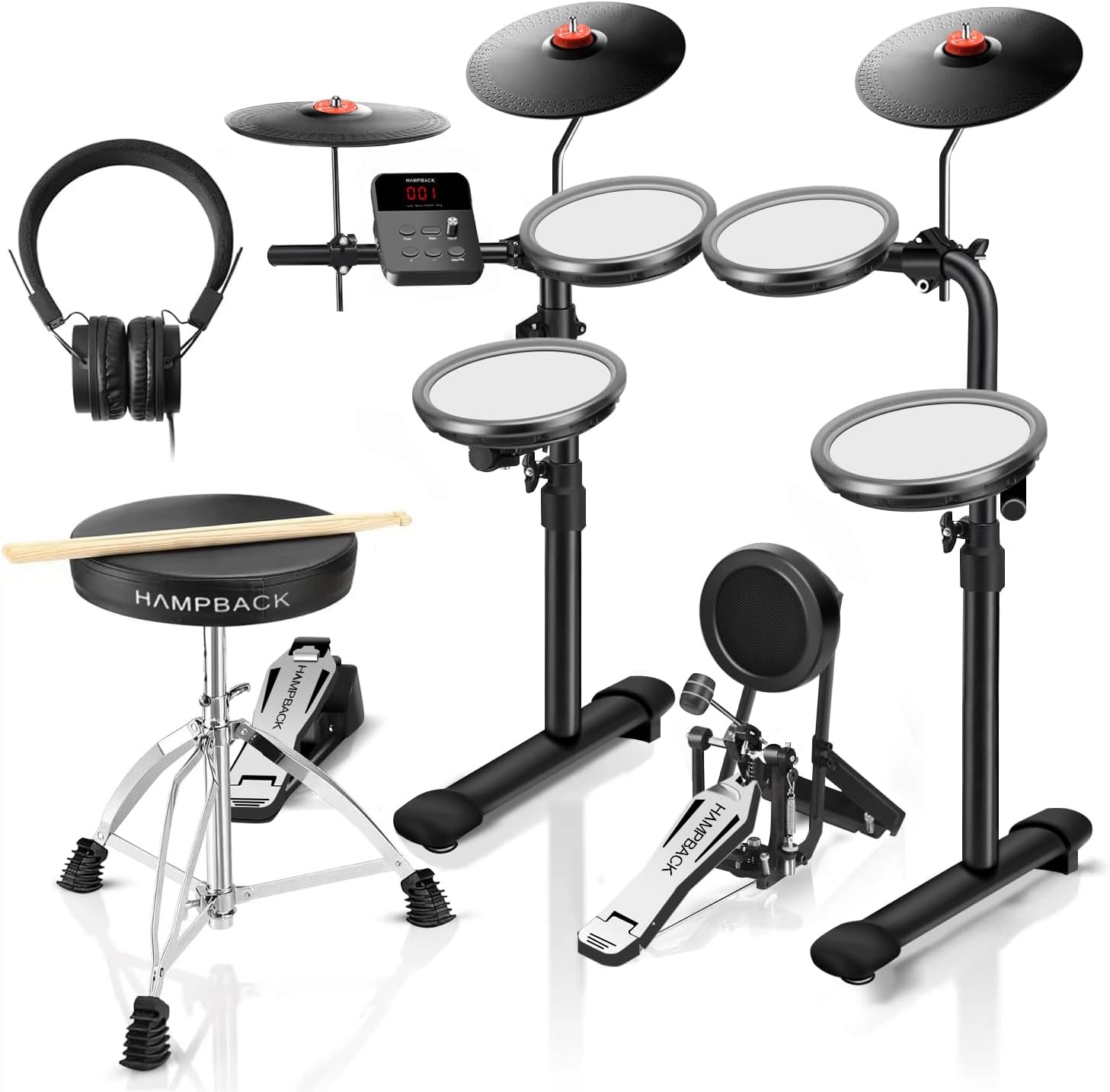
Figure 1.1: Complete HAMPBACK MK-0 PRO Electric Drum Set package contents.
Key Features:
- Quiet Mesh Drum Pads: Features 4x7" quiet double-layer high-density mesh drum pads for realistic feel and reduced noise.
- Full Rubber Cymbals: Includes 3x8" full rubber-covered cymbals for excellent strike feedback.
- Durable Bass Drum: Equipped with a 5" bass drum, tested for over 22 million+ consecutive hits, minimizing noise.
- Portable Design: Ultra-small and foldable rack design makes it easy to transport and store, ideal for apartments and outdoor use.
- Versatile Sound Module: The sound module offers 68 authentic sounds, 12 drum kits, and 10 demo songs.
- Power Bank Compatibility: Can be powered by a power bank for on-the-go playing.
- Complete Accessories: Comes with a drum throne, drumsticks, and headphones, making it ready for immediate use.
2. Setup and Assembly
Your HAMPBACK MK-0 PRO Electric Drum Set requires assembly. Follow these steps carefully to ensure proper setup and functionality.
2.1 Unboxing and Component Check
Carefully unpack all components from the box. Refer to the contents checklist provided in the installation guide to ensure all parts are present.
Video 2.1: Unboxing and initial component overview for the MK-0 Pro Electric Drum Set.
2.2 Assembling the Drum Rack
The drum rack features a foldable design for easy portability and storage. Unfold the main frame and secure the locking mechanisms. Ensure the rack is stable on a flat surface.

Figure 2.1: The foldable and lightweight design of the drum set for easy transport.
Video 2.2: Demonstration of the foldable rack design and assembly process.
2.3 Attaching Pads and Cymbals
Attach the mesh drum pads and full rubber cymbals to the designated points on the drum rack. Use the provided screws and tools to secure them firmly. Ensure all connections are snug to prevent movement during play.

Figure 2.2: The drum set fully assembled and ready for use.
2.4 Connecting the Sound Module and Pedals
Connect the sound module to the drum pads and cymbals using the provided cables. Connect the bass drum pedal and hi-hat pedal to the sound module. Ensure all cables are securely plugged into their respective ports.

Figure 2.3: The sound module and its power bank compatibility.
3. Operating the Drum Set
3.1 Powering On and Adjusting Volume
Connect the power adapter or a compatible power bank to the sound module. Press the Power button to turn on the unit. Use the Volume knob to adjust the overall output volume. It is recommended to start with a low volume and gradually increase it.
3.2 Selecting Drum Kits and Sounds
The MK-0 PRO sound module features 12 preset drum kits and 68 authentic sounds. Use the 'Select' button to navigate through the available drum kits. The display will show the current kit number. Use the '+' and '-' buttons to select different sounds within a kit or to change the kit number.
3.3 Using the Metronome and Demo Songs
The sound module includes a built-in metronome with adjustable tempo (20-320 BPM) and rhythm settings. Press the 'Metro/Play' button to activate the metronome. Use the '+' and '-' buttons to adjust the tempo. The module also has 10 demo songs for practice. Select a song number and press 'Metro/Play' to start playback.
3.4 Playing the Drums
Strike the mesh pads and cymbals with the drumsticks to produce sounds. The double-layer mesh pads and full rubber cymbals provide realistic and immersive percussive feedback. The durable bass drum is designed for consistent performance.
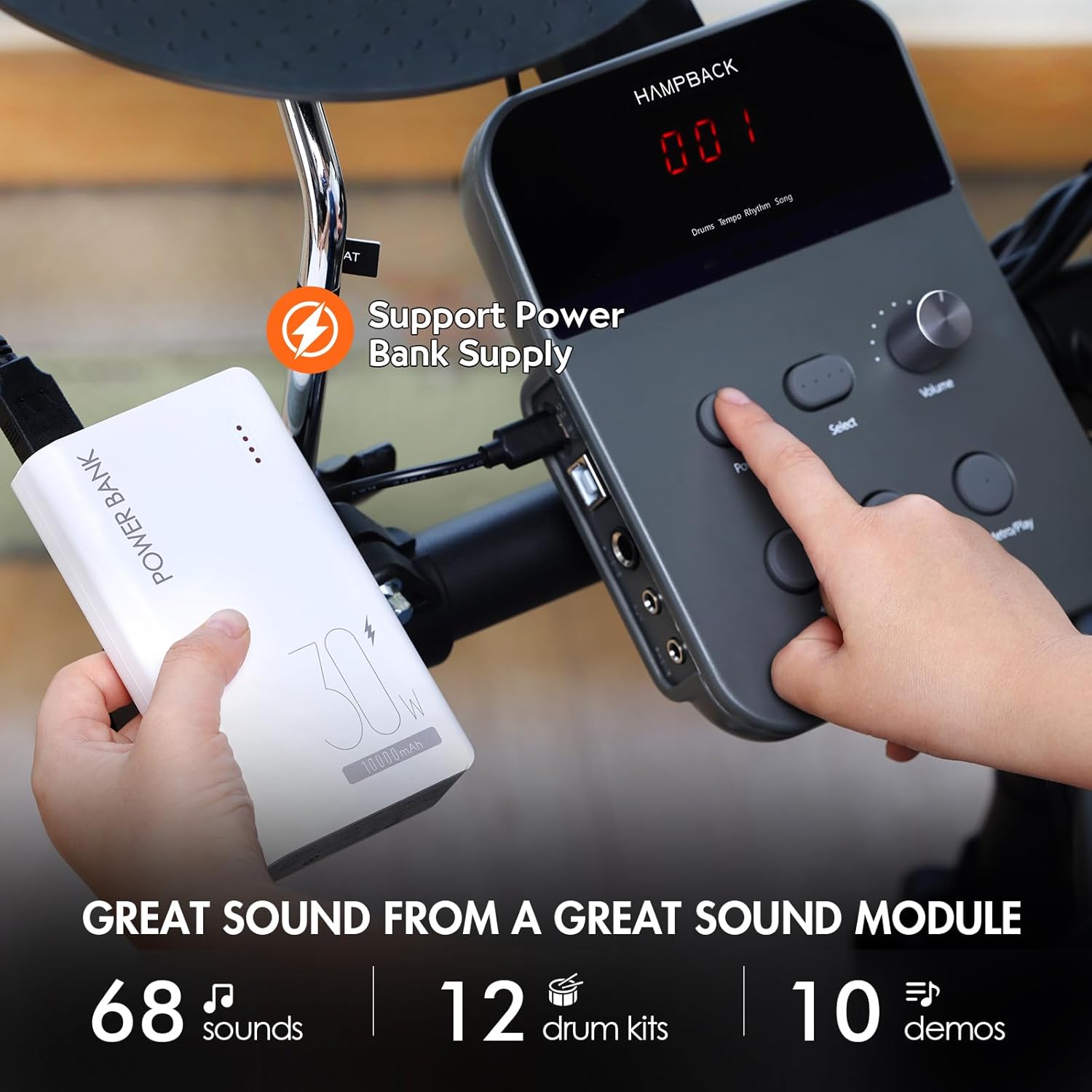
Figure 3.1: The ultra-durable bass drum pedal, tested for millions of hits.
4. Maintenance
To ensure the longevity and optimal performance of your HAMPBACK MK-0 PRO Electric Drum Set, follow these general maintenance guidelines:
- Cleaning: Wipe down the drum pads, cymbals, and sound module with a soft, dry cloth. Avoid using abrasive cleaners or solvents.
- Storage: When not in use, fold the drum set and store it in a cool, dry place away from direct sunlight and extreme temperatures.
- Cable Management: Keep cables organized and untangled to prevent damage.
5. Troubleshooting
If you encounter any issues with your HAMPBACK MK-0 PRO Electric Drum Set, please refer to the following common troubleshooting tips:
- No Sound:
- Ensure the power adapter is securely connected and the unit is turned on.
- Check all cable connections between the pads/cymbals and the sound module.
- Verify the volume is turned up on the sound module and any connected headphones/speakers.
- Inconsistent Triggering:
- Ensure pads and cymbals are securely mounted and not loose.
- Check for any kinks or damage in the connecting cables.
- Power Issues:
- If using a power bank, ensure it is fully charged and provides sufficient power (Type C - 5V 1A).
- Try a different power outlet or power bank.
For further assistance, please contact HAMPBACK customer support.
6. Specifications
| Feature | Detail |
|---|---|
| Sound Module | DSP-0001/DSP-0002 |
| Songs | 10 |
| Preset Drum Kits | 12 |
| Tone | 68 Preset Drum Tone |
| DSP Effects | Equalizer, Pan |
| Tempo Range | 20-320 BPM |
| Display | Three Digital Tube |
| Power | Type C - 5V 1A |
| Connectors | USB (USB Type B, USB MIDI), AUX (3.5mm stereo), L/MONO (6.35mm stereo), Phone (3.5mm stereo), DB15 (Connect drum, cymbal, trigger) |
| Item Weight | 38.2 pounds (17.35 Kilograms) |
| Package Dimensions | 26.5 x 24.5 x 10 inches |
| Color | Black |
| Body Material | Bass Wood |
7. Warranty and Support
All HAMPBACK electronic drum kits come with a 2-year warranty. This warranty covers manufacturing defects and ensures your product performs as expected.
If you encounter any issues or are unsatisfied with your purchase, please do not hesitate to contact HAMPBACK customer service. We are committed to providing satisfactory after-sales support and resolving any concerns you may have.
For support, please visit the official HAMPBACK store or contact us through the platform where you made your purchase.
HAMPBACK Store Link: HAMPBACK Official Store