
Introduction
The Mecpow G5 Rotary Roller is an accessory designed to enhance the capabilities of laser engraving machines. It allows for precise engraving on various multi-shaped objects, including cylindrical, spherical, and irregularly shaped items. This manual provides detailed instructions for the setup, operation, and maintenance of your Mecpow G5 Rotary Roller.
Product Overview
Key Features
- Three Grippers Designs: Equipped with trapezoidal, square, and stud clamps to securely hold various objects like rings, bracelets, and cylindrical items.
- Adjustable Angle: Features a 90° adjustable angle for engraving unique objects such as beverage cans, baseballs, and goblets, with angle lines for precise calibration.
- Multiple Engraving Options: Supports internal and external clamping, with adjustable support column positions for objects of different lengths and sizes.
- Sturdy Construction & Easy Installation: Made of aluminum alloy for durability, with a wear-resistant rotating roller. Integrated design allows for quick setup and connection to engraving machines.
Components
The Mecpow G5 Rotary Roller package includes the following items:
- 1x Rotary Roller Module (with Ladder Jaws)
- 3x Stud Jaw
- 3x Square Jaw
- 4x Heightening Bracket (For Mecpow X3, X3 Pro, X5, X5 Pro)
- 1x Tape Measure
- 1x Cable with White Connectors (For Mecpow)
- 1x Cable with Black Connectors (For other brands)
- 8x Screw
- 1x Screwdriver
- 1x User Manual

Image: Contents of the Mecpow G5 Rotary Roller package, including the main module, various jaws, cables, and tools.
Setup
Unpacking and Initial Inspection
Carefully remove all components from the packaging. Verify that all items listed in the "Components" section are present and undamaged.
Connecting to Your Engraving Machine
The Mecpow G5 Rotary Roller features an integrated design for straightforward connection. Identify the appropriate cable for your engraving machine:
- Use the cable with white connectors for Mecpow engraving machines.
- Use the cable with black connectors for other compatible engraving machine brands.
Connect the rotary roller module to the Y-axis control port of your engraving machine. The integrated design allows for immediate use without the need for extra installation steps for the main unit.
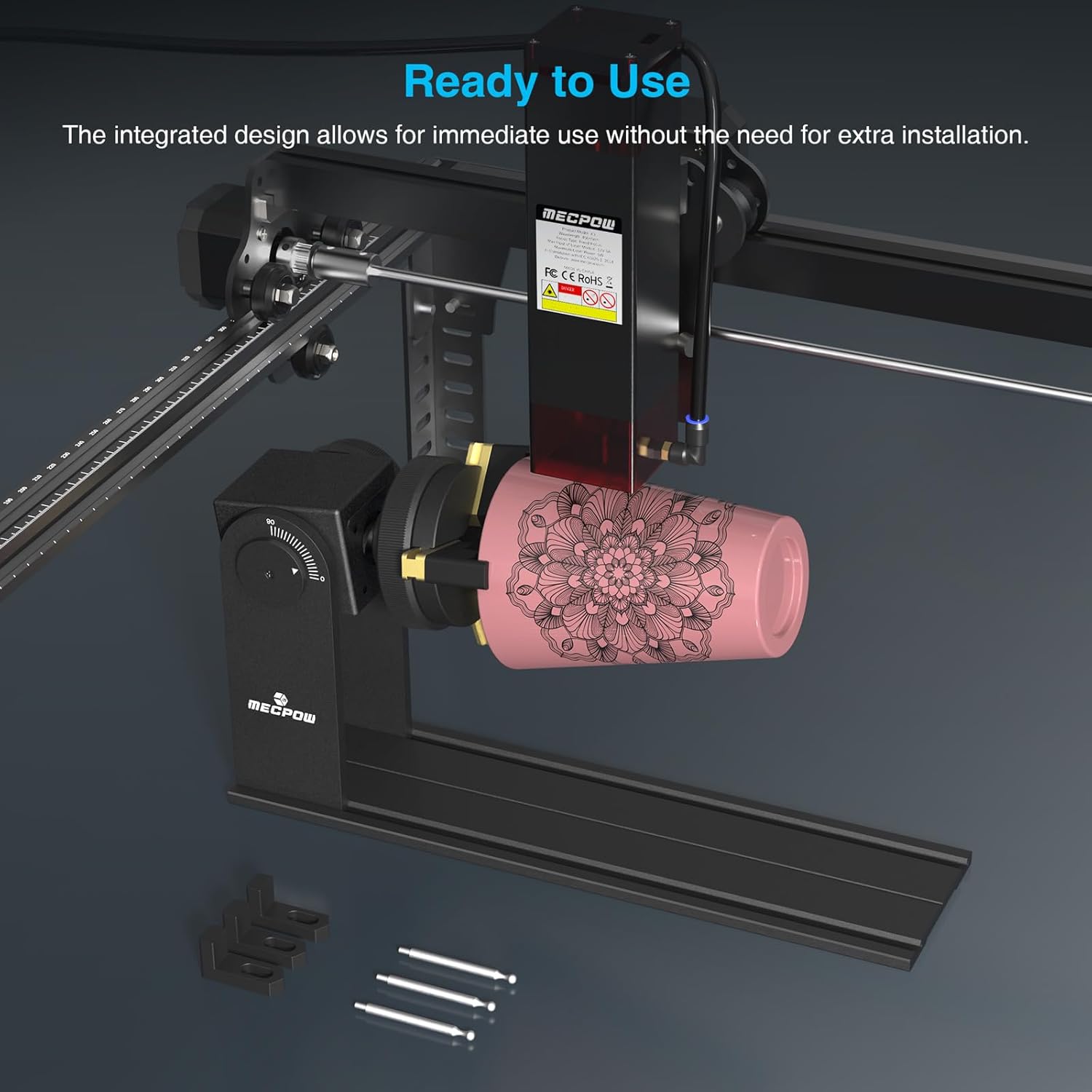
Image: The Mecpow G5 Rotary Roller shown connected to a laser engraving machine, demonstrating its integrated design for quick setup.

Image: Two types of connection cables for the Mecpow G5 Rotary Roller: one with white connectors for Mecpow machines and one with black connectors for other brands, illustrating wide compatibility.
Installing Heightening Brackets (Optional)
For engraving larger objects, the included heightening brackets can be installed on compatible Mecpow X3, X3 Pro, X5, and X5 Pro models. Refer to your engraving machine's manual for specific instructions on installing these brackets.
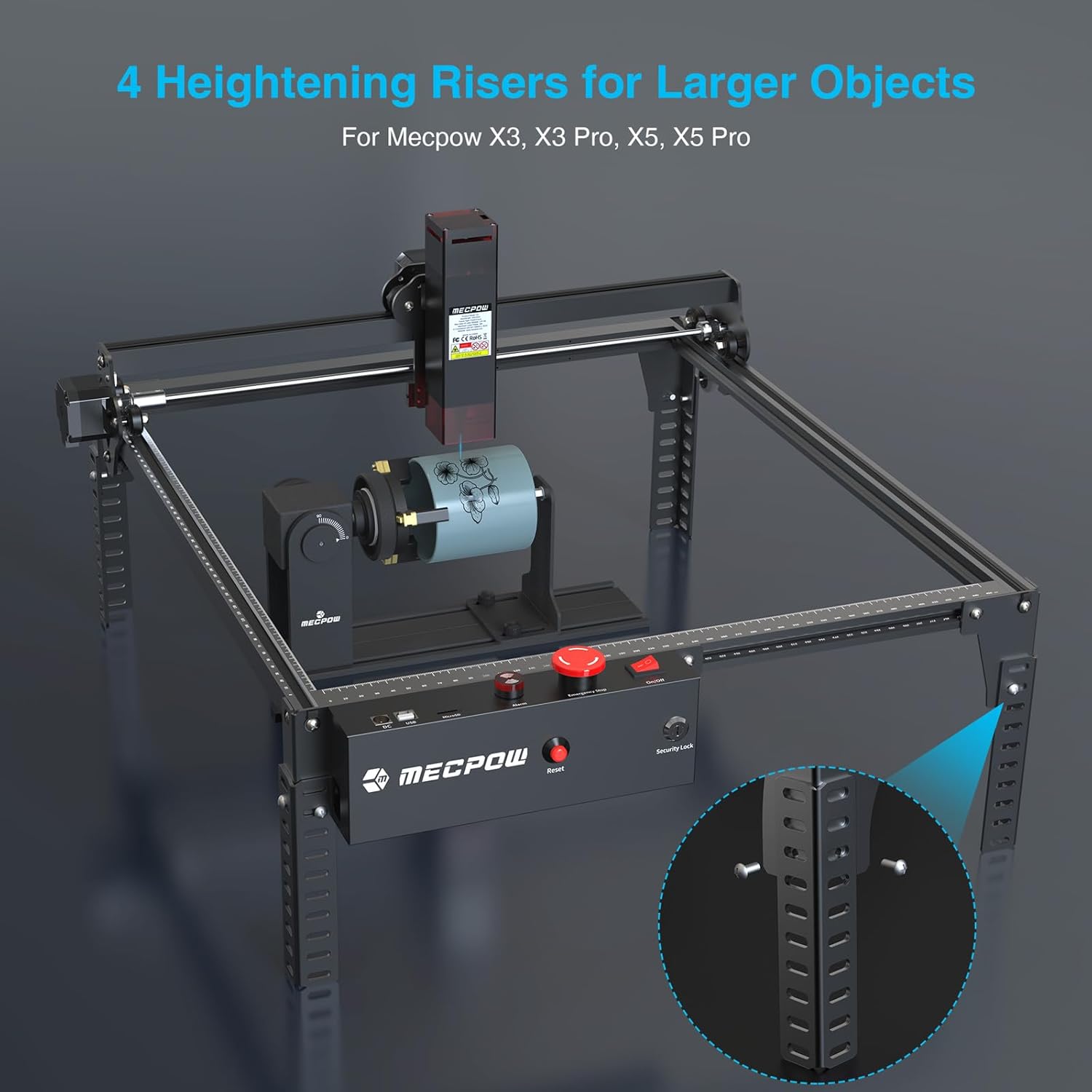
Image: An engraving machine equipped with heightening risers, demonstrating how the Mecpow G5 Rotary Roller can be used for larger objects.
Operating Instructions
Selecting and Attaching Grippers
The Mecpow G5 Rotary Roller includes three types of grippers to accommodate various object shapes:
- Trapezoidal Clamp (Ladder Jaws): Suitable for general cylindrical objects.
- Square Clamp: Used for internal and external clamping of various objects.
- Stud Clamp: Ideal for rings, bracelets, and other circular objects with a diameter of 10-85mm.
Choose the appropriate gripper set for your object and securely attach it to the rotary chuck.
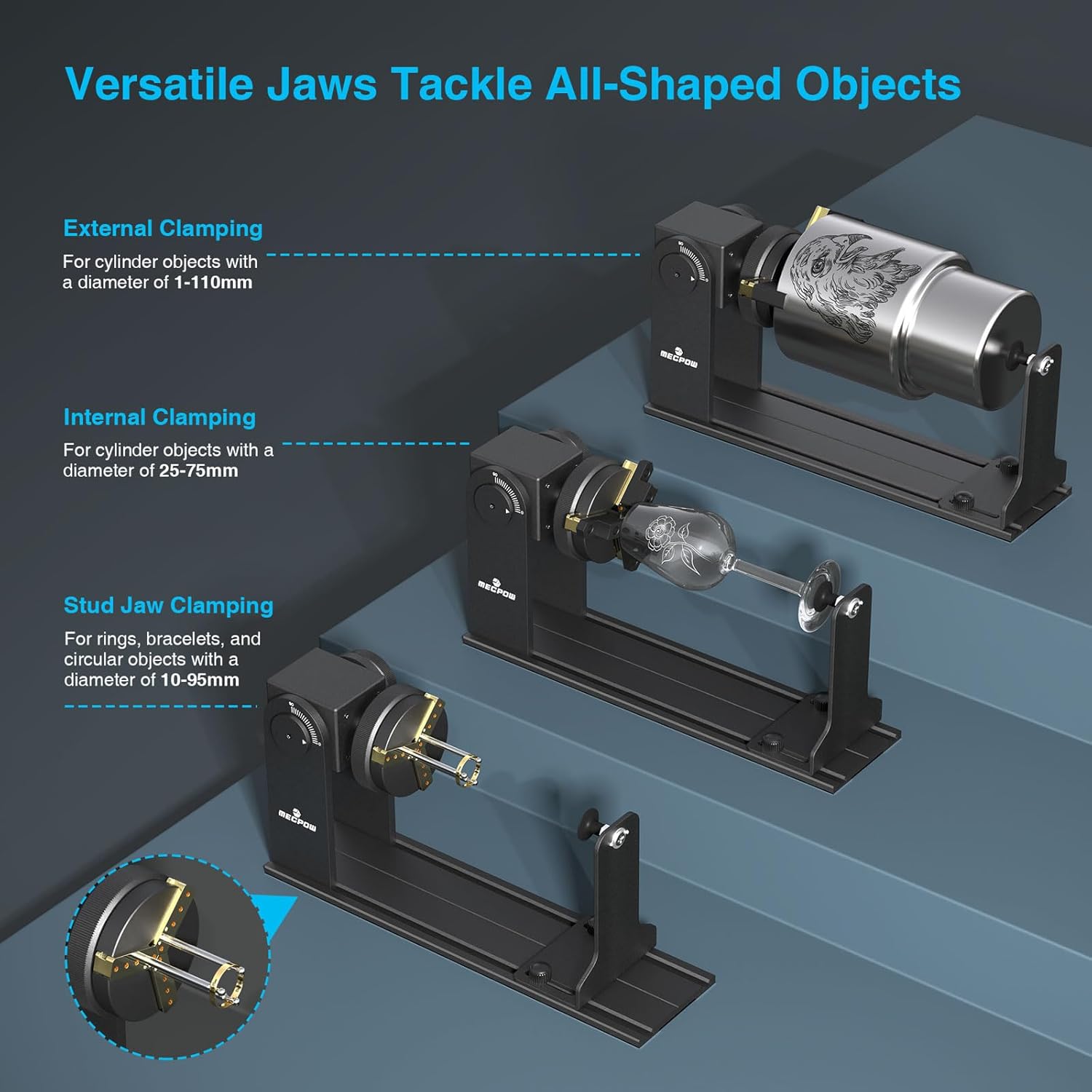
Image: The Mecpow G5 Rotary Roller demonstrating external clamping for cylinders, internal clamping for cylinders, and stud jaw clamping for rings and bracelets.
Adjusting the Angle
The rotary module allows for a 90° adjustable angle, enabling engraving on unique objects such as beverage cans, baseballs, and goblets. Use the angle lines on the module for precise calibration.

Image: The Mecpow G5 Rotary Roller showing its 90-degree adjustable angle feature, allowing for engraving on angled or irregularly shaped objects.
Securing the Object
Place the object firmly within the selected grippers. Ensure the object is centered and stable to prevent movement during engraving. For objects of different lengths and sizes, adjust the position of the supporting column to provide optimal stability.
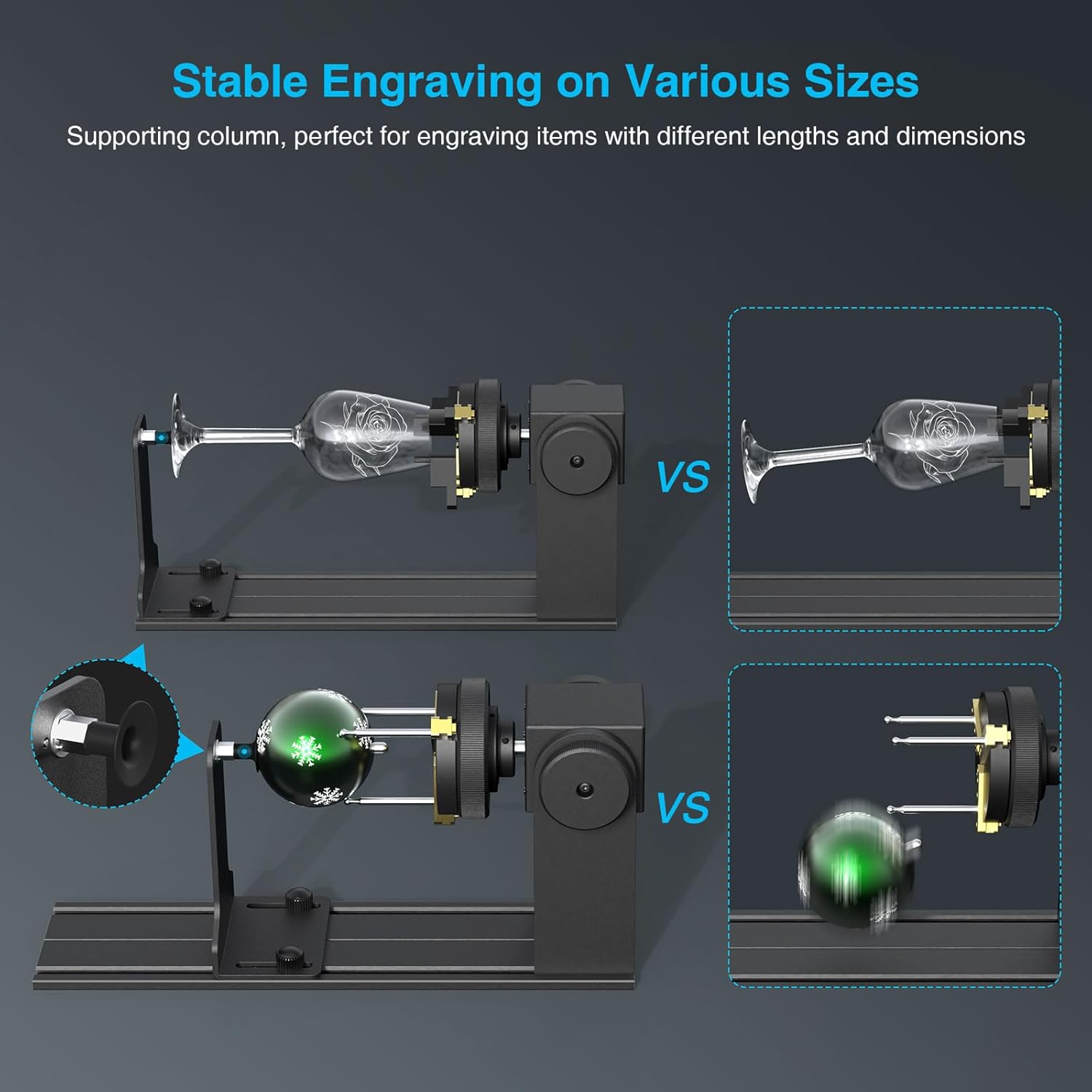
Image: The Mecpow G5 Rotary Roller demonstrating stable engraving on various object sizes, highlighting the adjustable supporting column.
360° Rotation
The rotary chuck provides 360° rotation, improving engraving stability and accuracy for continuous designs around an object.

Image: The Mecpow G5 Rotary Roller illustrating its 360-degree freely adjustable rotary chuck for precise engraving positioning.
Software Configuration
The Mecpow G5 is compatible with engraving software such as LightBurn and LaserGRBL. Refer to your software's documentation for specific settings related to rotary engraving.

Image: A computer screen displaying LightBurn software, indicating the Mecpow G5 Rotary Roller's compatibility with common laser engraving software.
Maintenance
Cleaning
Regularly clean the rotary roller module and grippers to remove dust, debris, and engraving residue. Use a soft, dry cloth. Avoid abrasive cleaners or solvents that could damage the finish.
Lubrication
Periodically check moving parts for smooth operation. Apply a small amount of appropriate lubricant if necessary, following general guidelines for precision mechanical components.
Storage
When not in use, store the rotary roller in a clean, dry environment to protect it from dust and moisture.
Troubleshooting
Common Issues and Solutions
- Issue: Engraving is distorted or incorrect on the Y-axis.
Possible Cause: Incorrect Y-axis step control variable in engraving software.
Solution: In software like LightBurn, ensure the Y-axis step control variable ($100) is correctly configured for the rotary roller. A common error in some manuals incorrectly advises changing $101. Always adjust $100 for Y-axis rotary control. The formula is typically 1000 / D (where D is the diameter of your object to engrave). - Issue: Object not securely held.
Possible Cause: Incorrect gripper selection or improper adjustment.
Solution: Ensure the correct gripper type (trapezoidal, square, or stud) is selected for the object's shape and size. Adjust the grippers firmly to secure the object without excessive force. - Issue: Rotary module not recognized by engraving machine.
Possible Cause: Incorrect cable connection or software settings.
Solution: Verify that the correct cable (white for Mecpow, black for others) is securely connected to the Y-axis port. Check software settings to ensure the rotary axis is enabled and configured.
Specifications
Mecpow G5 Rotary Roller
| Feature | Specification |
|---|---|
| Package Dimensions | 16.73 x 6.93 x 4.09 inches |
| Item Weight | 3.3 pounds |
| Manufacturer | Mecpow |
| Date First Available | April 7, 2024 |
| External Clamping Diameter | 1-110mm |
| Internal Clamping Diameter | 25-75mm |
| Stud Jaw Clamping Diameter | 10-85mm |
| Adjustable Angle | 90° |
Warranty and Support
Warranty Information
The Mecpow G5 Rotary Roller comes with a 1-year warranty from the date of purchase. This warranty covers manufacturing defects and ensures the product meets quality standards. Please retain your proof of purchase for warranty claims.
Customer Support
For technical assistance, troubleshooting, or warranty inquiries, please contact Mecpow customer support. 24-hour support services are available to assist you. You can find contact information on the official Mecpow website or through your purchase platform.


