1. Product Overview
The Waveform QuadPro 4x4 MIMO Panel Antenna is designed to enhance cellular internet speeds for 4G and 5G routers and gateways. It features industry-leading 4x4 MIMO isolation technology and a directional design to target service provider towers, reducing noise and interference.

Image: The Waveform QuadPro 4x4 MIMO Panel Antenna shown alongside its user manual, highlighting its compact design and the accompanying documentation.
This antenna is outdoor-rated and includes a 20-foot UltraFlex Cable with weather-proofing boots for durable installation. It is compatible with various cellular providers such as T-Mobile, Verizon, and AT&T.
2. What's Included
The standard package for the Waveform QuadPro Antenna includes the following components:
- QuadPro 4x4 MIMO Panel Antenna
- 20' UltraFlex Cable (integrated with antenna)
- Weatherproofing Rubber Boots
- Mounting Hardware (Flex Mount)
- User Manual

Image: A visual representation of the Waveform QuadPro Antenna kit contents, including the antenna unit, mounting bracket, and the user manual.
3. Specifications
Detailed technical specifications for the Waveform QuadPro Antenna and its components:
| Attribute | Detail |
|---|---|
| Brand | Waveform |
| Wireless Communication Standard | 802.11ac |
| Frequency Bands Supported | 4G, 5G (600-6000 MHz) |
| Peak Gain | Up to 9.1 dBi |
| Coaxial Cable Impedance | 50 Ω |
| VSWR | ≤ 1.5 |
| Cable Type | LMR195-UF equivalent |
| Inner Conductor | Solid Copper |
| Cable Diameter (Individual) | 4.7 mm (0.195 in) |
| Cable Diameter (Group) | 13.4 mm (0.53 in) |
| Outer Jacket | Soft TPE |
| Connectors | SMA Male (weatherproofed) |
| Outdoor Rated | Yes |

Image: A graphic detailing the coaxial cable specifications including impedance, VSWR, cable type, inner conductor, loss, diameter, outer jacket, and SMA male/female connectors.
4. Setup Guide
Follow these steps for optimal installation and performance of your Waveform QuadPro Antenna.
4.1. Mount Your QuadPro Antenna
The QuadPro antenna can be mounted on a wall or a pole. Choose a location with a clear line of sight towards your service provider's cellular tower for best signal reception. Ensure the mounting surface is stable and secure.

Image: Illustrations showing two primary mounting methods for the QuadPro antenna: directly on a wall or attached to a pole.
- Site Selection: Identify the direction of your nearest cellular tower. Use online resources or signal strength apps to assist.
- Mounting: Securely attach the Flex Mount to your chosen location (wall or pole) using appropriate hardware.
- Antenna Attachment: Attach the QuadPro antenna to the Flex Mount, ensuring it is firmly in place.
4.2. Run Cables Inside
Carefully route the integrated UltraFlex cables from the antenna to the location of your cellular router or gateway. The 20-foot cable provides flexibility for optimal placement. For installations requiring cable entry through a window without drilling, consider using a compatible window entry cable (sold separately or included with complete kits).

Image: A diagram illustrating how to route the antenna cables indoors, specifically showing the use of a window entry cable to avoid drilling.
- Ensure cables are not kinked or sharply bent.
- Use the provided weatherproofing boots to protect SMA connectors from environmental elements at the antenna connection point.

Image: A detailed view of the weatherproofing boots designed to protect the SMA connectors from moisture and dust, ensuring long-term durability.
4.3. Connect Your 5G Gateway/Router
Connect the SMA male connectors from the antenna cables to the corresponding antenna ports on your 4G/5G cellular router or gateway. Most 4x4 MIMO routers will have four antenna ports. Ensure a secure connection for each cable.

Image: An illustration demonstrating the connection of the antenna cables to the back of a 5G cellular gateway, showing the four SMA connectors.
- After connecting, power on or reboot your router/gateway.
- Some gateways may require U.FL Pigtail Adapters for connection (check your router's manual; these are often included with complete antenna kits).
- Monitor your router's signal strength indicator or administrative interface to verify improved signal.
5. Operation
Once installed and connected, the Waveform QuadPro Antenna operates passively to enhance your cellular signal. Its directional design means that aiming the antenna towards the nearest cellular tower is crucial for maximizing performance.

Image: A graphic illustrating the concept of aiming the antenna to achieve optimal 5G performance by directing it towards a cellular tower.
- Aiming: Small adjustments to the antenna's direction can significantly impact signal strength and data rates. Make minor adjustments and re-check your router's signal metrics.
- Environmental Factors: Weather conditions (e.g., heavy rain, snow) can temporarily affect signal quality.
6. Maintenance
The Waveform QuadPro Antenna is designed for outdoor use and requires minimal maintenance.
- Cleaning: Periodically inspect the antenna for dirt, dust, or debris accumulation. Clean the exterior with a soft, damp cloth. Avoid abrasive cleaners or solvents.
- Cable Inspection: Annually inspect the cables and connectors for any signs of wear, damage, or degradation of the weatherproofing boots. Replace if necessary.
- Mounting Security: Ensure the mounting hardware remains secure, especially after severe weather conditions. Tighten any loose bolts or screws.
7. Troubleshooting
If you experience issues with your QuadPro Antenna, consider the following troubleshooting steps:
| Problem | Possible Cause | Solution |
|---|---|---|
| No signal improvement | Incorrect antenna aiming | Adjust antenna direction in small increments towards the cellular tower. |
| No signal improvement | Loose or incorrect cable connections | Ensure all SMA connectors are securely fastened to the router/gateway. Verify correct port usage. |
| No signal improvement | Router/Gateway not configured for external antennas | Consult your router's manual to ensure it is set to use external antennas, if applicable. Reboot the router. |
| Intermittent signal | Environmental interference (e.g., storms) | This may be temporary. If persistent, re-check aiming and connections. |
| Physical damage to cable/connectors | Wear and tear, improper handling | Inspect cables and connectors. Replace damaged components if necessary. |
8. Compatibility
The Waveform QuadPro Antenna is designed for broad compatibility with 4G and 5G cellular routers and gateways that feature external antenna ports. This includes devices from major carriers and third-party manufacturers.
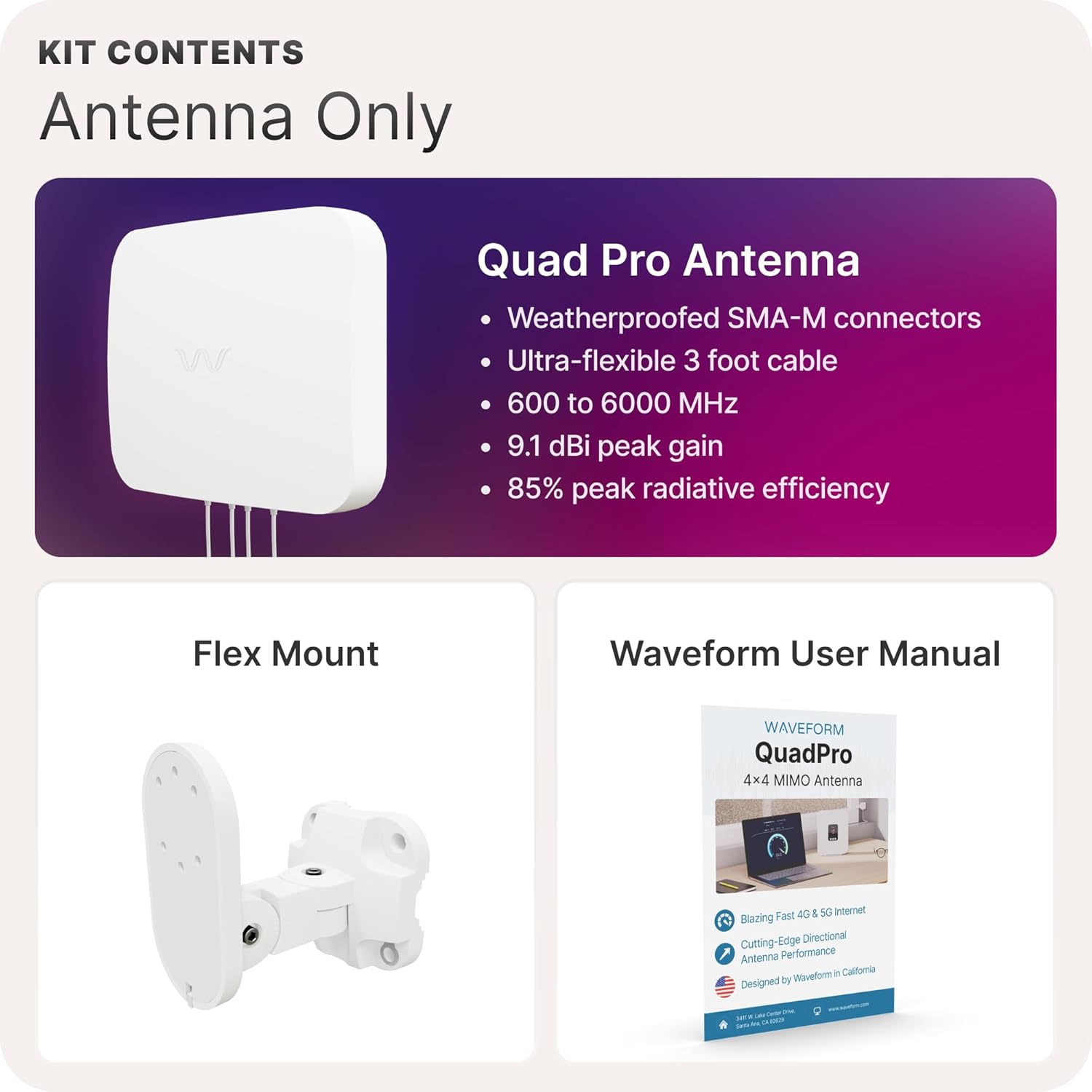
Image: A compatibility chart displaying various 5G routers and gateways from T-Mobile, AT&T, Verizon, Peplink, Cradlepoint, GL.iNet, Netgear, Inseego, and Cudy, indicating broad compatibility with the QuadPro antenna.
Compatible devices include, but are not limited to, routers/gateways from:
- T-Mobile
- Verizon
- AT&T
- Peplink
- Cradlepoint
- GL.iNet
- Netgear
- Inseego
- Cudy
Note: Devices without external antenna ports may require light disassembly or specific adapters (e.g., U.FL Pigtail Adapters) for connection. Refer to your device's manual for specific requirements.
9. Warranty and Support
Waveform products are designed for reliability and performance. For specific warranty details, please refer to the warranty card included with your product or visit the official Waveform website. For technical support, installation assistance, or troubleshooting beyond this manual, please contact Waveform customer service through their official channels.
You can find more information and support resources on the Waveform Store on Amazon or their official website.


