
1. Introduction
This manual provides comprehensive instructions for the OMAIC RMF-TX310E replacement voice remote control. This remote is designed to function as a direct replacement for your original Sony Smart TV remote, offering voice control capabilities and dedicated shortcut buttons for popular streaming services. Please read this manual carefully before use to ensure proper setup and operation.
2. Important Compatibility Notes
This remote control is specifically designed for Sony TVs that feature a voice control function. If your Sony TV does not support voice commands, the voice features of this remote will not function. This remote is intended for television control only and is not compatible with Blu-ray players, DVD players, home theater systems, sound bars, AV receivers, or audio amplifiers.
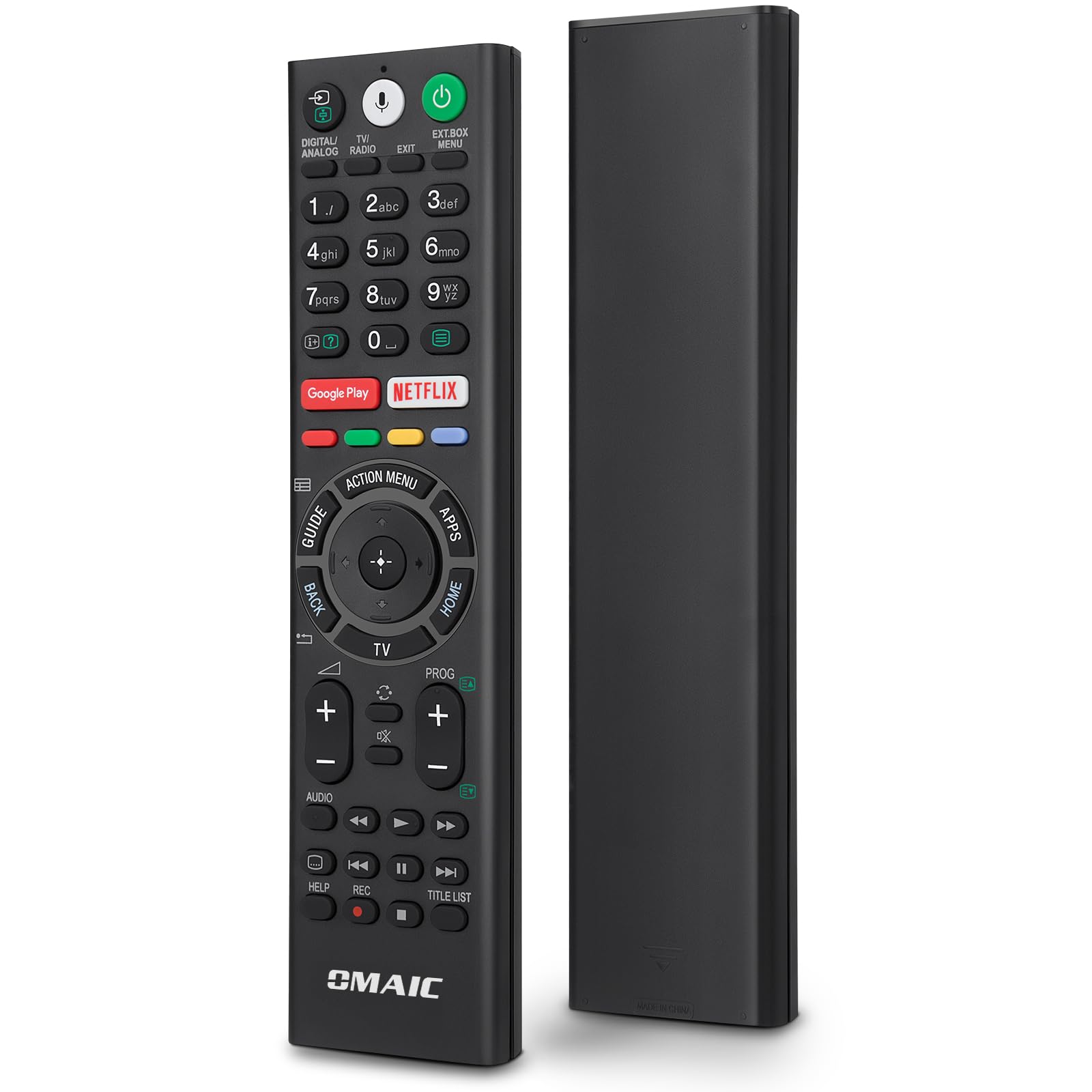
This remote is not compatible with Blu-ray players, DVD players, home theater systems, sound bars, AV receivers, or subwoofers.
Compatible Sony TV Models:
- Sony Bravia Android TVs
- Sony 4K UHD Crystal HDR TVs
- Sony OLED Ultra HDTVs
- XBR KDL Series TVs
Specific compatible models include: KD-43XE8004, KD-43XE8005, KD-43XE8077, KD-43XE8088, KD-43XE8096, KD-43XE8099, KD-43XE8396, KD-43XF7596, KD-43XF8096, KD-43XF8505, KD-43XF8577, KD-43XF8588, KD-43XF8596, KD-43XF8599, KD-43XF8796, KD-49XE8004, KD-49XE8005, KD-49XE8077, KD-49XE8088, KD-49XE8096, KD-49XE8099, KD-49XE8396, KD-49XF7596, KD-49XF8096, KD-49XF8505, KD-49XF8577, KD-49XF8588, KD-49XF8596, KD-49XF8599, KD-49XF8796, KD-49XF9005, KD-55XE8096, KD-55XE8396, KD-55XF7596, KD-55XF8096, KD-55XF8505, KD-55XF8577, KD-55XF8588, KD-55XF8596, KD-55XF8599, KD-55XF8796, KD-55XF9005, KD-60XF8305, KD-65XF7596, KD-65XF8505.
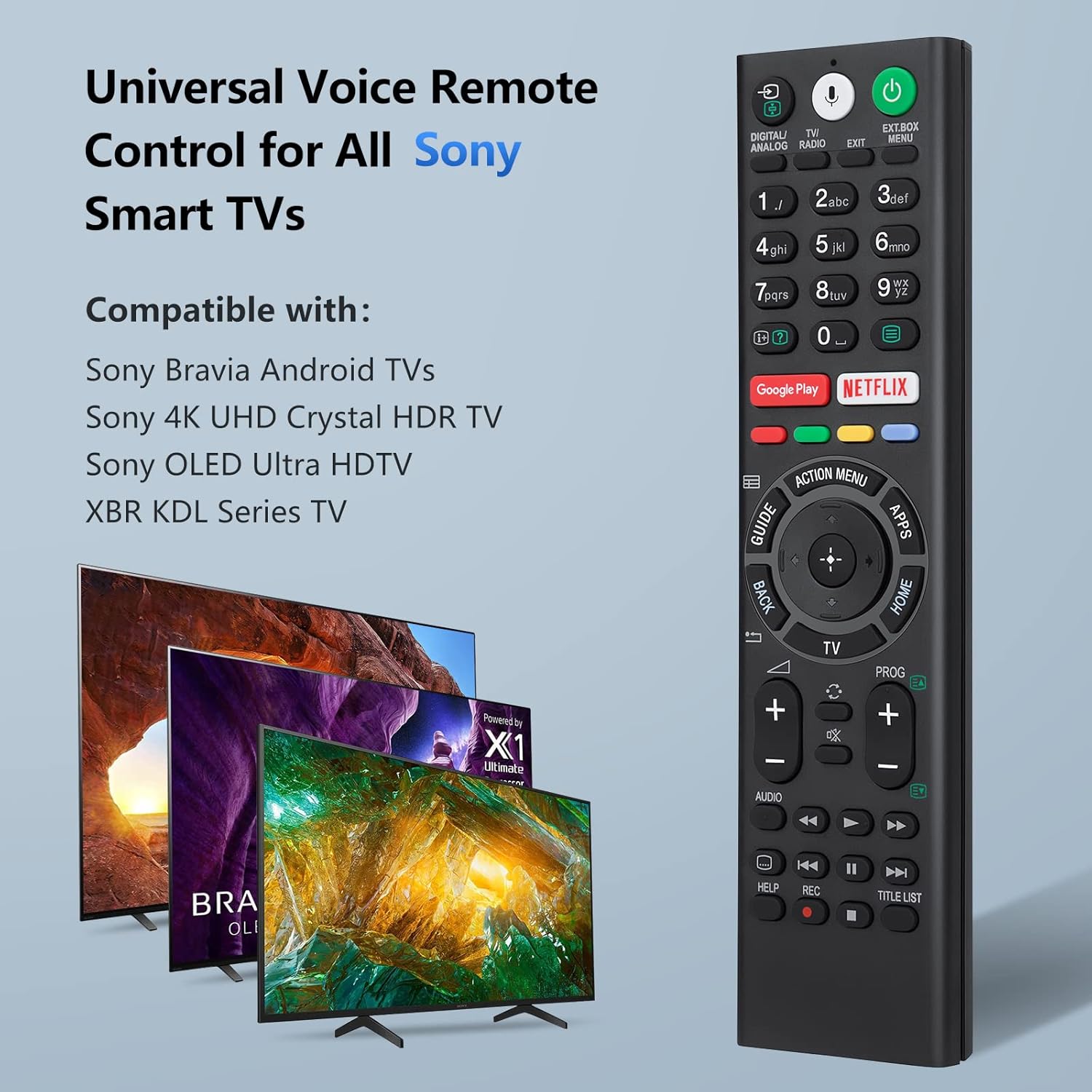
The OMAIC RMF-TX310E remote is a universal voice remote control for various Sony Smart TV models.
3. Setup and Battery Installation
Before using the remote control, you must install batteries.
3.1 Battery Installation
The remote control requires two (2) 1.5V AAA batteries. Batteries are not included with the product.
- Locate the battery compartment cover on the back of the remote control.
- Slide the cover open in the direction indicated by the arrow.
- Insert two AAA batteries, ensuring the positive (+) and negative (-) terminals align correctly with the markings inside the compartment.
- Slide the battery compartment cover back into place until it clicks securely.

Insert two 1.5V AAA batteries into the remote control. Batteries are not supplied.
4. Pairing Instructions
To enable full functionality, including voice control, you must pair the remote control with your Sony Smart TV. Follow these steps:
- Ensure your Sony TV is powered on. If it is off, press the Power button on the remote to turn it on.
- Simultaneously press and hold the VOL- (Volume Down) button and the Microphone button for approximately 3 seconds.
- The remote will initiate the pairing process automatically in the background. No further on-screen setup is typically required.
- Once paired, you can use all functions, including voice control.

To pair, hold the 'VOL-' button and the 'Microphone' button for 3 seconds.
5. Operating Instructions (Button Functions)
Familiarize yourself with the buttons on your OMAIC RMF-TX310E remote control:

Diagram illustrating the functions of each button on the remote control.
- POWER: Turns the TV on or off (standby mode).
- DIGITAL/ANALOG: Selects the video source.
- TV/RADIO: Switches between TV and Radio modes.
- EXT.BOX MENU: Accesses the menu for external devices.
- NUMBER BUTTONS (0-9): Used to select digital channels or input numbers.
- DISPLAY (Info/Text Reveal): Displays information about the current channel or program.
- NETFLIX: Direct access to the Netflix streaming service. (Functionality may vary by region/country/TV model).
- Google Play: Direct access to the Google Play online service.
- ACTION MENU: Displays a list of contextual functions.
- APPS: Accesses various services and applications.
- GUIDE: Displays the digital program guide.
- DIRECTION PAD (Up/Down/Left/Right): For on-screen menu navigation and selection.
- SELECT (Center Button): Confirms selections in menus.
- BACK: Returns to the previous screen.
- TV: Switches to a TV channel or input and displays the TV Menu Bar.
- CH +/-: Selects the channel.
- VOL +/-: Adjusts the volume.
- MUTE: Mutes the sound. Press again to restore sound.
- AUDIO: Changes the language for the program currently being viewed.
- SUBTITLE (CC): Turns subtitles on or off (when the feature is available).
- HELP: Displays the Help menu. Help Guide can be accessed from here.
- PLAYBACK CONTROLS (BACKSPACE / PLAY / FAST FORWARD / PREV / PAUSE / NEXT / STOP): Operates media content on the TV and compatible BRAVIA Sync-compatible devices.
- REC: Records content (if supported by your TV and setup).
- TITLE LIST: Accesses a list of recorded titles or other content.
6. Voice Control Feature
The voice control feature allows for easier and more convenient interaction with your smart TV. Once paired, you can use voice commands to find content, launch applications, and control various TV functions.
- Press the Microphone button on the remote control.
- Speak clearly into the microphone located on the remote.
- Your TV will process the command, allowing you to search for movies, open apps, or adjust settings using your voice.

Use the microphone button to activate voice control and easily find, launch, and control content.
The voice function is designed to enhance your viewing experience, making it easier to navigate your smart TV from anywhere in the room.

The remote control provides convenient use in various settings, including the living room, bedroom, and kitchen.
7. Troubleshooting
- Remote not responding: Ensure batteries are correctly installed and not depleted. Replace with new AAA batteries if necessary.
- Voice control not working: Verify that your Sony TV has a voice control function. Ensure the remote is properly paired with the TV (refer to Section 4).
- Limited functionality: Confirm that your TV model is listed as compatible. Some advanced features may require specific TV settings or internet connectivity.
- Interference: Ensure there are no obstructions between the remote and the TV's infrared receiver.
- Re-pairing: If issues persist, try re-pairing the remote control with your TV by following the steps in Section 4.
8. Specifications
| Brand | OMAIC |
| Model Number | RMF-TX310E |
| Compatible Devices | Television (Sony Smart TVs with voice function) |
| Connectivity Technology | Infrared |
| Special Features | Voice search, Universal, Comfortable design |
| Color | Black |
| Maximum Range | 10 meters |
| Power Source | 2 x AAA 1.5V Batteries (not included) |
| Dimensions | 23.5 x 12.2 x 2.3 cm |
| Weight | 110 grams |
9. Warranty and Support
We offer a 30-day return guarantee for this product. If you encounter any issues or have questions regarding your order, please contact our customer support directly. We aim to respond to all inquiries within 12 business hours.