
Introduction
The Kekoy P8 1296P HD WiFi Ear Cleaner with Camera is designed to provide a clear visual aid for earwax removal and general ear canal inspection. This device connects wirelessly to your smartphone or tablet, allowing for real-time viewing of the ear canal. It is equipped with a high-definition camera and various accessories to facilitate safe and effective ear care.
Safety Information
- Always ensure the silicone ear spoon cover is securely attached before each use.
- Do not use excessive force when inserting the device or during ear picking to prevent injury to the ear canal or eardrum.
- Keep the device out of reach of children and pets when not in use.
- Consult a medical professional if you experience pain, discomfort, or have pre-existing ear conditions before using this device.
- Regularly inspect the ear spoon head for any damage or breakage. Replace immediately if any damage is found.
Package Contents
The Kekoy P8 Ear Cleaner package includes the following items:
- 1x Otoscope P8 (Ear Cleaner with Camera)
- 1x Type-C Charging Cable
- 6x Silicone Ear Spoons (various sizes)
- 1x 8-piece Earwax Removal Tool Kit (metal tools)
- 1x User Manual

Image: The Kekoy P8 Ear Cleaner device, charging cable, silicone ear spoons, and additional metal earwax removal tools are shown neatly arranged in their packaging.

Image: A close-up diagram highlighting the device's features, including the one-click power button, Type-C charging port, LED indicator, 3.5 mm lens, 6 bright LED lights, and secure silicone ear picks.
Setup
1. Charging the Device
Before first use, fully charge the device using the provided Type-C charging cable. The built-in 230mAh battery provides up to 90 minutes of continuous usage on a single charge and has an impressive 20-day standby time.

Image: An illustration showing the Kekoy P8 device being charged via a Type-C cable, highlighting its 90-minute battery life and 230mAh capacity.
2. App Installation and Wi-Fi Connection
- Search for "EarVision" on the Google Play Store (for Android) or iOS App Store (for Apple devices).
- Download and install the app.
- Press the earwax camera's power button for 1 second to turn it on. The blue indicator light will blink.
- On your smartphone or tablet, go to Wi-Fi settings and connect to the Wi-Fi network named "softfish-XXXX" (where XXXX is a unique identifier).
- Open the EarVision app. The device will automatically connect, and you will see the real-time view from the camera.
Note: The device connects via Wi-Fi, not Bluetooth, ensuring no access to your phone's data.

Image: A visual guide demonstrating the four steps to connect the Kekoy P8 device to a smartphone: download the EarVision app, power on the device, find the Wi-Fi network, and join.
3. Attaching Ear Spoons
Select a suitable silicone ear spoon from the provided accessories. Gently twist it clockwise onto the tip of the otoscope until it is securely fastened. Always check for a secure fit before insertion.

Image: A comparison showing correctly attached soft silicone ear spoons (Not Falling, Soft Silicone, 3.5MM, 1296P) versus incorrectly attached or less secure options (Easy Drop, Rubber, 6.5MM, 720P).
Operating Instructions
1. Power On and Real-time Viewing
Once the device is charged and connected to the app, the 1296P HD camera will provide crystal clear visuals of your ear canal in real-time. The device features a 6-axis gyroscope for stable imaging and 6 bright LED lights for optimal illumination.
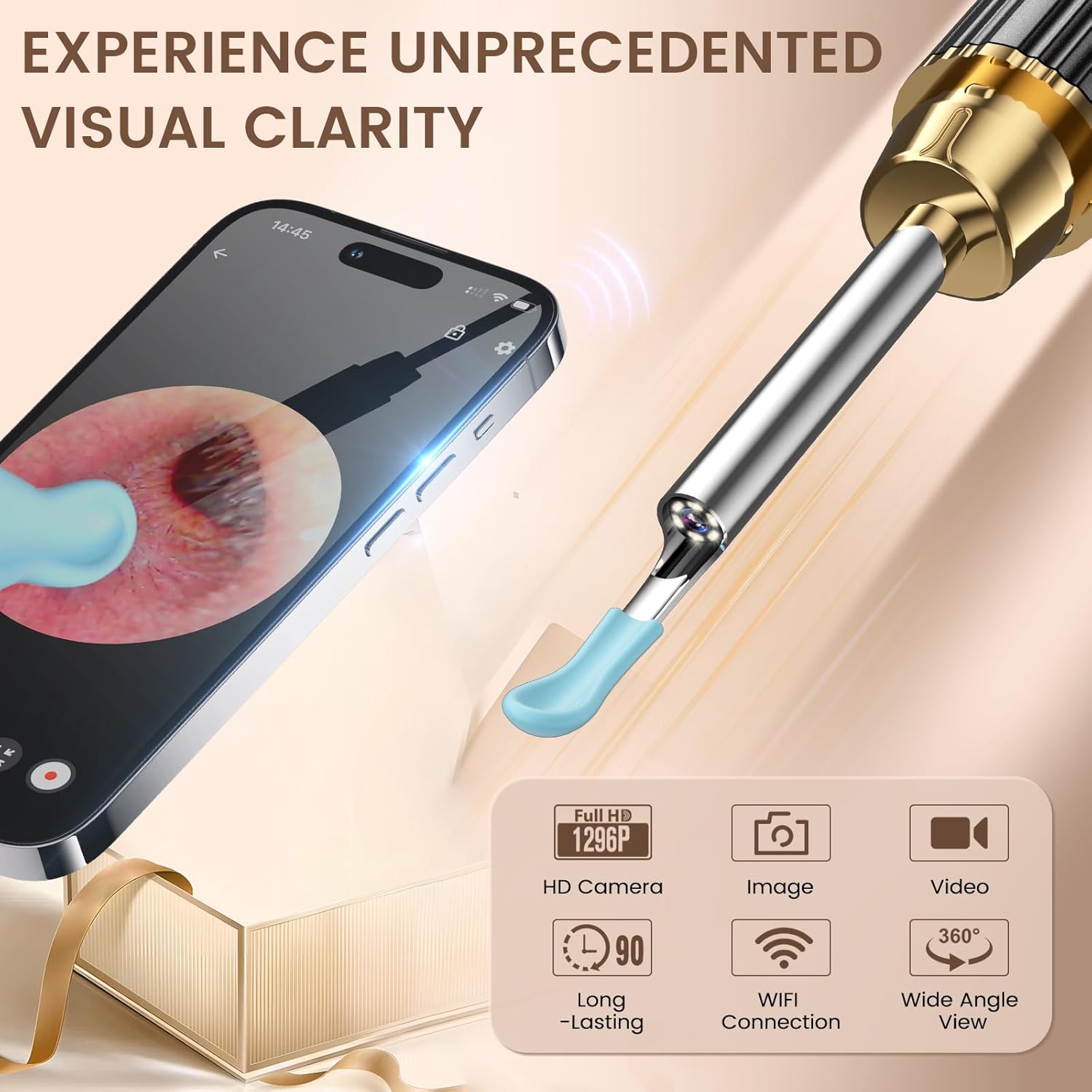
Image: A smartphone displaying the 1296P HD live feed from the Kekoy P8 ear cleaner, emphasizing visual clarity and features like image/video capture, long-lasting battery, Wi-Fi connection, and wide-angle view.

Image: An illustration showing the Kekoy P8 device inside an ear canal, highlighting its 360-degree wide lens, 6 bright LED lights, and 3.5 mm lens for comprehensive viewing.
2. Earwax Removal
Carefully insert the device into the ear canal while observing the real-time feed on your connected device. Use the silicone ear spoon to gently scoop out visible earwax. Avoid pushing wax deeper into the ear canal. Take your time and proceed with caution to prevent irritation or injury.

Image: A comparison showing the safe and convenient use of the Kekoy P8 ear camera for ear health visualization, contrasting it with unsafe methods like using fingers, cotton swabs, or pliers. The image emphasizes smooth use, high speed, and no lag.
3. Versatile Applications
Beyond earwax removal, the Kekoy P8 can be used for various inspections due to its high-definition camera and compact design. It is suitable for adults, children, and even pets.
- Scalp Inspection: Examine the root of your scalp for dryness, irritation, or other conditions.
- Nose Inspection: Gently inspect nasal passages.
- Tooth/Mouth Inspection: View teeth and gums for oral hygiene checks.
- Skin Inspection: Observe skin conditions or hard-to-reach areas.

Image: An illustration showcasing the versatility of the Kekoy P8 for inspecting various body parts, including the scalp, nose, teeth, and skin, in addition to ear care.
4. Recording and Capturing
The EarVision app allows you to take pictures and record videos of your inspections. This feature can be useful for tracking changes over time or sharing visual information with a healthcare professional.
Video: A demonstration of the Kekoy earwax removal tool in use, showing the live camera feed on a smartphone as earwax is gently removed. The video highlights the clarity and real-time functionality of the device.
Maintenance
1. Cleaning the Device and Tips
The device features an IP67 waterproof lens, allowing for easy cleaning with water or alcohol. After each use, carefully remove the silicone ear spoon and clean both the spoon and the device's lens. Ensure the device is dry before storing.

Image: An illustration detailing the cleaning process for the Kekoy P8, emphasizing its IP67 waterproof lens, and options for water or alcohol cleaning.
2. Storage
Store the Kekoy P8 and its accessories in a clean, dry place, preferably in its original exquisite gift packaging, to protect it from dust and damage.
Troubleshooting
- No Image on App: Ensure the device is powered on and correctly connected to the "softfish-XXXX" Wi-Fi network. Restart both the device and the app if necessary.
- Poor Image Quality: Check if the lens is clean. Clean it gently with a soft cloth or cotton swab. Ensure adequate lighting from the device's LEDs.
- Device Not Charging: Verify the Type-C cable is properly connected to both the device and a power source. Check the charging indicator light.
- Ear Spoon Feels Loose: Remove and reattach the silicone ear spoon, ensuring it is twisted clockwise until securely fastened. Replace if the spoon or attachment point is damaged.
Specifications
| Feature | Specification |
|---|---|
| Model | P8 |
| Camera Resolution | 1296P HD |
| Connectivity | WiFi (iOS & Android 7+) |
| Battery Capacity | 230mAh |
| Continuous Usage Time | Up to 90 minutes |
| Standby Time | Up to 20 days |
| Waterproof Rating | IP67 (lens) |
| Lens Diameter | 3.5 mm |
| LED Lights | 6 Bright LEDs |
Warranty and Support
Kekoy offers a 12-month service for this product. If you have any questions or concerns regarding your Kekoy P8 Ear Cleaner, please reach out to our dedicated customer service team. We are available to assist you promptly within 12 hours.
Contact information for customer service can typically be found on the product packaging or the official Kekoy website.