
1. Introduction
This manual provides detailed instructions for the installation, maintenance, and troubleshooting of the Goodsby Side Brush Motor. This replacement part is designed to restore optimal side brush functionality to your compatible Ecovacs Deebot robot vacuum cleaner. Please read this manual thoroughly before proceeding with installation or maintenance.
2. Product Overview
The Goodsby Side Brush Motor is a crucial component responsible for rotating the side brushes on your Ecovacs Deebot robot vacuum, ensuring effective cleaning along edges and in corners. This motor is engineered for durability and precise operation.
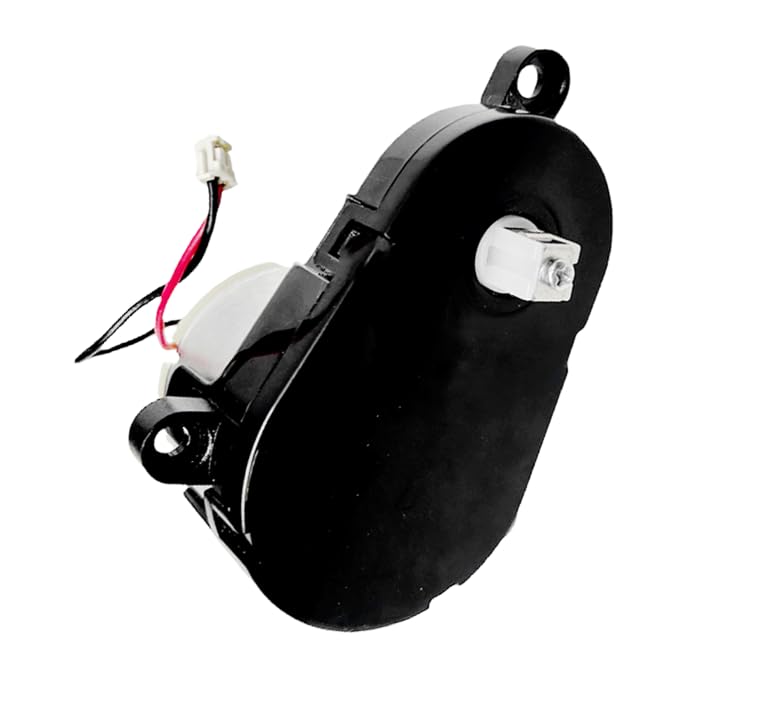
Image 1: Top-down view of the Goodsby Side Brush Motor. This image displays the compact design of the motor unit, including the wiring harness and the output shaft for the side brush.
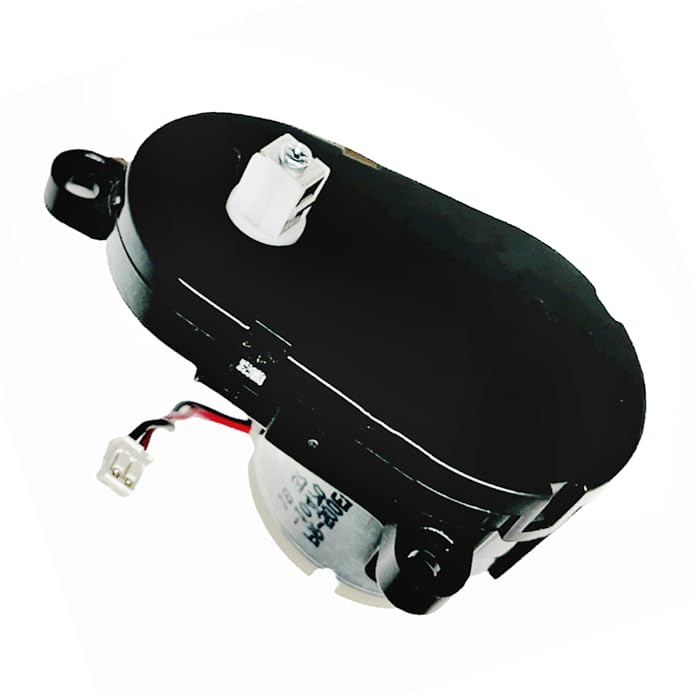
Image 2: Angled view of the Goodsby Side Brush Motor. This perspective highlights the motor's housing and the connector for electrical attachment within the vacuum cleaner.
3. Compatibility
This Goodsby Side Brush Motor is compatible with the following Ecovacs Deebot robot vacuum cleaner models:
- Ecovacs Deebot N79, N79S, N79SE, N79W
- Ecovacs Deebot DN622, DN622.11, DN622.31
- Ecovacs Deebot 500, 600, 601, 605, 710, 711s
- Ecovacs Deebot DC3G, DO3G, DO3G.11, DO3G.12, DO3G.23
- Ecovacs Deebot DS3G.10, DS5G
Please verify your vacuum cleaner's model number before installation to ensure compatibility.
4. Package Contents
The package includes:
- 1x Goodsby Side Brush Motor
5. Safety Information
Always observe the following safety precautions:
- Disconnect Power: Always turn off and unplug your robot vacuum cleaner from its charging base and power outlet before performing any maintenance or installation.
- Handle with Care: The motor contains delicate electronic components. Handle it gently to avoid damage.
- Proper Tools: Use appropriate tools (e.g., small Phillips head screwdriver) to prevent damage to screws or the vacuum's housing.
- Keep Dry: Do not expose the motor or vacuum cleaner to water or excessive moisture.
- Adult Supervision: Keep out of reach of children.
6. Installation Instructions
Follow these steps to replace the side brush motor in your Ecovacs Deebot robot vacuum cleaner:
- Prepare the Vacuum: Turn off your Ecovacs Deebot and disconnect it from its charging base. Flip the robot over to access its underside.
- Remove Side Brushes: Gently pull off the existing side brushes. They are usually held in place by friction or a single screw.
- Access the Motor Compartment: Locate the screws that secure the bottom cover of the vacuum cleaner. Carefully remove these screws using a small Phillips head screwdriver. Some models may require removing the battery cover first.
- Locate the Old Motor: Once the bottom cover is removed, identify the side brush motor(s). There may be one or two, depending on your model. The motor is typically a small, enclosed unit with wires connected to it.
- Disconnect Old Motor: Carefully disconnect the wiring harness from the old motor. Note the orientation of the wires if they are not color-coded or keyed.
- Remove Old Motor: Unscrew any screws holding the old motor in place and remove it from its housing.
- Install New Motor: Place the new Goodsby Side Brush Motor into the housing. Ensure it fits securely.
- Connect New Motor: Connect the wiring harness to the new motor. Ensure the connection is firm and correctly oriented.
- Reassemble: Reattach the bottom cover of the vacuum cleaner, ensuring all screws are tightened securely. Reinstall the side brushes.
- Test Functionality: Place the robot back on its charging base and power it on. Initiate a cleaning cycle to verify that the side brushes rotate correctly.
If you encounter any difficulties, refer to your specific Ecovacs Deebot model's user manual for detailed disassembly instructions or seek professional assistance.
7. Maintenance
While the side brush motor itself requires minimal maintenance, proper care of the side brushes and surrounding area will prolong the motor's lifespan:
- Clean Side Brushes Regularly: Remove hair, dust, and debris tangled around the side brushes and their shafts. This prevents strain on the motor.
- Inspect for Damage: Periodically check the side brushes for wear or damage. Replace them if they are bent or excessively worn.
- Keep Area Clear: Ensure the area around the side brush motor housing is free from obstructions.
8. Troubleshooting
If your side brushes are not functioning correctly after motor replacement, consider the following:
| Problem | Possible Cause | Solution |
|---|---|---|
| Side brushes not rotating |
|
|
| Side brushes rotating slowly or intermittently |
|
|
9. Specifications
- Model Name: GFE DN622 - SIDE MOTOR
- Item Weight: 4 ounces
- Manufacturer: Goodsby
- UPC: 659459422750
- Compatibility: Ecovacs Deebot N79 series and other listed models.
10. Customer Support
Goodsby is committed to providing quality products and customer satisfaction. If you have any questions, concerns, or require assistance with your side brush motor, please do not hesitate to contact us. Your satisfaction is our priority.
For support, please refer to the contact information provided with your purchase or visit the official Goodsby website.