
Qaekie OpenPods T22
Qaekie Open Ear Headphones User Manual
Model: OpenPods T22
1. Introduction
Thank you for choosing Qaekie Open Ear Headphones. These wireless earbuds are designed to provide a comfortable and safe listening experience, allowing you to enjoy high-quality audio while remaining aware of your surroundings. Ideal for sports, workouts, and daily use, they feature an innovative open-ear design and advanced audio technology.

Image: Qaekie Open Ear Headphones in their charging case, showcasing the sleek design and open-ear form factor.
2. Product Features
- Truly Open Ear Design: Rests gently on your ear without entering the ear canal, reducing ear fatigue and allowing environmental awareness.
- Adjustable & Secure Fit: Unique dual-axis design for horizontal and vertical adjustment, ensuring comfort and stability during various activities.
- Superior Sound Quality: Equipped with dual 14.2MM dynamic speakers and Bluetooth 5.4 for rich bass and clear audio.
- Crystal-Clear Calls: Features an HD microphone with AI Noise Reduction Algorithm Technology for clear conversations.
- Long Battery Life: Up to 10 hours of playback on a single charge, extended to 25-30 hours with the portable charging case.
- IPX6 Water Resistance: Nano-coating protects against water and sweat, making them suitable for sports and outdoor use.
- Enhanced Safety: Maintain awareness of your surroundings, crucial for outdoor activities like running, cycling, and driving.
2.1. Design and Comfort

Image: Illustration demonstrating the biaxial rotation design, allowing for 60-degree and 180-degree adjustments for a customized fit.
The Qaekie Open Ear Headphones feature a unique dual-axis design that allows for both horizontal and vertical adjustment. This provides multiple angles for a customized fit, accommodating different ear shapes and sizes. The ergonomic design ensures a secure and comfortable fit, preventing discomfort even during extended wear or vigorous activities.
2.2. Audio Performance

Image: An exploded diagram illustrating the 14.2mm dynamic speaker and internal components responsible for delivering deep bass and clear sound.
Equipped with dual 14.2MM dynamic speakers and Bluetooth 5.4 technology, these headphones deliver a 360-degree superior deep bass experience. The high compliance diaphragm reproduces a rich bass range, while volume-optimized active EQ maintains clear and balanced audio at any volume. The integrated HD microphone with AI Noise Reduction Algorithm Technology ensures your calls are clear and easy to hear.
2.3. Durability and Battery Life

Image: A woman engaged in physical activity, showing sweat, to illustrate the IPX6 water resistance and sweatproof capabilities of the headphones.
The OpenPods T22 are rated IPX6 waterproof, meaning the nano-coating on the earbuds' surface effectively prevents water and sweat penetration. This makes them ideal for intense workouts and outdoor activities. Each earbud has a 50mAH battery, providing 8-10 hours of playback. The 500mAH charging case extends total playback time to 25-30 hours, allowing for multiple recharges on the go.
3. What's in the Box
- 1 x Wireless Charging Case
- 2 x Open Ear Earbuds (Left & Right)
- 1 x User Manual
- 1 x Type-C Charging Cable
4. Setup Guide
4.1. Charging the Headphones and Case
Before first use, fully charge the headphones and the charging case. Connect the provided Type-C charging cable to the charging case and a USB power source. The charging indicator light on the case will show charging status. A full charge for the case takes approximately 1-2 hours.
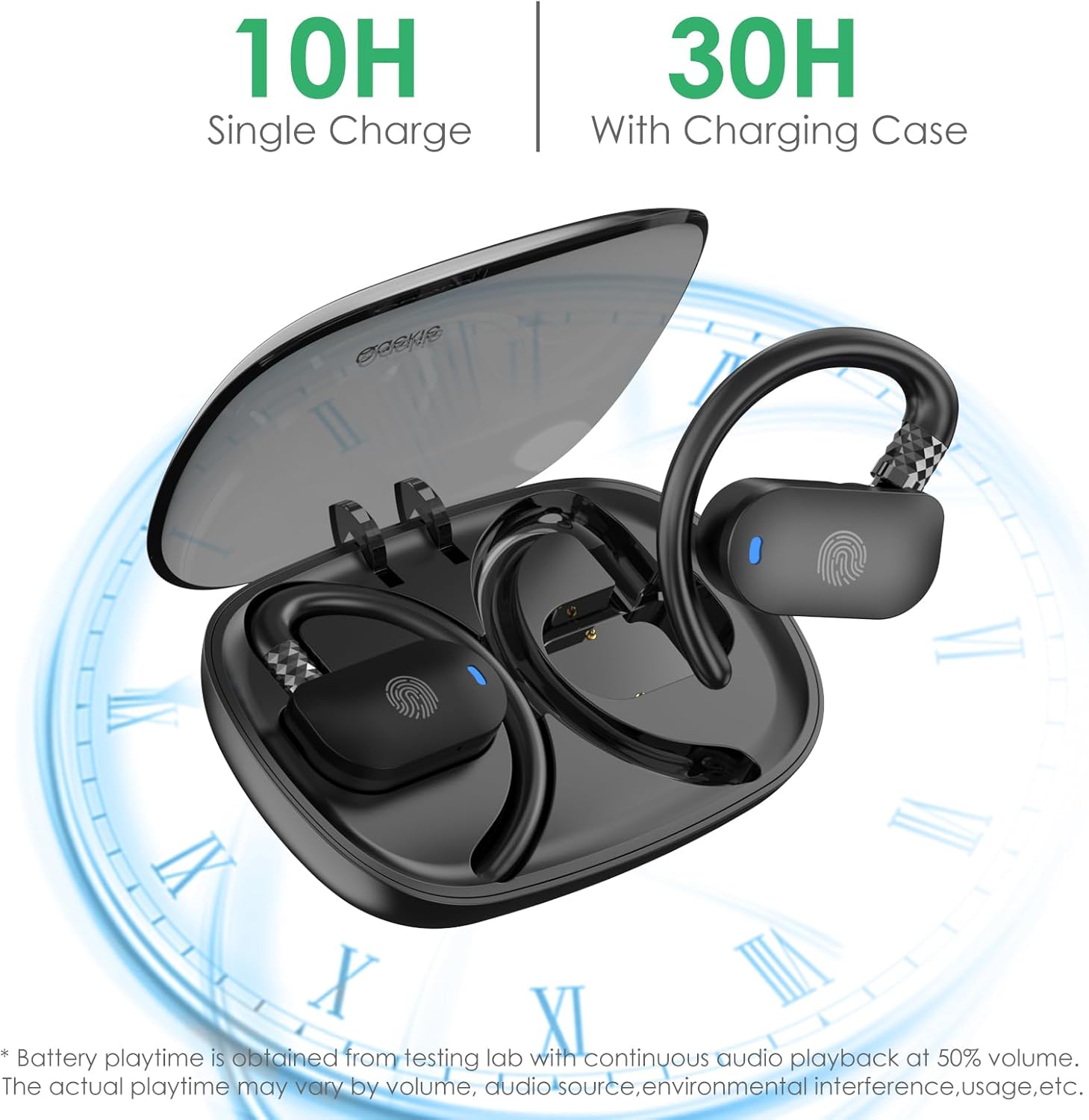
Image: Visual representation of the 10-hour single charge battery life and 30-hour total playtime with the charging case.
4.2. Bluetooth Pairing
- Ensure the headphones are charged.
- Open the charging case. The earbuds will automatically power on and enter pairing mode.
- On your device (smartphone, tablet, laptop), go to Bluetooth settings and turn Bluetooth on.
- Search for available devices and select "OpenPods T22" from the list.
- Once connected, you will hear a confirmation tone, and the indicator light on the earbuds will change.
After the initial pairing, the earbuds will automatically connect to the last paired device when the charging case is opened, provided Bluetooth is enabled on your device.

Image: A visual depicting the automatic Bluetooth 5.4 pairing process when the charging case is opened, connecting to a smartphone.
5. Operating Instructions
The Qaekie Open Ear Headphones feature intuitive touch controls on each earbud for easy management of music playback, calls, and voice assistant functions.
5.1. Touch Controls
| Function | Action |
|---|---|
| Power On | Long touch "L" or "R" button for 3 seconds. |
| Power Off | Long touch "L" or "R" button for 3 seconds. |
| Play/Pause Music | Touch the "L" or "R" button twice. |
| Answer Call | Touch "L" or "R" button one time. |
| Hang Up Call | Long touch "L" or "R" button for 2 seconds. |
| Reject Call | Long touch "L" or "R" button for 2 seconds. |
| Volume Up | Touch "R" button one time. |
| Volume Down | Touch "L" button one time. |
| Next Song | Long touch the "R" button for 2 seconds. |
| Previous Song | Long touch the "L" button for 2 seconds. |
| Activate Voice Assistant (Siri) | Touch "L" button three times. |
| Last Number Redial | Touch "R" button three times. |
6. Maintenance
- Cleaning: Use a soft, dry, lint-free cloth to clean the earbuds and charging case. Do not use abrasive cleaners or solvents.
- Water Resistance: The earbuds are IPX6 water resistant, meaning they can withstand strong jets of water. However, they are not designed for submersion. Avoid prolonged exposure to water and do not wear them while swimming or showering. Ensure they are dry before placing them back in the charging case.
- Storage: Store the headphones in their charging case when not in use to protect them and keep them charged. Avoid extreme temperatures.
7. Troubleshooting
| Problem | Possible Solution |
|---|---|
| Headphones not powering on. | Ensure the headphones are charged. Place them in the charging case and close the lid, then open it again. |
| Unable to pair with device. |
|
| No sound or low volume. |
|
| Intermittent connection. |
|
8. Specifications
| Feature | Detail |
|---|---|
| Model Name | OpenPods T22 |
| Brand | Qaekie |
| Connectivity Technology | Wireless, Bluetooth 5.4 |
| Ear Placement | Open Ear |
| Audio Driver Size | 14.2 Millimeters |
| Battery Life (Earbuds) | Up to 10 Hours |
| Battery Life (with Charging Case) | 25-30 Hours |
| Charging Time | 1-2 Hours (Charging Case) |
| Water Resistance Level | IPX6 |
| Control Type | Touch Control |
| Bluetooth Range | 10 Meters |
| Material | Polycarbonate (PC), Acrylonitrile Butadiene Styrene (ABS) |
| Item Weight | 4.2 ounces |
9. Warranty and Support
Qaekie offers a comprehensive warranty and dedicated customer support for your Open Ear Headphones.
- 30 Days Money Back Guarantee: If you are not satisfied with your purchase, you may return it within 30 days for a full refund.
- Lifetime Free Replacement: Qaekie provides lifetime free replacement for any manufacturing defects or issues not caused by misuse.
- Customer Service: For any questions, concerns, or support needs, please do not hesitate to contact Qaekie's 24-hour online customer service.
For further assistance, please refer to the contact information provided on the product packaging or the official Qaekie website.
Related documentsOpenPods T22


Ask a question about this manual
Ask about setup, troubleshooting, compatibility, parts, safety, or missing instructions. Manuals+ will review the question and use this page’s manual context to help answer it.