
1. Introduction
The ZhenBaoTian V519 OBD2 Scanner is a professional diagnostic tool designed for automotive enthusiasts and mechanics. It supports all 10 OBDII test modes, enabling comprehensive vehicle diagnostics including reading and clearing fault codes, viewing live data, I/M readiness checks, O2 monitor tests, and more. This manual provides detailed instructions for the proper use, maintenance, and troubleshooting of your V519 scanner.
2. Safety Information
Always observe safety precautions when working on a vehicle.
- Ensure the vehicle is parked on a level surface with the parking brake engaged.
- Wear appropriate personal protective equipment, such as safety glasses and gloves.
- Do not operate the scanner in wet conditions.
- Keep the scanner away from heat sources and open flames.
- Avoid touching hot engine components.
- Refer to your vehicle's service manual for specific safety procedures.
3. Product Overview
The V519 OBD2 Scanner features a user-friendly design with a color display and intuitive button layout.
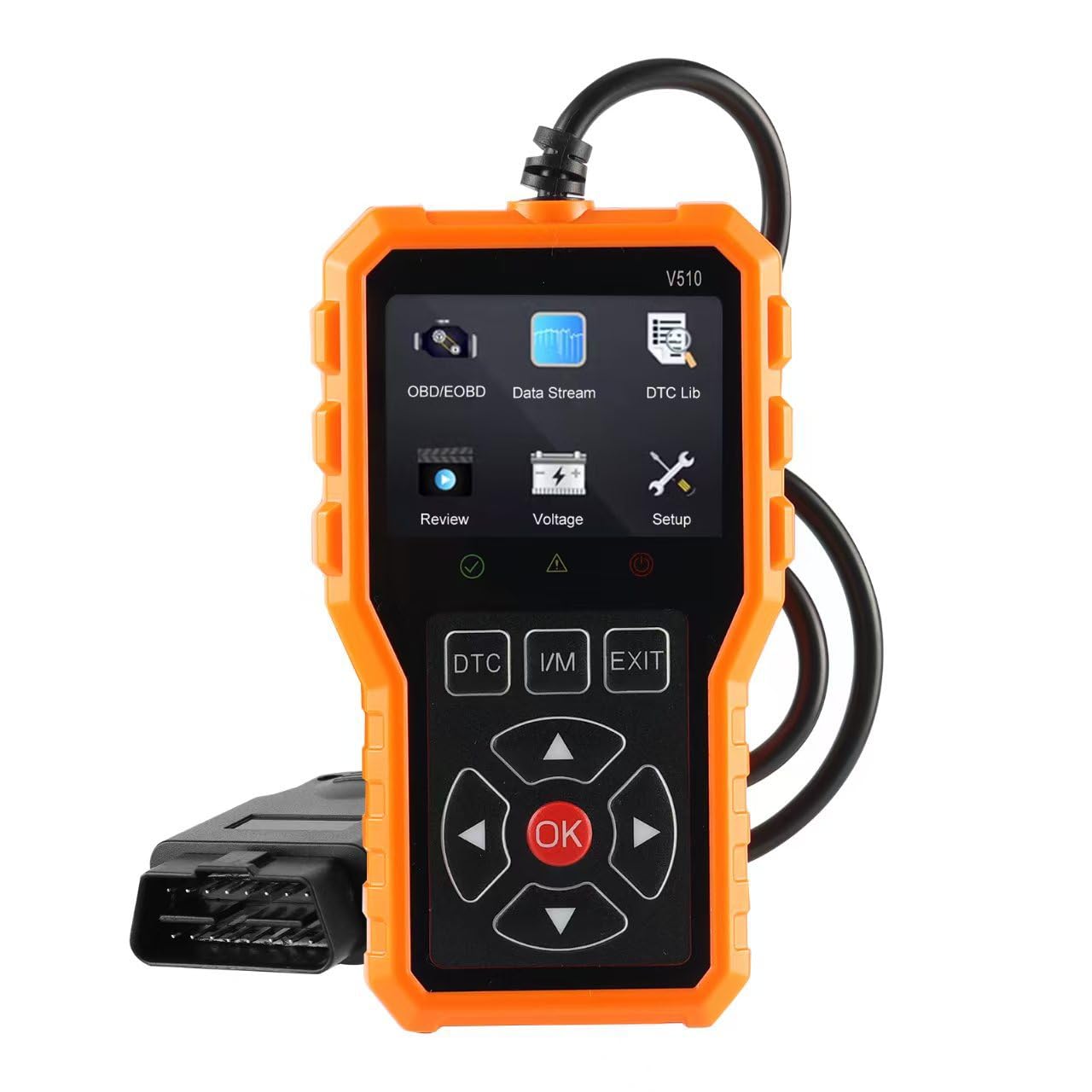
Figure 3.1: Front view of the V519 OBD2 Scanner, highlighting the 2.8-inch color screen, navigation buttons (up, down, left, right, OK), function buttons (F1, F2, EXIT), and status indicators (IM Readiness, Fast Read Fault). The OBDII connector cable is visible on the left.
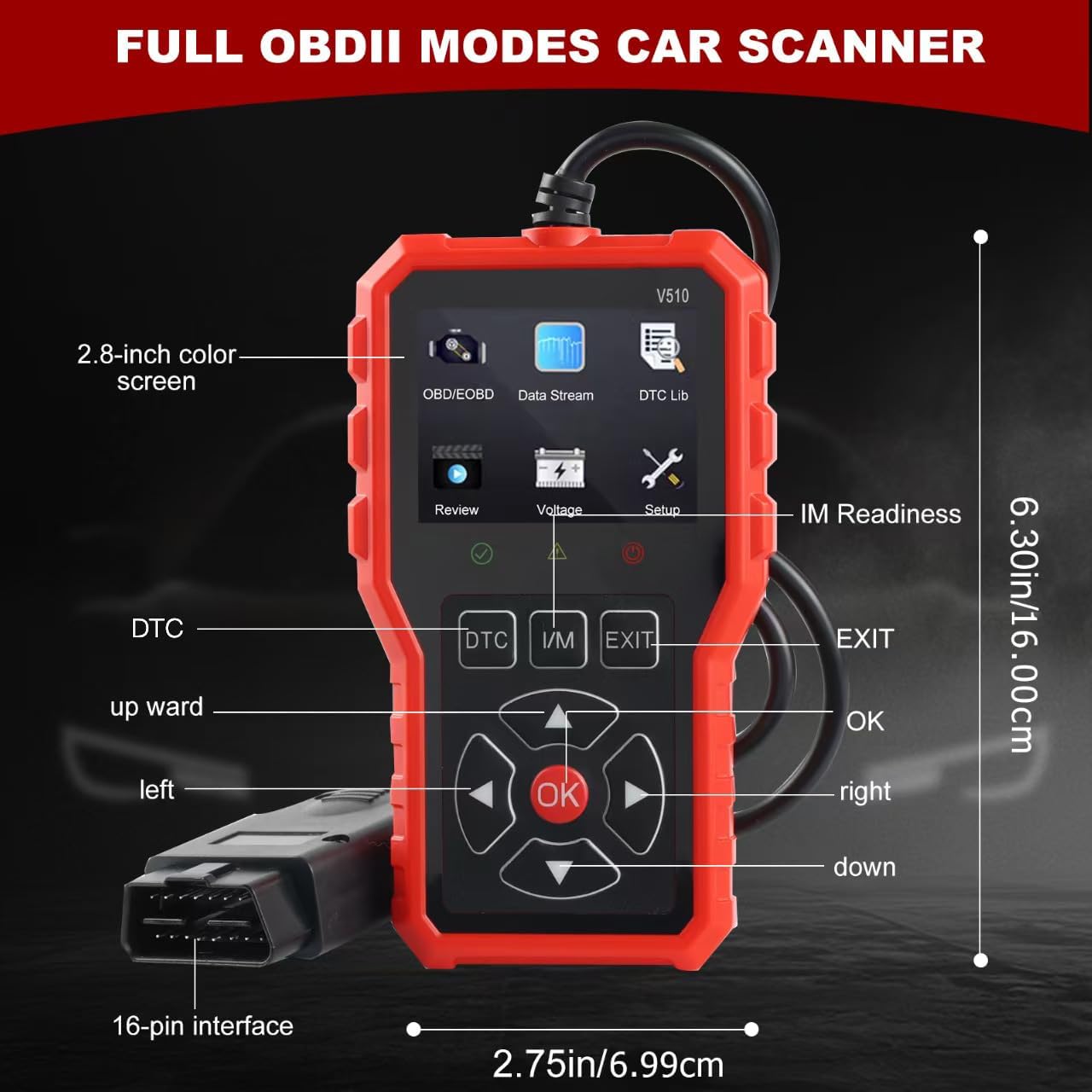
Figure 3.2: The V519 OBD2 Scanner showing its physical dimensions (approximately 6.30 inches / 16.00 cm in height and 2.75 inches / 6.99 cm in width) and the 16-pin interface connector.
3.1. Device Components
- 2.8-inch Color Screen: Displays diagnostic information, menus, and DTC definitions.
- Navigation Buttons: Up, Down, Left, Right, and OK buttons for menu navigation and selection.
- Function Buttons: F1, F2 for specific functions, and EXIT to return to the previous screen or exit a menu.
- IM Readiness Indicators: LEDs (red, orange, green) to quickly show emission readiness status.
- OBDII Connector: Standard 16-pin connector for linking to the vehicle's OBDII port.
- Reinforced Cable: Durable cable connecting the scanner to the OBDII connector.
4. Setup and Connection
Follow these steps to connect the V519 scanner to your vehicle:
- Locate the vehicle's 16-pin Data Link Connector (DLC). This is usually located under the dashboard on the driver's side.
- Ensure the vehicle's ignition is OFF.
- Plug the V519 scanner's OBDII connector firmly into the vehicle's DLC.
- Turn the vehicle's ignition to the ON position (engine off). The scanner will power on automatically.
- The scanner is now ready for use.
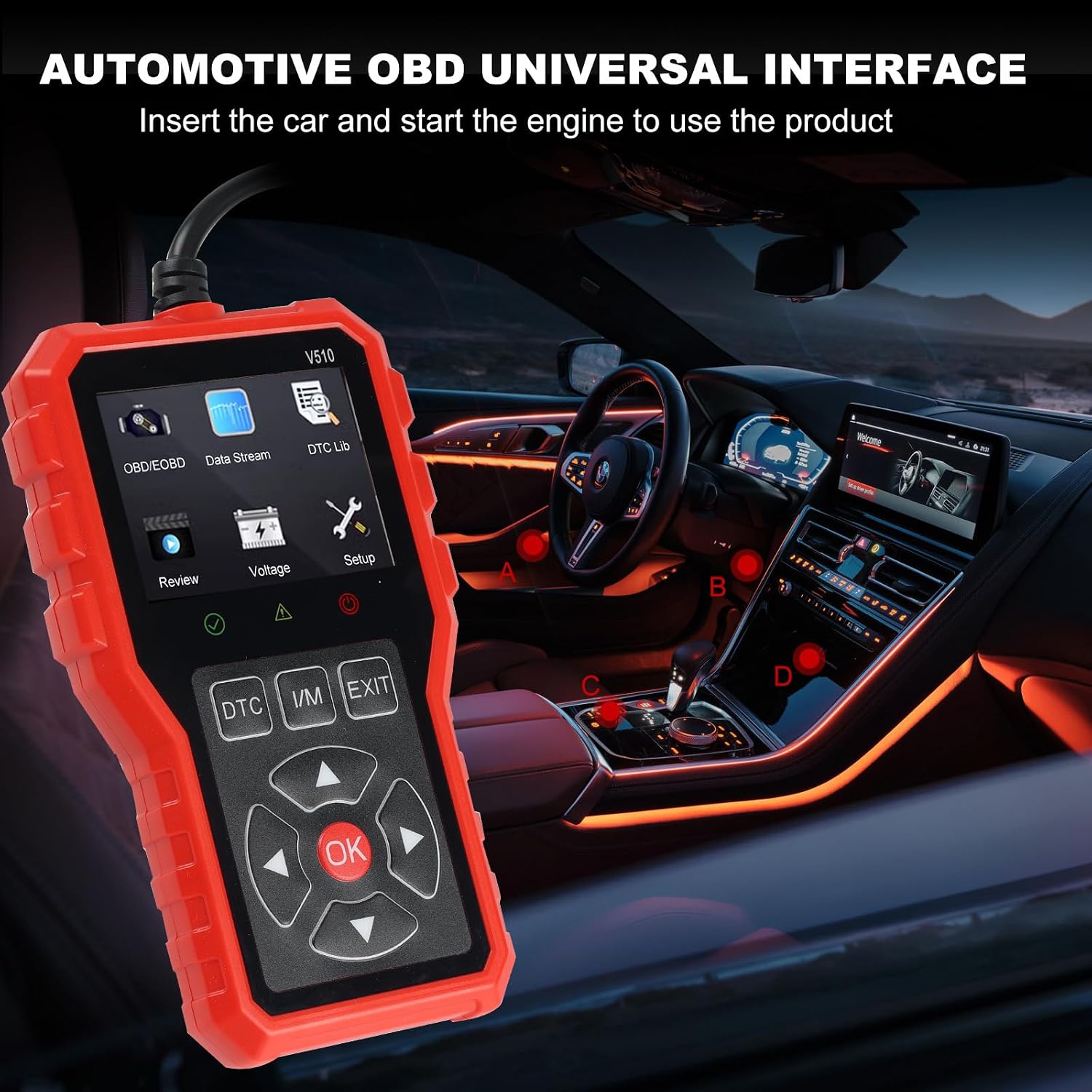
Figure 4.1: The V519 OBD2 Scanner connected to a vehicle's OBDII port, ready for diagnostic operations.
5. Operating Instructions
The V519 scanner supports all 10 OBDII test modes, providing comprehensive diagnostic capabilities.
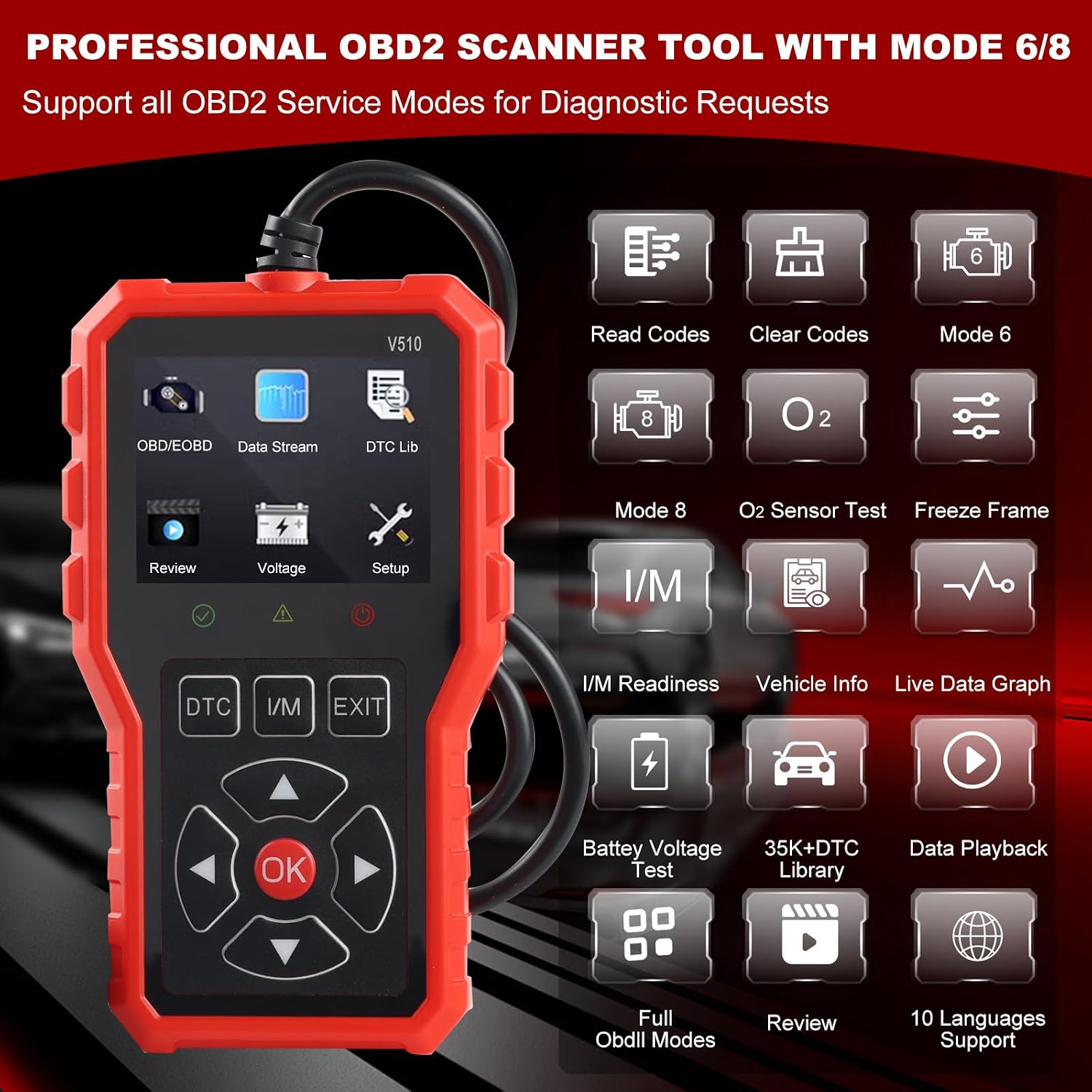
Figure 5.1: Main menu interface of the V519 scanner, displaying options such as OBD/EOBD, Data Stream, DTC Lib, Review, Voltage, and Setup.
5.1. Main Menu Functions
- OBD/EOBD: Accesses the primary diagnostic functions for reading and clearing codes, live data, freeze frame, etc.
- Data Stream: Displays real-time data from various vehicle sensors.
- DTC Lib (DTC Lookup): Provides definitions and descriptions for Diagnostic Trouble Codes.
- Review: Allows reviewing previously saved diagnostic data.
- Voltage: Displays current battery voltage.
- Setup: Configures scanner settings such as language, unit of measure, etc.
5.2. OBDII Diagnostic Modes
The V519 supports the following OBDII service modes:
- Read Codes: Retrieves Diagnostic Trouble Codes (DTCs) from the vehicle's computer.
- Clear Codes: Erases DTCs and turns off the Check Engine Light (MIL).
- Live Data: Displays real-time operating parameters of the vehicle.
- Freeze Frame Data: Shows a snapshot of vehicle operating conditions at the time a fault code was set.
- I/M Readiness: Checks the status of emission-related monitors.
- O2 Monitor Test: Retrieves O2 sensor monitor test results.
- On-Board Monitor Test (Mode 6): Retrieves test results for emission-related powertrain components and systems that are not continuously monitored.
- Component Test (Mode 8): Enables bi-directional control of vehicle components.
- Vehicle Information (Mode 9): Retrieves vehicle information such as VIN, Cal ID, and CVN.
- Modules Present: Identifies communication modules present in the vehicle.

Figure 5.2: The DTC Lookup feature on the V519 scanner, showing how to search for and display definitions of various fault codes. The device has over 35,901 built-in fault codes.

Figure 5.3: The I/M Readiness Monitor function, providing a quick status check of emission systems like MIL, DTC, MIS, EVAP, O2S, and EGR.
5.3. Enhanced Features
- DTC Lookup: Built-in library with over 35,901 fault codes, providing instant definitions and descriptions without needing external searches.
- One-Click I/M Readiness Key: Patented feature for quick emission readiness checks and drive cycle verification.
- AVOmeter Functionality: Capable of testing voltage, continuity, and current. This allows for diagnosing 12V charging systems, starting systems, and battery conditions.
- Data Analysis & Printing: Memory/backup battery for data analysis and the ability to print data via PC for further review.
- Multi-Language Support: Supports 9 languages for broader accessibility.

Figure 5.4: The V519 scanner supports 9 languages including English, German, French, Dutch, Italian, Spanish, Chinese, Japanese, and Portuguese. It also lists supported OBD2 protocols.
6. Maintenance
Proper maintenance ensures the longevity and reliable operation of your V519 scanner.
- Cleaning: Use a soft, damp cloth to clean the scanner's exterior. Do not use abrasive cleaners or solvents.
- Storage: Store the scanner in a dry, cool place, away from direct sunlight and extreme temperatures.
- Cable Care: Avoid bending or twisting the OBDII cable excessively. Store it neatly to prevent damage.
- Software Updates: Check the manufacturer's website periodically for software updates to ensure optimal performance and compatibility.
7. Troubleshooting
If you encounter issues with your V519 scanner, refer to the following common troubleshooting steps:
| Problem | Possible Cause | Solution |
|---|---|---|
| Scanner does not power on. |
|
|
| Communication error with vehicle. |
|
|
| Screen is blank or frozen. |
|
|
8. Specifications
| Feature | Detail |
|---|---|
| Model Number | V519 |
| Brand | ZhenBaoTian |
| Display | 2.8-inch Color Screen |
| Native Resolution | 480 x 272 |
| Power Source | Wired Electric (via OBDII port) |
| Included Components | V519 Scanner Unit |
| Supported Protocols | SAE J1850 PWM, SAE J1850 VPW, ISO9141-2, ISO14230-4 KWP, ISO15765-4 CAN |
| Language Support | English, German, French, Dutch, Italian, Spanish, Chinese, Japanese, Portuguese |
9. Warranty and Support
For warranty information and technical support, please refer to the documentation included with your purchase or contact ZhenBaoTian customer service.
The product is subject to a return policy, typically allowing returns or replacements within a specified period (e.g., 7 days as per product listing). Please check the retailer's return policy for details.