
1. Introduction and Overview
The Knog Scout iOS Smart Tag is designed for effortless luggage tracking and enhanced security. This compact device integrates with Apple's Find My network, allowing precise location tracking of your belongings. It features Bluetooth connectivity, iOS compatibility, and a motion-sensitive alarm to deter theft. The water-resistant design ensures reliable performance in various environments. The Scout Travel Smart Tag also offers digital contact information sharing via a scannable QR code and NFC technology for seamless integration with Apple's Find My lost mode function. It is powered by a USB-C rechargeable battery with a life of 2-4 months.
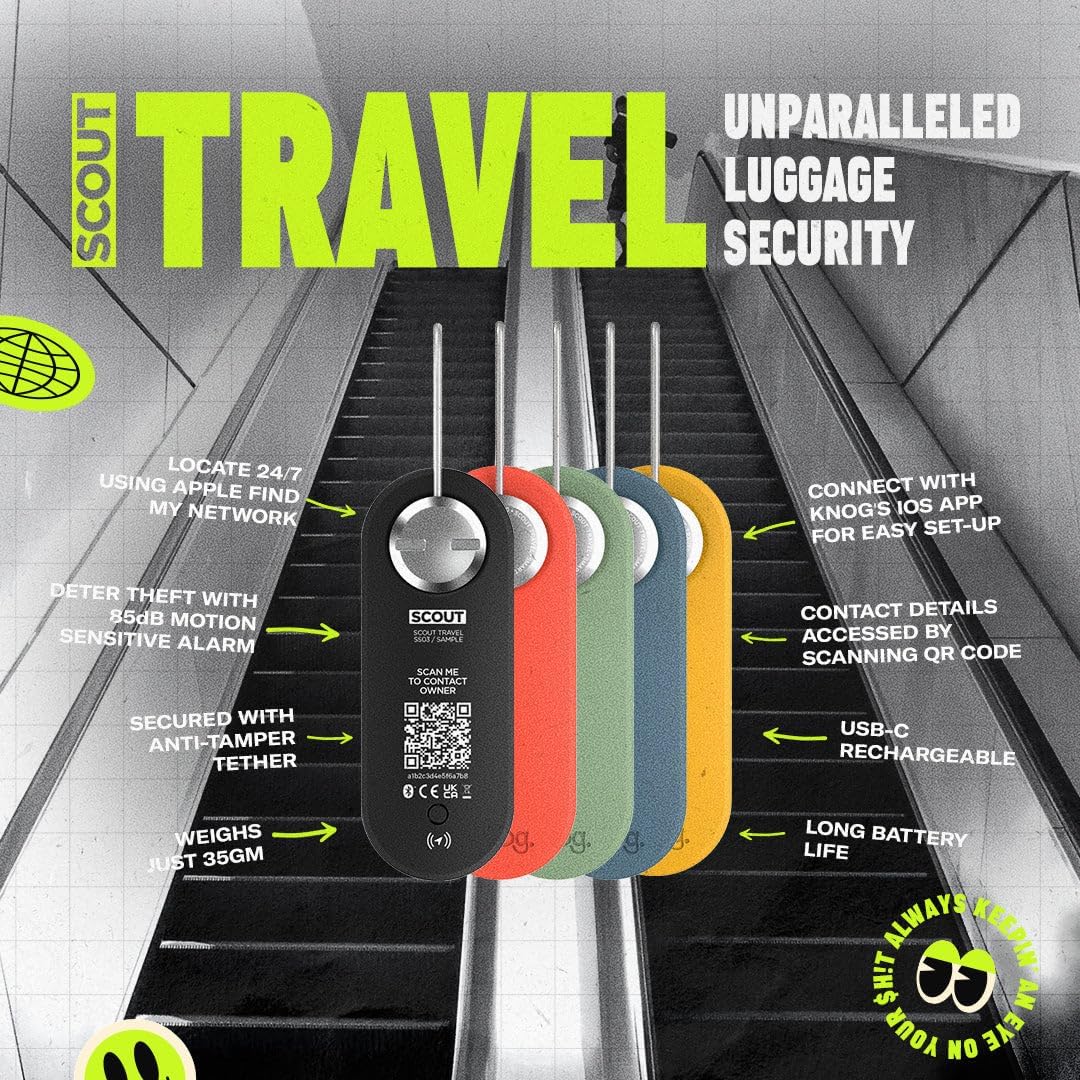
Image: The Knog Scout iOS Smart Tag, highlighting its features and design.
2. Key Features
- iOS Device Compatibility: Exclusively designed for iOS devices; not compatible with Android.
- Luggage Tracking: Utilizes Apple's Find My network for precise location tracking.
- Digital ID: Save and update contact information via the Knog iOS app, accessible by scanning a unique QR code on the device.
- 85 dB Motion-Sensitive Alarm: Deters theft by emitting a loud alarm and sending notifications to your iPhone when in Bluetooth range.
- USB-C Rechargeable Battery: Provides 2-4 months of battery life on a single charge (USB-C cable not included). Low battery alerts ensure continuous operation.
- Secure Attachment: Features an anti-tamper bolt and braided stainless-steel cable for confident attachment to luggage.
- Water-Resistant Design: Ensures durability and functionality in various weather conditions.
3. Setup Instructions
- Charge the Device: Before initial use, fully charge your Knog Scout iOS Smart Tag using a USB-C cable (not included). The USB-C port is located on the side of the device.
- Download the Knog iOS App: Search for and download the official Knog iOS app from the Apple App Store on your iPhone.
- Pair with Your iPhone: Follow the in-app instructions to pair your Scout Smart Tag with your iPhone. Ensure Bluetooth is enabled on your device.
- Attach to Luggage: Use the provided anti-tamper bolt and braided stainless-steel cable to securely attach the Scout Smart Tag to your luggage. Two different cable lengths are included to accommodate various bag types. Ensure the cable is properly routed and secured to prevent easy removal.
- Set Up Digital ID: Within the Knog app, enter your contact information to be stored as your digital ID. This information can be accessed by scanning the QR code on the tag if your luggage is found.

Image: Securely attaching the Knog Scout iOS Smart Tag to luggage.
4. Operating Instructions
- Tracking with Apple Find My: Once paired, your Scout Smart Tag will appear in the Apple Find My app. You can view its last known location on a map.
- Activating the Alarm: Use the Knog iOS app to arm the 85 dB motion-sensitive alarm. If the tag detects movement while armed, it will sound an alarm and send a notification to your iPhone (when within Bluetooth range). Disarm the alarm via the app when not needed.
- Lost Mode and Digital Contact: If your luggage is lost, activate 'Lost Mode' in the Apple Find My app. Anyone who finds your tag can tap it with an NFC-enabled smartphone or scan the QR code to retrieve your contact information, facilitating its return.
- Remote Chime Function: If you are within Bluetooth range but cannot locate your luggage, use the remote chime function in the app to make the tag emit a sound.
- Low Battery Alerts: The Knog app will provide notifications when the battery level is low, reminding you to recharge the device.
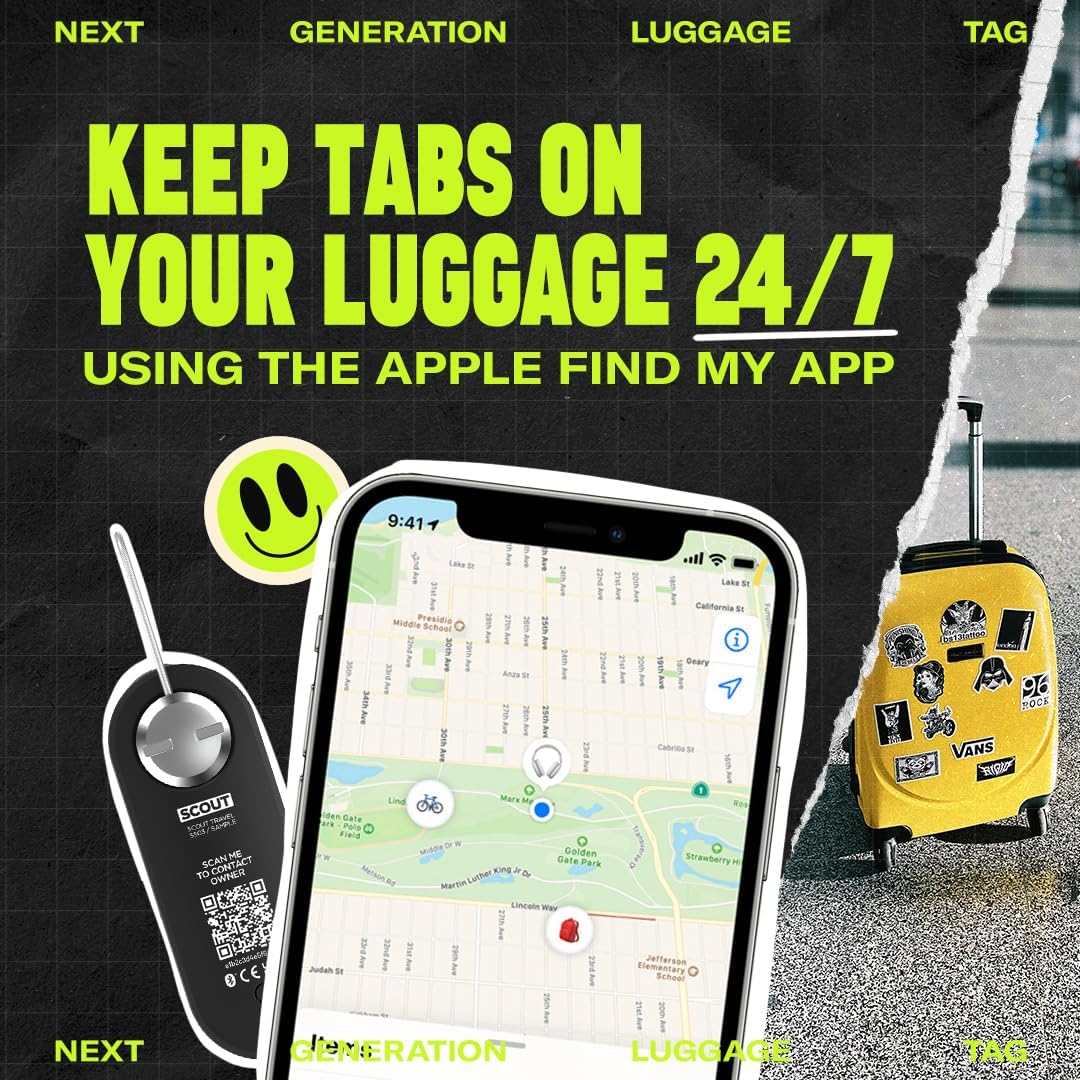
Image: Tracking luggage using the Apple Find My app.
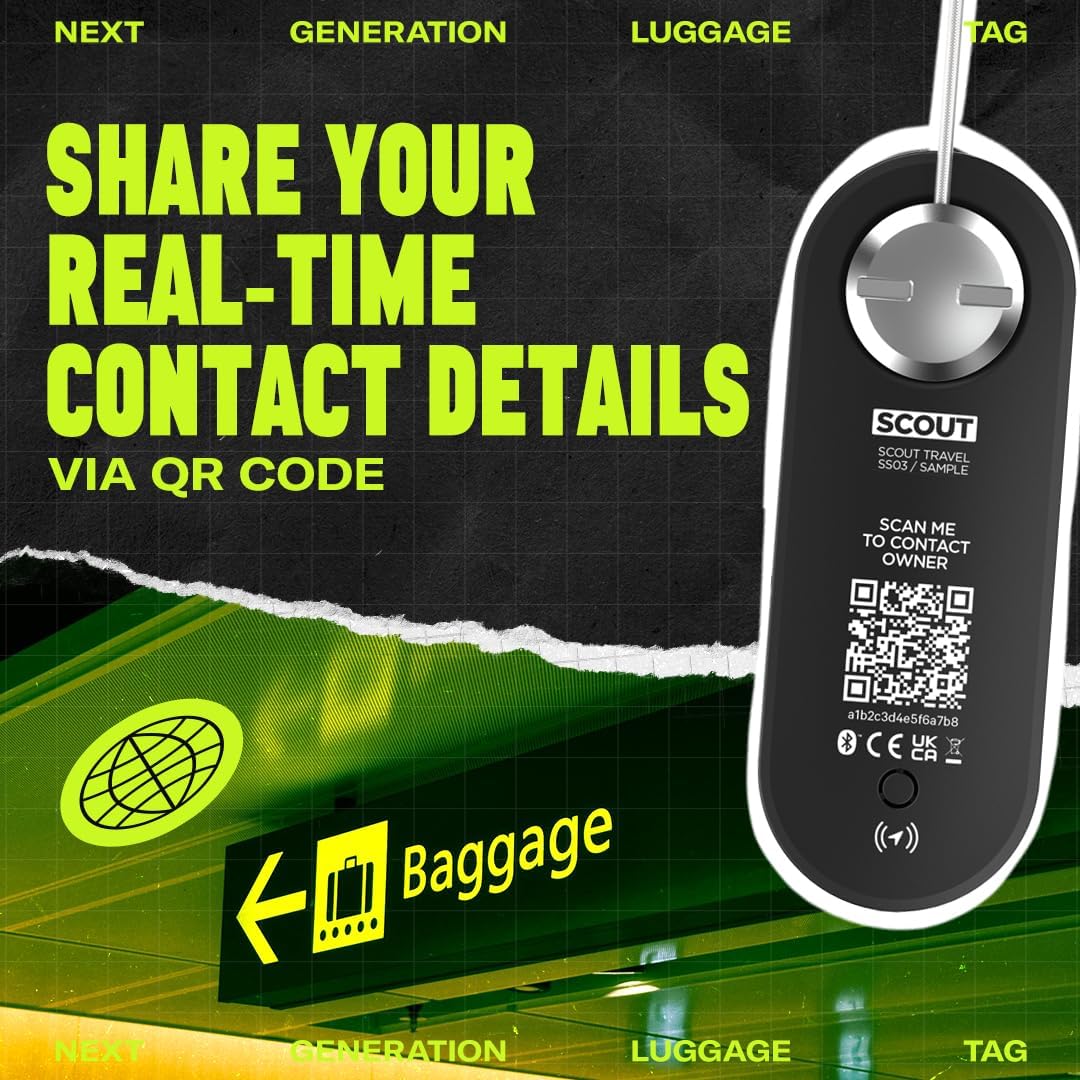
Image: The QR code on the Knog Scout iOS Smart Tag for digital contact sharing.

Image: The 85dB motion-activated alarm feature in action.
5. Maintenance
- Recharging: Recharge the device using a standard USB-C cable when the low battery alert is received.
- Cleaning: Wipe the device with a soft, damp cloth as needed. Avoid harsh chemicals or abrasive materials.
- Water Resistance: The device is water-resistant, but it is not designed for submersion. Avoid prolonged exposure to heavy rain or water.
6. Troubleshooting
- Device Not Connecting:
- Ensure the device is fully charged.
- Verify Bluetooth is enabled on your iOS device.
- Restart the Knog iOS app and your iPhone.
- Perform a factory reset on the Scout Smart Tag if issues persist (refer to app for specific instructions).
- Inaccurate Location Tracking:
- Ensure your iOS device has a stable internet connection.
- Location accuracy depends on the density of Apple devices in the vicinity. In remote areas, tracking may be less precise.
- Alarm Not Triggering:
- Confirm the alarm is armed within the Knog iOS app.
- Ensure your iPhone is within Bluetooth range of the tag for immediate notifications.
- Not Compatible with Android: This device is designed exclusively for iOS devices and will not function with Android smartphones or tablets.
7. Specifications
| Feature | Detail |
|---|---|
| Brand | KNOG |
| Batteries Included | Yes (1 Lithium Ion battery) |
| Material | Plastic |
| Compatible Devices | Smartphone, Tablet (iOS only) |
| Battery Average Life | 4 months |
| Connectivity Technology | Bluetooth, NFC |
| Control Method | App |
| Audible Noise (Alarm) | 85 Decibels |
| Item Weight | 35 Grams |
8. Warranty and Support
The Knog Scout iOS Smart Tag comes with a 2-year warranty from the date of purchase, covering manufacturing defects. For warranty claims, technical support, or additional product information, please visit the official KNOG store or contact their customer service.


