
1. Introduction
This manual provides instructions for setting up, operating, and maintaining your BUFFALO WSR-1500AX2L/N WiFi 6 router. This model offers high-speed Wi-Fi 6 connectivity, a compact design, and supports Wi-Fi EasyMesh for extended coverage.
The WSR-1500AX2L/N is a new entry-level Wi-Fi 6 router featuring simple design and functionality. It supports Wi-Fi 6 with 2-stream internal antennas (5GHz only) and is compatible with the Wi-Fi Alliance standard "Wi-Fi EasyMesh™ (R2)". It also supports "Smart Migration" for easy transfer of existing settings.
2. Package Contents
Please verify that all the following items are included in your package:
- BUFFALO WSR-1500AX2L/N WiFi Router
- AC Adapter
- LAN Cable (0.5m)
- Instruction Manual (with Warranty Card)

Image: The Buffalo WSR-1500AX2L/N router next to its brown cardboard packaging, illustrating the main unit and the included accessories: AC adapter, LAN cable (0.5m), and instruction manual.
3. Setup Guide
Setting up your router is a straightforward process using the AirStation app. Follow these steps for a quick installation:
- Install the AirStation App: Download and install the official Buffalo AirStation app on your iOS or Android smartphone.
- Position the Wi-Fi Router: Place the router in a central location within your home for optimal Wi-Fi coverage. Connect the AC adapter and power it on.
- Connect and Configure via App: Follow the on-screen instructions within the AirStation app to connect your router to the internet and configure your Wi-Fi settings. The app guides you through the process for easy setup.
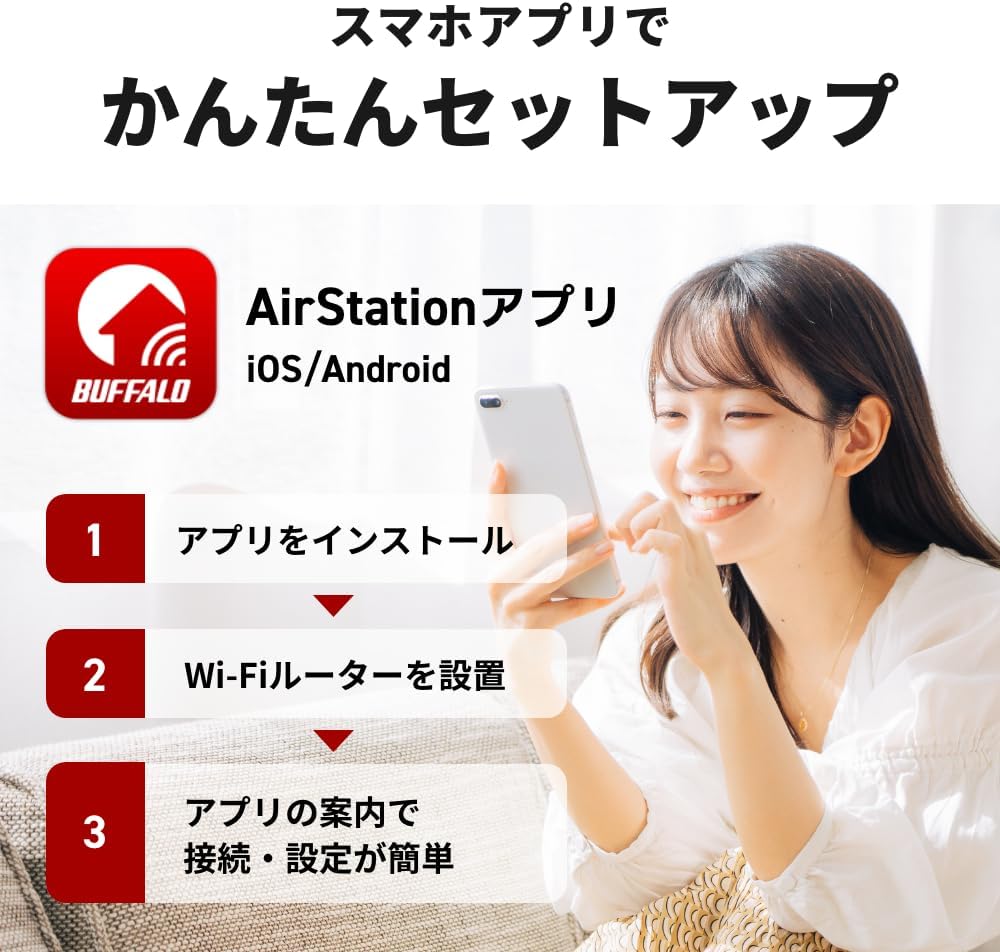
Image: A woman smiling while holding a smartphone, illustrating the easy setup process using the AirStation app. Text overlays indicate steps: 1. Install app, 2. Set up Wi-Fi router, 3. Easy connection and settings via app guidance.
4. Operating Instructions
4.1. Physical Connections
Identify the ports on the back of your router for proper connection:
- INTERNET Port (1Gbps x 1): Connect your modem's Ethernet cable to this port.
- LAN Ports (1Gbps x 3): Connect wired devices such as computers, gaming consoles, or smart TVs to these ports.

Image: A close-up view of the rear of the Buffalo WSR-1500AX2L/N router, highlighting the AOSS button, ROUTER/AP/WB switch, three Gigabit LAN ports, and one Gigabit INTERNET port.
4.2. Mode Switch
The router features a switch to select its operating mode:
- ROUTER Mode: Standard mode for connecting to the internet and creating a Wi-Fi network.
- AP (Access Point) Mode: Converts the router into an access point, extending an existing wired network with Wi-Fi.
- WB (Wireless Bridge) Mode: Allows the device to act as a wireless client to connect wired devices to a wireless network.
4.3. WPS/AOSS Button
Use the AOSS button for easy and secure connection of Wi-Fi devices without manually entering passwords. Press the AOSS button on the router, then activate WPS on your client device within two minutes.
5. Key Features
- High-Speed Wi-Fi 6 (11ax): Experience faster and more efficient wireless communication. Supports 5GHz at 1201Mbps and 2.4GHz at 300Mbps, providing a combined AX1500 speed.
- Compact Design: The router features a space-saving vertical design with internal antennas, making it suitable for various placement options including wall-mounting. Dimensions are approximately 55mm (width) x 159mm (height) x 130mm (depth), excluding protrusions.
- EasyMesh Support: Create a seamless Wi-Fi network throughout your home by combining this router with other EasyMesh-compatible devices. This extends coverage and eliminates dead zones.
- IPv6 IPoE Service Support: Optimized for faster internet speeds with IPv6 IPoE services, ensuring a smooth online experience.
- WPA3 Security: Enhanced security protocol (WPA3) protects your network from unauthorized access and cyber threats.
- Beamforming: Directs Wi-Fi signals towards connected devices, improving signal strength and performance.
- Recommended Environment: Suitable for 2-story houses or 3LDK apartments, supporting up to 12 devices and 4 users simultaneously.

Image: The Buffalo WSR-1500AX2L/N router with graphical overlays highlighting Wi-Fi 6, AX1500 speeds (1201Mbps for 5GHz, 300Mbps for 2.4GHz), compact design, EasyMesh compatibility, and IPv6 IPoE service support.
Image: The compact Buffalo WSR-1500AX2L/N router standing vertically on a desk next to a coffee mug, with dimensions (55mm width x 159mm height x 130mm depth) indicated.

Image: A diagram illustrating a house with multiple floors and rooms, showing how EasyMesh-compatible devices (represented by red dots) create a unified Wi-Fi network, providing coverage to various devices like laptops, gaming consoles, and smartphones.

Image: A man using a laptop in a living room, with graphical overlays indicating the recommended usage environment: 2-story house, 3LDK apartment, up to 12 devices, and 4 users.
6. Maintenance
To ensure optimal performance and longevity of your router, follow these maintenance guidelines:
- Keep Clean: Regularly wipe the router with a soft, dry cloth to remove dust. Avoid using liquid cleaners.
- Proper Ventilation: Ensure the router is placed in a location with adequate airflow to prevent overheating. Do not cover ventilation openings.
- Firm Connections: Periodically check all cable connections (power, LAN, internet) to ensure they are secure.
- Firmware Updates: Check the Buffalo support website for available firmware updates to ensure your router has the latest features and security patches.
7. Troubleshooting
If you encounter issues with your router, try the following troubleshooting steps:
| Problem | Solution |
|---|---|
| No internet connection |
|
| Slow Wi-Fi speed |
|
| Cannot connect to Wi-Fi |
|
8. Specifications
| Feature | Detail |
|---|---|
| Brand | BUFFALO |
| Model Name | WSR-1500AX2L |
| Features | WPS, Access Point Mode, Internet Security |
| Frequency Band Class | Dual-Band |
| Wireless Communication Standard | 802.11ac, 802.11ax, 802.11g, 802.11n |
| Compatible Devices | Gaming Consoles, Smart TVs, Smartphones, Tablets, PCs |
| Recommended Use | Home |
| Communication/Connection Interface | Wi-Fi, Ethernet |
| Antenna Type | Internal |
| Security Protocol | WPA-PSK, WPA2-PSK, WPA3 |
| Number of Ports | 3 (LAN) + 1 (Internet) |
| Management Method | App |
| Data Transfer Rate | 1201 Mbps (5GHz), 300 Mbps (2.4GHz) |
| LAN Port Bandwidth | 1Gbps |
| Controller Type | Push Button |
| Color | Black |
| Included Items | AC Adapter, LAN Cable (0.5m), Instruction Manual |
| Manufacturer Model Number | WSR-1500AX2L/N |
| Country of Origin | China |
| Item Weight | 0.34 Kilograms |
9. Warranty and Support
9.1. Warranty Information
This product comes with a 1-year manufacturer's warranty from the date of purchase. Please retain your proof of purchase for warranty claims. The warranty covers defects in materials and workmanship under normal use.
9.2. Customer Support
For further assistance, technical support, or warranty inquiries, please visit the official BUFFALO website or contact their customer service department. Refer to the contact information provided in the included instruction manual or on the official product page.
Official BUFFALO Website: https://www.buffalo.jp/