
1. Introduction
The SYMYNELEC C5-5GHz/2.4GHz Indoor Security Camera is designed to provide comprehensive monitoring for your home, pets, and family. Featuring dual-band Wi-Fi connectivity, 2K HD video, advanced night vision, two-way audio, and smart detection capabilities, this camera offers reliable surveillance and communication.
2. Package Contents
Please verify that all items are present in your package:
- 1x SYMYNELEC 5GHz/2.4GHz Security Camera Indoor
- 1x Power Cable (3.93ft / 1.2m long)
- 1x Power Adapter
- 1x User Manual
- 1x Mounting Bracket for Ceiling/Wall installation
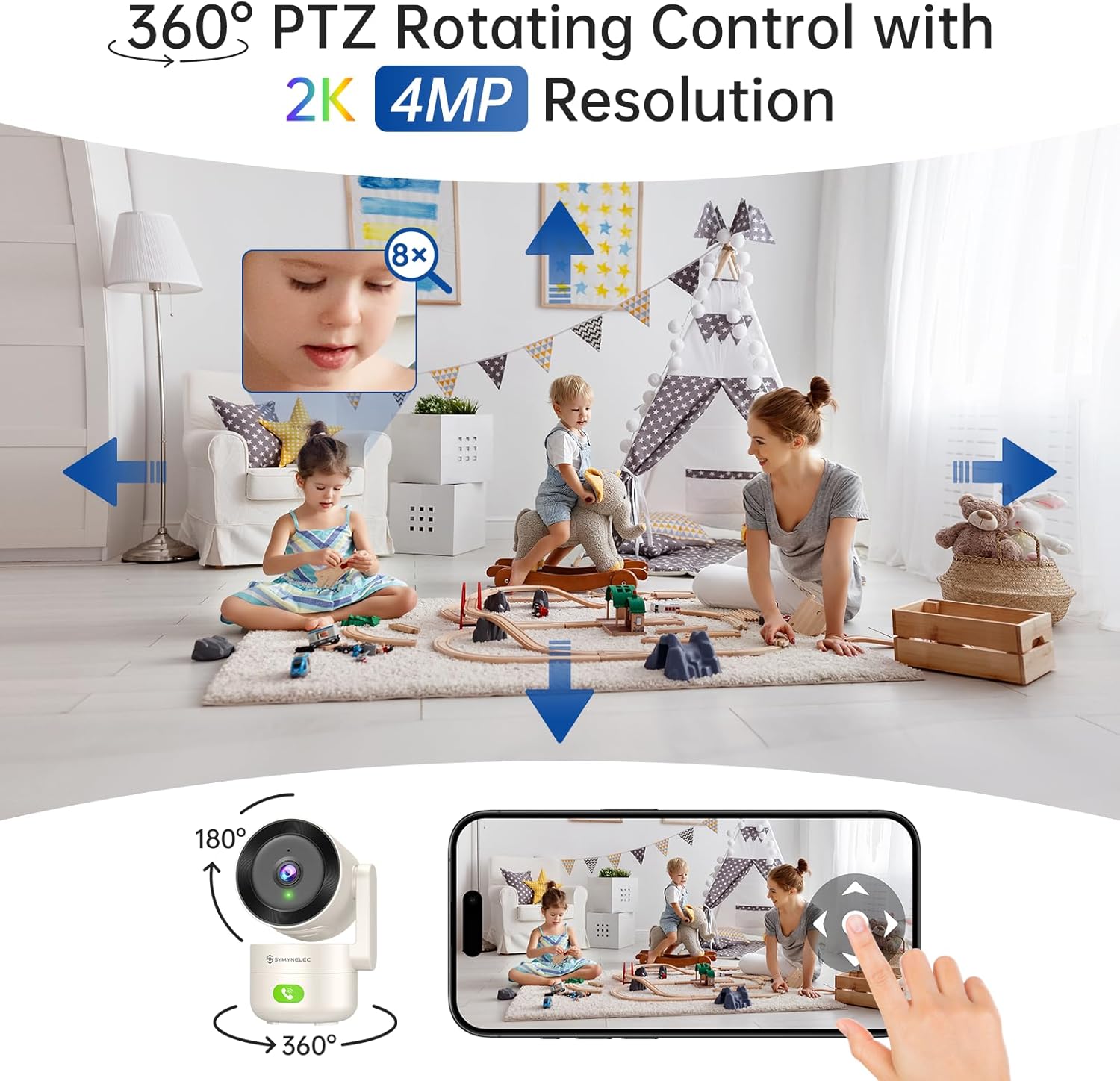
Image: The SYMYNELEC C5 Indoor Security Camera, showing its main unit, power cable, and adapter.
3. Setup and Installation
3.1 Powering On the Camera
- Ensure the camera is switched off before installation.
- Insert the USB cable into the camera's power port.
- Connect the USB cable to the power adapter.
- Insert the power adapter into a wall socket to power on the camera.
3.2 App Installation and Device Pairing
The SYMYNELEC camera operates via a dedicated mobile application. Follow these steps to install the app and pair your device:
- Download the SYMYNELEC app from your device's app store (iOS or Android).
- Open the app and register for a new account using your email address.
- Follow the on-screen prompts to agree to the Privacy Policy and User Agreement.
- Enter the verification code sent to your email to complete registration.
- Set a secure password for your account.
- Grant necessary permissions to the app, such as location access for device discovery and notifications.
- In the app, select "Add Device" and choose your camera model (C5-5GHz/2.4GHz).
- The app will guide you through connecting the camera to your Wi-Fi network (supports both 5GHz and 2.4GHz). You will typically scan a QR code displayed on your phone with the camera lens.
- Once connected, the camera will emit a voice prompt confirming successful pairing.
3.3 Mounting Options
The camera can be placed on a tabletop, shelf, or mounted on a wall or ceiling. The package includes a mounting bracket for secure installation.

Image: The SYMYNELEC C5 camera demonstrating its 360-degree pan and 180-degree tilt functionality, allowing for full room coverage.

Image: Visual representation of various installation methods for the SYMYNELEC C5 camera, including tabletop, wall, and ceiling mounting.
4. Operating Instructions
4.1 Live View and Navigation
Once paired, access the live video feed through the SYMYNELEC app. You can pan (360°), tilt (180°), and zoom (up to 8x digital zoom) the camera remotely to view different areas.
Image: The SYMYNELEC C5 camera demonstrating its 360-degree pan and 180-degree tilt functionality, allowing for full room coverage.
Image: The SYMYNELEC C5 camera demonstrating its 360-degree pan and 180-degree tilt functionality, allowing for full room coverage.
Image: The SYMYNELEC C5 camera demonstrating its 360-degree pan and 180-degree tilt functionality, allowing for full room coverage.
4.2 Two-Way Audio and One-Touch Call
Use the built-in microphone and speaker for two-way communication. The camera also features a one-touch call button, allowing family members at home to initiate a video call to your phone.

Image: The SYMYNELEC C5 camera with its one-touch call button, illustrating how a child can easily initiate a video call to a parent's phone.
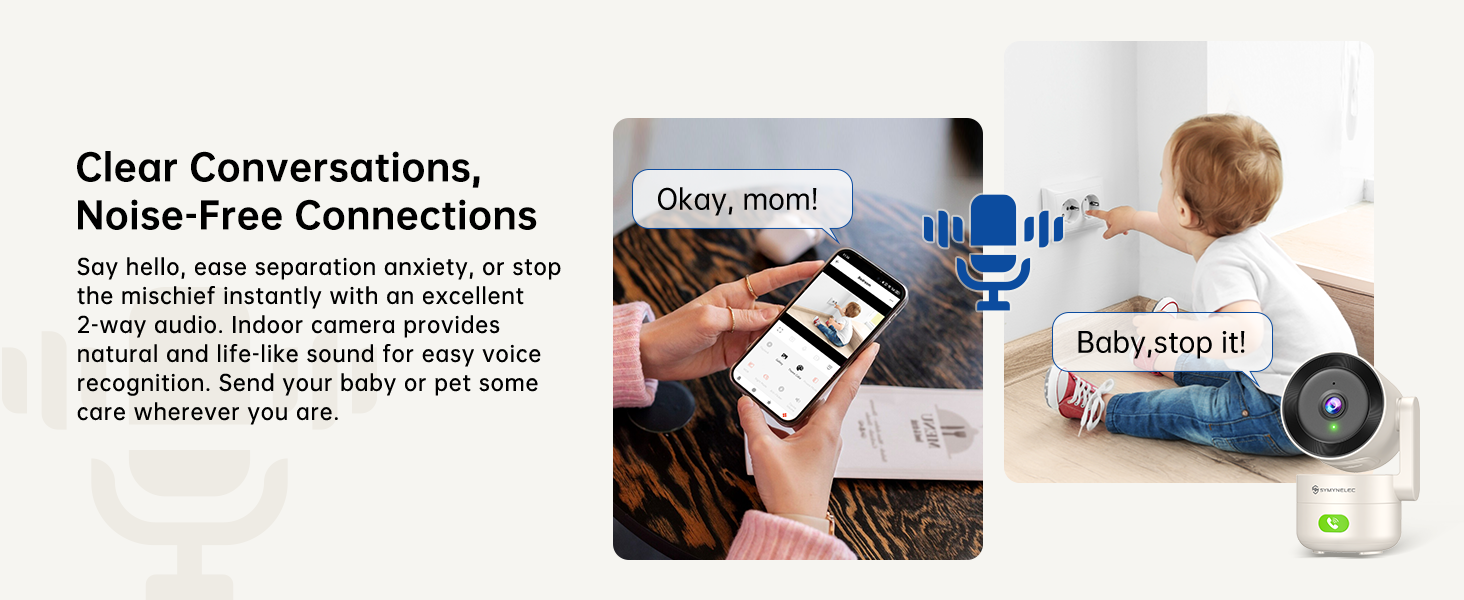
Image: The SYMYNELEC C5 camera facilitating clear two-way audio, allowing users to speak and listen through the camera.
4.3 Smart Detection Features
The camera is equipped with AI-powered detection capabilities:
- Human Detection: Identifies human presence and sends real-time alerts, reducing false alarms.
- Motion Tracking: Automatically follows moving objects or individuals within its field of view.
- Sound Detection: Alerts you to significant sounds, including baby cries.
- Activity Zones: Customize specific areas for detection to focus on what matters most.
- Siren Alarm: Activate a siren directly from the app or set it to trigger automatically upon detection.
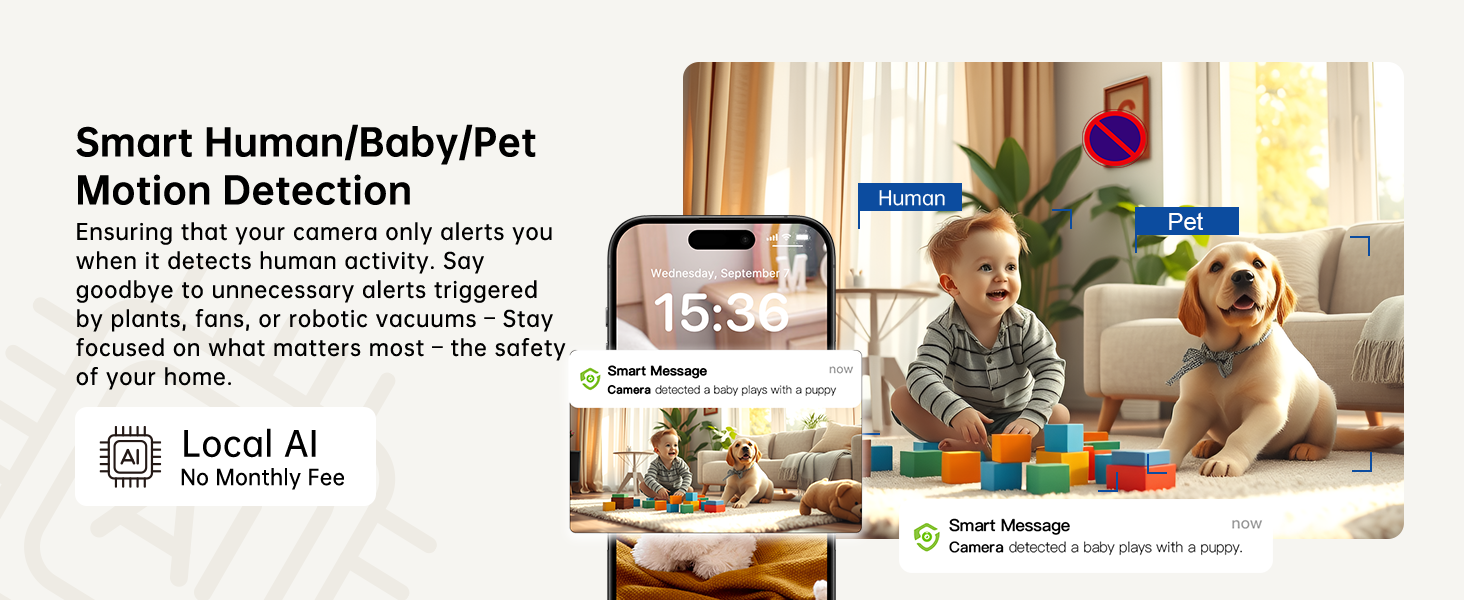
Image: The SYMYNELEC C5 camera's human detection feature, showing an alert on a smartphone when a person is detected.

Image: The SYMYNELEC C5 camera's AI motion tracking feature, illustrating how it automatically follows a moving subject.
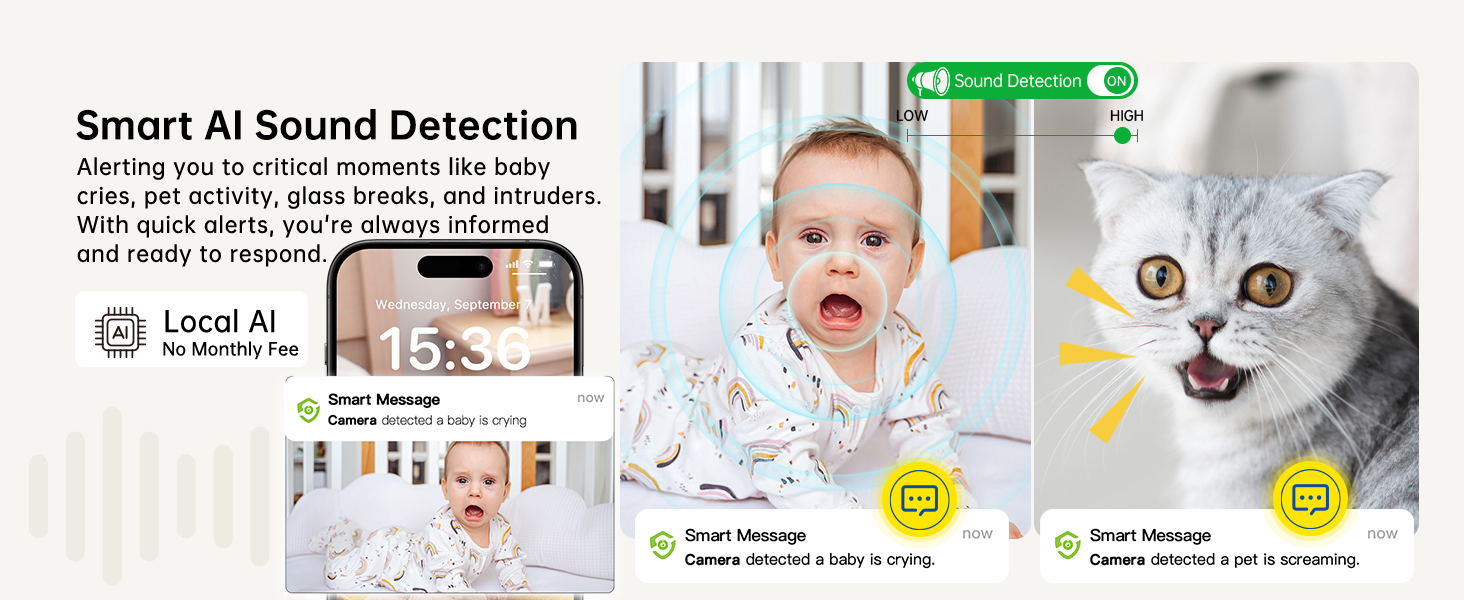
Image: The SYMYNELEC C5 camera's AI baby cry detection, showing an alert on a smartphone when a baby's cry is detected.
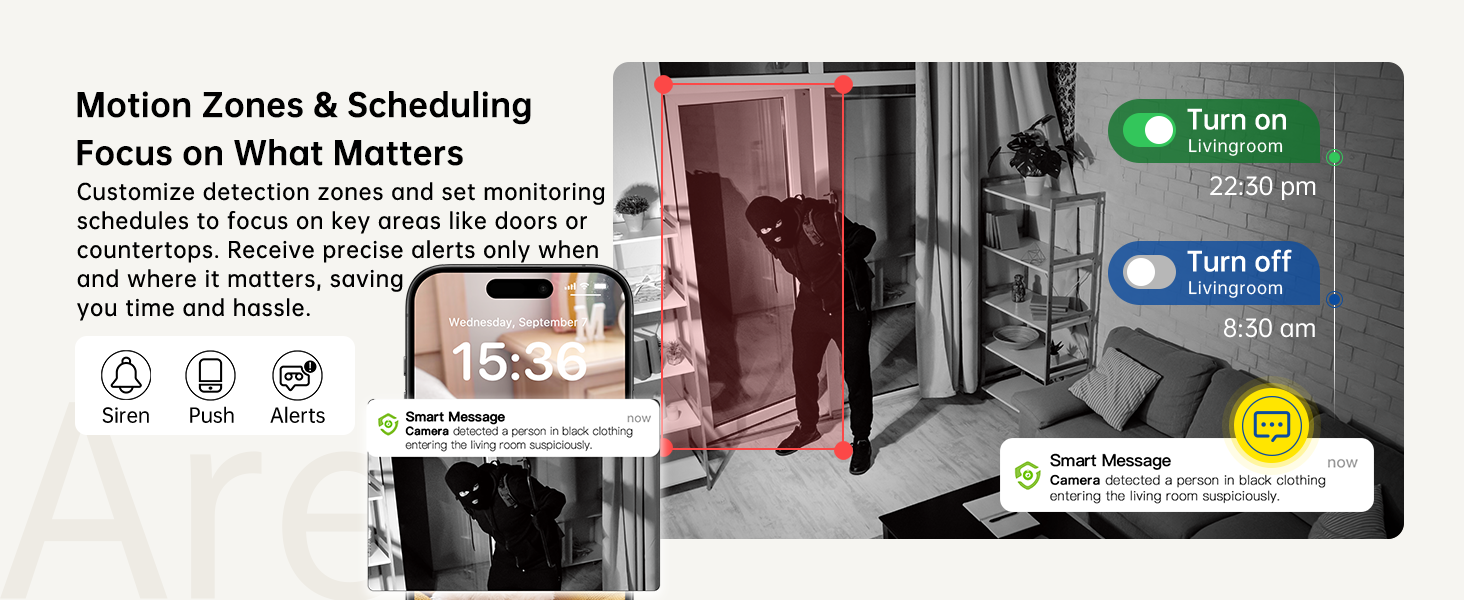
Image: The SYMYNELEC C5 camera's activity zone detection feature, allowing users to define specific areas for monitoring.
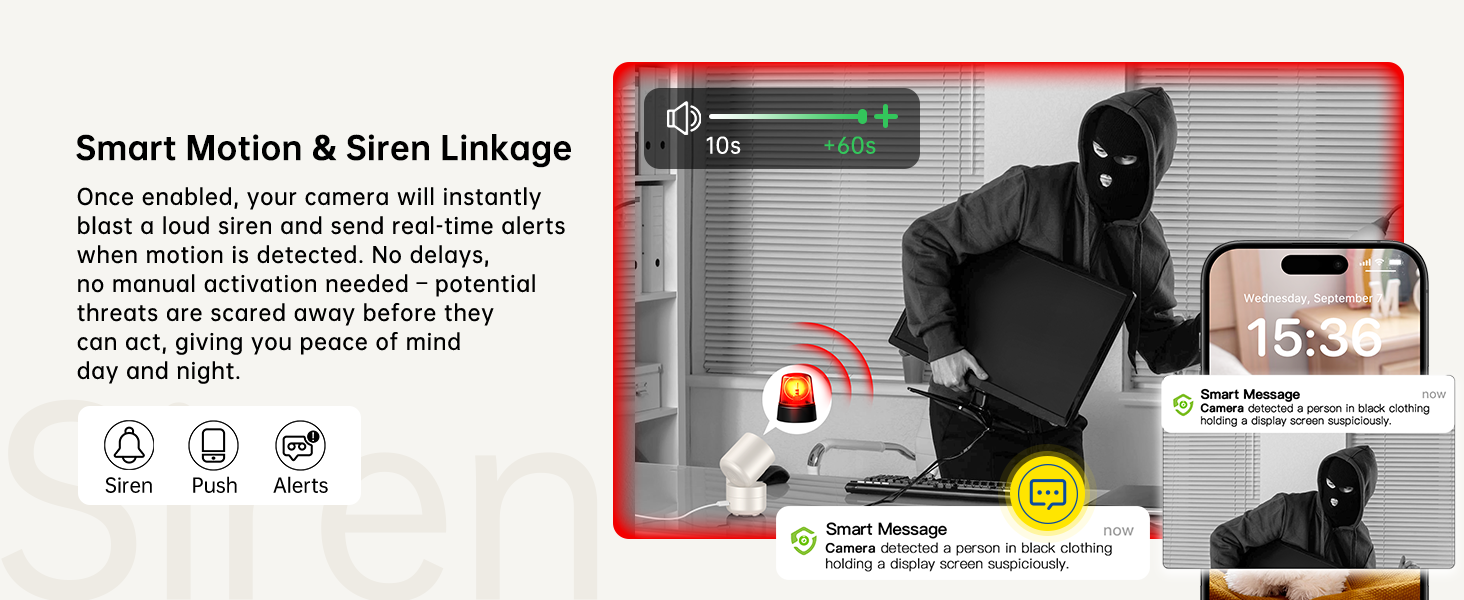
Image: The SYMYNELEC C5 camera's siren alarm feature, showing an alert and a siren icon for deterring intruders.
4.4 Night Vision and Image Enhancement
The camera provides clear monitoring day and night:
- Advanced Night Vision: Infrared night vision with a range of up to 33 feet (10 meters) ensures visibility in complete darkness.
- HDR/WDR Technology: Enhances image quality by improving details in both bright and dark areas, reducing blind spots.

Image: The SYMYNELEC C5 camera's crystal-clear night vision, showing a sleeping baby and a puppy in low-light conditions.
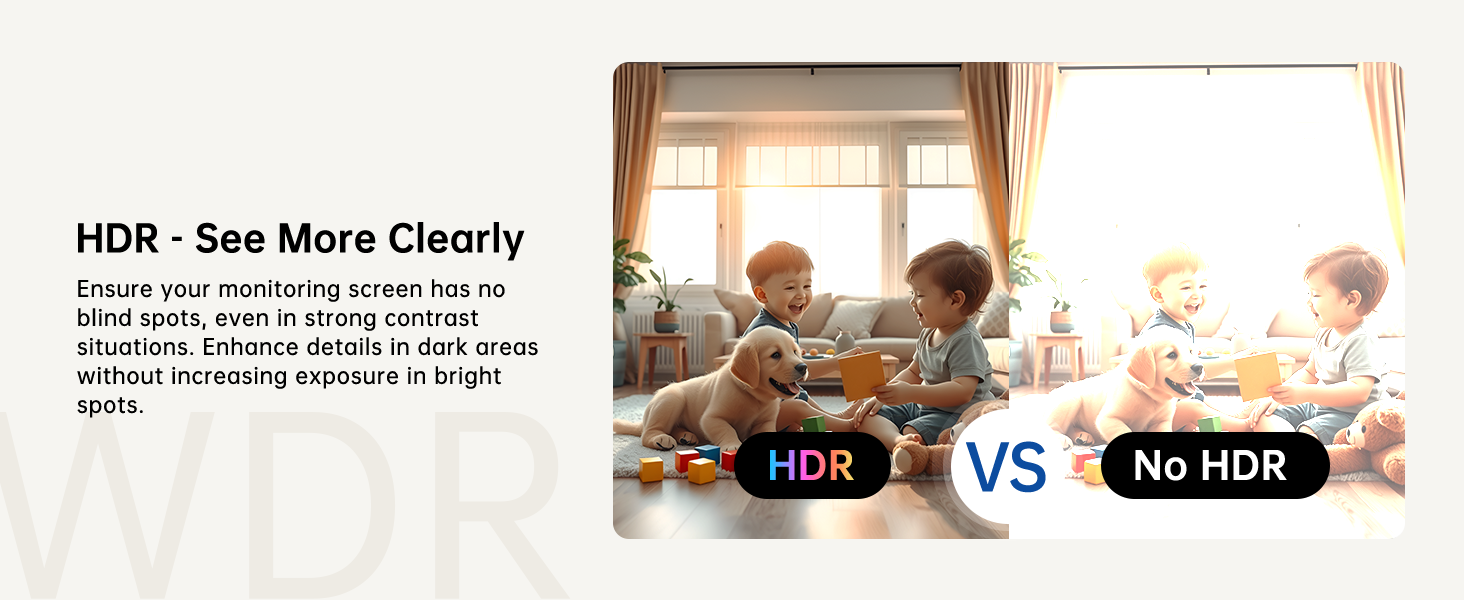
Image: A comparison showing the improved clarity and detail provided by HDR/WDR technology in the SYMYNELEC C5 camera versus standard imaging.
4.5 Privacy Mode
Activate Privacy Mode via the app to automatically tilt the camera lens downwards and pause video/audio recording, ensuring your personal space is respected.
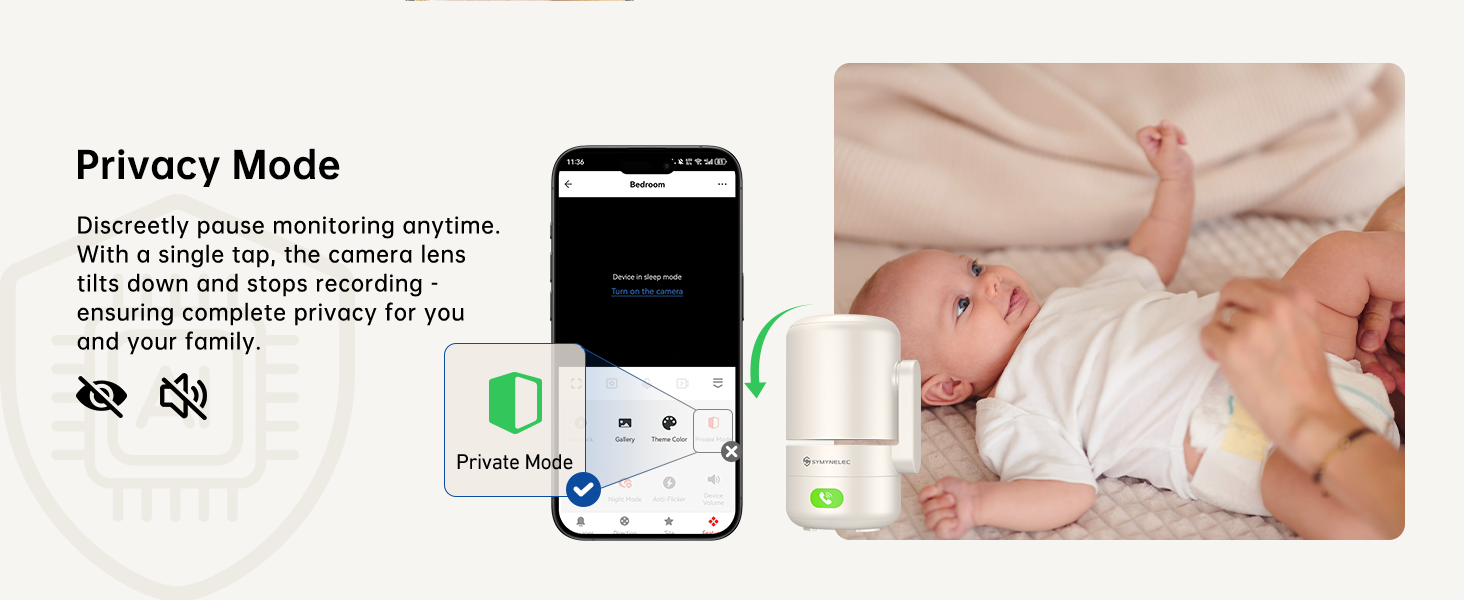
Image: The SYMYNELEC C5 camera in Privacy Mode, with the lens physically tilting down and the app indicating that monitoring is paused.
4.6 Storage Options
The camera offers flexible storage solutions for your footage:
- TF Card Storage: Supports up to 256GB TF card (not included) for continuous 24/7 local recording.
- Cloud Storage: Encrypted cloud storage (subscription required after a 7-day trial) for secure backup, accessible even if the camera is damaged or stolen.
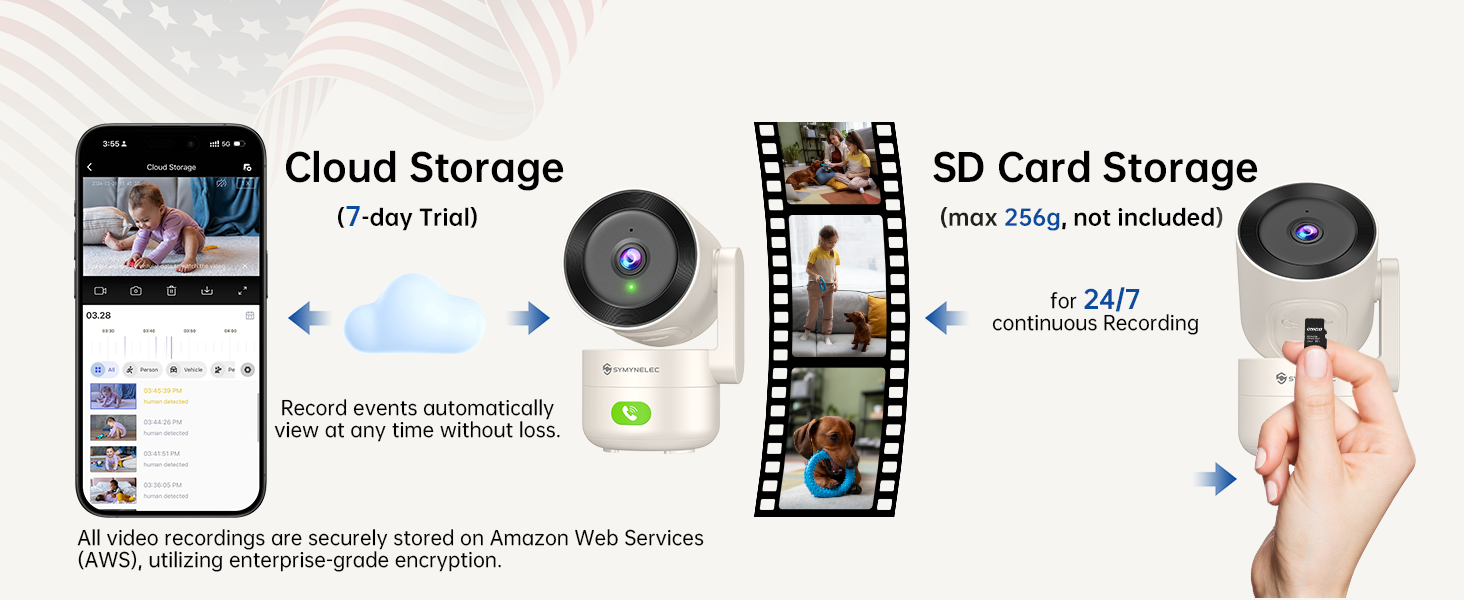
Image: Diagram illustrating the cloud storage and TF card storage options for the SYMYNELEC C5 camera, highlighting secure recording and backup.
4.7 Smart Home Integration
The SYMYNELEC C5 camera is compatible with Amazon Alexa and Google Assistant for voice control and integration into your smart home ecosystem.

Image: A woman interacting with an Alexa device to view the SYMYNELEC C5 camera feed, demonstrating smart home compatibility.
5. Maintenance
5.1 Cleaning the Camera
To ensure optimal performance, regularly clean the camera lens and body. Use a soft, dry cloth to wipe away dust and smudges. Avoid using harsh chemicals or abrasive materials that could damage the lens or casing.
5.2 Software Updates
Keep your camera's firmware and the SYMYNELEC app updated to the latest versions. Updates often include performance improvements, new features, and security enhancements. Check the app regularly for available updates.
5.3 Optimal Placement
Place the camera in a location that provides a clear line of sight to the area you wish to monitor. Ensure it is within range of your Wi-Fi router for stable connectivity. Avoid placing it near heat sources or in direct sunlight, which can affect performance and longevity.
6. Troubleshooting
If you encounter issues with your SYMYNELEC C5 camera, please refer to the following common solutions:
- Camera Offline: Check your Wi-Fi connection and ensure the camera is powered on. Restart your router and the camera. Verify that the camera is within Wi-Fi range.
- Unable to Pair: Ensure you are connecting to a 2.4GHz or 5GHz Wi-Fi network as supported by the camera. Double-check your Wi-Fi password. Make sure the camera's indicator light is flashing red, indicating it's ready for pairing. If not, press and hold the reset button for 8 seconds until you hear three short beeps.
- Poor Video Quality: Ensure your Wi-Fi signal is strong. Adjust the camera's position if necessary. Check the app settings for video resolution options.
- No Notifications: Verify that app notifications are enabled in your phone's settings and within the SYMYNELEC app. Check the camera's detection settings (motion, sound, human detection) to ensure they are configured correctly.
- Two-Way Audio Issues: Ensure your phone's microphone and speaker are enabled for the app. Check the camera's volume settings in the app.
For further assistance, please contact SYMYNELEC customer support.
7. Specifications
| Feature | Detail |
|---|---|
| Brand | SYMYNELEC |
| Model Name | C5-5GHz/2.4GHz |
| Mounting Type | Tabletop, Ceiling, Wall Mount |
| Video Capture Resolution | 1440p (2K) |
| Wireless Communication Technology | 2.4GHz, 5GHz, Wi-Fi |
| Form Factor | Dome |
| Viewing Angle | 360 Degrees |
| Night Vision Range | 33 Feet (10 meters) |
| Frame Rate | 20-25 frames_per_second |
| Material | Plastic |
| Voltage | 5 Volts |
| Wattage | 5 watts |
| Item Dimensions (L x W x H) | 6.5 x 7.5 x 11.4 Centimetres |
| Water Resistance Level | Not Water Resistant |
| Item Weight | 200 g |
| Special Features | 2 Way Audio, Cry Detection, HD Resolution, Motion Sensor, Night Vision |
| Indoor/Outdoor Usage | Indoor |
| Compatible Devices | Android, Samsung, Smartphone, iOS, iPhone |
| Power Source | Corded Electric |
| Connectivity Protocol | ONVIF, Wi-Fi |
| Controller Type | Amazon Alexa, Android, Google Assistant, Smartphone Cell Phone Samsung, iPhone iOS |
8. Warranty and Support
SYMYNELEC provides a 1-year replacement warranty for this product. Additionally, lifetime 24/7 technical support is available to assist you with any questions or issues.
8.1 Contacting Support
For technical assistance, troubleshooting, or warranty claims, please refer to the contact information provided in your product packaging or visit the official SYMYNELEC website for professional live chat service.

Image: SYMYNELEC's professional live chat service, emphasizing quick response, step-by-step guidance, and lifetime support.


