
Introduction
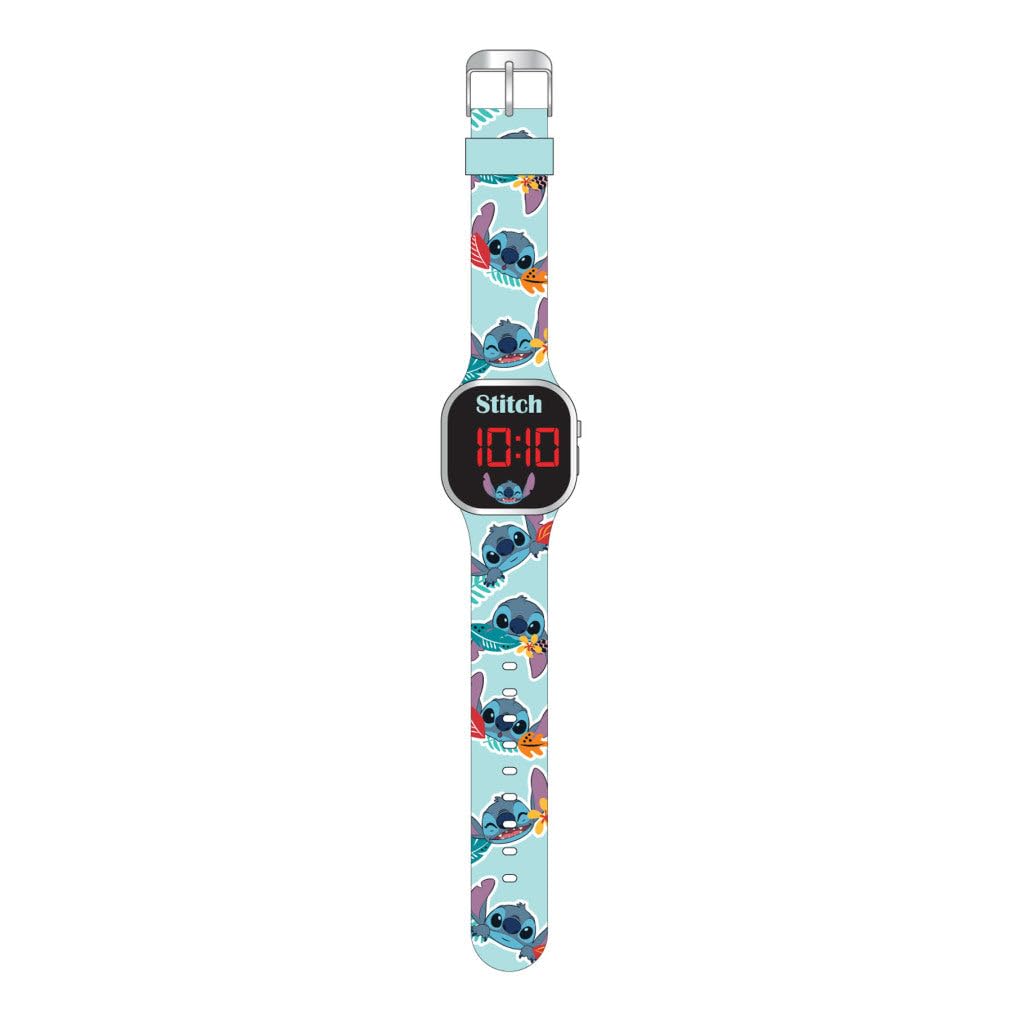
This manual provides instructions for the Accutime Lilo & Stitch Pineapples LED Kids Digital Wrist Watch, Model LAS4038. This digital watch is designed for children aged 6 and up, featuring an easy-to-read LCD display and a fun character design.
Key Features
- Officially licensed Lilo & Stitch design
- Easy-to-read LCD digital display
- Silicone strap with traditional buckle fastening
- Dial size: 35mm
- Band width: 1.0 inch
- Case diameter: 1.0 inch
- Case thickness: 1.0 inch
- Embellishment feature: Crystal
Setup
Initial Activation
To activate the LED display, press the top right button. The time will illuminate for a few seconds.
Setting Time and Date
To adjust the time and date settings:
- Press the bottom right button repeatedly until the desired setting mode (e.g., hour, minute, month, day) is displayed.
- Once the desired setting is flashing, use the top right button to adjust the value.
- Continue pressing the bottom right button to cycle through other settings and adjust them with the top right button.
- After all adjustments are made, stop pressing buttons, and the watch will automatically save the settings and return to normal time display.
Operation
Displaying Time
Press the top right button once to illuminate the LED display and show the current time.
Non-Functional Buttons
Please note that the decorative buttons on the left side of the watch case are non-functional and are for aesthetic purposes only.
Maintenance
Cleaning Your Watch
To clean your watch, gently wipe the watch case and strap with a soft, damp cloth. Avoid using harsh chemicals or abrasive materials, as these can damage the watch's finish or the silicone strap.
Battery Information
This digital watch uses a standard watch battery. If the display becomes dim or stops working, the battery may need replacement. Battery replacement should ideally be performed by a qualified watch technician to ensure proper sealing and functionality.
Water Resistance
This watch is designed for everyday wear but is not intended for swimming or showering. Avoid prolonged exposure to water to prevent damage.
Troubleshooting
- Display is blank: Press the top right button to activate the display. If it remains blank, the battery may need replacement.
- Incorrect time: Follow the "Setting Time and Date" instructions in the Setup section to adjust the time.
- Buttons not responding: Ensure the watch is not in a locked mode (if applicable, though this model is simple). If issues persist, a battery replacement might be necessary.
Specifications
| Feature | Detail |
|---|---|
| Brand | Accutime |
| Model Number | LAS4038 |
| Department | Girls |
| Case Diameter | 1.0 inch |
| Case Thickness | 1.0 inch |
| Band Width | 1.0 inch |
| Closure Type | Buckle |
| Material | Silicone strap, plastic case (silver-colored parts are plastic, not real metal) |
| Recommended Age | 6+ years |
Warranty and Support
For warranty information or technical support, please refer to the packaging or contact Accutime Watch Corp. directly. Keep your proof of purchase for any warranty claims.