
Xiaomi QBH4269GL
Xiaomi Portable Bluetooth Speaker (5W) User Manual
Model: QBH4269GL
Introduction
Thank you for choosing the Xiaomi Portable Bluetooth Speaker (5W). This manual provides essential information for setting up, operating, maintaining, and troubleshooting your speaker. Please read it carefully before use and retain it for future reference.
Package Contents
- Xiaomi Portable Bluetooth Speaker (5W)
- USB Charging Cable
- User Manual
Product Overview
Familiarize yourself with the speaker's components and controls.
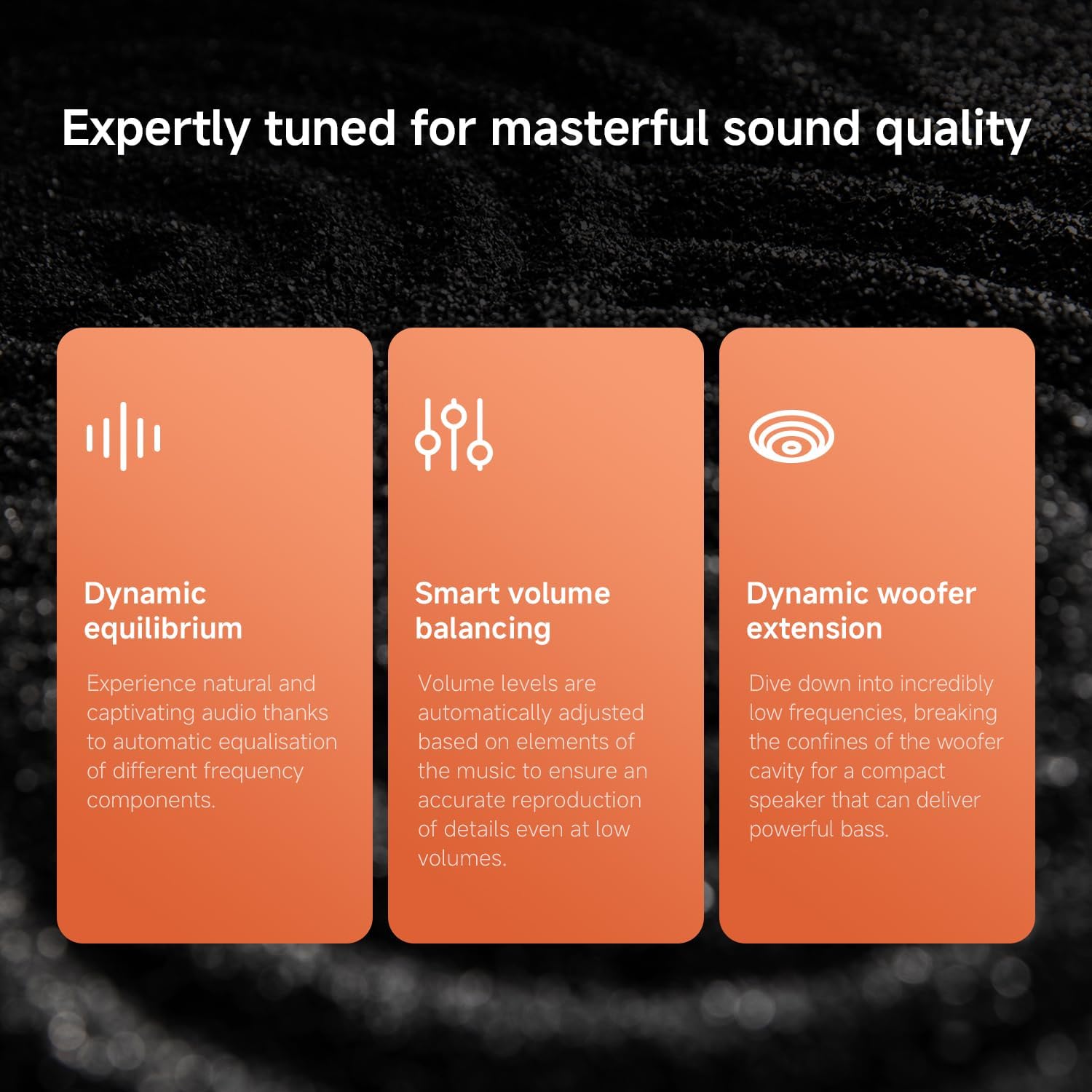
Image: Front view of the Xiaomi Portable Bluetooth Speaker, showing the speaker grille and control buttons.
Controls and Indicators:
- Power Button: Press and hold to power on/off.
- Volume Up (+): Increase volume.
- Volume Down (-): Decrease volume.
- Play/Pause Button: Play or pause music. Answer/end calls.
- Bluetooth Indicator Light: Shows Bluetooth connection status.
- Charging Port: USB-C port for charging.
- Lanyard Slot: For attaching the included lanyard.

Image: Close-up showing the smooth texture of the speaker and the rubber anti-loss lanyard.
Setup
Charging the Speaker:
- Connect the USB charging cable to the speaker's charging port.
- Connect the other end of the cable to a USB power adapter (not included) or a computer's USB port.
- The indicator light will show charging status. A full charge takes approximately 3 hours.

Image: The speaker outdoors, illustrating its 10-hour battery life and 3-hour charging time.
Operating Instructions
Power On/Off:
- To power on: Press and hold the Power button until the indicator light illuminates.
- To power off: Press and hold the Power button until the indicator light turns off.
Bluetooth Pairing:
- Ensure the speaker is powered on and the Bluetooth indicator light is blinking, indicating it's in pairing mode.
- On your device (smartphone, tablet, etc.), enable Bluetooth and search for available devices.
- Select "Xiaomi Portable Bluetooth Speaker" from the list.
- Once connected, the Bluetooth indicator light will stop blinking and remain solid.

Image: The speaker positioned on steps, highlighting its Bluetooth 5.4 technology for stable connection.
True Wireless Stereo (TWS) Pairing:
You can connect two identical Xiaomi Portable Bluetooth Speakers to create a stereo sound experience.
- Ensure both speakers are powered on and not connected to any other Bluetooth device.
- On one speaker, press and hold the Bluetooth button for 3 seconds. This speaker will enter TWS pairing mode.
- The second speaker will automatically detect and pair with the first.
- Once paired, the two speakers will function as left and right channels, providing immersive stereo sound.

Image: Two speakers demonstrating the True Wireless Stereo (TWS) pairing feature for enhanced audio.
Hands-free Calling:
When connected to your smartphone, you can answer incoming calls directly from the speaker.
- To answer a call: Press the Play/Pause button once.
- To end a call: Press the Play/Pause button once during a call.
- To reject a call: Press and hold the Play/Pause button.

Image: The speaker with its play button illuminated, illustrating the hands-free calling function.
Key Features
- Compact and Portable Design: Weighing approximately 200g, this palm-sized speaker is designed for easy transport.
- 5W Immersive Sound: Delivers clear, balanced, and powerful audio with a built-in subwoofer for deep bass.
- Bluetooth 5.4 Connectivity: Ensures a fast, stable, and lossless audio connection.
- IP67 Dust and Water Resistance: Provides robust protection against dust and water, making it suitable for various environments.
- Up to 10-Hour Battery Life: Enjoy extended music playback on a single charge.

Image: A hand holding the compact Xiaomi Portable Bluetooth Speaker, illustrating its lightweight 200g design.

Image: The speaker with water droplets, demonstrating its IP67 dust and water resistance.

Image: Explanatory diagram detailing the speaker's sound quality features: dynamic equilibrium, smart volume balancing, and dynamic woofer extension.

Image: Internal view of the speaker, showcasing its ingenious sound cavity design and built-in woofer for exceptional sound quality.
Maintenance
- Clean the speaker with a soft, dry cloth. Do not use abrasive cleaners or solvents.
- Ensure the charging port cover is securely closed when not charging to maintain IP67 rating.
- Store the speaker in a cool, dry place away from direct sunlight and extreme temperatures.
- Avoid dropping or subjecting the speaker to strong impacts.
Troubleshooting
| Problem | Solution |
|---|---|
| Speaker does not power on. | Ensure the battery is charged. Connect to a power source and try again. |
| Cannot pair via Bluetooth. |
|
| No sound or low volume. |
|
| TWS pairing fails. |
|
Specifications
| Model Number | QBH4269GL |
| Brand | Xiaomi |
| Output Wattage | 5W |
| Connectivity Technology | Bluetooth 5.4 |
| Water & Dust Resistance | IP67 |
| Battery Life | Up to 10 hours (at 40% volume) |
| Charging Time | Approx. 3 hours |
| Product Weight | 200 grams |
| Frequency Response | 100 Hz |
| Max Range | 25 meters |
| Power Source | Battery, Power Cord |
| Battery Type | Lithium Polymer |
Warranty and Support
For warranty information and customer support, please refer to the warranty card included in your package or visit the official Xiaomi website. Keep your purchase receipt as proof of purchase.
Official Xiaomi Store: Xiaomi Store on Amazon.co.jp
Related documentsQBH4269GL


Ask a question about this manual
Ask about setup, troubleshooting, compatibility, parts, safety, or missing instructions. Manuals+ will review the question and use this page’s manual context to help answer it.