
BRANO ZM-ZMRH-T05
BRANO ZM-ZMRH-T05 36-inch Under Cabinet Range Hood Instruction Manual
Model: ZM-ZMRH-T05 (36-inch variant)
1. Product Overview
The BRANO ZM-ZMRH-T05 36-inch under cabinet range hood is designed to enhance your kitchen environment by effectively removing cooking fumes, grease, and odors. It features an advanced slant vent design, multiple control options, and powerful suction capabilities.
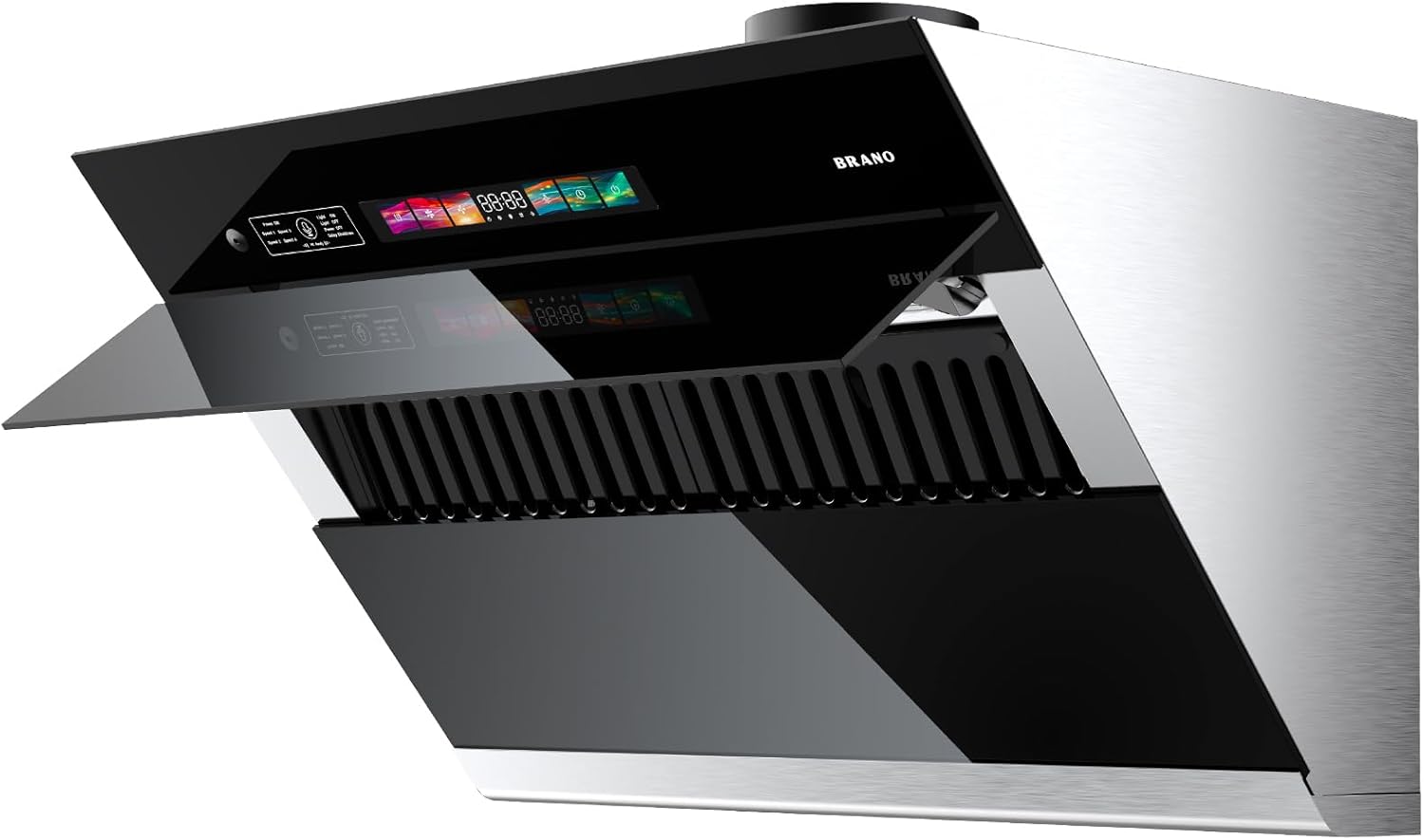
Image 1: BRANO ZM-ZMRH-T05 36-inch Under Cabinet Range Hood with its auto-open baffle design.
2. Safety Information
- Read all instructions carefully before installation and operation.
- Ensure the power supply is disconnected before performing any maintenance or cleaning.
- This appliance is intended for household use only.
- Maintain proper clearance between the range hood and cooking surface as specified in local building codes.
- Regularly clean grease filters to prevent grease buildup and potential fire hazards.
3. What's in the Box
The following components are included with your BRANO ZM-ZMRH-T05 range hood:
- Range hood (1 unit)
- 36" Baffle Filters (3 units)
- Charcoal Filter (1 unit)
- Duct Adapter (1 unit)
- 6" Transition (1 unit)
- Screws and User manual (1 set)
4. Setup and Installation
The BRANO ZM-ZMRH-T05 range hood is designed for under cabinet mounting and can be configured for both ducted and ductless ventilation. Refer to the detailed installation guide for specific steps.
4.1 Installation Video Guide
Video 1: Official BRANO Under Cabinet Range Hood Installation Guide. This video provides a visual walkthrough of the installation process.
4.2 Ducted/Ductless Conversion
The range hood supports both ducted and ductless configurations. For ducted operation, connect the included duct adapter and 6-inch transition to an external ventilation system. For ductless (recirculating) operation, ensure the charcoal filter is installed to purify the air before recirculating it back into the kitchen.

Image 2: Illustration of the ducted and ductless convertible options, showing the carbon filter for recirculation.
5. Operating Instructions
The BRANO range hood offers multiple intuitive control methods for convenience.
5.1 Voice Control
Activate voice commands by saying "Hi Andy." You can then issue commands such as "Power on," "Speed Two," or "Light on."

Image 3: Demonstrating the voice control feature of the range hood.
5.2 Gesture Control
Control fan speed without touching the panel. Wave your hand across the two sensing points to adjust the fan speed up or down.

Image 4: Illustrating the gesture sensing control for fan speed adjustment.
5.3 Touch Control Panel
The high-sensitivity touch control panel allows for direct operation of all functions, including power, fan speed (4 speeds), lighting, and delay shutdown.
5.4 Fan Speeds and Suction Power
The range hood features a 4-speed exhaust fan with up to 900 CFM (Cubic Feet Per Minute) suction power to effectively remove cooking odors and smoke.

Image 5: The range hood's powerful suction in action, removing cooking fumes.
5.5 Dimmable LED Lights
Illuminate your cooking area with the integrated dimmable LED lights. Adjust brightness by long-pressing the light button on the touch control panel.
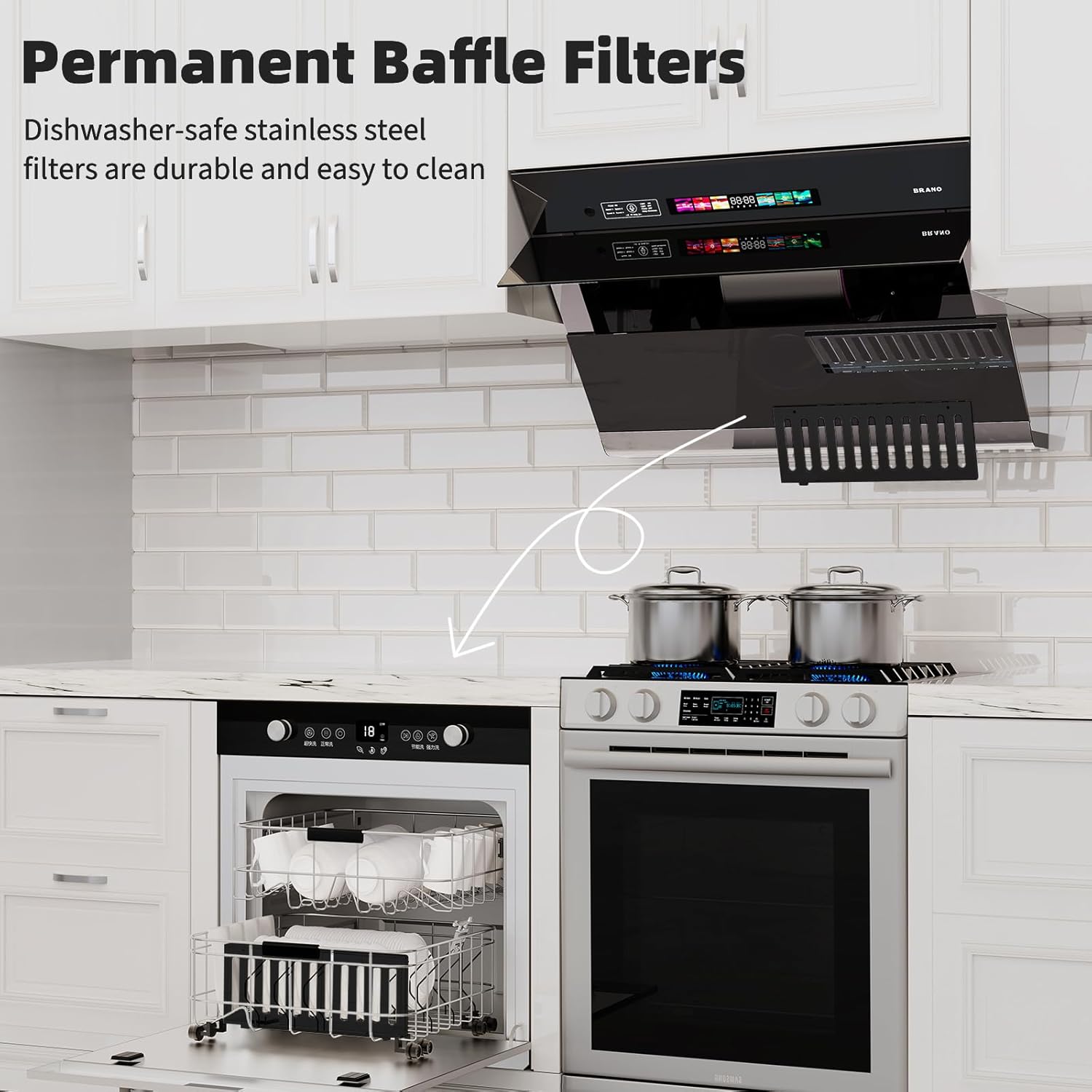
Image 6: Dimmable LED lights providing illumination over the cooking surface.
5.6 3-Minute Delayed Shut-off
Utilize the 3-minute delayed shut-off function to ensure all residual grease and smoke are effectively removed after cooking, leaving your kitchen air fresh.
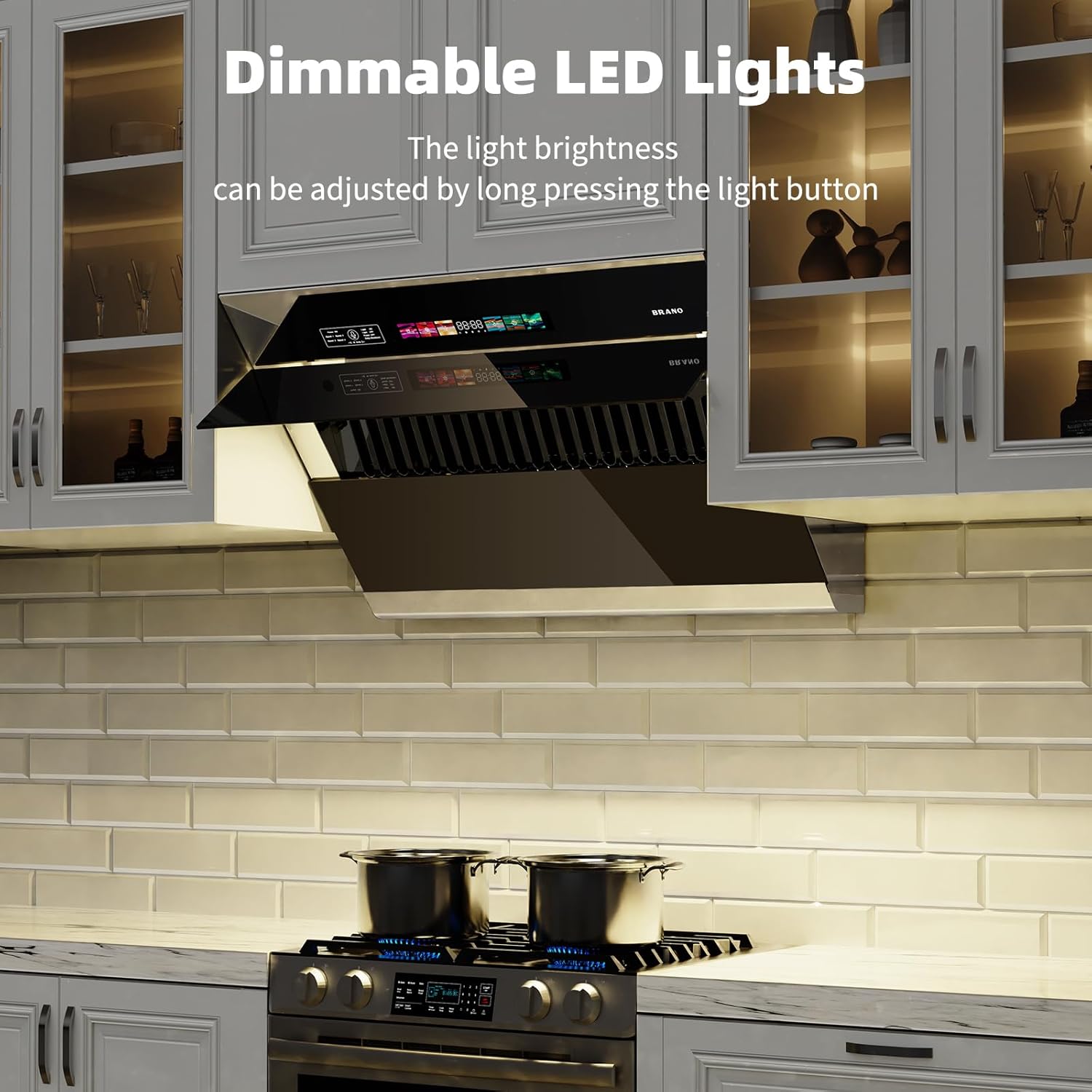
Image 7: Visual representation of the delayed shut-off feature.
5.7 Low Noise Operation
The range hood operates at a low noise level, not exceeding 65 dB even at its highest speed, ensuring a quiet kitchen environment.

Image 8: Noise level comparison chart for the range hood.
5.8 Product Features Overview Video
Video 2: Overview of the BRANO under cabinet range hood features, including voice and gesture controls.
6. Maintenance
6.1 Cleaning Baffle Filters
The BRANO kitchen hood includes 3 permanent stainless steel baffle filters. These filters are high-temperature resistant, effective against grease, and easy to assemble/disassemble. They are dishwasher-safe for convenient cleaning.

Image 9: Dishwasher-safe baffle filters for easy cleaning.
6.2 General Cleaning
Wipe the exterior surfaces of the range hood with a soft cloth and mild detergent. Avoid abrasive cleaners or scouring pads that could damage the tempered glass or stainless steel finish.
7. Troubleshooting
If you encounter issues with your BRANO range hood, refer to the following common troubleshooting tips:
- No Power: Check if the power cord is securely plugged into a working outlet. Verify the circuit breaker has not tripped.
- Fan Not Working: Ensure the fan is turned on via touch, gesture, or voice control. Check for any obstructions in the fan blades.
- Poor Suction: Clean the baffle filters. Ensure the ductwork is not obstructed or kinked (for ducted models). For ductless models, check if the charcoal filter needs replacement.
- Lights Not Working: Check if the lights are turned on. If individual lights are out, they may need replacement (consult customer support).
- Voice/Gesture Control Unresponsive: Ensure the sensors are clean and unobstructed. Try resetting the unit by turning off and on the power.
For persistent issues, please contact BRANO customer support.
8. Specifications
| Feature | Specification |
|---|---|
| Model Info | ZM-ZMRH-T05 |
| Product Dimensions | 17"D x 29.5"W x 18.2"H |
| Item Weight | 52.2 pounds |
| Air Flow Capacity | 900 Cubic Feet Per Minute (CFM) |
| Noise Level | 65 Decibels (Max) |
| Number of Speeds | 4 |
| Controls Type | Voice, Gesture, Touch |
| Mounting Type | Under Cabinet Mount |
| Ventilation Type | Ducted/Ductless Convertible |
| Filter Type | Stainless Steel Baffle Filters |
| Light Source Type | LED |
| Wattage | 230 watts |
| Voltage | 110 Volts (AC) |
| Material | Tempered Glass |
| Special Features | 3 mins shutdown delay, voice/gesture/touch control |
9. Warranty and Support
Your BRANO range hood is backed by a 5-year service warranty. For any assistance, questions, or to report issues, please contact BRANO customer support. Our dedicated team is committed to ensuring your satisfaction and years of trouble-free performance.
Contact information for support can typically be found on the BRANO official website or within the product packaging.
Related documentsZM-ZMRH-T05


Ask a question about this manual
Ask about setup, troubleshooting, compatibility, parts, safety, or missing instructions. Manuals+ will review the question and use this page’s manual context to help answer it.