
1. Introduction
Thank you for choosing the FLYLINKTECH JF-H-40DC 2-in-1 Foldable Under Desk Treadmill. This versatile fitness equipment is designed to meet various exercise needs, functioning as both a traditional running treadmill and a compact under-desk walking pad. Its powerful yet quiet motor, intuitive controls, and space-saving design make it an ideal choice for home and office use.
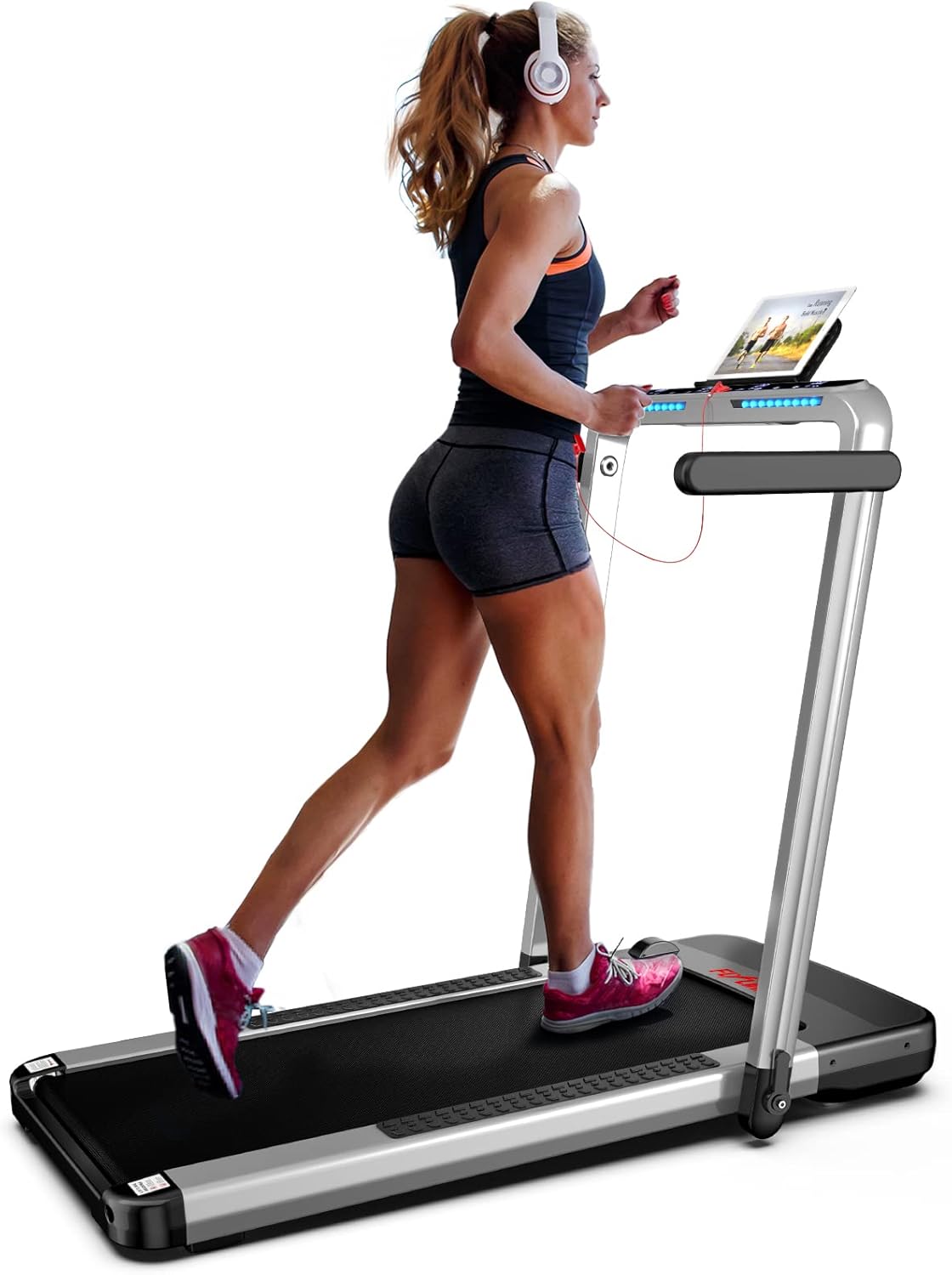
The FLYLINKTECH JF-H-40DC Treadmill in its upright position.
2. Safety Instructions
Please read all safety instructions carefully before operating the treadmill. Failure to follow these instructions may result in injury or damage to the product.
- Ensure the treadmill is placed on a flat, stable surface.
- Keep children and pets away from the treadmill during operation.
- Always attach the safety key to your clothing before starting the treadmill. In case of emergency, pulling the safety key will immediately stop the machine.
- Do not exceed the maximum weight capacity of 180 KG (380 LBS).
- Wear appropriate athletic footwear during use.
- Unplug the treadmill from the power outlet when not in use or before cleaning/maintenance.
Emergency Stop Key
The red safety key is a critical safety feature. It must be placed on the designated magnetic area on the console for the treadmill to operate. If the key is dislodged, the treadmill will stop immediately. Always clip the cord to your clothing to ensure it pulls free if you lose balance.
3. Setup
Unpacking and Initial Placement
The FLYLINKTECH JF-H-40DC treadmill comes fully assembled, requiring no complex installation. Simply remove it from the packaging and place it in your desired location.
Folding and Unfolding
This treadmill features a compact, foldable design for easy storage. To unfold, loosen the levers on the sides of the uprights, raise the handles to the upright position, and secure the levers. To fold, reverse the process, loosening the levers and lowering the handles until the treadmill is flat.

Detail of the folding mechanism.

The treadmill's lightweight and foldable design for easy storage.
Power Connection
Connect the power cord to the treadmill's power input and then to a standard electrical outlet. Ensure the power switch located near the cord input is in the 'ON' position.
Installing the Device Holder
The treadmill includes a device holder for your phone or tablet, allowing you to enjoy entertainment or track your progress during workouts. Simply slide the holder into the designated slot on the console.
4. Operating the Treadmill
Modes of Operation
The JF-H-40DC offers two primary modes:
- Walking Mode: Speed range of 0.6-2.5 MPH (1-4 Km/h). Ideal for light exercise or walking while working at a standing desk.
- Running Mode: Speed range of 2.5-8.7 MPH (4-14 Km/h). Suitable for more intense cardio workouts.

Visual representation of walking and running modes.
Control Options
You can control the treadmill using the following methods:
- Remote Control: Use the included remote to adjust speed, start/stop the treadmill, and switch between modes.
- Smart APP Integration: Download the FitShow App (available on Google Play and App Store) to connect via Bluetooth. The app allows you to control the treadmill, track exercise data (calories burned, speed, time, distance), and save your workout history.
- Touchscreen Interface: The front console features a touch-sensitive LED display for direct control of speed, programs, and monitoring workout metrics.

Remote control and smartphone app for convenient operation.

LED display provides real-time workout data.
Preset Programs
The treadmill comes with 12 pre-set programs designed to simulate various terrains and offer diverse workout routines. Select a program from the console or app to automatically adjust speed and intensity.
Quiet Operation
Equipped with a 2.25 HP quiet motor, the treadmill operates at less than 60dB, ensuring a peaceful workout environment without disturbing others.

The quiet motor ensures a low-noise workout experience.
Running Belt
The 5-layer shock-absorbing non-slip running belt provides a spacious area of 40 inches x 16 inches, offering effective cushioning for joints and muscles.

The 5-layer running belt provides comfort and safety.
Official Product Video
This video demonstrates the FLYLINKTECH 2-in-1 Folding Electric Treadmill, showcasing its features, folding mechanism, and various modes of operation.
5. Maintenance
Regular maintenance ensures the longevity and optimal performance of your treadmill.
- Lubrication: Lubricate the running belt monthly with silicone oil to reduce friction and wear. Refer to the user manual for specific instructions on how to apply.
- Cleaning: Wipe down the treadmill surfaces with a damp cloth after each use. Avoid using abrasive cleaners.
- Belt Adjustment: Periodically check the running belt for proper tension and alignment. Adjust as needed according to the instructions in the full user manual to prevent slipping or excessive wear.
6. Troubleshooting
If you encounter any issues with your treadmill, refer to the following common problems and solutions:
| Problem | Possible Cause | Solution |
|---|---|---|
| Treadmill does not start | Power cord not connected, power switch off, safety key not in place. | Check power connections, ensure power switch is ON, place safety key on console. |
| E04 Error Code | Motor or controller issue. | Unplug and replug the treadmill. If the error persists, contact customer support. |
| Running belt slips or is off-center | Belt tension too loose or misaligned. | Adjust belt tension and alignment using the provided tools and instructions in the full manual. |
| Unusual noise during operation | Lack of lubrication, loose parts, or motor issue. | Lubricate the belt. Check for and tighten any loose screws. If noise persists, contact support. |
For more detailed troubleshooting or issues not listed here, please refer to the comprehensive user manual or contact FLYLINKTECH customer support.
7. Specifications
| Feature | Specification |
|---|---|
| Brand | FLYLINKTECH |
| Model Name | JF-H-40DC |
| Product Dimensions | 51.9"D x 5"W x 25.3"H |
| Material | Alloy Steel |
| Maximum Speed | 8.7 Miles per Hour |
| Minimum Speed | 0.6 Miles per Hour |
| Maximum Horsepower | 2.25 HP |
| Maximum Weight Recommendation | 180 Kilograms (380 LBS) |
| Running Belt Dimensions | 40 Inches x 16 Inches |
| Display Type | LED |
| Number of Programs | 12 |
| Connectivity Technology | Bluetooth (for FitShow App) |
| Assembly Required | No |
| Included Components | Treadmill, User Manual, Remote Control |
8. Warranty and Support
Warranty Information
The FLYLINKTECH JF-H-40DC Treadmill comes with a 12-month warranty from the date of purchase. This warranty covers manufacturing defects and malfunctions under normal use. Please retain your proof of purchase for warranty claims.
Customer Support
For any questions, technical assistance, or warranty claims, please contact FLYLINKTECH customer support. Refer to the contact information provided in your product packaging or on the official FLYLINKTECH website. We are committed to providing friendly and responsive service.