
1. Introduction
Thank you for choosing the VOLISUN 19.7-inch Low Profile Ceiling Fan with Light. This product combines a ceiling fan and an LED light, offering adjustable light color temperature (3000K-6500K), dimmable brightness, six wind speeds, and a reversible fan function. It can be controlled via a remote control or a mobile application. This manual provides essential information for safe installation, operation, and maintenance of your new ceiling fan.
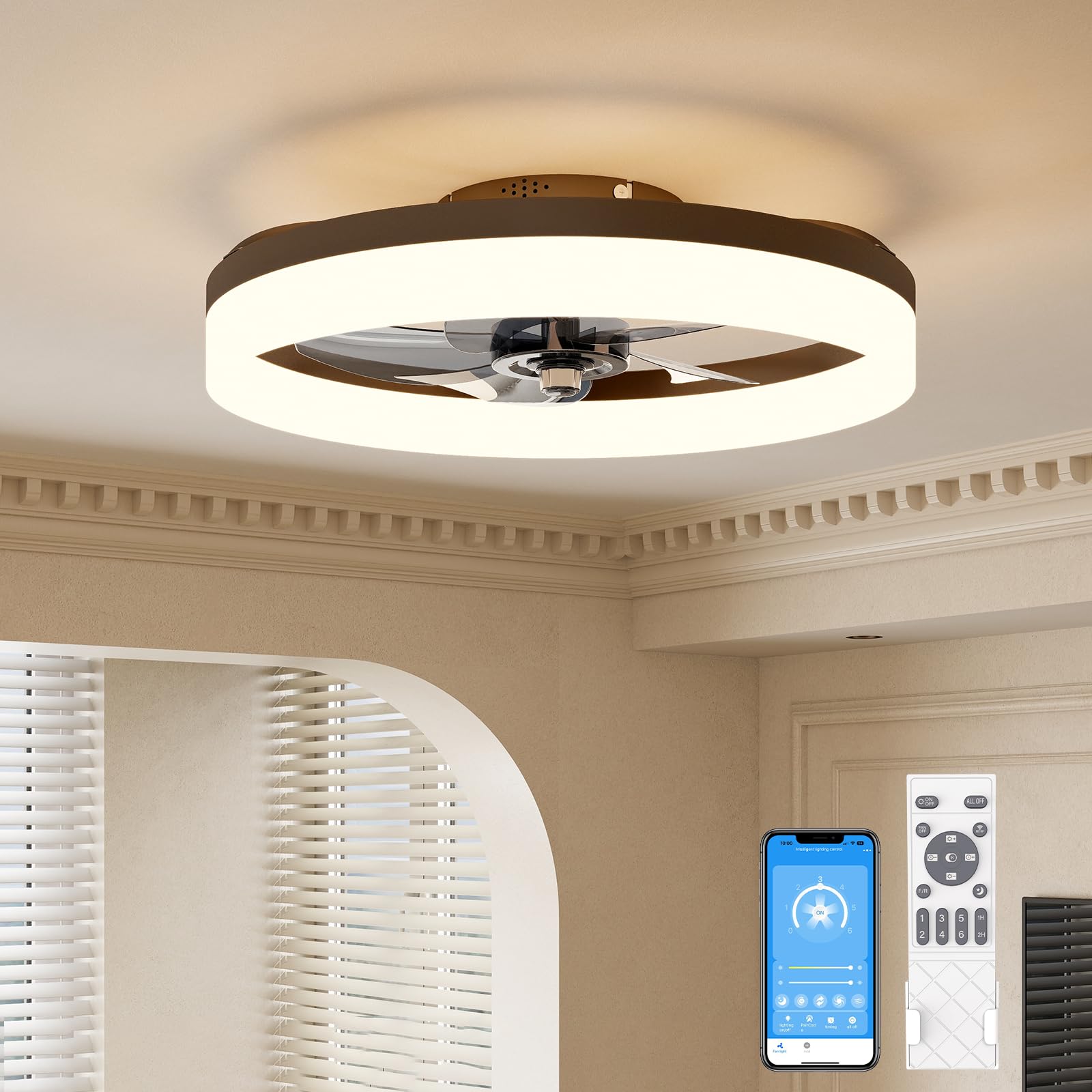
Image 1.1: Overview of the VOLISUN 19.7-inch Low Profile Ceiling Fan with Light.
2. Safety Information
Please read all safety instructions carefully before installation and use. Failure to follow these instructions may result in electric shock, fire, or personal injury.
- Ensure the power is turned off at the circuit breaker before installation or maintenance.
- All electrical connections must be in accordance with local codes and ordinances, and the National Electric Code (NEC).
- Consult a qualified electrician if you are unsure about wiring or installation procedures.
- Mount the fan only to an outlet box marked 'Acceptable for Fan Support of 35 lbs (15.9 kg) or less' and use the mounting screws provided with the outlet box.
- Do not bend the fan blades during installation or cleaning.
- Keep hands, clothing, and other objects away from the fan blades when the fan is operating.
3. Setup and Installation
The VOLISUN ceiling fan is designed for simplified installation with most components pre-assembled. A comprehensive user manual is included in the product package for detailed instructions.
3.1 Unpacking and Preparation
- Carefully remove all components from the packaging.
- Verify that all parts listed in the packing list are present and undamaged.
- Turn off the main power supply at the circuit breaker before beginning installation.
3.2 Mounting the Fan
Follow the steps below to mount the ceiling fan. Ensure the mounting bracket is securely attached to a ceiling joist or a fan-rated outlet box.
Video 3.1: Instructional video demonstrating the installation process of the VOLISUN ceiling fan.
After securing the mounting bracket, connect the electrical wires according to the provided wiring diagram in the product manual. Then, carefully lift and attach the fan body to the mounting bracket.

Image 3.1: Close-up view of the fan's internal components and mounting bracket.
4. Operating Instructions
Your VOLISUN ceiling fan offers versatile control options via remote control and a mobile application.
4.1 Remote Control Functions
The included remote control allows you to manage all fan and light settings:
- Power On/Off: Turn the fan and light on or off.
- Light Brightness Adjustment: Dimmable light from 5% to 100%.
- Color Temperature Adjustment: Select between 3000K (warm white), 4500K (neutral white), and 6500K (cool white).
- Fan Speed Control: Choose from 6 distinct wind speeds.
- Reversible Fan Function: Change the direction of airflow for summer (downward) or winter (upward) use.
- Timer Setting: Set the fan to turn off after 1 or 2 hours.
- Memory Function: The fan remembers your last light settings when turned off via remote or wall switch.

Image 4.1: Remote control for the VOLISUN ceiling fan, illustrating various functions.

Image 4.2: Illustration of the 5%-100% stepless dimming capability of the fan light.

Image 4.3: Diagram illustrating the reversible fan function for cooling in summer and warming in winter.

Image 4.4: The memory function retains preferred light settings when the fan is turned on or off.
4.2 Mobile App Control
The fan can also be controlled via a mobile application. Refer to the video below for instructions on how to pair the fan with the app.
Video 4.1: Video demonstrating how to pair the VOLISUN ceiling fan light with the mobile application.
5. Maintenance
Regular maintenance ensures optimal performance and longevity of your ceiling fan.
- Cleaning: Use a soft, damp cloth to clean the fan and light fixture. Do not use abrasive cleaners or solvents.
- Inspection: Periodically check all connections and mounting hardware to ensure they are secure.
- Blade Care: Ensure fan blades are free from dust and debris to maintain balanced operation.
Always turn off the power at the circuit breaker before performing any cleaning or maintenance.
6. Troubleshooting
If you encounter issues with your VOLISUN ceiling fan, refer to the following common troubleshooting steps:
- Fan does not turn on: Check the power supply at the circuit breaker. Ensure all wiring connections are secure. Verify the remote control batteries are functional.
- Light does not turn on: Check power supply and wiring connections. If using the app, ensure it is correctly paired.
- Fan makes unusual noise: Ensure all screws on the motor housing and mounting bracket are tight. Check if fan blades are balanced and free from obstructions.
- Remote control not working: Replace batteries. Ensure there are no obstructions between the remote and the fan. Re-pair the remote if necessary (refer to the product manual for pairing instructions).
If the problem persists after attempting these steps, please contact customer support.
7. Specifications
| Feature | Specification |
|---|---|
| Brand | VOLISUN |
| Model Name | Ceiling Fan with Light (21391ZM) |
| Product Dimensions | 5.3"D x 19.7"W x 19.7"H |
| Color | Brown |
| Power Source | AC |
| Voltage | 110 Volts |
| Wattage | 36 watts |
| Luminous Flux | 4320 Lumen |
| Color Temperature | 3000K-6500K Dimmable |
| Number of Fan Speeds | 6 |
| Noise Level | 45 Decibels |
| Control Method | App, Remote, Wall Switch |
| Installation Type | Flush Mount |
| Room Type Recommendation | Bedroom, Dining Room, Home Office, Kids Room, Living Room |
| Item Weight | 4.69 pounds |

Image 7.1: Dimensions of the 19.7-inch VOLISUN Low Profile Ceiling Fan.
8. Warranty and Support
VOLISUN provides a comprehensive 3-year service for this ceiling fan. This warranty covers malfunctions or defects in the LED fan light and other components under normal use conditions for three years from the date of purchase.
For technical assistance, warranty claims, or any questions regarding your product, please contact VOLISUN customer support. Refer to the contact information provided in your product packaging or on the official VOLISUN website.
Image 8.1: VOLISUN commitment to professional after-sales support and 3-year warranty.