Introduction
Thank you for choosing the Sweetcrispy Ergonomic Office Chair. This manual provides essential information for the assembly, operation, and maintenance of your new chair. Please read these instructions carefully before use to ensure proper function and longevity of the product.
Safety Information
- Maximum Weight Capacity: This chair is designed to support users up to 300 lbs (136 kg). Do not exceed this weight limit to prevent damage or injury.
- Gas Lift Mechanism: Operate the gas lift mechanism carefully when adjusting chair height. Avoid sudden movements.
- Assembly: Ensure all parts are correctly assembled and tightened according to the instructions before use. Regularly check all screws and bolts for tightness.
- Usage: Use the chair on a stable, level surface. Avoid standing on the chair or using it as a step stool.
- Cleaning: Refer to the maintenance section for proper cleaning instructions to avoid damaging the material.
- Children: Keep children away from the chair during assembly. Supervise children when they are near or using the chair.
Package Contents
Before beginning assembly, verify that all components are present and undamaged. If any parts are missing or damaged, please contact customer support.
- Backrest
- Seat Cushion
- Armrests (2)
- Base with Casters
- Gas Lift Cylinder
- Mechanism Plate
- Hardware Kit (screws, washers, Allen wrench)
- Instruction Manual
Setup and Assembly
Assembly is required. Please follow these steps carefully. An estimated assembly time is approximately 20-30 minutes.
Step 1: Attach Casters to Base
Insert the casters into the holes at the end of each leg of the chair base. Push firmly until they click into place.

Image: Illustration showing the chair base with casters being inserted into the leg holes.
Step 2: Insert Gas Lift into Base
Place the gas lift cylinder into the center hole of the assembled base. No tools are typically required for this step.
Step 3: Attach Mechanism Plate to Seat Cushion
Align the mechanism plate with the pre-drilled holes on the underside of the seat cushion. Ensure the front of the mechanism faces the front of the seat. Secure with the provided screws and Allen wrench.
Step 4: Attach Armrests to Seat Cushion and Backrest
Attach the armrests to the sides of the seat cushion using the designated screws. Then, attach the backrest to the armrests and the seat cushion, securing all connections with screws. Ensure all screws are tightened evenly.
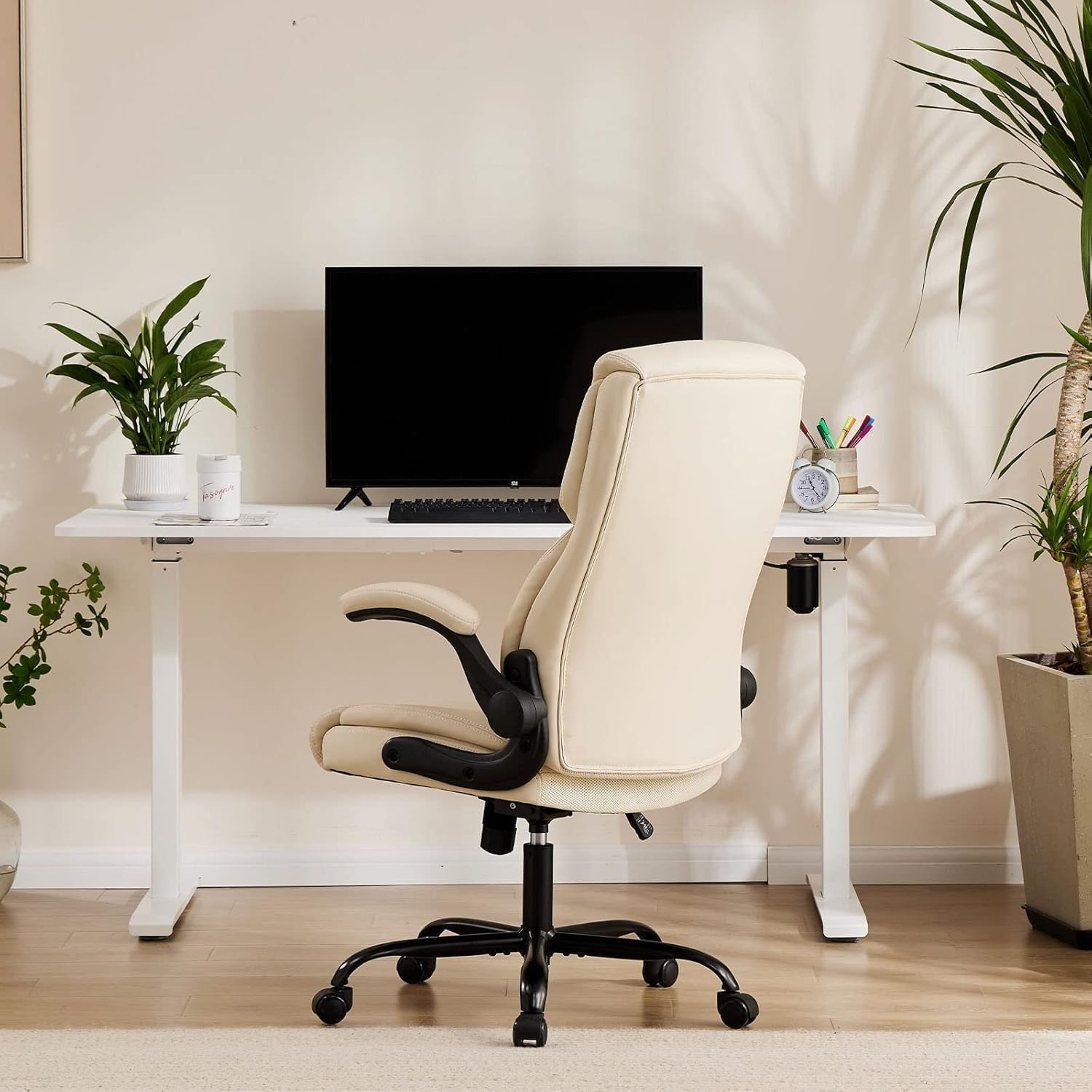
Image: Diagram illustrating the attachment points for the armrests and backrest to the seat cushion.
Step 5: Connect Seat Assembly to Gas Lift
Carefully place the assembled seat and backrest onto the gas lift cylinder, ensuring it is securely seated. The chair is now ready for use.
Operating Instructions
Height Adjustment
To adjust the chair's height, pull the lever located under the right side of the seat upwards. To raise the chair, lift the lever while taking your weight off the seat. To lower the chair, lift the lever while remaining seated.

Image: Illustration detailing the adjustable height mechanism of the chair.
Tilt and Rocking Function
The chair features a tilt mechanism allowing for a rocking motion. Pull the same lever (used for height adjustment) outwards to enable the rocking function. Push the lever inwards to lock the chair in an upright position.
Tilt Tension Adjustment
To adjust the resistance of the rocking motion, turn the round tension knob located underneath the seat, at the front of the mechanism. Turn clockwise to increase tension (firmer rock) and counter-clockwise to decrease tension (looser rock).
Flip-up Armrests
The armrests can be flipped up to allow the chair to be pushed closer to a desk or for increased mobility. Simply lift the armrests upwards until they lock into the vertical position. To lower them, pull them down.

Image: The chair with its armrests in the flipped-up position, demonstrating space-saving functionality.
Maintenance
- Cleaning: For routine cleaning of the PU leather, wipe with a soft, damp cloth. For tougher stains, use a mild soap solution and wipe dry immediately. Avoid harsh chemicals or abrasive cleaners.
- Inspection: Periodically check all bolts and screws to ensure they are tight. Re-tighten if necessary to maintain stability and safety.
- Casters: Keep the casters clean and free of debris (hair, dust) to ensure smooth rolling.
- Avoid Direct Sunlight: Prolonged exposure to direct sunlight can cause the PU leather to fade or crack.
Troubleshooting
| Problem | Possible Cause | Solution |
|---|---|---|
| Chair does not adjust height. | Gas lift lever not fully engaged or gas lift cylinder faulty. | Ensure the lever is pulled completely. If the issue persists, the gas lift may need replacement. |
| Chair wobbles or feels unstable. | Loose screws or uneven assembly. | Check and tighten all assembly screws. Ensure the chair is on a level surface. |
| Casters do not roll smoothly. | Debris caught in casters or damaged casters. | Clean any hair or debris from the caster wheels. If damaged, replace casters. |
| Backrest does not tilt or lock. | Tilt mechanism locked or tension too tight. | Pull the tilt lever outwards to enable rocking. Adjust the tilt tension knob counter-clockwise to loosen. |
Specifications
- Brand: Sweetcrispy
- Model Name: Ergonomic Office Chair
- Model Number: VCJL-SW2892-1B-WT-02
- Color: Beige
- Material: Faux Leather (PU Leather), Polyester Fill
- Product Dimensions: 28.54"D x 47.05"W x 28.94"H
- Maximum Weight Recommendation: 300 lbs (136 kg)
- Special Features: Flip-up Armrests, Adjustable Height, Tilt/Rocking Function, Lumbar Support
- Item Weight: 36.8 pounds
- UPC: 722402642038
Warranty and Support
This Sweetcrispy office chair comes with a one-year limited warranty from the manufacturer. For any questions, missing parts, or warranty claims, please contact Sweetcrispy customer support. Refer to the product packaging or manufacturer's website for contact details.


