
ANCEL BST500, AD410
ANCEL BST500 Car Battery Tester with Printer and ANCEL AD410 Enhanced OBD II Vehicle Code Reader User Manual
Model: BST500, AD410
Introduction
This user manual provides comprehensive instructions for the ANCEL BST500 Car Battery Tester with Printer and the ANCEL AD410 Enhanced OBD II Vehicle Code Reader. This bundle offers essential diagnostic capabilities for automotive professionals and DIY enthusiasts, covering battery health analysis and engine system diagnostics.
The ANCEL BST500 is designed to assess the condition of 12V and 24V lead-acid batteries, providing insights into voltage, internal resistance, battery health, and charge status, along with a built-in printer for instant reports. The ANCEL AD410 is an OBD2 scanner that reads and clears emissions-related diagnostic trouble codes (DTCs), turns off the Check Engine Light (MIL), and provides various diagnostic functions for vehicles manufactured from 1996 onwards.
What's Included
- 1 x ANCEL BST500 Automotive Battery Tester
- 1 x ANCEL AD410 OBD2 Scanner

Image: The ANCEL BST500 battery tester (left) with its red and black clamps, and the ANCEL AD410 OBD2 scanner (right) with its orange and black casing and OBDII connector.
ANCEL BST500 Car Battery Tester with Printer
Overview and Features
The BST500 battery tester is a professional tool designed to accurately assess the health and performance of various 12V and 24V lead-acid batteries. It provides critical information to help determine if a battery needs replacement or charging.
- Comprehensive Battery Analysis: Measures voltage, internal resistance, battery condition (State of Health - SOH), and charge status (State of Charge - SOC).
- Wide Battery Compatibility: Works with 12V and 24V lead-acid batteries, including Regular Flooded, AGM Flat Plate, AGM Spiral, and GEL types.
- Built-in Printer: Allows for immediate printing of test results for record-keeping or customer reports.
- Multiple Test Functions: Includes Battery Health Test, Cranking Test, Charging Test, and Load Test.
- Versatile Application: Suitable for testing batteries in cars, motorcycles, trucks, SUVs, ATVs, RVs, and more.
Setup and Operation (BST500)
- Connect to Battery: Ensure the vehicle's ignition is off. Connect the red clamp of the BST500 to the positive (+) terminal of the battery and the black clamp to the negative (-) terminal. The device will power on automatically.
- Select Battery Type: From the main menu, use the navigation buttons to select the correct battery type (e.g., Regular Flooded, AGM, GEL) and CCA rating as specified on your battery.
- Perform Battery Test:
- Battery Health Test: Select "Battery Test" from the menu. The device will display the battery's voltage, internal resistance, SOH, and SOC. It will also provide a recommendation (e.g., "Good Battery," "Charge Battery," "Replace Battery").
- Cranking Test: Select "Cranking Test." Follow the on-screen prompts to start the engine. The tester will analyze the cranking voltage and time to assess the starter system's performance.
- Charging Test: Select "Charging Test." Follow the prompts to rev the engine. The tester will evaluate the alternator's output voltage and ripple to determine if the charging system is functioning correctly.
- Load Test: The BST500 performs dual load tests, including Start-up Load Test and Max Work Load Test, to simulate real-world conditions and assess battery performance under load.
- Print Results: After a test is complete, the device will prompt you to print the report. Confirm to print the detailed analysis.

Image: Illustration of different battery types (Regular-flooded, AGM Flat Plate, AGM Spiral, GEL, EFB) indicating compatibility with the ANCEL BST500, highlighting its versatility for 12V and 24V batteries.
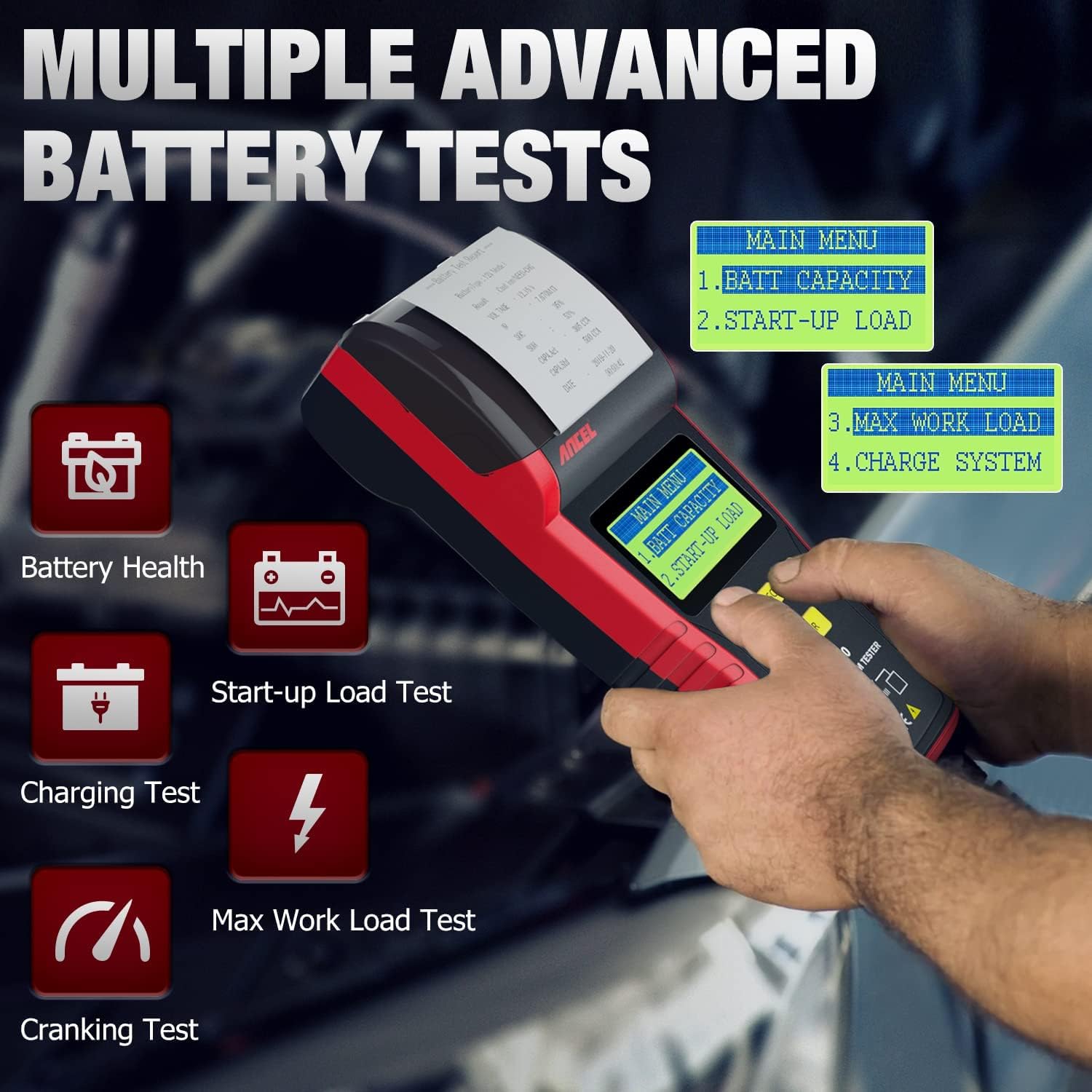
Image: A user operating the ANCEL BST500, with icons representing various advanced battery tests such as Battery Health, Start-up Load Test, Charging Test, Max Work Load Test, and Cranking Test.

Image: A visual representation of the ANCEL BST500's display showing detailed battery health parameters like voltage, internal resistance (IR), State of Health (SOH), and CCA value, along with charging system test results.
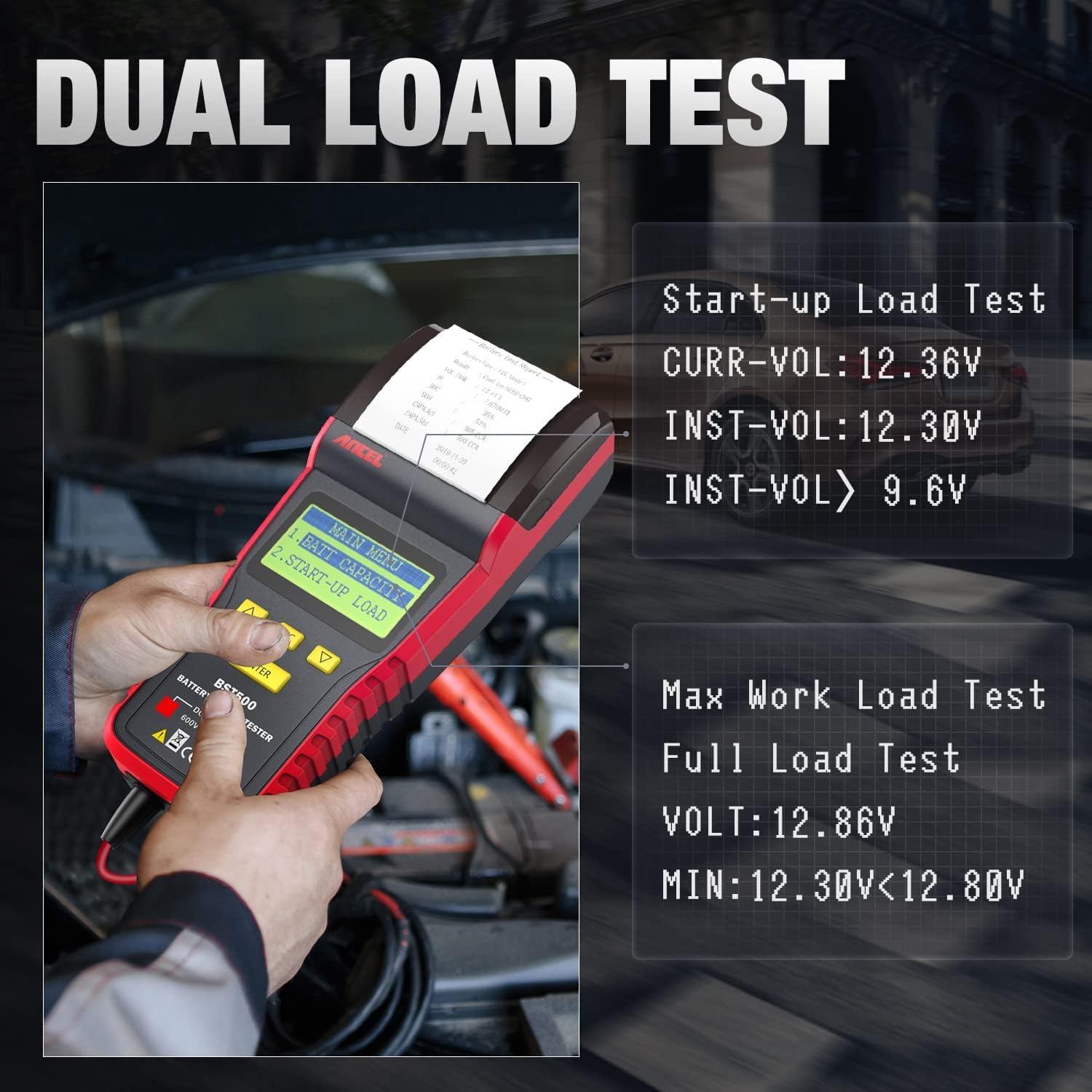
Image: The ANCEL BST500 screen showing results from a Start-up Load Test and a Max Work Load Test, demonstrating its capability to perform dual load assessments on a battery.

Image: A close-up view of the ANCEL BST500's built-in printer mechanism, showing a printed battery test report emerging from the device, emphasizing its convenience for immediate documentation.

Image: A collage of different vehicle types including cars, boats, trucks, motorcycles, ATVs, and pickups, illustrating the wide range of applications for the ANCEL BST500 battery tester.
ANCEL AD410 Enhanced OBD II Vehicle Code Reader
Overview and Features
The ANCEL AD410 is an essential diagnostic tool for quickly identifying and resolving issues related to your vehicle's engine system. It is compatible with most vehicles sold in the U.S. with a model year of 1996 or newer.
- Read and Clear Codes: Quickly retrieves and erases Diagnostic Trouble Codes (DTCs), turning off the Malfunction Indicator Lamp (MIL), commonly known as the Check Engine Light.
- I/M Readiness: Checks the readiness of the emission monitor systems, which is crucial for passing smog tests.
- Live Data Stream: Displays real-time data from the vehicle's sensors in text or graph format.
- View Freeze Frame Data: Captures a snapshot of vehicle operating conditions at the time an emission-related fault occurs.
- DTC Lookup: Built-in DTC library with definitions to help understand the meaning of codes.
- Vehicle Information: Retrieves VIN (Vehicle Identification Number), Cal ID, and CVN.
- Protocol Support: Supports all OBDII protocols: KWP2000, ISO9141, J1850 VPW, J1850 PWM, and CAN.
- Multi-language Interface: Displays in English, German, French, Spanish, Finnish, Dutch, Russian, and Portuguese.
- No Battery Required: Powered directly from the vehicle's OBDII Data Link Connector (DLC).
Setup and Operation (AD410)
- Locate OBDII Port: The OBDII port is typically located under the dashboard on the driver's side.
- Connect to Vehicle: With the vehicle's ignition off, plug the AD410's OBDII connector into the vehicle's OBDII port. Turn the ignition to the "ON" position (engine can be off or running, depending on the test). The device will power on.
- Navigate Menu: Use the "ENTER" and arrow buttons to navigate through the main menu options.
- Read Codes: Select "Read Codes" to retrieve current, pending, and permanent diagnostic trouble codes. The screen will display the codes and their definitions.
- Clear Codes: After addressing the underlying issue, select "Erase Codes" to clear the DTCs and turn off the Check Engine Light. Note: Clearing codes does not fix the problem; it only clears the indicator. Ensure the issue is resolved before clearing codes.
- I/M Readiness: Select "I/M Readiness" to check the status of various emission-related monitors. This helps determine if the vehicle is ready for an emissions test.
- View Live Data: Select "Live Data" to view real-time sensor data, which can be useful for diagnosing intermittent problems.

Image: An illustration depicting the ANCEL AD410 as a "Professional Doctor for Your Beloved Car," highlighting its key functions such as Read Codes, Live Data Stream, View Freeze Frame, I/M Readiness, Retrieve Vehicle Information, DTC Lookup, EVAP Leak Test, O2 Sensor Test, On-Board Monitor, and Erase Codes.

Image: The ANCEL AD410 OBD2 scanner connected to a vehicle, demonstrating its ability to diagnose engine problems and turn off the Check Engine Light, with visual cues for erasing fault codes and turning off the engine light.
Maintenance
- Cleaning: Wipe the devices with a soft, damp cloth. Do not use abrasive cleaners or solvents.
- Storage: Store the devices in a clean, dry environment away from extreme temperatures and direct sunlight. Keep them in their original packaging or a protective case when not in use.
- Cable Care: Inspect cables and connectors regularly for any signs of damage. Do not pull on the cables to disconnect; always grasp the connector.
- Software Updates: Check the ANCEL official website periodically for any available software updates for both the BST500 and AD410 to ensure optimal performance and compatibility with newer vehicles/battery types.
Troubleshooting
| Problem | Possible Cause | Solution |
|---|---|---|
| Device does not power on (AD410) | Loose connection to OBDII port; Vehicle's OBDII port not supplying power. | Ensure the AD410 is securely plugged into the vehicle's OBDII port. Check vehicle's fuse for the OBDII port. Try on another vehicle if possible. |
| Device does not power on (BST500) | Incorrect battery clamp connection; Battery voltage too low. | Ensure red clamp is on positive (+) and black clamp on negative (-) battery terminals. Verify battery voltage is above minimum operating threshold (typically 8V for 12V systems). |
| Cannot read codes / Link error (AD410) | Ignition not on; Vehicle not OBDII compliant; Faulty connection; Vehicle communication error. | Turn ignition to "ON" position. Verify vehicle is 1996 or newer and OBDII compliant. Check cable connection. Try on another OBDII compliant vehicle. |
| Inaccurate battery test results (BST500) | Loose battery connections; Incorrect battery type/CCA entered; Battery surface corrosion. | Ensure clamps are firmly attached to clean battery terminals. Double-check that the correct battery type and CCA values are selected in the tester's menu. Clean battery terminals if corroded. |
| Printer not working (BST500) | No paper; Paper jammed; Printer head issue. | Check if thermal paper is loaded correctly and replace if empty. Clear any paper jams. If problem persists, contact support. |
Specifications
ANCEL BST500 Battery Tester
- Battery Types: 12V & 24V Lead-Acid Batteries (Regular Flooded, AGM Flat Plate, AGM Spiral, GEL)
- CCA Range: 100 - 1700 CCA
- Test Standards: CCA, BCI, CA, MCA, JIS, DIN, IEC, EN, SAE, GB
- Display: LCD with backlight
- Printer: Built-in thermal printer
ANCEL AD410 OBD II Code Reader
- Compatibility: Most 1996 and newer vehicles (US-based)
- Protocols: KWP2000, ISO9141, J1850 VPW, J1850 PWM, CAN
- Functions: Read/Clear DTCs, I/M Readiness, Live Data, Freeze Frame, O2 Sensor Test, On-Board Monitor Test, EVAP System Test, Vehicle Information
- Display: Backlit LCD
- Power: Directly powered from vehicle's OBDII DLC (no internal battery)
- Languages: English, German, French, Spanish, Finnish, Dutch, Russian, Portuguese
Warranty and Support
For detailed warranty information, please refer to the warranty card included with your product packaging or visit the official ANCEL website. Warranty terms and conditions may vary by region and product.
If you encounter any issues or have questions regarding the ANCEL BST500 or ANCEL AD410, please contact ANCEL customer support through their official website or the contact information provided in your product documentation. When contacting support, please have your product model numbers and purchase details ready.
Official ANCEL Website: www.anceltech.com
Related documentsBST500, AD410

Ask a question about this manual
Ask about setup, troubleshooting, compatibility, parts, safety, or missing instructions. Manuals+ will review the question and use this page’s manual context to help answer it.