
1. Introduction
The Zurn ZG6922 AquaSense Wall Mount Sensor Faucet is designed to provide a hygienic, sustainable, and reliable handwashing experience. This advanced sensor faucet incorporates a gear-driven ceramic cartridge, eliminating the need for traditional solenoids and reducing susceptibility to debris and buildup. It features a high-efficiency, low-flow rate of 0.5 GPM and a 30-second timeout to conserve water, aligning with sustainability objectives.
Equipped with standard Bluetooth app connectivity, the faucet allows for wireless programming of metering, on-demand or automatic line flushing, timeout settings, and sensor sensitivity. The Hydro•X Power technology option provides renewable hydropower, ensuring uninterrupted operation. For enhanced monitoring, the plumbSMART™ connected option offers real-time usage insights within a connected plumbing ecosystem.
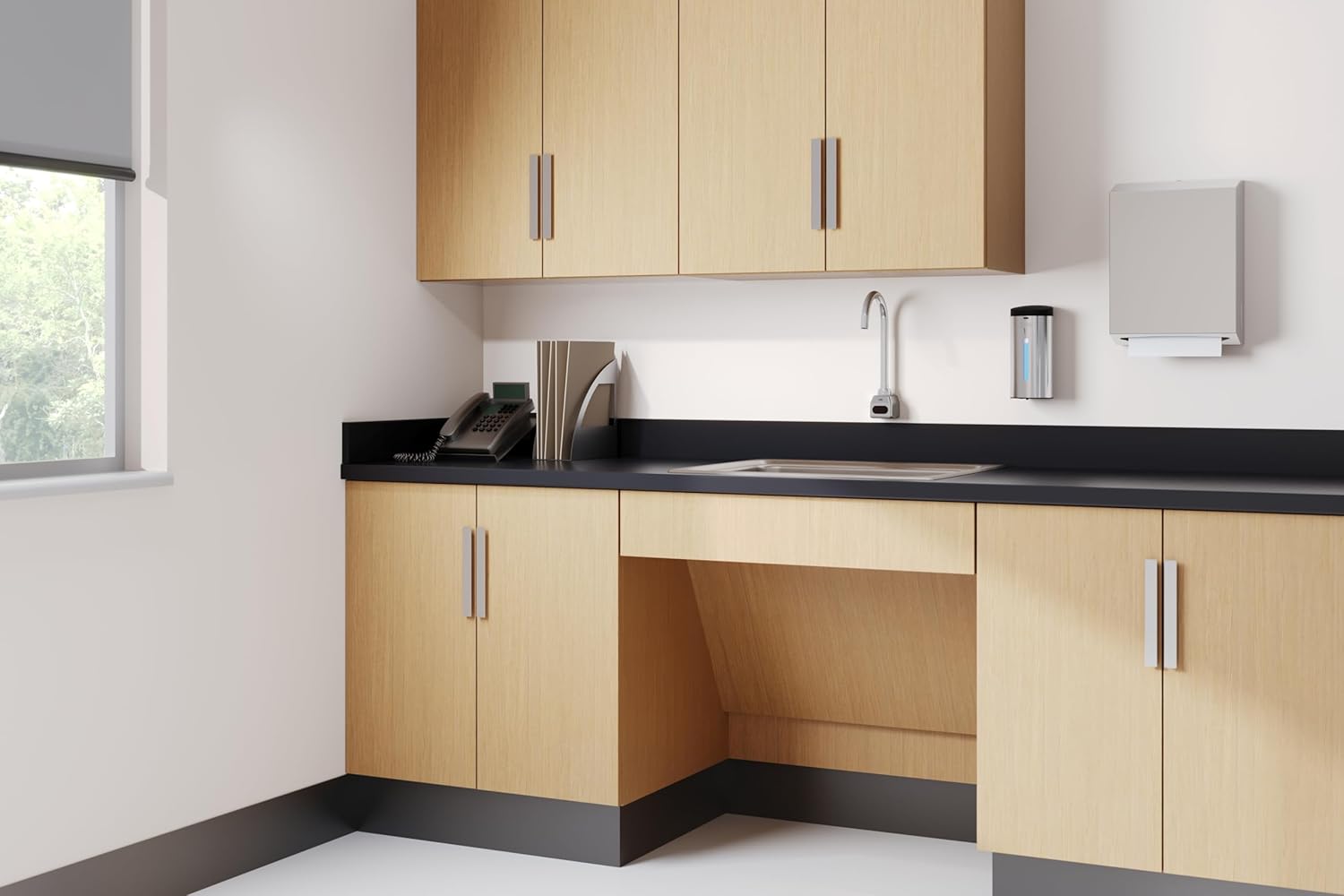
Image 1.1: Zurn AquaSense Wall Mount Sensor Faucet in a typical installation environment.
2. Safety Information
Please read all instructions carefully before installation and operation. Failure to follow these instructions could result in property damage, personal injury, or death.
- Ensure all water supply lines are turned off before beginning installation or maintenance.
- Wear appropriate personal protective equipment (PPE) such as safety glasses and gloves during installation.
- If you are unsure about any part of the installation process, consult a qualified plumber or electrician.
- Do not attempt to modify the faucet or its components. Use only genuine Zurn replacement parts.
- This product is intended for indoor use only.
- Keep children away from the installation area.
3. Package Contents
Verify that all components are present before beginning installation:
- Electronic Box
- Faucet Body
- Hydro Generator (if Hydro•X Power option is included)
- Spout Assembly
- Mounting Hardware
- Installation Guide

Image 3.1: Detailed view of the Zurn AquaSense Faucet spout assembly.
4. Installation
The Zurn ZG6922 is a wall-mount, single-hole installation faucet. Professional installation is recommended to ensure proper function and compliance with local plumbing codes.
4.1 Pre-Installation Steps
- Turn off the main water supply to the installation area.
- Clear the installation area of any obstructions.
- Ensure the wall surface is clean and prepared for mounting.
4.2 Mounting the Faucet
- Position the faucet body and spout assembly on the wall at the desired height.
- Mark the drilling locations for the mounting hardware.
- Drill pilot holes as per the installation guide.
- Secure the faucet body to the wall using the provided mounting hardware.
- Connect the water supply lines to the faucet inlets. Ensure all connections are tight to prevent leaks.
4.3 Electronic Box and Hydro Generator Installation
- Mount the electronic box in an accessible, dry location, typically under the sink or behind the wall.
- Connect the electronic box to the faucet sensor cable.
- If equipped with Hydro•X Power, connect the hydro generator to the water supply line and the electronic box as per the detailed instructions in the separate Hydro•X Power manual.

Image 4.1: Close-up view of the Zurn AquaSense Faucet wall-mount installation.
5. Setup and Configuration
The Zurn ZG6922 faucet offers advanced configuration options via a Bluetooth-enabled mobile application.
5.1 Bluetooth App Connectivity
- Download the Zurn plumbSMART™ app from your device's app store.
- Ensure Bluetooth is enabled on your mobile device.
- Open the app and follow the on-screen instructions to discover and connect to your ZG6922 faucet.
5.2 Programmable Settings
Through the app, you can adjust various settings:
- Metering: Adjust the duration of water flow per activation.
- Sensor Sensitivity: Fine-tune the detection range of the sensor.
- Timeout: Set the maximum continuous flow time (default 30 seconds).
- Line Flushing: Schedule automatic flushing to prevent stagnant water.
- On-Demand Flushing: Initiate a manual flush cycle.
5.3 Hydro•X Power Technology
The Hydro•X Power option utilizes the flow of water to generate electricity, providing sustainable and uninterrupted power to the faucet's electronics. This eliminates the need for batteries or external power sources. Ensure proper water flow for optimal power generation.
Video 5.1: An overview of the AquaSense Sensor Faucet features, including EZ Gear Technology, Touchless Sensor Activation, and Hydro-X Power Technology.
6. Operating Instructions
The Zurn ZG6922 AquaSense Faucet operates touchlessly, promoting hygiene and reducing germ transmission.
6.1 Activating Water Flow
- Place your hands within the sensor's detection range, typically directly below the spout.
- The sensor will detect your hands and activate the water flow.
- Remove your hands from the sensor's range to stop the water flow.
The faucet is designed with a 30-second timeout feature, automatically stopping water flow if the sensor remains continuously activated for this duration, preventing accidental water waste.
7. Maintenance
Regular maintenance ensures the longevity and optimal performance of your Zurn AquaSense Faucet.
7.1 Cleaning the Faucet
- Clean the faucet regularly with a soft cloth and mild, non-abrasive cleaner.
- Avoid using harsh chemicals, abrasive pads, or polishes, as these can damage the chrome finish and sensor.
- Wipe the sensor window gently to ensure clear detection.
7.2 Cartridge Information
This faucet features a gear-driven ceramic cartridge, which is highly durable and less prone to issues caused by debris compared to traditional solenoids. This design minimizes the need for frequent cartridge replacement. If water flow issues persist after troubleshooting, consult a qualified professional for cartridge inspection or replacement.

Image 7.1: Proper cleaning of the Zurn AquaSense Faucet using a soft cloth.
8. Troubleshooting
If you encounter issues with your Zurn AquaSense Faucet, refer to the following common troubleshooting steps:
| Problem | Possible Cause | Solution |
|---|---|---|
| No water flow | Water supply off, sensor obstructed, power issue, clogged aerator. | Check water supply valves. Clean sensor window. Verify power to electronic box. Clean or replace aerator. |
| Continuous water flow | Sensor malfunction, object in sensor range, cartridge issue. | Remove any objects from sensor range. Recalibrate sensor via Bluetooth app. If problem persists, contact support. |
| Weak water flow | Low water pressure, clogged aerator, debris in lines. | Check building water pressure. Clean or replace aerator. Flush water lines. |
| Sensor not responding | Sensor window dirty, incorrect sensitivity setting, power issue. | Clean sensor window. Adjust sensor sensitivity via Bluetooth app. Check power connections. |
For issues not listed here or if troubleshooting steps do not resolve the problem, please contact Zurn customer support.
9. Specifications
| Feature | Detail |
|---|---|
| Brand | Zurn |
| Model Number | ZG6922 |
| Mounting Type | Wall Mount |
| Installation Type | Single Hole |
| Flow Rate | 0.5 GPM (Gallons Per Minute) |
| Finish Type | Polished Chrome |
| Material | Brass (Faucet Body), Ceramic (Cartridge) |
| Handle Type | Sensor (Touchless) |
| Spout Height | 7.88 Inches |
| Spout Reach | 5.69 Inches |
| Item Weight | 6 Pounds |
| Dimensions (D x W x H) | 5.69"D x 2.25"W x 12.25"H |
| Special Features | Touchless, Gear-Driven Ceramic Cartridge, Hydro•X Power Technology, Bluetooth Connectivity |
| UPC | 889934240986 |
10. Warranty and Support
Zurn products are manufactured to the highest quality standards and are backed by a manufacturer's warranty. Please refer to the official Zurn website or your purchase documentation for specific warranty terms and conditions.
For technical assistance, replacement parts, or warranty claims, please contact Zurn Customer Support:
- Website: www.zurn.com
- Phone: Refer to the Zurn website for regional contact numbers.
When contacting support, please have your model number (ZG6922) and purchase date available.


