
1. Product Overview
The FREEBOY Electric Scooter J03 is designed for efficient and enjoyable urban commuting. It features a powerful 350W motor, 8.5-inch solid tires, and a dual braking system for safety. Its foldable design ensures portability and convenient storage.

Image 1: The FREEBOY Electric Scooter J03, showcasing its sleek design and integrated LED display.
2. Package Contents
- FREEBOY Electric Scooter J03
- Charger x 1
- English Instructions x 1
- Hexagonal Wrench x 3
- Screws x 4
- LED Screen Silicone Case x 1
3. Setup and Assembly
Your FREEBOY Electric Scooter J03 comes partially assembled. Follow these steps to complete the setup:
- Unboxing: Carefully remove all components from the packaging. Inspect for any damage.
- Unfolding the Scooter:
a. Place the scooter on a flat surface.
b. Lift the handlebar stem until it locks into the upright position. Ensure the locking mechanism is securely engaged.
c. Attach the handlebars to the stem, ensuring all cables are properly connected and not pinched.
d. Use the provided hexagonal wrench and screws to secure the handlebars. - Initial Charge: Before first use, fully charge the scooter's battery. Connect the charger to the charging port and then to a power outlet. The LED indicator on the charger will change color (e.g., red to green) when fully charged.
Video 1: This video demonstrates the unboxing and initial assembly process of the FREEBOY Electric Scooter J03, including securing the handlebars and preparing for use.
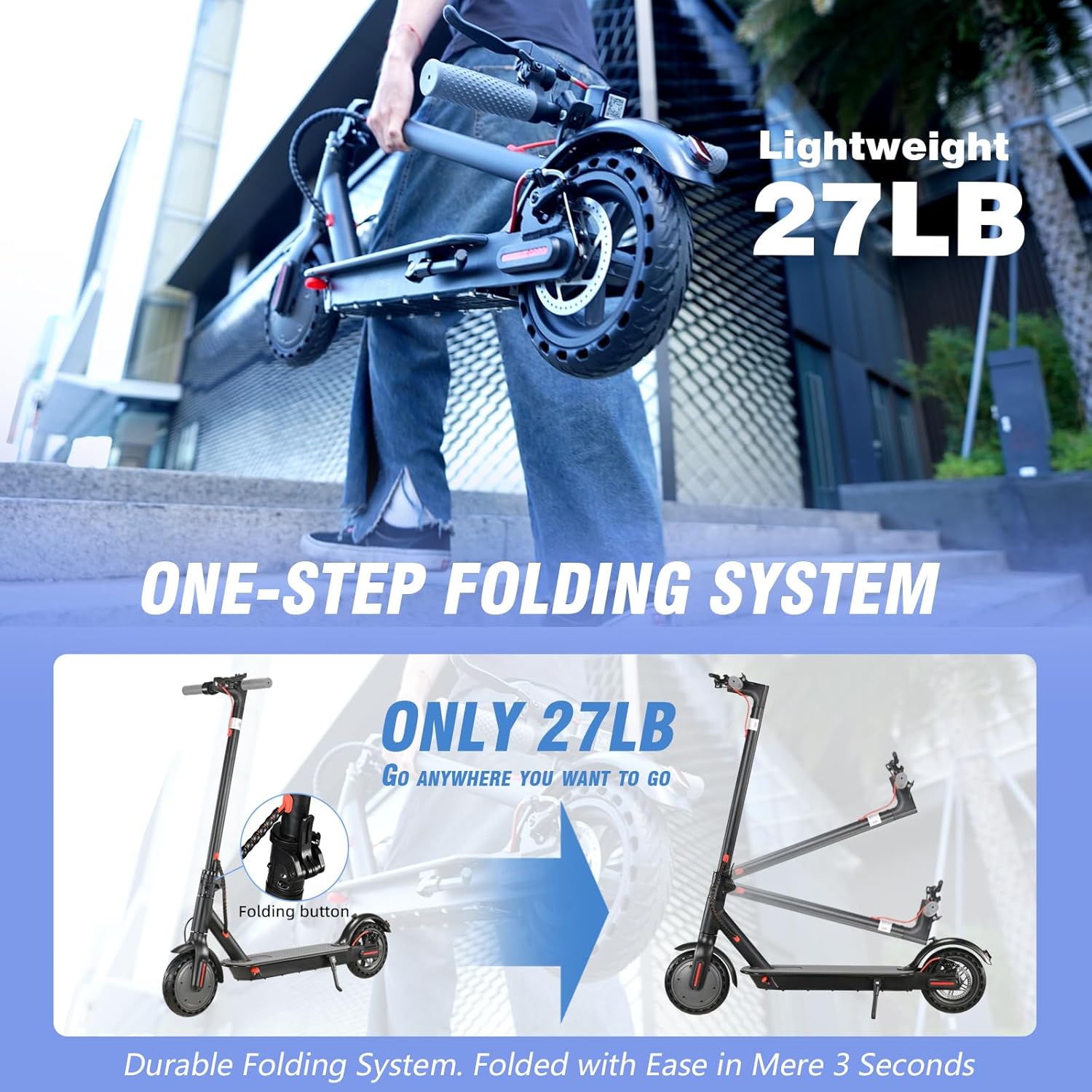
Image 2: Close-up of the scooter's folding mechanism, highlighting its compact design for easy storage and transport.
4. Operating Instructions
4.1 Power On/Off
Press and hold the power button on the LED display to turn the scooter on or off.
4.2 Speed Modes
The scooter features three speed modes: Eco (10 Mph), D (15 Mph), and S (19 Mph). Press the power button briefly to cycle through the modes. The current mode will be displayed on the LED screen.
4.3 Acceleration and Braking
To accelerate, gently press the throttle lever. To brake, use the dual braking system which includes a rear disc brake. Apply the brake lever smoothly to slow down or stop.

Image 3: Demonstrates the scooter's lighting system (headlight and taillight) and the rear disc brake for enhanced safety.
4.4 Cruise Control
To activate cruise control, maintain a constant speed for a few seconds until you hear a beep. The scooter will then maintain this speed automatically. To deactivate, simply press the brake or throttle.
4.5 LED Display and App Control
The integrated LED display shows real-time speed, current speed mode, battery life, and light status. For advanced control and monitoring, download the FREEBOY app to your smartphone. The app allows you to view mileage, adjust gear, and check battery quantity.

Image 4: The intelligent LED display showing speed, speed mode, cruise control, and battery life indicators.

Image 5: A smartphone screen displaying the FREEBOY app interface, showing various controls and information for the scooter.
5. Maintenance
5.1 Battery Care
- Charge the battery regularly, even if not in use, to maintain its lifespan.
- Avoid completely draining the battery.
- Store the scooter in a cool, dry place away from direct sunlight and extreme temperatures.
5.2 Tire Maintenance
The J03 model is equipped with 8.5-inch solid tires, which require minimal maintenance compared to pneumatic tires. Regularly inspect tires for wear and tear or embedded debris.
5.3 Cleaning and Storage
- Wipe the scooter with a damp cloth. Do not use high-pressure water or immerse the scooter in water.
- When storing, ensure the scooter is clean and dry. Utilize its folding system for compact storage.

Image 6: Illustrates the scooter's convenient storage options, such as fitting in a car trunk or being carried easily when folded.
6. Troubleshooting
- Scooter not turning on: Check if the battery is charged. Ensure all connections are secure.
- Reduced range/speed: This can be affected by rider weight, terrain, incline, ambient temperature, and riding style. Ensure the battery is fully charged.
- Brakes not responsive: Inspect the brake cables and disc brake for any obstructions or wear. Adjust if necessary.
- Unusual noises: Stop riding immediately and inspect the scooter for loose parts or damage.
7. Specifications
| Feature | Specification |
|---|---|
| Brand | FREEBOY |
| Model Name | J03 |
| Motor | 350W Brushless Motor |
| Max Speed | 19 MPH |
| Max Range | 17-19 Miles |
| Tire Size | 8.5 Inches |
| Tire Type | Solid |
| Braking System | Dual Braking (Rear Disc Brake) |
| Weight Limit | 264 Pounds |
| Item Weight | 27 Pounds |
| Product Dimensions | 41.3"L x 22"W x 49.2"H |
| Special Features | Foldable, LED Lights, Cruise Control, LED Display |
| Frame Material | Aluminum |
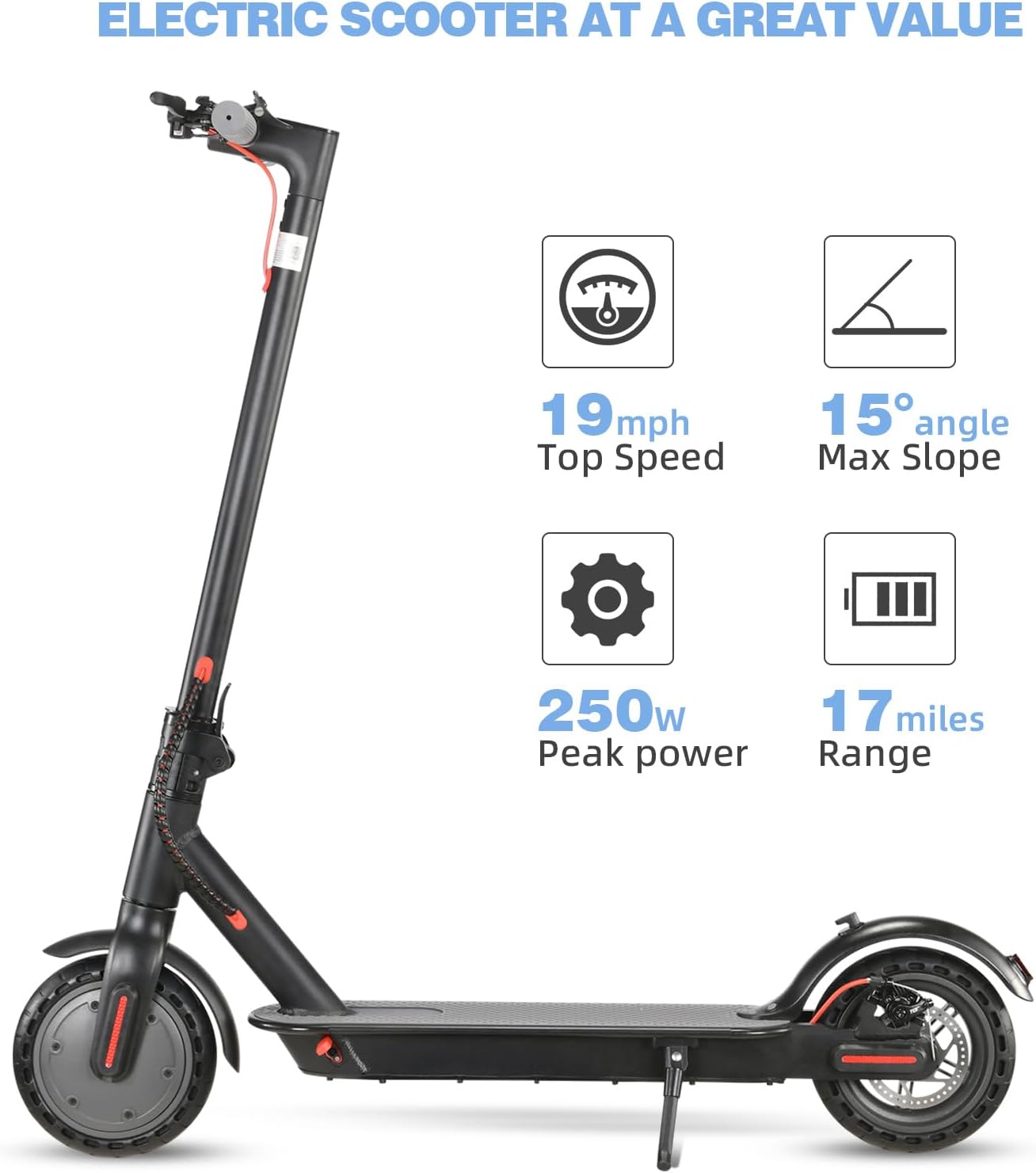
Image 7: Visual representation of the scooter's key performance specifications including top speed, max slope, peak power, and range.
8. Warranty and Support
FREEBOY is committed to providing high-quality products. The Electric Scooter J03 comes with a warranty:
- Warranty Period: 12-month or 6-month warranty for different parts. Please refer to the specific warranty details provided in your package.
For any questions, concerns, or technical support, please contact FREEBOY customer service. We aim to respond within 24 hours.
Video 2: This video showcases the FREEBOY Electric Scooter J03 in various riding scenarios, highlighting its features and user experience.