
1. Introduction
The COTINSE Natural Sound Box is designed to provide a relaxing auditory experience with natural sounds, including bird songs. Equipped with a motion sensor, timer functions, and adjustable volume, this portable device is suitable for various environments such as bedrooms, bathrooms, or hallways, helping to mask ambient noise and promote relaxation.

Image 1.1: The Natural Sound Box aims to reduce stress with its natural soundscapes.
2. Product Overview
Key Features:
- 9 Relaxing Sounds: Features a selection of natural soundscapes, including bird songs, campfire, waves, and streams.
- Motion Sensor: Activates sounds upon detecting movement.
- Timer Function: Offers 15, 30-minute, or continuous loop playback options.
- Adjustable Volume: 5 levels of volume control (0-90 dB).
- Memory Function: Recalls the last timer, sound, and volume settings.
- USB Rechargeable: Convenient Type-C USB charging.
- Compact and Portable: Lightweight design for easy placement and travel.
Components:

Image 2.1: Front and back view of the sound box with labeled components.
- Timer Button: Controls playback duration.
- Player Button: Power on/off and play/pause.
- Music Button: Cycles through the 9 natural sounds.
- Volume Button: Adjusts sound level.
- Type-C Charging Port: For recharging the internal battery.
- Battery Compartment: Houses the battery (if applicable, or indicates internal rechargeable battery).
- Motion Sensor (Front): Detects movement to activate sounds.

Image 2.2: Visual representation of the 9 relaxing natural sounds.
3. Setup
3.1 Charging the Device
Before first use, fully charge the Natural Sound Box using the provided Type-C USB cable. Connect the cable to the charging port on the device and to a standard USB power adapter (not included) or a computer USB port. The charging indicator light will show the charging status.
3.2 Placement
Place the sound box in your desired location. For optimal motion sensor performance, ensure the sensor (located on the front) has a clear line of sight to the area where movement is expected. Avoid placing it behind obstacles or in areas with constant, unintended movement.

Image 3.1: Example placement of the sound box in a bathroom.
4. Operating Instructions
4.1 Power On/Off and Play/Pause
- Press the Player Button (labeled '2' in Image 2.1) to turn the device on or off.
- While playing, press the Player Button again to pause the sound. Press it once more to resume playback.
4.2 Selecting Sounds
Press the Music Button (labeled '3' in Image 2.1) repeatedly to cycle through the 9 available natural sounds. The device will play a short preview of each sound as you select it.
4.3 Adjusting Volume
Press the Volume Button (labeled '4' in Image 2.1) to adjust the sound level. There are 5 volume levels, ranging from 0 to 90 dB. Continue pressing until you reach your desired volume.
4.4 Timer Function
Press the Timer Button (labeled '1' in Image 2.1) to set the playback duration. You can choose between 15 minutes, 30 minutes, or a continuous loop mode. The device will automatically turn off or continue playing based on your selection.

Image 4.1: The three timer functions: 30 minutes, 60 minutes, and continuous loop.
4.5 Motion Sensor Operation
The integrated motion sensor activates the sound box when movement is detected within its range. The sound will play for a set duration (typically 2 minutes for bird songs) and then stop. The sensor will reactivate after a short delay if further movement is detected.
Note: As soon as music playback begins, the motion detection (PIR sensor) is temporarily deactivated. This is not a sensor malfunction and is normal operation.
4.6 Remote Control Usage
The included remote control allows for convenient operation from a distance. It features dedicated buttons for:
- Music Button: Change sounds.
- Timer Button: Set playback duration.
- Volume Buttons: Increase or decrease volume.
- Power/Play/Pause Button: Turn on/off or play/pause sounds.

Image 4.2: Remote control and its functions.
4.7 Memory Function
The device will remember your last selected sound, volume level, and timer setting when it is turned off and then powered on again. This ensures a consistent experience without needing to reconfigure settings each time.
5. Maintenance
- Cleaning: Wipe the device with a soft, dry cloth. Do not use abrasive cleaners or immerse the device in water.
- Storage: Store the sound box in a cool, dry place when not in use for extended periods.
- Battery Care: To prolong battery life, avoid fully discharging the device frequently. Recharge it regularly.
6. Troubleshooting
- Device not turning on:
- Ensure the device is charged. Connect it to a power source using the USB-C cable.
- Press and hold the Player Button for a few seconds to ensure it's not just a short press.
- No sound or low volume:
- Check the volume level using the Volume Button or remote control.
- Ensure the device is not paused. Press the Player Button to resume.
- Motion sensor not activating:
- Verify the sensor has a clear line of sight and is not obstructed.
- Remember that the motion sensor is temporarily deactivated when music is already playing. Wait for the current sound to finish.
- Ensure the device is powered on.
- Remote control not working:
- Check the remote control's battery.
- Ensure there are no obstructions between the remote and the sound box.
7. Specifications
| Brand: | COTINSE |
| Model Number: | Vogelzwitscher Box-1 |
| Dimensions: | Approximately 10.2 x 10 x 7.7 cm (4 x 3.9 x 3 inches) |
| Product Weight: | 290 g (0.64 lbs) |
| Power Source: | USB Rechargeable (Type-C) |
| Sound Levels: | 5 adjustable levels (0-90 dB) |
| Timer Options: | 15 minutes, 30 minutes, Loop mode |
| ASIN: | B0CZNV5TCQ |
| First Available: | May 12, 2024 |
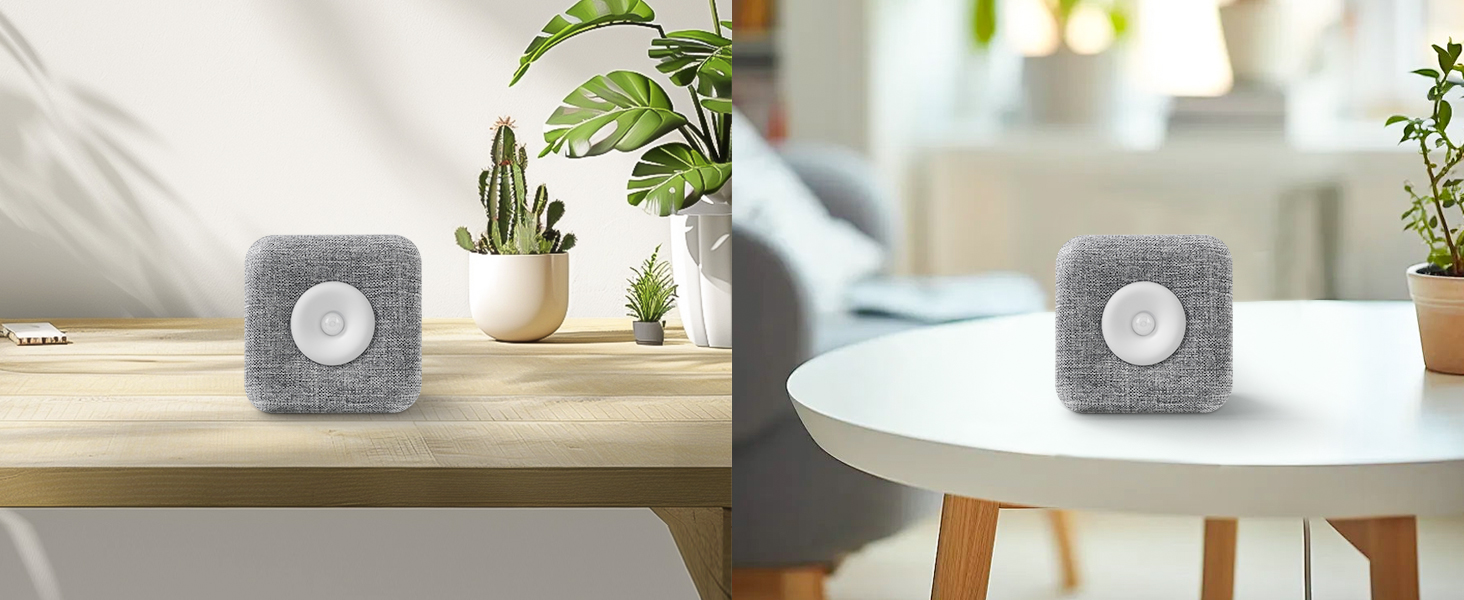
Image 7.1: Dimensions and portability of the sound box.
8. Warranty and Support
Specific warranty information for the COTINSE Natural Sound Box is not provided in the product details. Please refer to the retailer's return policy or contact COTINSE customer support directly for warranty claims or technical assistance.
For further support, please visit the official COTINSE website or contact their customer service department through the contact information provided with your purchase.