
RUBIK ACDC200
RUBIK ACDC200 Multi-Process TIG Welder User Manual
Model: ACDC200 | Brand: RUBIK
1. Safety Information
Always prioritize safety when operating welding equipment. Failure to follow safety guidelines can result in serious injury or death.
- Personal Protective Equipment (PPE): Always wear appropriate PPE, including a welding helmet with the correct shade, flame-resistant clothing, welding gloves, and safety shoes.
- Electrical Safety: Ensure the welding machine is properly grounded. Do not operate in wet conditions. Verify input voltage matches the machine's requirements (110V/220V dual voltage). The machine features VRD (Voltage Reduction Device) for enhanced safety, reducing open-circuit voltage when not welding.
- Fume Ventilation: Weld in a well-ventilated area to avoid inhaling hazardous fumes. Use local exhaust ventilation or respirators if necessary.
- Fire Prevention: Keep a fire extinguisher nearby. Remove all flammable materials from the welding area. Welding sparks can travel.
- Arc Rays: Protect eyes and skin from arc rays, which can cause severe burns.
- Hot Materials: Welded materials will be extremely hot. Allow them to cool or handle with appropriate tools and gloves.
2. Product Overview
The RUBIK ACDC200 is a versatile 6-in-1 multi-process welding machine designed for a wide range of welding applications. It combines advanced inverter technology with user-friendly controls to deliver stable and precise welding performance.

Image: The RUBIK ACDC200 Multi-Process TIG Welder, showcasing its compact design and various included accessories such as the TIG torch, ground clamp, electrode holder, and pressure regulator.
Key Features:
- 6-in-1 Welding Modes: Supports MMA STICK, TIG, AC TIG, DC TIG, AC Pulse TIG, and DC Pulse TIG, offering comprehensive welding capabilities for diverse materials and applications.
- Large LCD Screen: Provides clear and precise display of welding parameters, allowing for accurate adjustments of base current, peak current, arc start and end, pulse frequency, pulse width, and cleaning width.
- Multi-Functional Welding: Includes features such as 2T/4T switching, adjustable pulse duty cycle and frequency, adjustable fall time, VRD safety protection, box welding/anti-stick function, and automatic current detection and cut-off.
- Stable Arc Performance: Delivers a strong, focused, and stable welding arc for smooth, consistent, and dependable results on various materials. Operates on both 110V and 220V power.
- Advanced Inverter Technology: Utilizes full-bridge soft-switching inverter technology for improved efficiency. The unit is compact and lightweight (approximately 16.28 pounds), enhancing portability and storage.
- Wide Range of Applications: Suitable for welding aluminum up to 2/5'' thick, stainless steel up to 1/4'' thick, carbon steel, copper, and other non-ferrous metals.

Image: Visual representation of the six welding modes available on the RUBIK ACDC200, including TIG, MMA STICK, AC TIG, DC TIG, AC Pulse TIG, and DC Pulse TIG.

Image: A close-up of the RUBIK ACDC200's large LCD screen, demonstrating its clear and accurate display of welding parameters and settings.
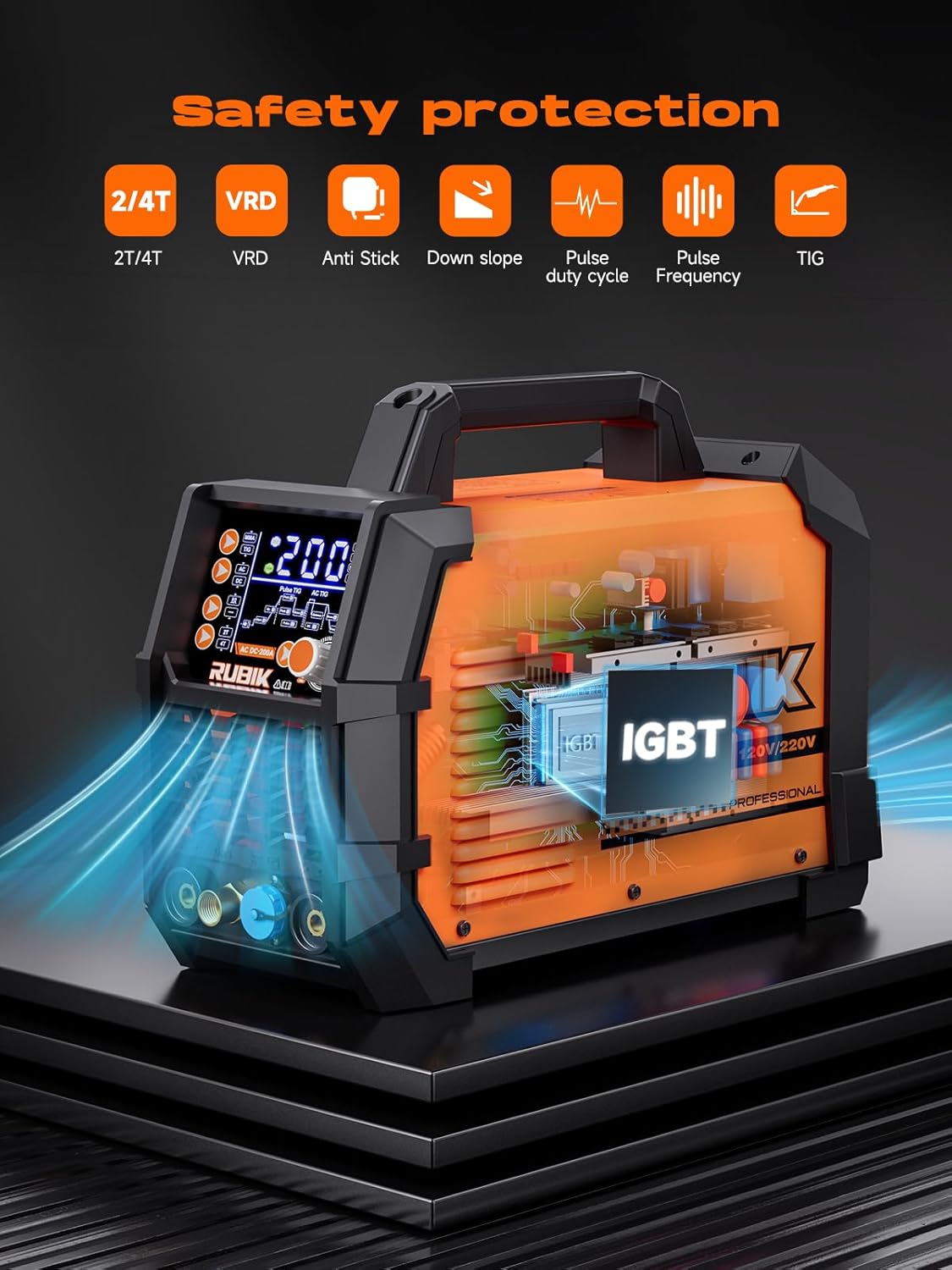
Image: An illustration highlighting the internal components and safety protection features of the RUBIK ACDC200, such as 2T/4T, VRD, Anti Stick, Down Slope, Pulse Duty Cycle, Pulse Frequency, and TIG.

Image: Depiction of the RUBIK ACDC200's versatility across various materials, including aluminum, low-carbon steel, stainless steel, and copper, demonstrating its wide range of applications.
3. Setup
Before operating the RUBIK ACDC200, ensure all components are correctly connected and the work area is prepared according to safety guidelines.
Included Components:
The following items are typically included with your RUBIK ACDC200 welder:
- RUBIK ACDC200 Welder Unit
- TIG Torch
- Electrode Holder
- Ground Clamp
- Gas Hose
- Pressure Regulator
- Ceramic Nozzles (4x)
- Steel Brush
- User Manual
- 110V/220V Adapter

Image: A detailed layout of all accessories included with the RUBIK ACDC200 welder, such as the TIG torch, ground clamp, electrode holder, gas hose, pressure regulator, ceramic nozzles, and power cables.
Connection Steps:
- Power Connection: Connect the welder to a suitable 110V or 220V AC power outlet using the provided adapter. Ensure the power source matches the machine's voltage setting.
- Ground Clamp: Attach the ground clamp cable to the appropriate terminal on the welder and securely fasten the clamp to the workpiece or welding table, ensuring good electrical contact.
- TIG Torch: Connect the TIG torch to the designated TIG connection port on the front panel. Ensure all connections are tight.
- Gas Hose & Regulator: Connect the gas hose to the gas inlet on the welder and to your shielding gas cylinder via the pressure regulator. Adjust the gas flow rate according to your welding requirements.
- Electrode Holder (for MMA STICK): If using MMA STICK mode, connect the electrode holder to its designated terminal.
4. Operating Instructions
The RUBIK ACDC200 offers multiple welding modes and precise parameter controls via its large LCD screen.
Welding Modes:
Select the appropriate welding mode using the controls on the front panel:
- MMA STICK: For welding with coated electrodes. Suitable for various materials and outdoor use.
- TIG (DC TIG): For direct current TIG welding, ideal for stainless steel, carbon steel, and copper. Provides precise control and clean welds.
- AC TIG: For alternating current TIG welding, primarily used for aluminum and magnesium alloys due to its cleaning action.
- DC Pulse TIG: DC TIG with pulsed current, offering better control over heat input, reduced distortion, and improved penetration for thin materials.
- AC Pulse TIG: AC TIG with pulsed current, combining the benefits of AC TIG for aluminum with enhanced heat control and bead appearance.
Parameter Adjustment (LCD Screen):
The large LCD screen allows for precise adjustment of various welding parameters:
- Base Current: The minimum current during the pulse cycle in pulse modes.
- Peak Current: The maximum current during the pulse cycle in pulse modes, or the main welding current in non-pulse modes.
- Arc Start/End: Control over the initial and final current phases of the weld.
- Pulse Frequency: The number of pulses per second in pulse modes, affecting arc focus and heat input.
- Pulse Width (Duty Cycle): The percentage of time the current spends at peak current during a pulse cycle.
- Cleaning Width (AC Balance): In AC TIG, this controls the balance between electrode negative (penetration) and electrode positive (cleaning action).
- Fall Time (Down Slope): The time it takes for the welding current to decrease from the main welding current to the crater fill current or zero.
Advanced Functions:
- 2T/4T Switching: In 2T (Two-Touch) mode, the torch trigger must be held down for the duration of the weld. In 4T (Four-Touch) mode, a single press starts the arc, and another press stops it, reducing hand fatigue during long welds.
- Anti-Stick Function: Prevents the electrode from sticking to the workpiece in MMA STICK mode by automatically reducing the current if the electrode sticks.
- Automatic Current Detection and Cut-off: Enhances safety and machine longevity by monitoring current and cutting off output if abnormal conditions are detected.
5. Maintenance
Regular maintenance ensures the longevity and optimal performance of your RUBIK ACDC200 welder.
- Cleaning: Periodically clean the exterior of the machine with a dry, soft cloth. Ensure ventilation openings are free from dust and debris to allow for efficient cooling.
- Cooling System: The welder includes an efficient cooling fan. Ensure adequate airflow around the machine during operation to prevent overheating. Do not block the air vents.
- Cable and Connection Inspection: Regularly inspect all cables, connections, and the TIG torch for signs of wear, damage, or loose connections. Replace damaged components immediately.
- Storage: Store the welder in a dry, clean environment, away from excessive dust, moisture, and extreme temperatures.
6. Troubleshooting
This section provides general guidance for common issues. For complex problems, contact customer support.
Common Issues and Solutions:
- No Power:
- Check power cord connection to the wall outlet and the welder.
- Verify the power switch is in the 'ON' position.
- Check the circuit breaker or fuse at the power source.
- No Arc / Weak Arc:
- Ensure the ground clamp has a clean, secure connection to the workpiece.
- Check welding current settings on the LCD screen; increase if too low.
- Inspect the TIG torch or electrode holder for damage or loose connections.
- For TIG, ensure proper tungsten electrode type and preparation.
- Overheating / Thermal Overload:
- If the thermal overload indicator illuminates, the machine has overheated. Allow it to cool down with the fan running.
- Ensure adequate ventilation around the welder; clear any obstructions from air vents.
- Reduce the duty cycle or welding current to prevent frequent overheating.
- Poor Weld Quality:
- Adjust welding parameters (current, voltage, pulse settings) according to material thickness and type.
- Ensure proper shielding gas flow rate (for TIG).
- Clean the workpiece thoroughly before welding.
- Check for correct electrode/filler rod selection.
7. Specifications
Detailed technical specifications for the RUBIK ACDC200 Multi-Process TIG Welder:
| Manufacturer | RUBIK |
| Part Number | acdc200 |
| Item Model Number | ACDC200 |
| Item Weight | 16.3 pounds (7.4 kg) |
| Product Dimensions | 16.16 x 7.07 x 9.43 inches |
| Color | Orange+black |
| Style | ACDC200 |
| Material | ABS, Aluminum |
| Power Source | AC |
| Voltage | 110V/220V (Dual Voltage) |
| Wattage | 44 KW |
| Item Package Quantity | 1 |
| Date First Available | April 2, 2024 |
8. Warranty and Support
RUBIK is committed to providing quality products and customer satisfaction.
Warranty Information:
Specific warranty details for the RUBIK ACDC200 welder are typically provided with the product documentation. Please refer to the included user manual or contact RUBIK customer support for precise warranty terms and conditions.
Customer Support:
If you encounter any issues with your RUBIK ACDC200 welder or require technical assistance, please contact RUBIK customer support. Have your model number (ACDC200) and purchase information ready to expedite the support process.
For returns, please adhere to the retailer's return policy, which typically allows for returns within 30 days of purchase.
Related documentsACDC200


Ask a question about this manual
Ask about setup, troubleshooting, compatibility, parts, safety, or missing instructions. Manuals+ will review the question and use this page’s manual context to help answer it.