
1. Introduction
This manual provides detailed instructions for the safe and effective use of your MOTOPOWER MP0609A Motorcycle USB Charger and MOTOPOWER MP69040 OBD2 Scanner. Please read this manual thoroughly before operating the devices and retain it for future reference.
The MOTOPOWER MP0609A is a versatile USB charger designed for motorcycles, providing a convenient power source for your electronic devices on the go. It features a quick-release SAE connection and a waterproof design.
The MOTOPOWER MP69040 is an advanced OBD2 scanner capable of diagnosing vehicle issues by reading and clearing diagnostic trouble codes (DTCs), displaying live data, and providing vehicle information. It supports all OBDII protocols and offers broad vehicle compatibility.
2. Safety Information
Always observe the following safety precautions to prevent injury or damage to the devices or your vehicle.
2.1. General Safety
- Read all instructions carefully before use.
- Do not expose the devices to extreme temperatures, direct sunlight for prolonged periods, or corrosive environments.
- Keep out of reach of children.
- Do not attempt to disassemble or modify the devices. This will void the warranty and may cause damage or injury.
2.2. MP0609A Motorcycle USB Charger Specific Safety
- Ensure the motorcycle's ignition is off before connecting or disconnecting the charger to the battery.
- Connect the red wire to the positive (+) terminal and the black wire to the negative (-) terminal of the battery. Incorrect polarity can cause damage.
- Always keep the waterproof cap securely in place when the USB port is not in use, especially in wet conditions, to protect the internal circuitry.
- For optimal protection, position the USB port downwards to prevent water ingress.
- The included SAE to Ring Terminal cable contains a 7.5 Amp fuse. Do not bypass or replace it with a fuse of a different rating.
2.3. MP69040 OBD2 Scanner Specific Safety
- Only connect the scanner to the vehicle's OBD-II port when the vehicle is safely parked and the ignition is off, unless instructed otherwise by a specific diagnostic procedure.
- Do not operate the scanner while driving.
- Ensure the scanner's cable is not interfering with the vehicle's pedals or other controls.
- Consult a qualified mechanic if you are unsure about any diagnostic results or repair procedures.
3. MP0609A Motorcycle USB Charger Setup and Operation
3.1. Package Contents
- MOTOPOWER MP0609A USB Charger Unit
- SAE to Ring Terminal Cable (with 7.5 Amp fuse)
3.2. Installation
- Connect to Motorcycle Battery:
Ensure your motorcycle's ignition is off. Connect the ring terminals of the SAE to Ring Terminal cable to your motorcycle battery. The red ring terminal connects to the positive (+) battery post, and the black ring terminal connects to the negative (-) battery post. Secure the connections tightly.

Image: MOTOPOWER MP0609A USB Charger and the SAE to Ring Terminal cable. The cable connects directly to the motorcycle battery terminals, providing a fused SAE connection point.
- Connect USB Charger Unit:
Connect the SAE plug of the MP0609A USB charger unit to the SAE connector of the cable previously attached to your battery. This is a quick-release connection.

Image: Close-up of the SAE quick release connection, showing how the USB charger unit connects to the battery cable. The waterproof cap is also visible.
- Mounting Options:
The USB charger unit can be mounted using various methods such as tape, zip ties, or screws (hardware not included). Choose a secure location on your motorcycle that is easily accessible but protected from excessive elements.

Image: Example installation of the MOTOPOWER USB charger on a motorcycle, showing a discreet mounting location near the handlebars.
3.3. Operation
- Charging Devices:
Once the USB charger unit is connected to the battery, plug your USB-powered device (e.g., phone, tablet, GPS, camera) into the USB port. The charger provides 5V, 3.1 Amp output.

Image: The MOTOPOWER USB charger unit with its water-resistant cover open, demonstrating its universal capability to charge various electronic devices.
- Waterproof Cap:
When the USB port is not in use, always ensure the waterproof cap is securely closed to protect the port from moisture and debris. If rain is expected, ensure the cap is on and consider orienting the port downwards.
4. MP69040 OBD2 Scanner Setup and Operation
4.1. Vehicle Compatibility
The MP69040 scanner is compatible with:
- Most 1996 and newer US-based vehicles.
- Most 2003 and newer EU-based vehicles.
- Most 2008 and newer Asian-based vehicles.
- Newer OBD2 and CAN vehicles (both domestic and foreign).
Note:
- Not compatible with new energy vehicles or hybrid vehicles.
- Always verify compatibility with your specific vehicle model before purchasing or using.
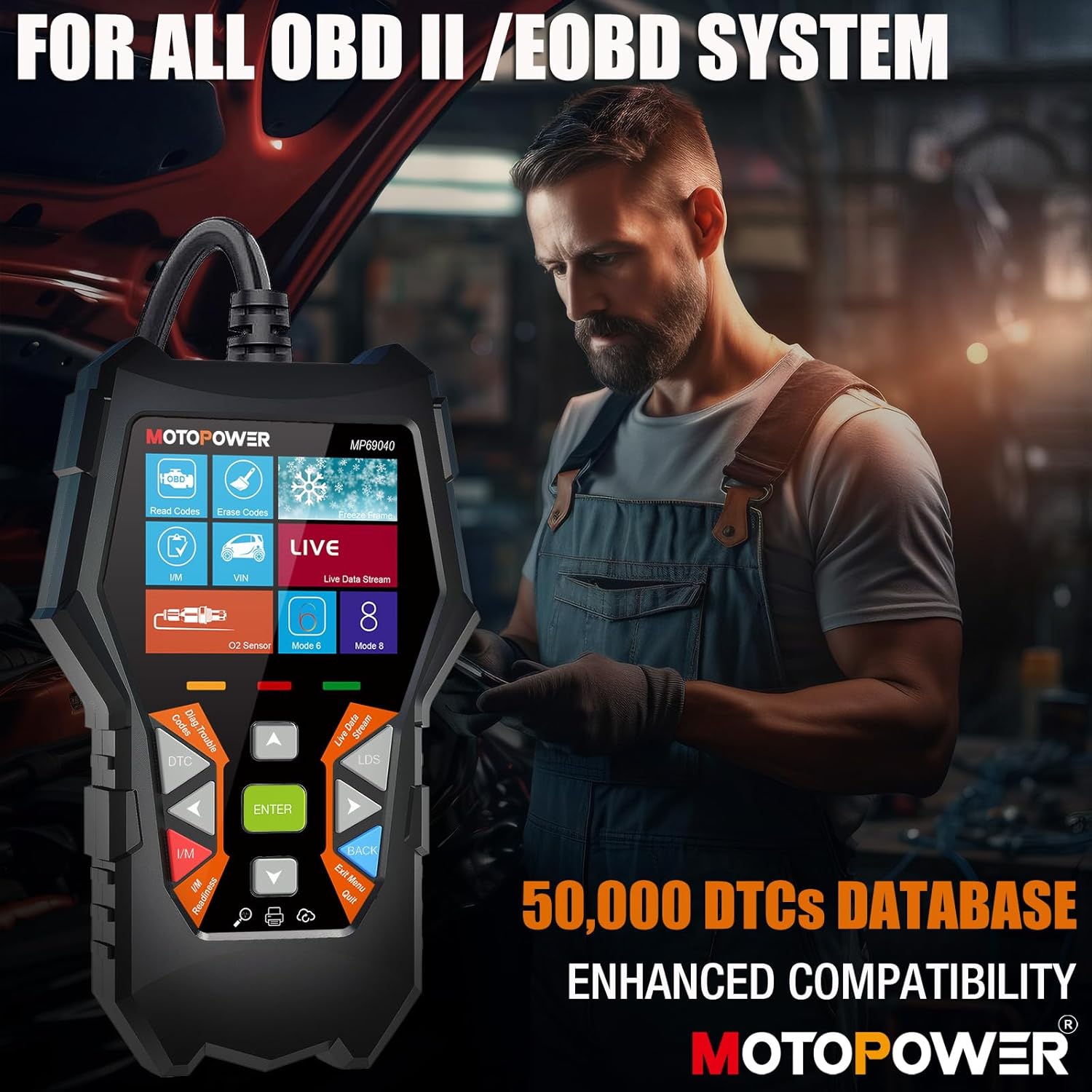
Image: A mechanic using the MOTOPOWER MP69040 OBD2 scanner in a garage setting, highlighting its compatibility with all OBD II / EOBD systems.
4.2. Connection and Power On
- Locate the 16-pin Data Link Connector (DLC) in your vehicle. This is usually located under the dashboard on the driver's side.
- Ensure the vehicle's ignition is off.
- Plug the scanner's cable into the vehicle's DLC.
- Turn the vehicle's ignition to the 'ON' position (engine off). The scanner will power on automatically.
4.3. Navigating the Interface
The MP69040 features a 2.8-inch TFT color screen and a user-friendly interface. Use the directional buttons (Up, Down, Left, Right) and the 'ENTER' button to navigate through menus and select options. The 'BACK' or 'EXIT' button will return you to the previous screen.

Image: The MOTOPOWER MP69040 OBD2 scanner displaying its 2.8-inch high-definition color screen and user-friendly menu interface.
4.4. Key Functions
- Engine Check: Scan for Diagnostic Trouble Codes (DTCs) and view their definitions.
- Erase Fault Codes: Clear stored DTCs from the vehicle's computer. This will turn off the Check Engine Light (CEL).
- Vehicle Identification (VIN): Read the vehicle identification number and other vehicle information.
- Real-time Data (Live Data Stream): View live sensor data from the vehicle's engine, such as RPM, fuel pressure, and oxygen sensor readings.
- DTC Library: Access a built-in database of over 50,000 DTCs for quick reference.
- I/M Readiness: Check the status of emission-related monitors.
- Print Data: Connect the scanner to a PC or phone to print diagnostic data.
- Update: The device supports lifetime free updates for firmware and DTC database.
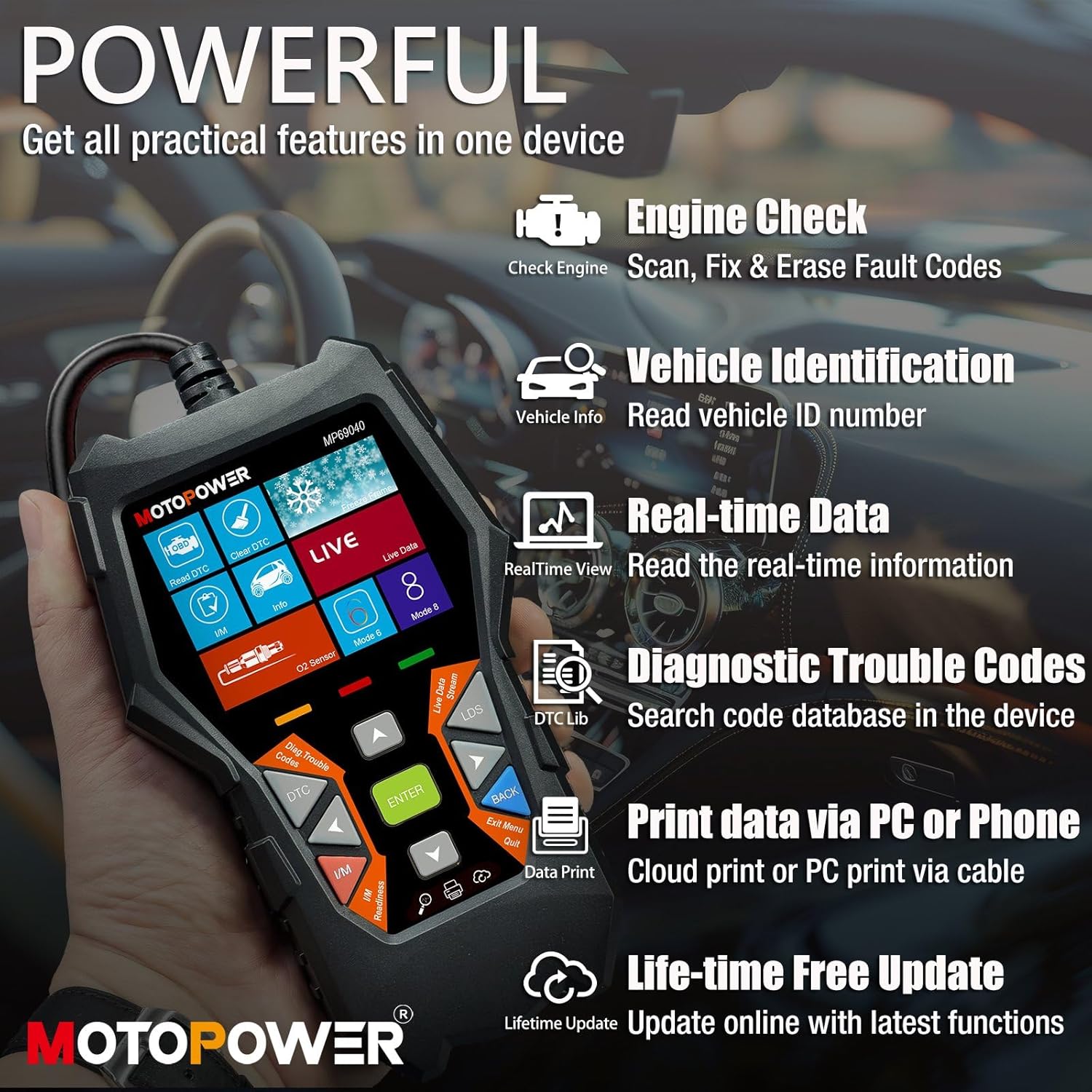
Image: An overview of the MOTOPOWER MP69040's powerful features, including Engine Check, Vehicle Identification, Real-time Data, Diagnostic Trouble Codes, Print Data, and Lifetime Free Updates.

Image: The MOTOPOWER MP69040 displaying live data, such as engine RPM and fuel pressure, to help track down car problems for accurate diagnosis.
5. Maintenance
5.1. MP0609A Motorcycle USB Charger
- Regularly inspect the cables and connectors for any signs of wear, damage, or corrosion. Replace if necessary.
- Ensure the waterproof cap is always clean and free of debris to maintain a proper seal.
- Clean the exterior of the unit with a soft, damp cloth. Do not use harsh chemicals or abrasive cleaners.
5.2. MP69040 OBD2 Scanner
- Keep the scanner's screen and buttons clean using a soft, dry cloth. Avoid spraying cleaners directly onto the screen.
- Store the scanner in a dry, cool place, away from direct sunlight and extreme temperatures, when not in use.
- Regularly check for and install available firmware updates to ensure optimal performance and the latest vehicle compatibility.
6. Troubleshooting
6.1. MP0609A Motorcycle USB Charger
| Problem | Possible Cause | Solution |
|---|---|---|
| USB charger not providing power. |
|
|
| Water inside USB port. |
|
|
6.2. MP69040 OBD2 Scanner
| Problem | Possible Cause | Solution |
|---|---|---|
| Scanner does not power on. |
|
|
| Scanner fails to link with vehicle. |
|
|
7. Specifications
7.1. MOTOPOWER MP0609A Motorcycle USB Charger
- Input Voltage: 12-24V DC
- Output: 5V, 3.1 Amp
- Connection Type: SAE Quick Release
- Fuse: 7.5 Amp (inline on SAE to Ring Terminal cable)
- Features: Waterproof cap, multiple mounting options
7.2. MOTOPOWER MP69040 OBD2 Scanner
- Display: 2.8-inch TFT Color Screen
- Supported Protocols: KWP2000, J1850 VPW, ISO9141, J1850 PWM, CAN (all OBDII protocols)
- Vehicle Compatibility: 1996+ US, 2003+ EU, 2008+ Asian (OBD2/CAN compliant)
- Languages: 10 built-in languages
- Features: Engine Check, VIN Read, Real-time Data, DTC Database, Data Print, Lifetime Free Updates
8. Warranty and Support
MOTOPOWER products are designed for reliability and performance. For warranty information, technical support, or service inquiries, please refer to the contact information provided with your purchase or visit the official MOTOPOWER website. Please have your model number (MP0609A, MP69040) and purchase details ready when contacting support.