
1. Introduction
Thank you for purchasing the LitONES LED Desk Lamp. This manual provides essential information for the safe and efficient operation of your new desk lamp. Please read it thoroughly before use and retain it for future reference.
Product Overview
The LitONES LED Desk Lamp is designed for home and office environments, offering versatile lighting solutions for various tasks including video calls, studying, reading, and drawing. It features customizable lighting options and an adjustable swing arm for optimal positioning.

Figure 1: LitONES LED Desk Lamp in a typical office setup.
This image shows the sleek black design of the LitONES LED Desk Lamp positioned on a desk beside a computer monitor, illuminating the workspace.
2. Specifications
| Feature | Detail |
|---|---|
| Model | F-630 |
| Power | 15 watts |
| Light Source Type | LED (84 LED beads) |
| Color Temperature | 3000K-6500K (3 modes) |
| Brightness Levels | 10% - 100% (10 levels, continuous dimming) |
| Lumen | 1200 Lumen |
| CRI | ≥95 |
| Control Method | Touch (Push Button Controller) |
| Material | Aluminum, Plastic, Iron |
| Product Dimensions | 7.9"D x 7.5"W x 26.7"H |
| Item Weight | 4.4 Pounds |
| Special Features | Adjustable Color Temperature, Memory Function, Dimmable, Timer, Adjustable Arm |
3. What's in the Box
The LitONES LED Desk Lamp package includes the following components:
- LED Desk Lamp Unit (CantiLever Light)
- Base
- Power Adapter
- User Manual
- Screw
- On-Off Switch (integrated)
- Dimmer (integrated)
- Power Cable (integrated with adapter)

Figure 2: Unboxing the LitONES LED Desk Lamp components.
This image displays the main components of the desk lamp as they appear when unboxed, including the foldable lamp arm, the sturdy base, and the power adapter.
4. Setup and Installation
Follow these steps to assemble your LitONES LED Desk Lamp:
- Unpack Components: Carefully remove all items from the packaging. Ensure all components listed in "What's in the Box" are present.
- Attach Lamp to Base: Insert the bottom of the lamp arm into the designated slot on the base. Secure it by tightening the knob located on the side of the base.
- Connect Power: Plug the power adapter into the DC socket on the lamp's base. Then, plug the adapter into a standard electrical outlet.
- Adjust Position: Adjust the lamp's arm and head to your desired position. The lamp features five pivot joints for extensive flexibility.
Video 1: Installation and Setup Guide for LitONES LED Desk Lamp.
This video demonstrates the simple steps to assemble the LitONES LED Desk Lamp, including attaching the lamp arm to the base and connecting the power supply. It also shows the initial power-on sequence.
5. Operating Instructions
The LitONES LED Desk Lamp features intuitive touch controls located on the lamp arm.
Controls Overview:
- Power Button: Touch to turn the lamp ON/OFF.
- Brightness Adjustment (+/-): Touch to increase or decrease brightness. Long press for continuous dimming (10%-100%).
- Color Temperature Switch (M): Touch to cycle through 3 color temperature modes (3000K, 4500K, 6500K).
- Timer Switch: Touch to activate the timer function (e.g., 30-minute or 60-minute auto-off).
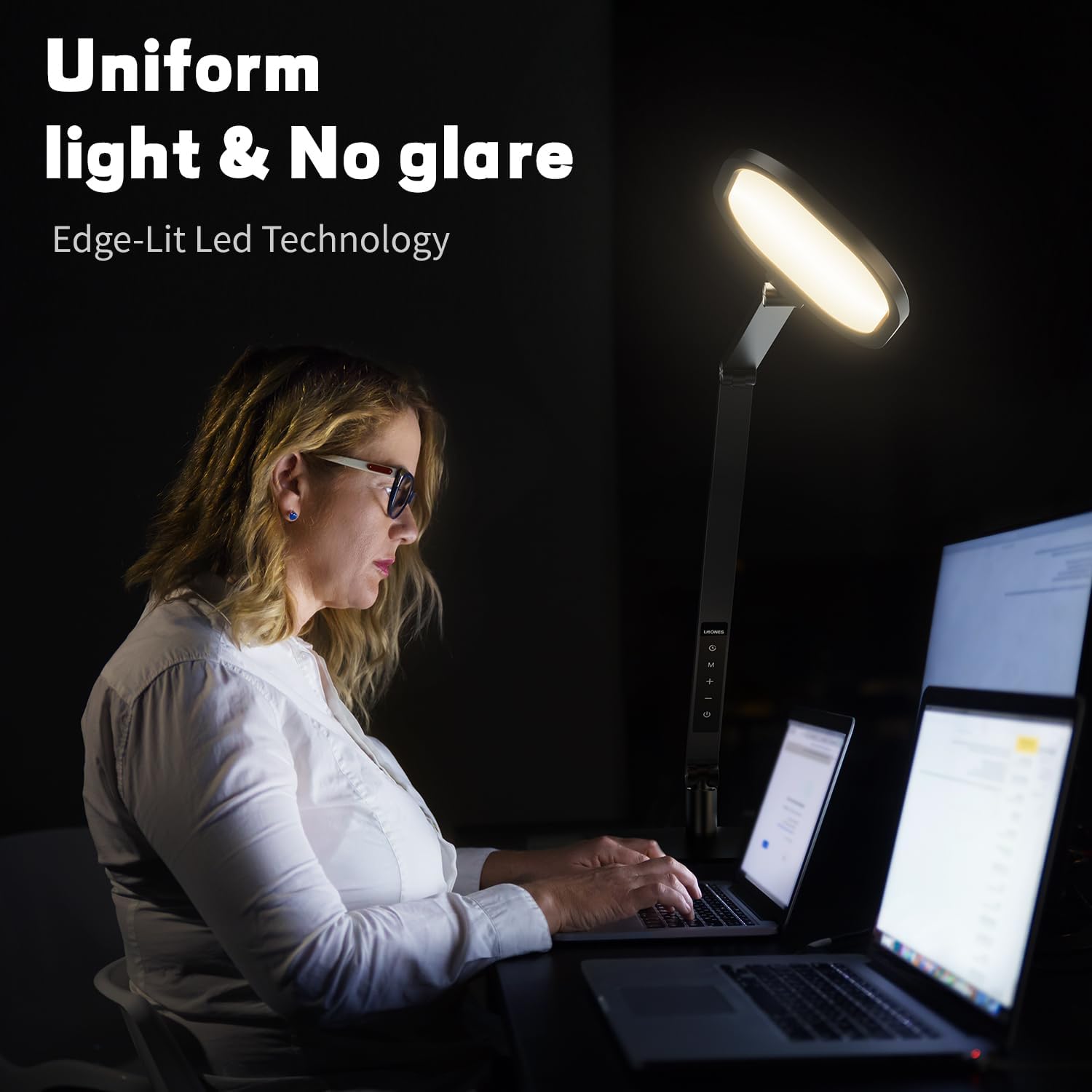
Figure 3: Customizable lighting options of the LitONES LED Desk Lamp.
This image illustrates the various light modes available, including three color temperatures (3000K, 4500K, 6500K) and ten brightness levels from 10% to 100%.
Memory Function:
The lamp features a memory function that remembers your last brightness and color temperature settings when turned off and on again.
Angle Adjustment:
The flexible swing arm allows for extensive angle and height adjustments. The lamp head can rotate 180°, and the arm has multiple pivot points for precise positioning.

Figure 4: Detailed view of the lamp's adjustable swing arm.
This diagram highlights the various rotation points and angles of the lamp's arm and head, demonstrating its flexibility for different lighting needs.
6. Maintenance and Care
- Cleaning: Disconnect the power before cleaning. Use a soft, dry cloth to wipe the lamp. Do not use abrasive cleaners or solvents.
- LED Lifespan: The lamp features 84 LED beads designed to last up to 100,000 hours, ensuring infrequent replacements.
- Storage: If storing the lamp for an extended period, fold it into its compact form and store it in a dry, cool place.
7. Troubleshooting
| Problem | Possible Cause | Solution |
|---|---|---|
| Lamp does not turn on. | Power adapter not connected properly or no power from outlet. | Ensure the power adapter is securely plugged into the lamp and the wall outlet. Test the outlet with another device. |
| Light flickers or is dim. | Unstable power supply or lamp setting. | Check power connection. Adjust brightness levels using the touch controls. |
| Controls are unresponsive. | Temporary software glitch. | Unplug the lamp from the power outlet for 30 seconds, then plug it back in to reset. |
8. Warranty and Support
LitONES offers a 36-month warranty service for this product. For peace of mind, you can also register for a lifetime warranty by scanning the QR code on the included business card or visiting www.litones.net.
Should you experience any issues or have questions, please do not hesitate to reach out to our 24/7 customer service. We are committed to promptly resolving any problems you may encounter.
Contact Information:
- Website: www.litones.net
- Email: service@litones.net
- Facebook: facebook.com/LitonesOfficial

Figure 5: LitONES warranty card for lifetime warranty registration.
This image shows the warranty card provided with the product, detailing how to register for the lifetime warranty via a QR code or website.
9. Safety Information
Please read and follow all safety instructions to prevent injury or damage:
- Do not disassemble or modify the lamp.
- Keep the lamp away from water or other liquids.
- Do not expose the lamp to extreme temperatures or direct sunlight.
- Use only the provided power adapter.
- Keep out of reach of children.

