
Introduction
The Niya Sonar 30 is a high-capacity, fast-charge cordless robotic pool cleaner designed for pools up to 33 feet in length. Developed by Maytronics, creators of Dolphin, it offers efficient cleaning of pool floors, walls, and waterlines using advanced Sonar-Powered Navigation. This manual provides essential information for setting up, operating, and maintaining your robotic pool cleaner.
Key features include:
- Cordless Design: Freedom from tangled cords with a high-capacity, fast-charge battery.
- Comprehensive Cleaning: Effectively scrubs pool floors, walls, and waterlines.
- Sonar-Powered Navigation: Utilizes sonar technology for smart mapping and efficient cleaning paths, minimizing missed spots.
- Quick Charging: Powers up to 2 hours of scrubbing with just 2.5 hours of charging.
Package Contents
Upon unboxing, ensure all components are present:
- 1 x Niya Sonar 30 Robotic Pool Cleaner
- 1 x Filter Basket
- 1 x Charger
- 1 x Hook
- Documentation (including this User Manual)

Figure 1: Niya Sonar 30 and its included accessories.
Setup
Before first use, fully charge the robotic pool cleaner. The integrated 7800 mAh rechargeable battery requires approximately 2.5 to 3 hours for a full charge, providing up to 2 hours of continuous cleaning.
- Charging: Locate the charging port on the top of the unit. Ensure the port is dry before connecting the charger. Plug the charger into a power outlet and connect it to the robot.
- Power On: Once fully charged, disconnect the charger. Press the power button located on the top of the unit. The robot will provide a voice prompt indicating it is ready in standard mode.
- Placement: Carefully lower the Niya Sonar 30 into your pool. It will sink to the bottom and begin its cleaning cycle automatically.

Figure 2: The Niya Sonar 30 charging port and power button location.
Operating Instructions
The Niya Sonar 30 operates in a single, comprehensive standard mode, designed to clean all pool surfaces efficiently.
- Automatic Operation: After powering on and placing it in the pool, the robot will automatically begin its cleaning pattern. It uses sonar technology to navigate and map the pool, ensuring thorough coverage.
- Surface Cleaning: The robot is equipped to clean pool floors, climb walls, and scrub the waterline. Its track-style wheels provide excellent traction for climbing steep surfaces and overcoming small obstacles like steps and ledges.
- Adaptive Navigation: The intelligent path planning allows the robot to adjust its route if it encounters obstacles such as pool poles or walls, ensuring continuous cleaning.
- Power Off: To turn off the unit, press and hold the power button for approximately 2 seconds. The robot will provide a voice prompt confirming shutdown.
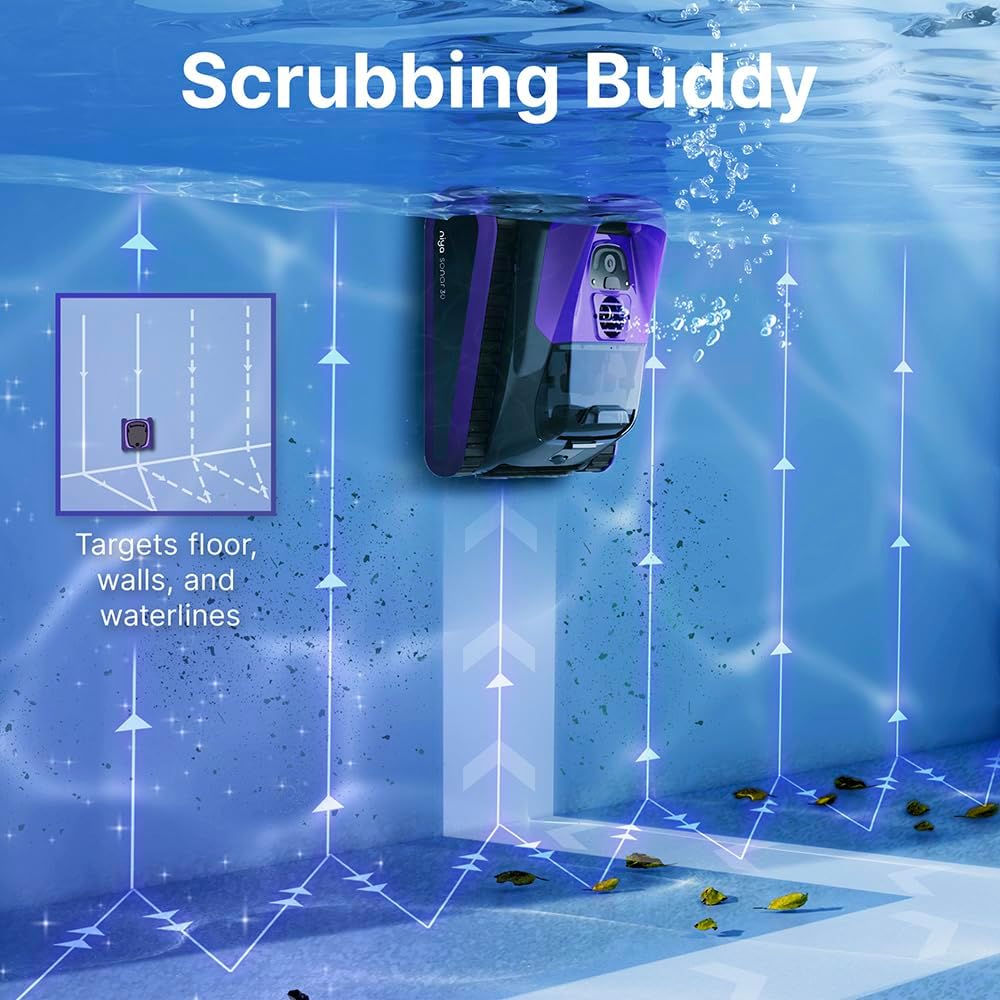
Figure 3: The Niya Sonar 30 effectively cleaning the pool wall and waterline.

Figure 4: Sonar technology enables smart and efficient navigation.
Maintenance
Regular maintenance ensures optimal performance and longevity of your Niya Sonar 30.
- Filter Basket Cleaning: The robot features a large 4-liter fine filter debris basket. After each cleaning cycle, or as needed, remove the filter basket from the top of the unit. Open the basket and rinse it thoroughly with a hose to remove collected debris, including small particles, sand, leaves, and twigs.
- Battery Care: The Niya Sonar 30 has an external, removable battery. If battery replacement is ever needed, simply remove the screws on the bottom panel to access and replace the battery. This design simplifies maintenance compared to models with internal, non-removable batteries.
- Brush Cleaning: Periodically inspect and clean the two sets of scrubbing brushes on the front and back, as well as the mini brushes on the sides, to ensure effective scrubbing.

Figure 5: The large capacity filter basket captures various debris types.
Troubleshooting
If you encounter issues with your Niya Sonar 30, consider the following common solutions:
- Robot Not Moving/Stuck: Ensure the pool is free of large debris that could obstruct the robot's movement. The sonar navigation system is designed to adapt to obstacles, but extreme cases may cause temporary halts. If stuck on a shallow step, the robot should eventually back itself out.
- Poor Cleaning Performance: Check the filter basket for excessive debris. A full or clogged filter can reduce suction power. Ensure the brushes are clean and free of hair or other obstructions.
- Battery Not Holding Charge: Verify that the charging port cover is securely closed when the robot is in the pool to prevent water ingress. Ensure the charger is properly connected and the battery is fully charged before each use. If issues persist, the external removable battery may need replacement.
- Voice Prompts: The robot provides voice prompts for status updates (e.g., "Niya is ready in standard mode," "Goodbye"). These are normal operational indicators.
Specifications
| Feature | Detail |
|---|---|
| Power Source | AC/DC |
| Item Weight | 19 Pounds |
| Special Feature | Cordless |
| Control Method | Remote |
| Battery Type | Rechargeable Lithium-Ion (7800 mAh) |
| Charging Time | 2.5 Hours |
| Run Time | Up to 2 Hours |
| Installation Type | Robotic |
| Product Dimensions | 17 x 15 x 10 inches |
| Color | Purple |
| Model Name | Sonar 30 |
Warranty & Support
The Niya Sonar 30 comes with a Limited Warranty. For detailed warranty information or technical support, please refer to the specific warranty documentation included in your package or contact Dolphin customer service.

