
Boquaw P90GDPK
Boquaw P90GDPK Smart Fitness Watch User Manual
Model: P90GDPK | Brand: Boquaw
1. Introduction
This manual provides essential information for the proper setup, operation, and maintenance of your Boquaw P90GDPK Smart Fitness Watch. Please read this manual thoroughly before using the device to ensure optimal performance and safety.
2. Safety Information
To prevent injury or damage to your device, observe the following precautions:
- Do not attempt to disassemble or modify the watch.
- Keep the watch away from extreme temperatures and direct sunlight.
- Avoid exposing the watch to strong impacts or drops.
- Consult a medical professional before starting any new exercise regimen, especially if you have pre-existing health conditions.
- The health monitoring data provided by this device is for reference only and should not be used for medical diagnosis or treatment.
- Ensure the charging contacts are clean and dry before charging.
3. Package Contents
Verify that all items are present in your package:
- Boquaw P90GDPK Smart Fitness Watch
- Charging Cable
- User Manual
- Additional Watch Band (color may vary)
4. Setup
4.1 Initial Charging
Before first use, fully charge your smartwatch. Connect the charging cable to the charging contacts on the back of the watch and to a USB power source. The watch will display a charging indicator.
4.2 App Installation & Pairing
- Scan the QR code in the manual or search for the companion app (e.g., 'FitCloudPro' or similar, refer to packaging) in your smartphone's app store (App Store for iOS, Google Play Store for Android).
- Download and install the app.
- Ensure Bluetooth is enabled on your smartphone.
- Open the app and follow the on-screen instructions to create an account and pair your watch.
- During pairing, confirm the connection on both your watch and smartphone.
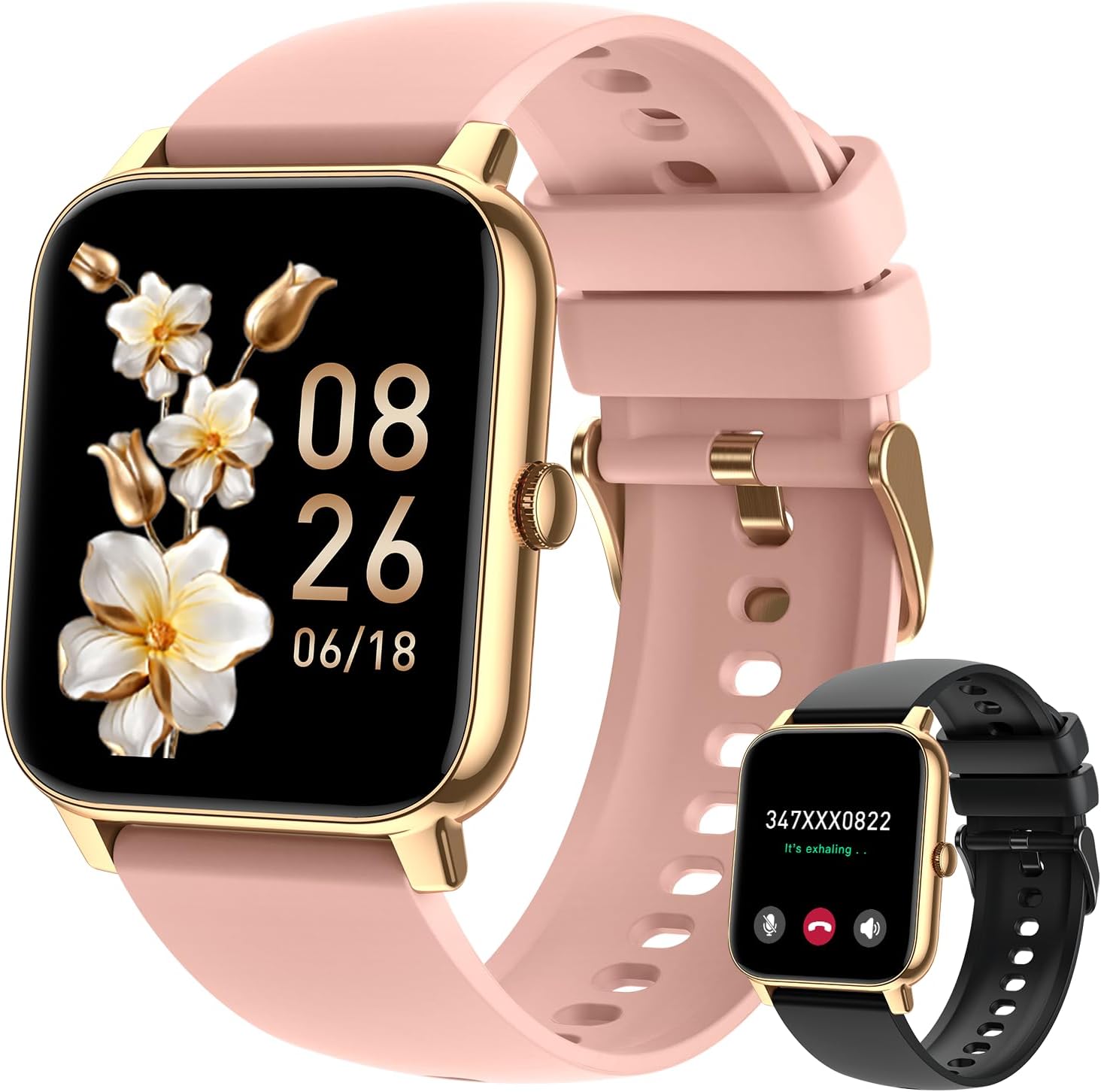
Figure 4.2.1: Boquaw P90GDPK Smart Fitness Watch. This image shows the main product with a pink strap and gold frame, displaying the time and date. A smaller black version of the watch is visible in the background.
5. Operating Instructions
5.1 Basic Navigation
- Touch Screen: Swipe left, right, up, or down to navigate through menus and features.
- Side Button: Press to return to the home screen or wake the device.
- Raise to Wake: The screen automatically lights up when you raise your wrist.
5.2 Display & Customization
The watch features a 1.85-inch large HD touch screen with a color display. You can customize your watch face through the companion app, choosing from over 200 built-in options or uploading your own photos.

Figure 5.2.1: Large HD Touch Screen and Watch Face Customization. This image highlights the 1.85-inch HD touch screen and the ability to customize watch faces with personal photos or choose from over 200 built-in designs.

Figure 5.2.2: Watch Face Options. This image displays a variety of watch faces available through the app, along with an interface for creating custom wallpapers using personal photos.
5.3 Health Monitoring
The smartwatch is equipped with sport optical sensors for accurate health data collection.
- Heart Rate Monitoring: Continuously tracks your heart rate.
- Blood Oxygen (SpO2) Monitoring: Measures blood oxygen levels throughout the day.
- Sleep Quality Analysis: Monitors sleep status (deep sleep, light sleep, awakening) and provides a comprehensive analysis.
- Breathing Training: Guided breathing exercises to help manage stress.

Figure 5.3.1: Sleep and Health Monitoring. This image illustrates the watch's ability to monitor sleep patterns (deep, light, awake) and track health metrics like heart rate, blood oxygen, and breathing exercises.

Figure 5.3.2: 24-Hour Heart Rate Monitoring. This image shows the smartwatch displaying a graph of heart rate data over a 24-hour period, tracking heart rhythm and overall health condition.

Figure 5.3.3: Sleep Quality Monitoring. This image illustrates how the smartwatch monitors and estimates sleep status, providing a detailed analysis of sleep patterns including light sleep, awake periods, and deep sleep.

Figure 5.3.4: Blood Oxygen Monitoring. This image shows the smartwatch continuously measuring blood oxygen (SpO2) levels throughout the day, ensuring breathing health and user safety.
5.4 Fitness Tracking
The watch accurately tracks steps, distance, and calories burned. It supports over 112 sport modes, providing detailed insights into your daily activity.
- 112+ Sport Modes: Includes running, riding, badminton, hiking, and more.
- Activity Tracking: Records calories, distance, steps, and heart rate for various activities.
- GPS Positioning: Can obtain GPS positioning through your mobile phone to track movement paths.

Figure 5.4.1: 112+ Sports Modes. This image shows a cyclist using the smartwatch, which tracks personal data across over 112 sports modes, including calories, steps, distance, and heart rate.

Figure 5.4.2: All-Day Activity Tracking. This image depicts hikers, with the smartwatch displaying comprehensive activity data such as calories burned, distance covered, steps taken, and current heart rate.

Figure 5.4.3: Diverse Sport Modes. This image shows a variety of sport mode icons, including walking, running, climbing, and cycling, indicating the smartwatch's support for over 112 different activities.
5.5 Communication Features
The smartwatch allows you to make and answer calls directly from your wrist, read messages, and receive notifications from various social media platforms.
- Bluetooth Calling: Make and answer calls using the built-in speaker and microphone.
- Message Notifications: Receive alerts for SMS, WhatsApp, Facebook, and other SNS messages.
- Voice Assistant: Utilize the voice assistant for hands-free commands.

Figure 5.5.1: Bluetooth Calls and Notifications. This image demonstrates the smartwatch's capabilities for Bluetooth calls, text and message notifications from various apps, and voice assistant functionality.

Figure 5.5.2: Make/Answer Calls. This image illustrates the smartwatch's ability to make and answer calls, showing a dial pad, contact display, and icons for call management and voice assistant.

Figure 5.5.3: Smart Message Notifications. This image shows a man viewing message notifications on his smartwatch from various social media platforms, ensuring he doesn't miss important updates.
5.6 Other Functions
- Camera Control: Remotely control your phone's camera shutter.
- Music Control: Play, pause, skip tracks, and adjust volume for music playback.
- Weather Information: View current weather conditions and forecasts.
- Alarm Clocks: Set multiple alarms.
- Stopwatch & Timer: Utilize for various timing needs.
- Sedentary Reminder: Prompts you to move after periods of inactivity.
- Menstrual Cycle Tracking: Helps track and predict menstrual cycles.
- Drink Reminder: Reminds you to stay hydrated.

Figure 5.6.1: Camera, Music, and Weather Control. This image displays the smartwatch's ability to show weather information, control your phone's camera remotely, and manage music playback.

Figure 5.6.2: Camera Control. This image shows the smartwatch displaying a camera icon, indicating its remote camera control feature, allowing users to trigger their phone's camera shutter from their wrist.

Figure 5.6.3: Music Control. This image illustrates the smartwatch's music control capabilities, allowing users to play, pause, skip tracks, and adjust volume directly from their wrist.

Figure 5.6.4: Stopwatch and Weather. This image shows the smartwatch displaying both stopwatch functionality and current weather information.

Figure 5.6.5: Convenience Features. This image highlights additional convenience features such as alarm clocks, menstrual cycle tracking, and a drink reminder.
6. Water Resistance
The Boquaw P90GDPK Smart Fitness Watch has an IP68 waterproof rating, meaning it is resistant to dust and can withstand immersion in water up to 1.5 meters for up to 30 minutes. It is suitable for daily activities like washing hands, rain, and sweating. However, it is not recommended for hot showers, saunas, or diving.

Figure 6.1: IP68 Waterproof Rating. This image shows the smartwatch being splashed with water, demonstrating its IP68 waterproof capabilities for daily use.
7. Battery Life
The smartwatch is equipped with a large capacity battery, providing 7-15 days of battery life depending on usage. Actual battery life may vary based on features used, frequency of use, and network conditions.
8. Compatibility
The Boquaw P90GDPK Smart Fitness Watch is compatible with most Android and iOS smartphones.
- Android: Android 5.0 and above.
- iOS: iOS 9.0 and above.
- Supported Devices: Compatible with iPhone, Samsung, HUAWEI, and other devices that support Bluetooth connectivity.
Video 8.1: Boquaw P90GDPK Smart Fitness Watch Overview. This official product video demonstrates the features and functionality of the Boquaw P90GDPK Smart Fitness Watch, including its display, health tracking, communication, and other smart features.
9. Maintenance
- Cleaning: Regularly wipe the watch screen and strap with a soft, dry cloth. For stubborn dirt, use a slightly damp cloth and mild soap, then rinse and dry thoroughly.
- Strap Care: The adjustable silicone strap is designed for comfort and durability. Avoid prolonged exposure to harsh chemicals or extreme temperatures to maintain its integrity.
- Storage: When not in use for an extended period, store the watch in a cool, dry place.
10. Troubleshooting
If you encounter issues with your smartwatch, try the following solutions:
- Watch not turning on: Ensure the watch is fully charged.
- Unable to pair: Make sure Bluetooth is enabled on your phone and the watch is within range. Restart both devices and try pairing again.
- Inaccurate health data: Ensure the watch is worn snugly on your wrist, not too tight or too loose. Clean the sensor area regularly.
- Notifications not received: Check app permissions on your phone to ensure the companion app has access to notifications. Verify that notifications are enabled within the app settings.
- Short battery life: Reduce screen brightness, disable unnecessary features, or limit frequent heart rate monitoring.
11. Specifications
| Feature | Specification |
|---|---|
| Model Number | P90GDPK |
| Screen Size | 1.85 Inches |
| Operating System | Android and iOS compatible |
| Connectivity Technology | Bluetooth |
| Water Resistance | IP68 |
| Battery Life | 7-15 days (typical usage) |
| Item Weight | 2.46 ounces (0.07 Kilograms) |
| Package Dimensions | 5.55 x 3.54 x 1.26 inches |
| Special Features | Full Touch Screen, HD Glass, Adjustable Silicone Strap, Fitness Tracker, Phone Call, Sleep Monitor, Blood Oxygen (SpO2) Monitor, Heart Rate Monitor, Calorie Tracker, Alarm Clock, Stopwatch, Timer, Pedometer, Camera Control, Music Playback/Control, Sedentary Reminder, Weather, Notifications, GPS Via Smartphone |
12. Warranty and Support
For warranty information and customer support, please refer to the documentation included with your purchase or contact Boquaw customer service through their official website or the retailer where the product was purchased.
Ask a question about this manual
Ask about setup, troubleshooting, compatibility, parts, safety, or missing instructions. Manuals+ will review the question and use this page’s manual context to help answer it.